
Hi everybody,
I upgraded recently my pc from Windows XP to Windows 7 x64 and I am facing an annoying issue.
When playing games in full screen mode, I was able in XP to switch back to the desktop (to look for infos on the net for example) by simply pressing ctrl+alt+del. The task manager was opened and I was able to access every application I wanted while the game was running in the background. I could then switch back to the game when I was ready to do it.
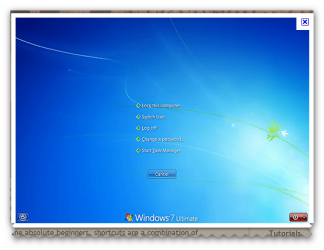
When I press ctrl+alt+del in Windows 7, it first opens a windows with options such as shutting down the pc, starting the task manager, ....When I choose in the task manager to bring the desktop to the front, the only thing I get is a black screen with the taskbar visible at the bottom. And when I try to start a program from the taskbar, the screen remains black and the chosen application is not brought to the front. Also, when I move the pointer of my mouse to the center of the black screen, it automatically switches back to the game.
I would like to do in Windows 7 what I was doing in XP, any help appreciated. Thanks.
I upgraded recently my pc from Windows XP to Windows 7 x64 and I am facing an annoying issue.
When playing games in full screen mode, I was able in XP to switch back to the desktop (to look for infos on the net for example) by simply pressing ctrl+alt+del. The task manager was opened and I was able to access every application I wanted while the game was running in the background. I could then switch back to the game when I was ready to do it.
When I press ctrl+alt+del in Windows 7, it first opens a windows with options such as shutting down the pc, starting the task manager, ....When I choose in the task manager to bring the desktop to the front, the only thing I get is a black screen with the taskbar visible at the bottom. And when I try to start a program from the taskbar, the screen remains black and the chosen application is not brought to the front. Also, when I move the pointer of my mouse to the center of the black screen, it automatically switches back to the game.
I would like to do in Windows 7 what I was doing in XP, any help appreciated. Thanks.
My Computer
- OS
- Windows 7 Ultimate x64



 i had the same problem with the WinKey..


