
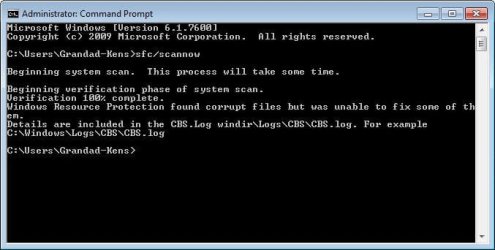
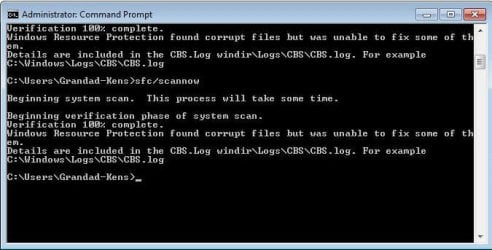
OK firstly, he did 3 runs with no spaces so should he run it again ? i just did one run (on my pc) with no spaces and 1 run with the space and i got the same result. My pc is fine obviously but i still have no reference to my printer in device manager even with my printer turned on (mine is the ip3000) the only reference i can find for mine is in the universal serial bus controllers and it says USB printing support !
I have attached the 3 results of his 3 runs. is it imperative he put the space inbetween the SFC and the / and runs it again ?
I have attached the 3 results of his 3 runs. is it imperative he put the space inbetween the SFC and the / and runs it again ?
Attachments

My Computer
At a glance
Windows 7 Home Premium 64bitIntel i7 950 4.01GHz OC24gig DDR3 Vengeance (16gig seen due to OS)ATI Radeon XFX HD 6870 DDR5 1gig
- Computer Manufacturer/Model Number
- Custom Build
- OS
- Windows 7 Home Premium 64bit
- CPU
- Intel i7 950 4.01GHz OC
- Motherboard
- Gigabyte X58 USB -3
- Memory
- 24gig DDR3 Vengeance (16gig seen due to OS)
- Graphics Card(s)
- ATI Radeon XFX HD 6870 DDR5 1gig
- Sound Card
- Realtek HD
- Monitor(s) Displays
- Hanns-G 27.5" HDMI
- Screen Resolution
- 1920x1200
- Hard Drives
- 2x1TB Samsung F3 HDD's
- PSU
- Corsair HX 850
- Case
- Antec 300
- Cooling
- Corsair H80 wc, 4 case fans
- Keyboard
- PS2 Microsoft
- Mouse
- USB wireless microsoft multifunction
- Internet Speed
- 6mbps





