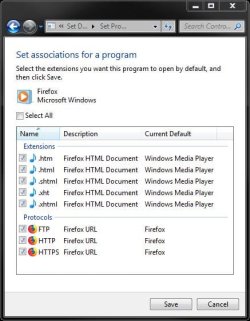
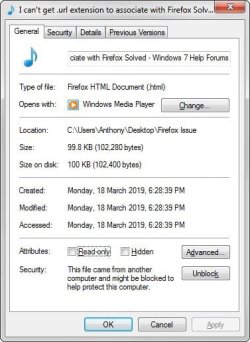
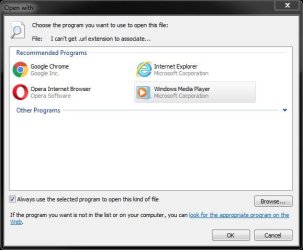
I can't open html files with Firefox. They open with Windows Media Player instead. When I select CHANGE.. to try choose Firefox to open the html file, Firefox is not listed in the RECOMMENDED PROGRAMS or OTHER PROGRAMS list, and when I BROWSE... for it, and select the Firefox.exe, nothing happens.
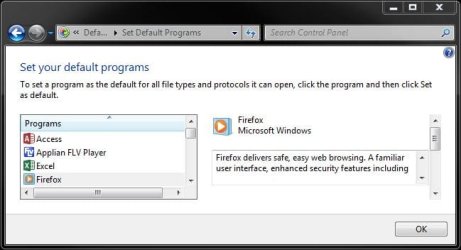
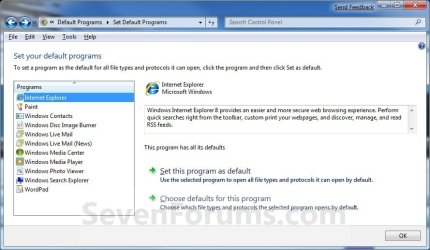
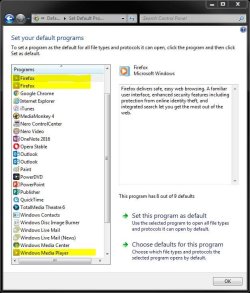
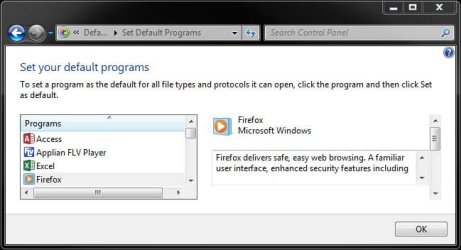
In SET YOUR DEFAULT PROGRAMS, I noticed that Firefox has a Windows Media Player icon and says FIREFOX MICROSOFT WINDOWS.
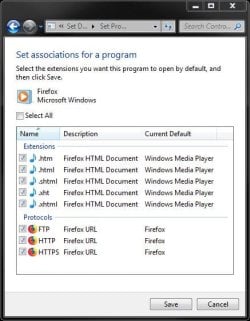
In ASSOCIATE A FILE TYPE OR PROTOCOL WITH A PROGRAM, when I select CHANGE PROGRAM.. I am unable to associate Firefox with html files. Firefox is not listed in the RECOMMENDED PROGRAMS or OTHER PROGRAMS list, and when I BROWSE... for it, and select the Firefox.exe, nothing happens.

I've tried deleting the Firefox entry from REGISTRY EDITOR:
Computer\HKEY_LOCAL_MACHINE\SOFTWARE\RegisteredApplications
I've tried uninstalling Firefox, and deleting the folder...
C:\Program Files\Mozilla Firefox
...and then restarting my PC and installing the latest Firefox as administrator, but it didn't fix it.
Any ideas how to fix this?
In SET YOUR DEFAULT PROGRAMS, I noticed that Firefox has a Windows Media Player icon and says FIREFOX MICROSOFT WINDOWS.
In ASSOCIATE A FILE TYPE OR PROTOCOL WITH A PROGRAM, when I select CHANGE PROGRAM.. I am unable to associate Firefox with html files. Firefox is not listed in the RECOMMENDED PROGRAMS or OTHER PROGRAMS list, and when I BROWSE... for it, and select the Firefox.exe, nothing happens.
I've tried deleting the Firefox entry from REGISTRY EDITOR:
Computer\HKEY_LOCAL_MACHINE\SOFTWARE\RegisteredApplications
I've tried uninstalling Firefox, and deleting the folder...
C:\Program Files\Mozilla Firefox
...and then restarting my PC and installing the latest Firefox as administrator, but it didn't fix it.
Any ideas how to fix this?
My Computer
At a glance
Windows 7 Home Premium 64bit
- Computer type
- PC/Desktop
- OS
- Windows 7 Home Premium 64bit