Cant change audio output settings

mpmisha

New member
Local time
2:17 PM
Messages
3
Hey everybody!
Its my first thread in here after a week of searching the web back and forth for solutions!

I just installed win 7 (ultimate X32) on my computer, and i want to set the realtek audio card so i can hear sound through the front headphones and i cant get the audio to work!
I have the latest realtek drivers (6.0.1.6383) but i cant find the audio manager.

My Suspicion is that the audio output is set to the RCA line out on my driver, but i cant find a way to change the output settings.

Any suggestions?
 

My Computer My Computer

At a glance

windows 7 ultimate X32
OS
windows 7 ultimate X32
Hello mpmisha & Welcome to SevenForums :)

frontpanelvd9.jpg


Have you been trying this? Or can't you open your Realtek at all?
If no, try re-installing it in the control panel, and clean leftover files by using Driver Sweeper. IF you want to!

Best Regards,
FredeGail
 

My Computer My Computer

At a glance

Microsoft Windows 7 Ultimate: x64 (SP1)Intel® Core™ i5-2500K ProcessorKingston DDR3 HyperX 1600MHz 8GBASUS GTX 560 TI DirectCU II 900MHz
Computer Manufacturer/Model Number
Brewed
OS
Microsoft Windows 7 Ultimate: x64 (SP1)
CPU
Intel® Core™ i5-2500K Processor
Motherboard
ASUS P8Z68-V PRO
Memory
Kingston DDR3 HyperX 1600MHz 8GB
Graphics Card(s)
ASUS GTX 560 TI DirectCU II 900MHz
Sound Card
Realtek® ALC892 8-Channel High Definition Audio CODEC
Monitor(s) Displays
ACER LCD P246HBD 1920x1080 (24") - Dell 1280x800
Screen Resolution
ACER LCD P246HBD ~ [1920X1080] - DELL ~ [1280x800]
Hard Drives
500 GB WD Caviar SE116 7200rpm SATA2
PSU
Corsair 750W Power Supply
Case
Coolermaster CM Scout
Cooling
Zalman FS-C77 Fatal1ty CPU Cooler
Keyboard
Logitech G15
Mouse
Coolermaster Sentinel Advanced
Internet Speed
[↓ 10 MB/s DL] [↑ 1 MB/s UL]
Other Info
- ROCCAT™ Kave – Solid 5.1 Surround Sound Gaming Headset
- Not overclocking
hey! thanks for the quick replay
the problem is that i can open the realtek manager at all
I installed and re-Installed the latest drivers several time from anywhere i could think of!
 

My Computer My Computer

At a glance

windows 7 ultimate X32
OS
windows 7 ultimate X32
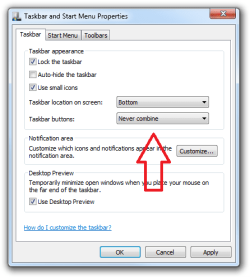
It's not in the Taskbar either? Maybe it's hidden.
Click on the little arrow and see what's there. I know this sounds stupid, but it happens! It could be the wrong .exe file you're opening in the utility folder.
When installing Realtek, it will by default, jump an icon down into your taskbar so you can access sound settings.

Taskbar.png

My other thought is to uninstall it, and clean the leftover files, and then install it once again. Not just the driver, but also the utility.

Hope this helps,
FredeGail
 

My Computer My Computer

At a glance

Microsoft Windows 7 Ultimate: x64 (SP1)Intel® Core™ i5-2500K ProcessorKingston DDR3 HyperX 1600MHz 8GBASUS GTX 560 TI DirectCU II 900MHz
Computer Manufacturer/Model Number
Brewed
OS
Microsoft Windows 7 Ultimate: x64 (SP1)
CPU
Intel® Core™ i5-2500K Processor
Motherboard
ASUS P8Z68-V PRO
Memory
Kingston DDR3 HyperX 1600MHz 8GB
Graphics Card(s)
ASUS GTX 560 TI DirectCU II 900MHz
Sound Card
Realtek® ALC892 8-Channel High Definition Audio CODEC
Monitor(s) Displays
ACER LCD P246HBD 1920x1080 (24") - Dell 1280x800
Screen Resolution
ACER LCD P246HBD ~ [1920X1080] - DELL ~ [1280x800]
Hard Drives
500 GB WD Caviar SE116 7200rpm SATA2
PSU
Corsair 750W Power Supply
Case
Coolermaster CM Scout
Cooling
Zalman FS-C77 Fatal1ty CPU Cooler
Keyboard
Logitech G15
Mouse
Coolermaster Sentinel Advanced
Internet Speed
[↓ 10 MB/s DL] [↑ 1 MB/s UL]
Other Info
- ROCCAT™ Kave – Solid 5.1 Surround Sound Gaming Headset
- Not overclocking
Its not in the toolbar at all, even when i go to the realteck folder in C:\Program Files\Realtek
and try all the *.exe in there, none of the open the audio manager...

what do you mean by cleaning the leftover files and utility after uninstalling?
 

My Computer My Computer

At a glance

windows 7 ultimate X32
OS
windows 7 ultimate X32
run a registry cleaner to get rid of all traces of the previous installation..

- sometimes "stubs" are left in the Registry, which may confuse the newly re-installed driver..

I use CCleaner, it's a free download - search via Google..
it has a "clean Registry" function, which scans the PC for anomalies..
 

My Computer My Computer

At a glance

Windows10 Pro - 64Bit vs.10547i7-965 Extreme Edition (8 Cores) at 3.3GHz (n...12G Corsair Dominator DDR3 - tripled2xAMD SapphireNITRO R9 380(4G) crossfire
Computer type
PC/Desktop
Computer Manufacturer/Model Number
benchtec, built to personal specs
OS
Windows10 Pro - 64Bit vs.10547
CPU
i7-965 Extreme Edition (8 Cores) at 3.3GHz (no OC)
Motherboard
BloodRageX58 (Socket1366)
Memory
12G Corsair Dominator DDR3 - tripled
Graphics Card(s)
2xAMD SapphireNITRO R9 380(4G) crossfire
Sound Card
Sonar(SB)X-Fi onboard
Monitor(s) Displays
SyncMaster P2050 20"
Screen Resolution
1600x900 (widescreen)
Hard Drives
480G\OCZSolid3SSD, 64G\OCZVertex3SSD,60G\OCZVertex2SSD, 1TB\spinpointF1SATAHDD
PSU
1200w Power Station Gold
Case
ANTEC 900/2 all blue lights, etc..
Cooling
Noctua SE1366 NH-U12P - a tight fit, but a monster cooler!!
Keyboard
Logitech G19 (wired)
Mouse
Logitech G9 Laser (wired)
Internet Speed
150mb unlimited
Browser
IE11(RP)
Other Info
Xbox One, Nokia735 Windows10 mobile, LG HD/DVD/Blu-Ray r/w, CyberlinkPowerDVD15, LogitechZ5500-SS(5.1), LogitechG35Phones-SS(7.1),MSOffice 2007,CorelDrawX7,Painter2016, Wacom Intuos Pro-SE
Back
Top