
Silgorious
New member
- Local time
- 3:12 PM
- Messages
- 2
Hi, I'm new to this forum, and hope to solve my problem with some expert guidance.
The problems started with me trying to create a shared file in onenote, which could be edited and viewed by all users of my computer. In the UAC, it asked me about some permission about "INTERACTIVE" and "SERVICE", if I remember right. I allowed it to do so, and hoped to set up the notebook in the public documents folder.
But, since then, the libraries (Documents, music, etc) reported being "Unresponsive" when I clicked on "Includes: 2 locations".
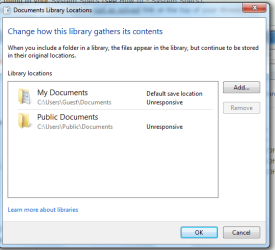
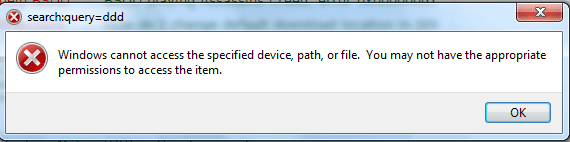
Also, the "See more results" link in the start menu reports an error as in the picture:
I recently installed Autocad Architecture Metric (US) in my computer, and then tried opening it in Guest account, but it just shows the following:
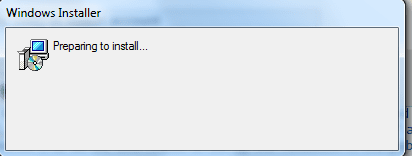
Then:
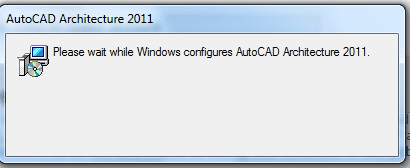
Then it shows:
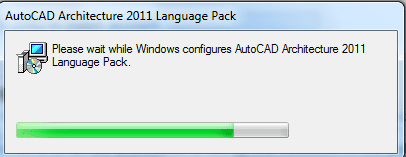
And then it disappears, and nothing happens. I'm unable to open the software even when I applied read&exec permissions for guest in the folder containing the program. Path: C:\Program Files\Autodesk\AutoCAD Architecture 2011 (The folder containing the program)... (acad.exe)
All the other apps like chrome, pdf, etc are running without any problem, as this problem arose after their installation.
Also, please tell me why this app runs in guest account only if I select "Run as administrator". Other standard accounts are fine. Thanks!
The problems started with me trying to create a shared file in onenote, which could be edited and viewed by all users of my computer. In the UAC, it asked me about some permission about "INTERACTIVE" and "SERVICE", if I remember right. I allowed it to do so, and hoped to set up the notebook in the public documents folder.
But, since then, the libraries (Documents, music, etc) reported being "Unresponsive" when I clicked on "Includes: 2 locations".
Also, the "See more results" link in the start menu reports an error as in the picture:
I recently installed Autocad Architecture Metric (US) in my computer, and then tried opening it in Guest account, but it just shows the following:
Then:
Then it shows:
And then it disappears, and nothing happens. I'm unable to open the software even when I applied read&exec permissions for guest in the folder containing the program. Path: C:\Program Files\Autodesk\AutoCAD Architecture 2011 (The folder containing the program)... (acad.exe)
All the other apps like chrome, pdf, etc are running without any problem, as this problem arose after their installation.
Also, please tell me why this app runs in guest account only if I select "Run as administrator". Other standard accounts are fine. Thanks!
My Computer
At a glance
windows 7 Ultimate, 32 bit
- Computer type
- PC/Desktop
- OS
- windows 7 Ultimate, 32 bit
- Browser
- chrome


