- Local time
- 2:31 PM
- Messages
- 50,634
You only need to unplug either cable on one HD as shown in the first minute here:
Here's how to open your case:
Here's how to open your case:



I tried opening the thumbscrews but either I am too weak or they are too tight, I managed to get one off.
Yes it does have a notch but I have no screwdrivers and if I did they will probably be the wrong size.
I never said I didnt have the intention to buy any; I just don't know if I'll get the right one or not.
I never said I didnt have the intention to buy any; I just don't know if I'll get the right one or not.
How about buying an ordinary, common, garden variety, pair of pliers?
Do you know what a pair of pliers looks like?
I never said I didnt have the intention to buy any; I just don't know if I'll get the right one or not.
How about buying an ordinary, common, garden variety, pair of pliers?
Will try that.

Hi Infinite,
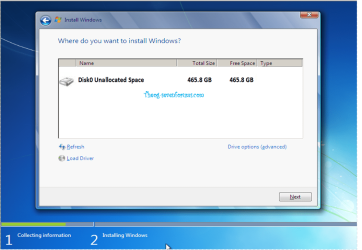
You reall should disconnect one of the hard drives as recommended countless times here (and in that earlier thread I helped you with). Until you do that, I'm afraid you are not going to have much success.
You have two choices :
1. Follow the steps given, and get your setup as you want it for free, or
2. Take it to a PC shop, and have it setup (probably in a non-ideal fashion) at considerable cost.
If you want option 1, then I strongly advise following Greg & Ignatz suggestions exactly. They have solved countless, far more complex issues than yours - you are in very good hands.
Regards,
Golden