Can't move user profiles

sargan

New member
Member
VIP
Local time
9:58 PM
Messages
164
Guys ... opening this as separate thread as previous one took a direction of its own.

Scenario
As per Tutorial moved my profiles off the C:\
http://www.sevenforums.com/tutorials/87555-user-profile-change-default-location.html

In order to use Windows Repair/Upgrade Disk I need to move them back.
Preparing for move back, have pared them down dramatically in size by putting my docs/my pics/ my music etc. on locations off the C:\

Although I have been using PC with profiles moved off, somehow a couple of files have been created by some apps on C:\

I can live without them (just a few Adobe & wondershare historical)
But I can't delete this profile .. even though logged into to another account as admin.
It shows 'user' with a padlock against it.
I have tried Taking ownership - no change
I have tried using Unlocker - if fails
In properties it shows that I have full permissions ... and for example it will allow me to rename the folder .. but not delete it?

I tried moving my profiles opting to move&merge but it got messy & failed as it could not copy across some files due to permissions.
Therefore having recovered back - obviously need to delete this C:\users\name before I try this again.

How do I 'unlock' this file, so I can delete.
 

My Computer

Computer type
PC/Desktop
Computer Manufacturer/Model Number
custom build
OS
W7 64 bit ultimate
CPU
i5 3570 3.4G Ivybridge
Motherboard
ASUS P8Z77-V LE
Memory
16GB Ram – Corsair XMS
Graphics Card(s)
MSI GTX G650 Hawk - Frzr II
Sound Card
on-mobo
Monitor(s) Displays
26" Samsung digital
Hard Drives
OS on SSD – Crucial M4 120GB
programme & data on 1TB HDD (Caviar Black)
Pics & video on 1TB HDD (Caviar Black)
PSU
Cooler Master M2 Silent Pro PSU
Case
Fractal R3 case
Cooling
Coolermaster Hper 212 EVO + Artic silver paste
Internet Speed
3MB
Antivirus
KIS
Did you perform Method Two of the very same tutorial which shows how to move the files back? I asked you this in your previous thread and didn't get an answer. I was prepared to ask the tutorial's author to assist.

If Method Two does not work or is unclear I would address the author of the tutorial in its comments section, or ask him via messaging to look in here.
 
Did you perform Method Two of the very same tutorial which shows how to move the files back? I asked you this in your previous thread and didn't get an answer. I was prepared to ask the tutorial's author to assist.
Exactly. Following the instructions in the tutorial to the letter is the only way to get this solved. Keep in your mind that our tutorials only work if the instructions are followed without any "Oh I do not think I have to do that" thinking.

Follow the instructions to the letter, exactly as written.
 

My Computer

Computer type
Laptop
Computer Manufacturer/Model Number
HP ENVY 17-1150eg
OS
Windows 10 Pro x64 EN-GB
CPU
1.6 GHz Intel Core i7-720QM Processor
Memory
6 GB
Graphics Card(s)
ATI Mobility Radeon HD 5850 Graphics
Sound Card
Beats sound system with integrated subwoofer
Monitor(s) Displays
17" laptop display, 22" LED and 32" Full HD TV through HDMI
Screen Resolution
1600*900 (1), 1920*1080 (2&3)
Hard Drives
Internal: 2 x 500 GB SATA Hard Disk Drive 7200 rpm
External: 2TB for backups, 3TB USB3 network drive for media
Cooling
As Envy runs a bit warm, I have it on a Cooler Master pad
Keyboard
Logitech diNovo Media Desktop Laser (bluetooth)
Mouse
Logitech Performance Mouse MX
Internet Speed
50/10 Mbps VDSL
Antivirus
Windows Defender 4.3.9431.0
Browser
Maxthon 3.5.2., IE11
Why are you starting a new thread when you were in the midst of receiving help in your old thread ...Did you perform Method Two of the very same tutorial which shows how to move the files back?


Not trying to be difficult - I started this in separate thread as to use KARI's comment "this thread of yours has gone a bit off topic or at least expanded the topic beyong your original issue."

To confirm - as per your suggestion, I tried Method 2 to carry out the restore ... it screwed up big time, as there is an exiting partial profile when they merged ... several files would not copy across due to permissions.
The result was an unusable system, almost all apps would not work.
I had a full backup so restored that ... to get back to point A.

Then as mentioned above have paired down size of profiles to make move easier/quicker.
The profiles are fully working in the 'moved to ' location of D:\users\names

I don't want to risk another screwup ... so want to remove the spurious profile on C:\users\name

But as described the \name is locked ... padlock symbol.

Following your advice to use Method 2 ... I will need to delete this 'name' first.


But the issue of the
 

My Computer

Computer type
PC/Desktop
Computer Manufacturer/Model Number
custom build
OS
W7 64 bit ultimate
CPU
i5 3570 3.4G Ivybridge
Motherboard
ASUS P8Z77-V LE
Memory
16GB Ram – Corsair XMS
Graphics Card(s)
MSI GTX G650 Hawk - Frzr II
Sound Card
on-mobo
Monitor(s) Displays
26" Samsung digital
Hard Drives
OS on SSD – Crucial M4 120GB
programme & data on 1TB HDD (Caviar Black)
Pics & video on 1TB HDD (Caviar Black)
PSU
Cooler Master M2 Silent Pro PSU
Case
Fractal R3 case
Cooling
Coolermaster Hper 212 EVO + Artic silver paste
Internet Speed
3MB
Antivirus
KIS
Did you perform Method Two of the very same tutorial which shows how to move the files back? I asked you this in your previous thread and didn't get an answer. I was prepared to ask the tutorial's author to assist.
Exactly. Following the instructions in the tutorial to the letter is the only way to get this solved. Keep in your mind that our tutorials only work if the instructions are followed without any "Oh I do not think I have to do that" thinking.

Follow the instructions to the letter, exactly as written.


Kari .. see post #4 (crossed) did follow but partial 'profile' that has appeared since move is blocking
 

My Computer

Computer type
PC/Desktop
Computer Manufacturer/Model Number
custom build
OS
W7 64 bit ultimate
CPU
i5 3570 3.4G Ivybridge
Motherboard
ASUS P8Z77-V LE
Memory
16GB Ram – Corsair XMS
Graphics Card(s)
MSI GTX G650 Hawk - Frzr II
Sound Card
on-mobo
Monitor(s) Displays
26" Samsung digital
Hard Drives
OS on SSD – Crucial M4 120GB
programme & data on 1TB HDD (Caviar Black)
Pics & video on 1TB HDD (Caviar Black)
PSU
Cooler Master M2 Silent Pro PSU
Case
Fractal R3 case
Cooling
Coolermaster Hper 212 EVO + Artic silver paste
Internet Speed
3MB
Antivirus
KIS
Kari .. see post #4 (crossed) did follow but partial 'profile' that has appeared since move is blocking

This is not going to help you but I feel really strongly that I must say this: I have a feeling that when you started you were a bit creative, did not follow the instructions as they are written.

From your last post I understood you have restored a working backup, which brought you back to the point before you started this whole operation of moving the Users back to C:. If this is the case, here's my recommendation:
  • Make some coffee or tee, or if you are like me pour yourself two three fingers of Scotch ;)
  • Print the Brinks tutorial
  • Sit down and relax, reboot your PC
  • Start from beginning, following the instructions (Method Two) in the tutorial to the letter
  • Make note of all possible messages you get
  • When finished, successfully or not, come back and tell how it went
 

My Computer

Computer type
Laptop
Computer Manufacturer/Model Number
HP ENVY 17-1150eg
OS
Windows 10 Pro x64 EN-GB
CPU
1.6 GHz Intel Core i7-720QM Processor
Memory
6 GB
Graphics Card(s)
ATI Mobility Radeon HD 5850 Graphics
Sound Card
Beats sound system with integrated subwoofer
Monitor(s) Displays
17" laptop display, 22" LED and 32" Full HD TV through HDMI
Screen Resolution
1600*900 (1), 1920*1080 (2&3)
Hard Drives
Internal: 2 x 500 GB SATA Hard Disk Drive 7200 rpm
External: 2TB for backups, 3TB USB3 network drive for media
Cooling
As Envy runs a bit warm, I have it on a Cooler Master pad
Keyboard
Logitech diNovo Media Desktop Laser (bluetooth)
Mouse
Logitech Performance Mouse MX
Internet Speed
50/10 Mbps VDSL
Antivirus
Windows Defender 4.3.9431.0
Browser
Maxthon 3.5.2., IE11
I did ..
It fails on the 'paste' profile onto c:\users
Detects there is profile of same name .. and asks if you want to merge etc.
That is what I did .. but several files would nog copy across ... it says that Administrator permissions needed ...I click to agree (as I'm logged in as admin) but several system files fail to copy.
 

My Computer

Computer type
PC/Desktop
Computer Manufacturer/Model Number
custom build
OS
W7 64 bit ultimate
CPU
i5 3570 3.4G Ivybridge
Motherboard
ASUS P8Z77-V LE
Memory
16GB Ram – Corsair XMS
Graphics Card(s)
MSI GTX G650 Hawk - Frzr II
Sound Card
on-mobo
Monitor(s) Displays
26" Samsung digital
Hard Drives
OS on SSD – Crucial M4 120GB
programme & data on 1TB HDD (Caviar Black)
Pics & video on 1TB HDD (Caviar Black)
PSU
Cooler Master M2 Silent Pro PSU
Case
Fractal R3 case
Cooling
Coolermaster Hper 212 EVO + Artic silver paste
Internet Speed
3MB
Antivirus
KIS
Please do not misunderstand me now but I honestly think you should forget this fight and reinstall. If you decide to do just that, here's the marching order as I recommend:
  1. Backup your personal data, your files, docs and media to an external location
  2. Shutdown the PC, remove all external devices except the main display, mouse and keyboard
  3. Boot the PC from original and valid Windows install media OR boot to factory recovery
  4. Run Windows Update until no more important and recommended updates will be available
  5. Install all hardware drivers still missing after Windows Update
  6. Restore your personal data
Some tutorials:
Kari
 

My Computer

Computer type
Laptop
Computer Manufacturer/Model Number
HP ENVY 17-1150eg
OS
Windows 10 Pro x64 EN-GB
CPU
1.6 GHz Intel Core i7-720QM Processor
Memory
6 GB
Graphics Card(s)
ATI Mobility Radeon HD 5850 Graphics
Sound Card
Beats sound system with integrated subwoofer
Monitor(s) Displays
17" laptop display, 22" LED and 32" Full HD TV through HDMI
Screen Resolution
1600*900 (1), 1920*1080 (2&3)
Hard Drives
Internal: 2 x 500 GB SATA Hard Disk Drive 7200 rpm
External: 2TB for backups, 3TB USB3 network drive for media
Cooling
As Envy runs a bit warm, I have it on a Cooler Master pad
Keyboard
Logitech diNovo Media Desktop Laser (bluetooth)
Mouse
Logitech Performance Mouse MX
Internet Speed
50/10 Mbps VDSL
Antivirus
Windows Defender 4.3.9431.0
Browser
Maxthon 3.5.2., IE11
Do you mean install as upgrade, or as a clean install?
 

My Computer

Computer type
PC/Desktop
Computer Manufacturer/Model Number
custom build
OS
W7 64 bit ultimate
CPU
i5 3570 3.4G Ivybridge
Motherboard
ASUS P8Z77-V LE
Memory
16GB Ram – Corsair XMS
Graphics Card(s)
MSI GTX G650 Hawk - Frzr II
Sound Card
on-mobo
Monitor(s) Displays
26" Samsung digital
Hard Drives
OS on SSD – Crucial M4 120GB
programme & data on 1TB HDD (Caviar Black)
Pics & video on 1TB HDD (Caviar Black)
PSU
Cooler Master M2 Silent Pro PSU
Case
Fractal R3 case
Cooling
Coolermaster Hper 212 EVO + Artic silver paste
Internet Speed
3MB
Antivirus
KIS
Clean, fresh install.
 

My Computer

Computer type
Laptop
Computer Manufacturer/Model Number
HP ENVY 17-1150eg
OS
Windows 10 Pro x64 EN-GB
CPU
1.6 GHz Intel Core i7-720QM Processor
Memory
6 GB
Graphics Card(s)
ATI Mobility Radeon HD 5850 Graphics
Sound Card
Beats sound system with integrated subwoofer
Monitor(s) Displays
17" laptop display, 22" LED and 32" Full HD TV through HDMI
Screen Resolution
1600*900 (1), 1920*1080 (2&3)
Hard Drives
Internal: 2 x 500 GB SATA Hard Disk Drive 7200 rpm
External: 2TB for backups, 3TB USB3 network drive for media
Cooling
As Envy runs a bit warm, I have it on a Cooler Master pad
Keyboard
Logitech diNovo Media Desktop Laser (bluetooth)
Mouse
Logitech Performance Mouse MX
Internet Speed
50/10 Mbps VDSL
Antivirus
Windows Defender 4.3.9431.0
Browser
Maxthon 3.5.2., IE11
I thought I would try one more approach ... steps were going to be ... rename current profile ... on E:\users\ edit Regedit etc., and rename it (RICK-old)
Then move it to C:\users\
Then once all working ... go in at low level and delete the RICK folder on :\users ..... should be fine as that will no longer be in use.

Renaming went fine .... but as before when I followed instructions;
http://www.sevenforums.com/tutorials/87555-user-profile-change-default-location.html
When I get to step 4 ... after sevral minutes of copying get the error popup .Need administrator' permissions to copy file.
Wierd .. I can copy onto another HDD, make a backup etc;, but cannot paste/copy into into c:\users\

At least Windoze is running as it was ... Give_Away_of_the_day files still won't run when I click on .exe.
 

My Computer

Computer type
PC/Desktop
Computer Manufacturer/Model Number
custom build
OS
W7 64 bit ultimate
CPU
i5 3570 3.4G Ivybridge
Motherboard
ASUS P8Z77-V LE
Memory
16GB Ram – Corsair XMS
Graphics Card(s)
MSI GTX G650 Hawk - Frzr II
Sound Card
on-mobo
Monitor(s) Displays
26" Samsung digital
Hard Drives
OS on SSD – Crucial M4 120GB
programme & data on 1TB HDD (Caviar Black)
Pics & video on 1TB HDD (Caviar Black)
PSU
Cooler Master M2 Silent Pro PSU
Case
Fractal R3 case
Cooling
Coolermaster Hper 212 EVO + Artic silver paste
Internet Speed
3MB
Antivirus
KIS
"Give away of the day" files sound like trouble.

I am perfectly serious that you will get and keep a perfect install for exactly as long as you stick with the tools, methods and steps in Clean Reinstall Windows 7 . A million consumers have used it without a single complaint.

For example had you followed it you would have moved only your active User folders which always can be reverted and for which there has never been a problem reported.
 
Last edited:
will this lose me all my installed apps ? .......... I'm guessing so.

That is what takes the time .... days to get apps installed & working again.
 

My Computer

Computer type
PC/Desktop
Computer Manufacturer/Model Number
custom build
OS
W7 64 bit ultimate
CPU
i5 3570 3.4G Ivybridge
Motherboard
ASUS P8Z77-V LE
Memory
16GB Ram – Corsair XMS
Graphics Card(s)
MSI GTX G650 Hawk - Frzr II
Sound Card
on-mobo
Monitor(s) Displays
26" Samsung digital
Hard Drives
OS on SSD – Crucial M4 120GB
programme & data on 1TB HDD (Caviar Black)
Pics & video on 1TB HDD (Caviar Black)
PSU
Cooler Master M2 Silent Pro PSU
Case
Fractal R3 case
Cooling
Coolermaster Hper 212 EVO + Artic silver paste
Internet Speed
3MB
Antivirus
KIS
I install the OS. All Updates, browsers, flash, Reader, Office, and 6-9 other programs, then optimize, sync as in the tutorial in a few hours.

You can plan to install programs according to need over few days time. We are here to help but users find it's much less trouble than expected due to having a sequenced plan that's already been proven.
 
Last edited:
I lose a lot of Apps each time, I have a number of free apps, licensed on the day ... ( Give away of the day) you can't retrospectively install them, so a clean install loses me programs.
Hence trying to fix by other methods first.
 

My Computer

Computer type
PC/Desktop
Computer Manufacturer/Model Number
custom build
OS
W7 64 bit ultimate
CPU
i5 3570 3.4G Ivybridge
Motherboard
ASUS P8Z77-V LE
Memory
16GB Ram – Corsair XMS
Graphics Card(s)
MSI GTX G650 Hawk - Frzr II
Sound Card
on-mobo
Monitor(s) Displays
26" Samsung digital
Hard Drives
OS on SSD – Crucial M4 120GB
programme & data on 1TB HDD (Caviar Black)
Pics & video on 1TB HDD (Caviar Black)
PSU
Cooler Master M2 Silent Pro PSU
Case
Fractal R3 case
Cooling
Coolermaster Hper 212 EVO + Artic silver paste
Internet Speed
3MB
Antivirus
KIS
For the OP's defense I have to say that the Giveaway of the Day site is known to be clean, and the offers they have work. I have used some of their daily freebies, here at SF we have also had several threads throughout my years here about their freebies.

That being said, I just want to share this as we have discussed the subject:

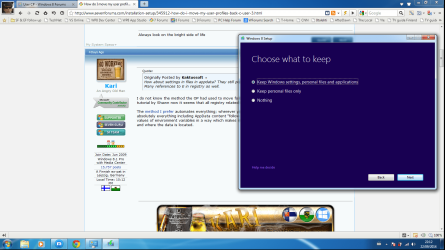
A few hours ago I sysprepped the User folder on a Windows 7 Ultimate rig back to C: from E:, and upgraded it to Windows 8 keeping everything:

Upgrade_start.png

First thing in Eight I did was to edit the registry in order to be able to Sysprep an upgraded Windows (remove one key, change value on two), Sysprepped again this time moving the Users folder back to E;. I am ATM running Windows updates on this fully working, upgraded system where the profile folder Users has been several times moved back and forth.

No issues whatsoever.
 

My Computer

Computer type
Laptop
Computer Manufacturer/Model Number
HP ENVY 17-1150eg
OS
Windows 10 Pro x64 EN-GB
CPU
1.6 GHz Intel Core i7-720QM Processor
Memory
6 GB
Graphics Card(s)
ATI Mobility Radeon HD 5850 Graphics
Sound Card
Beats sound system with integrated subwoofer
Monitor(s) Displays
17" laptop display, 22" LED and 32" Full HD TV through HDMI
Screen Resolution
1600*900 (1), 1920*1080 (2&3)
Hard Drives
Internal: 2 x 500 GB SATA Hard Disk Drive 7200 rpm
External: 2TB for backups, 3TB USB3 network drive for media
Cooling
As Envy runs a bit warm, I have it on a Cooler Master pad
Keyboard
Logitech diNovo Media Desktop Laser (bluetooth)
Mouse
Logitech Performance Mouse MX
Internet Speed
50/10 Mbps VDSL
Antivirus
Windows Defender 4.3.9431.0
Browser
Maxthon 3.5.2., IE11
I cant even get step #4 of copy profile E to C.
It gets underway and for several minutes copies files happily, then it comes across some it can't copy .. and advises it needs administrator permissions .. even though I am Admin.
 

My Computer

Computer type
PC/Desktop
Computer Manufacturer/Model Number
custom build
OS
W7 64 bit ultimate
CPU
i5 3570 3.4G Ivybridge
Motherboard
ASUS P8Z77-V LE
Memory
16GB Ram – Corsair XMS
Graphics Card(s)
MSI GTX G650 Hawk - Frzr II
Sound Card
on-mobo
Monitor(s) Displays
26" Samsung digital
Hard Drives
OS on SSD – Crucial M4 120GB
programme & data on 1TB HDD (Caviar Black)
Pics & video on 1TB HDD (Caviar Black)
PSU
Cooler Master M2 Silent Pro PSU
Case
Fractal R3 case
Cooling
Coolermaster Hper 212 EVO + Artic silver paste
Internet Speed
3MB
Antivirus
KIS
Would you mine listing a few of those? Sounds dodgy to me. For example, when users frequently post the names of a few optimizing suites, we immediately know what's causing their problems and probably has already ruined their Win7.


I have used "Give Away of the Day" for many years .... probably install and keep 4 or 5 a year.
All genuine apps, virus free. eg.

Engelman - VideoMizer
Aomei - Backup
Easus- Partition Manager
Maxim - iResizer
Atensoft - Tilt Shift Generator
Engelman - Cimema HD4
Ashampoo - Photo Optimzer
Ashampoo - Video Optimizer
Paragon - HDD Manager


About a month ago I found while I could download & unzip the daily offerings I wanted ... they would not install, the .exe run, throws up 'dod you want this progam to make changes' popup .. but never proceeds.

Testing has been unable to ascertain cause, GAOTD support have advised I run a Windows Repair.
This was when I found this will not work if user profiles are on different location to OS.

For the past week .. been trying to re-locate profiles back ... and hit this copy issue. I thought the partial profile on C:\ (created by some app) some months after I had moved profiles to E:\
As it was asking to 'merge' folders and assumed some file dup was the issue.
the current profile and tried moving that back to C:\ ....... must assume there is 'something' in the profile that is blocking me copying it (even though logged in as admin it asks for admin privileges)
 

My Computer

Computer type
PC/Desktop
Computer Manufacturer/Model Number
custom build
OS
W7 64 bit ultimate
CPU
i5 3570 3.4G Ivybridge
Motherboard
ASUS P8Z77-V LE
Memory
16GB Ram – Corsair XMS
Graphics Card(s)
MSI GTX G650 Hawk - Frzr II
Sound Card
on-mobo
Monitor(s) Displays
26" Samsung digital
Hard Drives
OS on SSD – Crucial M4 120GB
programme & data on 1TB HDD (Caviar Black)
Pics & video on 1TB HDD (Caviar Black)
PSU
Cooler Master M2 Silent Pro PSU
Case
Fractal R3 case
Cooling
Coolermaster Hper 212 EVO + Artic silver paste
Internet Speed
3MB
Antivirus
KIS
Back
Top