
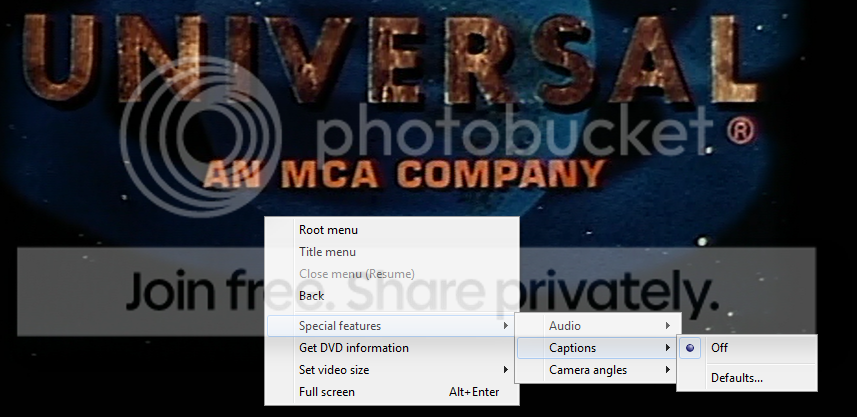
I am trying to play a DVD on Windows Media Player, and am trying to turn on subtitles. Well, it doesn't give me the option. When I go to captions, it just has "off" selected and no other option (it does not say "on if available" or "on when muted" as I've read it should). It just gives "off" and "defaults", which does nothing. Now, this is a Region 2 DVD, but I already changed my region code and it plays fine. Just won't give me any subtitle options (and the DVD does have them). What do I do? Shouldn't it be giving me those options?
Thank you!
Brittney
PS: I went ahead and took a screenshot to show you what I mean.
Thank you!
Brittney
PS: I went ahead and took a screenshot to show you what I mean.
My Computer
At a glance
Maryland
- Computer type
- PC/Desktop
- OS
- Maryland


