badwolf1982
New member
Good afternoon,
I just did a clean install of 7 to fix errors with my laptop, and it fixed one, but not the other main issues,
My caps lock, and number lock button on the keyboard don't have a light on it and the pop up that is supposed to pop up doesn't show up on screen.
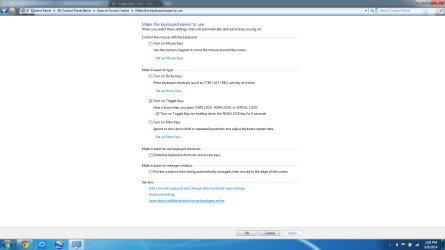
I figured by doing a clean install it would all magically appear again... I was wrong, I have tweaked everything I could think of looking/trying to change setting from the keyboard in control panel, (including messing around with ease of use) and Gateways so called "support" area was of no help, as well as googling the issue has led me down a path of useless tips, I have also looked on this forum for help.
Any help in this area would be GREATLY appreciated!!
I just did a clean install of 7 to fix errors with my laptop, and it fixed one, but not the other main issues,
My caps lock, and number lock button on the keyboard don't have a light on it and the pop up that is supposed to pop up doesn't show up on screen.
I figured by doing a clean install it would all magically appear again... I was wrong, I have tweaked everything I could think of looking/trying to change setting from the keyboard in control panel, (including messing around with ease of use) and Gateways so called "support" area was of no help, as well as googling the issue has led me down a path of useless tips, I have also looked on this forum for help.
Any help in this area would be GREATLY appreciated!!
Last edited:
My Computer
At a glance
Windows 7 home premium
- Computer type
- Laptop
- Computer Manufacturer/Model Number
- Gateway
- OS
- Windows 7 home premium