

A couple weeks ago the power went out. When I turned the PC back on some icons for certain file extensions were no longer showing up. I did a quick search, came across a 7forums article (Icon Cache - Rebuild) and followed it (downloaded the .bat). But the problem persists.
If I change the default program for opening one of these file extensions, the icon will change to that of the new program. But if I change it back to the program normally associated with that extension, the icon reverts to the standard Windows "no default program assigned for this extension yet" icon.
Double-clicking on the file still opens the file in the program currently associated with the extension. Any ideas on what I might do to fix this?

If I change the default program for opening one of these file extensions, the icon will change to that of the new program. But if I change it back to the program normally associated with that extension, the icon reverts to the standard Windows "no default program assigned for this extension yet" icon.
Double-clicking on the file still opens the file in the program currently associated with the extension. Any ideas on what I might do to fix this?
Last edited:
My Computer
- OS
- Windows 7 Home Premium
- CPU
- Core 2 Duo E4300 @ 3.15GHz
- Motherboard
- MSI P6N 650i SLI Platinum
- Memory
- 3GB GeIL DDR2-800Mhz
- Graphics Card(s)
- Nvidia GeForce 260
- Sound Card
- Creative X-Fi XtremeGamer / Logitech X-540
- Monitor(s) Displays
- Samsung 226BW
- Hard Drives
- 500GB Samsung
320GB Seagate
1TB Hitachi
80GB Hitachi
- PSU
- Thermaltake Toughpower 750W
- Case
- Antec 900 Advanced Gaming Case
- Cooling
- Tuniq Tower 120


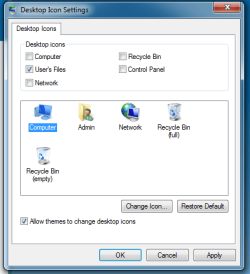
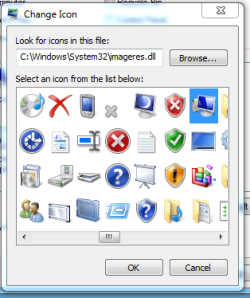
 . Any thoughts?
 .
.
