I was a bit too vague with my question, let me elaborate:
All of the taskbar states in aero.msstyles have a specific image height, 40px as seen in the image below from #1024.png.
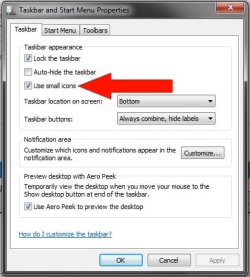
I would like to change the height of each of these images to 30px, because I have custom taskbar button images which are 30px, and if I stretch them to be 40px in Photoshop/Paint, then select "Use Small Icons" the taskbar icons will look blurry.
Is there a way to allow me to make each button state 30px instead of 40px?
Apologies. I do know there is a way to change the width of the buttons but I'm not sure the height is possible to change. I've included the link to the tutorial to change the width if it's of any help (which I doubt it is) but I think the height is locked to the size of the taskbar.