- Local time
- 1:30 AM
- Messages
- 3,028
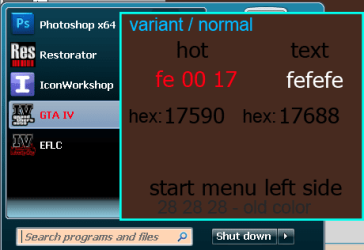
I'm trying to change the font color in the right column of the start menu but can't find it in Windows Style Builder. Can someone point it out for me?
EDIT: I found it:
Programs list:
Windows 7 > Start Menu > Basic > ProgramsList > TextColor
Windows 7 > Start Menu > Basic > ProgramsList > HotTrackingColor
Windows 7 > Start Menu > Basic > ProgramsListExtended
Places List, jumplist:
Windows 7 > Start Menu > Basic > PlacesList > TextColor
Windows 7 > Start Menu > Basic > PlacesList > HotTrackingColor
Windows 7 > Start Menu > Basic > PlacesListExtended
EDIT: I found it:
Programs list:
Windows 7 > Start Menu > Basic > ProgramsList > TextColor
Windows 7 > Start Menu > Basic > ProgramsList > HotTrackingColor
Windows 7 > Start Menu > Basic > ProgramsListExtended
Places List, jumplist:
Windows 7 > Start Menu > Basic > PlacesList > TextColor
Windows 7 > Start Menu > Basic > PlacesList > HotTrackingColor
Windows 7 > Start Menu > Basic > PlacesListExtended
Last edited:
My Computer
- Computer Manufacturer/Model Number
- tw33k
- OS
- Windows 7 Ultimate (x64) SP1
- CPU
- Intel 3770k 4.6GHz
- Motherboard
- ASUS Maximus V Formula
- Memory
- 8GB (2x 4GB) Crucial Ballistix
- Graphics Card(s)
- Sapphire 7950 (1060/1600)
- Sound Card
- On Board Realtek HD Audio
- Monitor(s) Displays
- 27" Acer B273HU (via HDMI)
- Screen Resolution
- 2048 x 1152
- Hard Drives
- Crucial M4 128GB
2TB WD Black
1TB Samsung F3 SATA
1TB WD Elite External
2TB WD USB 3.0
- PSU
- Corsair AX750 Gold
- Case
- Corsair Obsidian 800DW
- Cooling
- Corsair H100 (2x AP-121/2x UK-3000 push/pull)
- Keyboard
- Microsoft Wireless 5000
- Mouse
- Microsoft Wireless 5000
- Internet Speed
- 5mb/s
- Other Info
- Logitech z-2300 2.1 speakers
Lamptron FC-5 v2