Chrome will not reload in a Windows session

NBNorth

New member
Local time
8:00 AM
Messages
8
Chrome will not load from taskbar, icon on desktop, Start All Programs icon, or executable in windows Explorer Program Files (X86). I can open it once or twice, but then must restart Windows to use Chrome again.
I use Win 7 64-bit in dual core desktop. I use Avira AV and Comodo firewall. I use MBAM for periodic maintenance.
 

My Computer My Computer

Computer type
PC/Desktop
Computer Manufacturer/Model Number
Dell Inspiron 660
OS
Windows 7 Professional 64-bit
CPU
13.40 gigahertz Intel Core i3-3240
Motherboard
Dell 084J0R A00
Memory
4096
Graphics Card(s)
Intel HD Graphics
Sound Card
Intel Display Audio
Monitor(s) Displays
LG W2243
Hard Drives
Seagate ST3250310AS
Seagate ST3500418AS
PSU
Dell
Case
Dell
Cooling
Dell fans
Keyboard
Dell USB
Mouse
Dell USB
Antivirus
MSE
Browser
IE, Chrome
Other Info
APC UPS
sounds like unfortunately you need to uninstall and then reinstall chrome. Try doing that and see if it resolves the issue. Sounds like something is causing the browser to not function properly.
 

My Computer My Computer

Computer type
PC/Desktop
Computer Manufacturer/Model Number
custom built
OS
Windows 7 ultimate 64-bit
CPU
Intel I7 2600K 3.4ghz
Motherboard
Asus Evo P8P67
Memory
Corsair 16gb ddr3 1600mhz
Graphics Card(s)
Nvidia Geforce gt 430
Sound Card
Sound Blaster Titanium x-fi pci express
Monitor(s) Displays
Dell E198WFP
Hard Drives
1 western digital 2TB drive.
PSU
Antec 1200 watt
Case
Inwin Dragon Rider
Cooling
6 case supplied cooling fans
Keyboard
logitech mk700
Mouse
logitech m705
Internet Speed
25-50mbps download; 10mbps upload(i think)
Antivirus
avg free 2014
Browser
mozilla firefox
Other Info
Also have a pretty bad speaker setup which is a klipsch promedia 5.1 surround speaker setup with huge subwoofer and lg blu ray player/writer. Also a hp officejet pro 8600 plus wireless all in one and a logitech s7500 webcam.
I did this. It did not work.
 

My Computer My Computer

Computer type
PC/Desktop
Computer Manufacturer/Model Number
Dell Inspiron 660
OS
Windows 7 Professional 64-bit
CPU
13.40 gigahertz Intel Core i3-3240
Motherboard
Dell 084J0R A00
Memory
4096
Graphics Card(s)
Intel HD Graphics
Sound Card
Intel Display Audio
Monitor(s) Displays
LG W2243
Hard Drives
Seagate ST3250310AS
Seagate ST3500418AS
PSU
Dell
Case
Dell
Cooling
Dell fans
Keyboard
Dell USB
Mouse
Dell USB
Antivirus
MSE
Browser
IE, Chrome
Other Info
APC UPS
Temporarily uninstall Avira AV and Comodo firewall.

Temporarily install Microsoft Security Essentials while we troubleshoot this.

Uninstall Chrome the normal way and then use the two files/info found in this post.

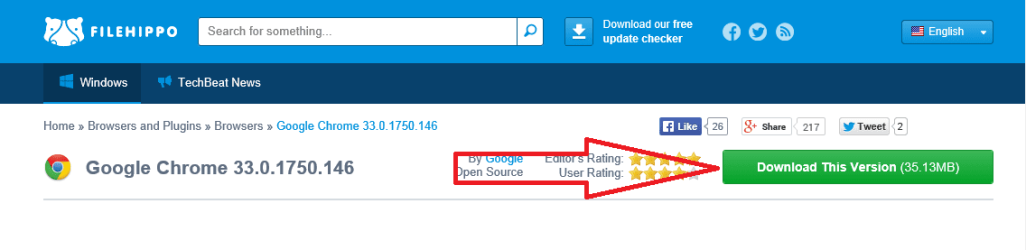
Reinstall Chrome using this file:
Download Google Chrome 33.0.1750.146 - FileHippo.com

c.png

Do not add any Chrome extensions for now.

Use Chrome as you normally do. If Chrome ever fails to start, check Task Manager to see if Chrome is already running.
 

My Computer My Computer

Computer type
Laptop
Computer Manufacturer/Model Number
Employer provided Dell Latitude
OS
W7 Pro SP1 64bit
CPU
i7
Memory
8GB
Graphics Card(s)
Intel HD Graphics
Hard Drives
crappy SSD
Antivirus
Employer mandated Symantec Endpoint Protection
Browser
Pale Moon 64bit, IE11 64bit & Chrome 64bit
I did as you recommended. I restarted Windows.
Chrome icon appeared in taskbar, where it had been previously pinned.
I opened Task Manager. Before I opened (tried) Chrome, in processes tab I found:
avira.OE.Systray.exe*32 Avira.OE.systray
chrome.exe*32 42,672K Google Chrome
chrome.exe*32 13,440K Google Chrome
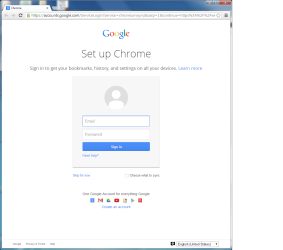
The FIRST time I clicked Chrome in the taskbar, it would not open even the first time.
I had uninstalled Avira as you advised, but it still left remnants.
At time of opening task manager, I had not invoked Chrome icon, yet it showed up in Processes tab.
At least Comodo left no remnants.
 

My Computer My Computer

Computer type
PC/Desktop
Computer Manufacturer/Model Number
Dell Inspiron 660
OS
Windows 7 Professional 64-bit
CPU
13.40 gigahertz Intel Core i3-3240
Motherboard
Dell 084J0R A00
Memory
4096
Graphics Card(s)
Intel HD Graphics
Sound Card
Intel Display Audio
Monitor(s) Displays
LG W2243
Hard Drives
Seagate ST3250310AS
Seagate ST3500418AS
PSU
Dell
Case
Dell
Cooling
Dell fans
Keyboard
Dell USB
Mouse
Dell USB
Antivirus
MSE
Browser
IE, Chrome
Other Info
APC UPS
Let's leave the Avira item as is - for now.

It seems odd that something is starting Chrome for you.

Please "install" Process Explorer. See this post: http://www.sevenforums.com/system-security/320426-process-explorer-16-a.html#post2681060

I cannot recall if the default settings for Process Explorer will show the Command Line column or not. If that column is not showing, please select it via View > Select Columns...

Restart the computer
Start Process Explorer
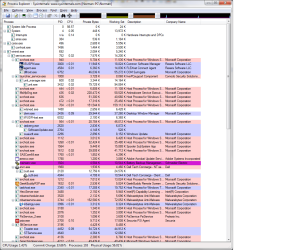
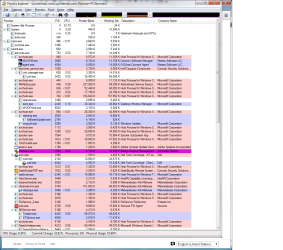
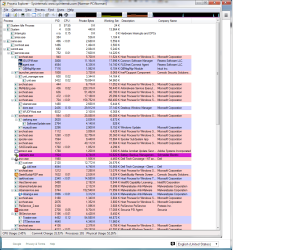
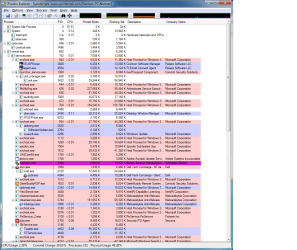
Post a screenshot of Process Explorer showing the info involving Chrome. Try and make the Command Line column wide enough to see all of the info. It might take more than one screenshot or you might remove some of the other columns.

http://www.sevenforums.com/tutorials/9733-screenshots-files-upload-post-seven-forums.html
 

My Computer My Computer

Computer type
Laptop
Computer Manufacturer/Model Number
Employer provided Dell Latitude
OS
W7 Pro SP1 64bit
CPU
i7
Memory
8GB
Graphics Card(s)
Intel HD Graphics
Hard Drives
crappy SSD
Antivirus
Employer mandated Symantec Endpoint Protection
Browser
Pale Moon 64bit, IE11 64bit & Chrome 64bit
Screenshot size limitations

I did what you said from an admin account. The chrome load failures did not recur when in this account.

I have several screenshots. What is the total size that I can send with each post? Paint does .png format if I recall. How big are Snipping Tool files in comparison? What is your preference?

My earlier observations with Chrome issues were as a limited user. I will redo the testing as a limited user if you concur.
 

My Computer My Computer

Computer type
PC/Desktop
Computer Manufacturer/Model Number
Dell Inspiron 660
OS
Windows 7 Professional 64-bit
CPU
13.40 gigahertz Intel Core i3-3240
Motherboard
Dell 084J0R A00
Memory
4096
Graphics Card(s)
Intel HD Graphics
Sound Card
Intel Display Audio
Monitor(s) Displays
LG W2243
Hard Drives
Seagate ST3250310AS
Seagate ST3500418AS
PSU
Dell
Case
Dell
Cooling
Dell fans
Keyboard
Dell USB
Mouse
Dell USB
Antivirus
MSE
Browser
IE, Chrome
Other Info
APC UPS
PNG files formats are fine for screenshots. There is a 2MB limit per image.

I have never encountered a limit on the number of images per post.

I've not paid much attention to the differences between the snipping tool and Paint. Paint can save in multiple image file formats - but PNG is the default in W7's Paint. You might want to look at this post about Paint.

It is good that Chrome did not load while in the admin account. Let's figure out why it loads while in the standard account. So yes. please do your testing while in the account with the problem. You should still be able to right click on Process Explorer and run it as admin. It gathers more info when run as admin.
 

Attachments

  • attach1.png
    attach1.png
    1.9 KB · Views: 21
  • attach2.png
    attach2.png
    6.8 KB · Views: 21

My Computer My Computer

Computer type
Laptop
Computer Manufacturer/Model Number
Employer provided Dell Latitude
OS
W7 Pro SP1 64bit
CPU
i7
Memory
8GB
Graphics Card(s)
Intel HD Graphics
Hard Drives
crappy SSD
Antivirus
Employer mandated Symantec Endpoint Protection
Browser
Pale Moon 64bit, IE11 64bit & Chrome 64bit
I found another component of Avira & uninstalled IT WITH Revo uninstaller.
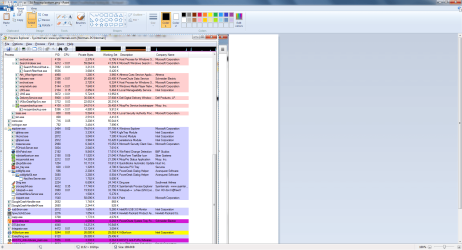
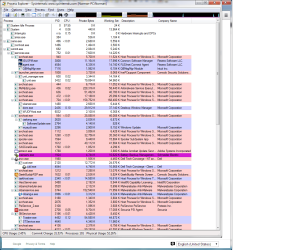
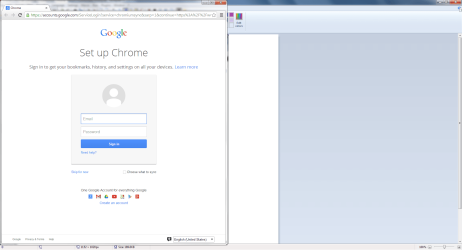
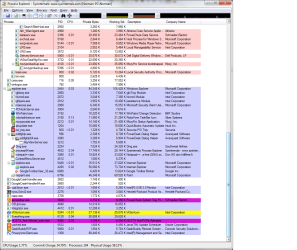
Here are screen shots, including a text file with narrative.
I will gather similar shots from the limited user account.
 

Attachments

  • Troubleshoot history.txt
    Troubleshoot history.txt
    296 bytes · Views: 3
  • 1A Chrome home page.png
    1A Chrome home page.png
    35.1 KB · Views: 0
  • 1B Procexp bottom.png
    1B Procexp bottom.png
    236 bytes · Views: 1
  • 4A Procexp top.png
    4A Procexp top.png
    70.2 KB · Views: 3
  • 3B Procexp bottom.png
    3B Procexp bottom.png
    109.7 KB · Views: 4
  • 3A Procexp bottom.png
    3A Procexp bottom.png
    74.1 KB · Views: 2
  • 3A Chrome home page.png
    3A Chrome home page.png
    52.5 KB · Views: 0
  • 4B Procexp bottom.png
    4B Procexp bottom.png
    71.3 KB · Views: 4
  • 2A Procexp top.png
    2A Procexp top.png
    75.1 KB · Views: 2
  • 2B Procexp bottom.png
    2B Procexp bottom.png
    74.1 KB · Views: 4
  • 1A Procexp top.png
    1A Procexp top.png
    71.9 KB · Views: 3

My Computer My Computer

Computer type
PC/Desktop
Computer Manufacturer/Model Number
Dell Inspiron 660
OS
Windows 7 Professional 64-bit
CPU
13.40 gigahertz Intel Core i3-3240
Motherboard
Dell 084J0R A00
Memory
4096
Graphics Card(s)
Intel HD Graphics
Sound Card
Intel Display Audio
Monitor(s) Displays
LG W2243
Hard Drives
Seagate ST3250310AS
Seagate ST3500418AS
PSU
Dell
Case
Dell
Cooling
Dell fans
Keyboard
Dell USB
Mouse
Dell USB
Antivirus
MSE
Browser
IE, Chrome
Other Info
APC UPS
Here are screen shots
I clicked to upload a reply about the screen shots for Admin user. The screen disappeared. Did you get the screen shots that I prepared to go with this?
 

My Computer My Computer

Computer type
PC/Desktop
Computer Manufacturer/Model Number
Dell Inspiron 660
OS
Windows 7 Professional 64-bit
CPU
13.40 gigahertz Intel Core i3-3240
Motherboard
Dell 084J0R A00
Memory
4096
Graphics Card(s)
Intel HD Graphics
Sound Card
Intel Display Audio
Monitor(s) Displays
LG W2243
Hard Drives
Seagate ST3250310AS
Seagate ST3500418AS
PSU
Dell
Case
Dell
Cooling
Dell fans
Keyboard
Dell USB
Mouse
Dell USB
Antivirus
MSE
Browser
IE, Chrome
Other Info
APC UPS
Restarted as limited user. I was not able to repeat the problem. Chrome.exe disappeared from Procexp.exe each time I exited Chrome. I started and exited from Chrome 3 times in succession, and included some surfing within Chrome the 3rd time.

The only changes I have made are:
1 - uninstall the second component of Avira
2 - open Procexp.exe as administrative user within the limited user account.

I will hold off any more screen shots until I get into problems again, unless you prefer to look at what I got anyway.
 

My Computer My Computer

Computer type
PC/Desktop
Computer Manufacturer/Model Number
Dell Inspiron 660
OS
Windows 7 Professional 64-bit
CPU
13.40 gigahertz Intel Core i3-3240
Motherboard
Dell 084J0R A00
Memory
4096
Graphics Card(s)
Intel HD Graphics
Sound Card
Intel Display Audio
Monitor(s) Displays
LG W2243
Hard Drives
Seagate ST3250310AS
Seagate ST3500418AS
PSU
Dell
Case
Dell
Cooling
Dell fans
Keyboard
Dell USB
Mouse
Dell USB
Antivirus
MSE
Browser
IE, Chrome
Other Info
APC UPS
Okay - let me work thru the other screenshots and see what else we might need to do.
 

My Computer My Computer

Computer type
Laptop
Computer Manufacturer/Model Number
Employer provided Dell Latitude
OS
W7 Pro SP1 64bit
CPU
i7
Memory
8GB
Graphics Card(s)
Intel HD Graphics
Hard Drives
crappy SSD
Antivirus
Employer mandated Symantec Endpoint Protection
Browser
Pale Moon 64bit, IE11 64bit & Chrome 64bit
It appears that you have the paid version of Malwarebytes. If that is the case, then MSE and Malwarebytes should be good enough protection for you.

It also appears that this computer is used in a business setting. MSE is free to small businesses (as long as you meet MS's definition of small).
Microsoft Security Essentials is available for small businesses with up to 10 PCs.

If you like the warm feeling that Comodo firewall provides, then re-install it. You mentioned in post #5, "At least Comodo left no remnants." but your screenshots of Process Explorer shows several aspects of Comodo still running.
 

My Computer My Computer

Computer type
Laptop
Computer Manufacturer/Model Number
Employer provided Dell Latitude
OS
W7 Pro SP1 64bit
CPU
i7
Memory
8GB
Graphics Card(s)
Intel HD Graphics
Hard Drives
crappy SSD
Antivirus
Employer mandated Symantec Endpoint Protection
Browser
Pale Moon 64bit, IE11 64bit & Chrome 64bit
I am a professional tax return preparer, up until I retired the end of 2013. I was sole proprietor. I am my own IT department.
 

My Computer My Computer

Computer type
PC/Desktop
Computer Manufacturer/Model Number
Dell Inspiron 660
OS
Windows 7 Professional 64-bit
CPU
13.40 gigahertz Intel Core i3-3240
Motherboard
Dell 084J0R A00
Memory
4096
Graphics Card(s)
Intel HD Graphics
Sound Card
Intel Display Audio
Monitor(s) Displays
LG W2243
Hard Drives
Seagate ST3250310AS
Seagate ST3500418AS
PSU
Dell
Case
Dell
Cooling
Dell fans
Keyboard
Dell USB
Mouse
Dell USB
Antivirus
MSE
Browser
IE, Chrome
Other Info
APC UPS
Okay - let me work thru the other screenshots and see what else we might need to do.
There are several things running that I don't recognize - but that is not unusual. You might want to turn on the Virustotal option mentioned here: http://www.sevenforums.com/system-security/320426-process-explorer-16-a.html#post2681060

I am a professional tax return preparer, up until I retired the end of 2013. I was sole proprietor. I am my own IT department.
You have done a fine job too. I see several layers of security running :-)

Feel free to go back to Avira if you like that tool. It would be interesting to see if the Chrome problem returns to the limited user with Avira installed. Microsoft Security Essentials is good for troubleshooting, because it gets along with most every app.

How much data do you have backed up with MozyPro?
 

My Computer My Computer

Computer type
Laptop
Computer Manufacturer/Model Number
Employer provided Dell Latitude
OS
W7 Pro SP1 64bit
CPU
i7
Memory
8GB
Graphics Card(s)
Intel HD Graphics
Hard Drives
crappy SSD
Antivirus
Employer mandated Symantec Endpoint Protection
Browser
Pale Moon 64bit, IE11 64bit & Chrome 64bit
Back
Top