Solved Compatible Virtual Machine with Intel HD Graphics / best XP emulator?

mulambo

New member
Member
VIP
Local time
9:55 PM
Messages
110
I need an emulator to run WindowsXp-compatible games (like Contract Jack or Marine Heavy Gunner, just two examples of the recent games which don't work under Windows 7).
I tried compatibility mode with Administrator rights, but to no avail. The games work perfectly on my Windowx XP real machine, but I would like to run them on my Windows 7 machine for better performance and less stress.
I tried VMWare and Oracle VM Virtual Box and they both can't recognize my graphic card correctly.
Under "System Device Management" (in both of them) it appears as yellow question mark on the left of "VGA card", which means not correctly installed. I tried any option in Virtual Box (such as SVGA, etc...) but no cigar.
Dxdiag shows only DirectDraw test button works, Direct3d is disabled because the graphic card is not correctly recognized, so basically any 3d game won't work.
My drivers on Windows 7 are updated with Driveboost and there are no fixes or patches for such games (and, I suppose, I shouldn't need them because they may be harmful or malware).
 

My Computer

Computer type
PC/Desktop
OS
Windows 7, 64bit pro
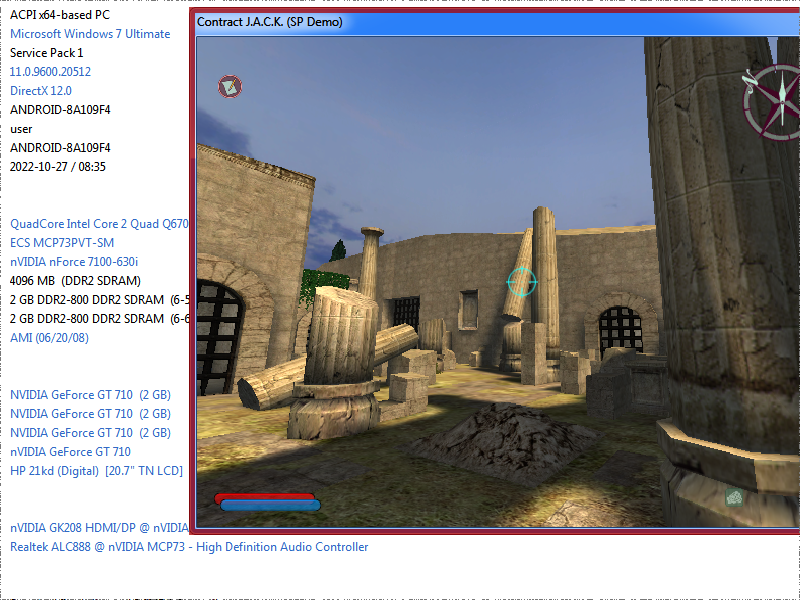
'Contract Jack' runs just fine in Windows 7, and I am pretty sure the other must run well too.

I think that your problem is your configuration.

- Update your computers specs here at the forum

- Check your graphic card model and go to the Intel Drivers page, download it and install it. If you have an intel computer, download all the drivers for your model.

- Install directX again, sometimes it gets modified over time.

- Try a dx8wrapper like:
D3D8to9
dgVoodoo 2 - PCGamingWiki PCGW - bugs, fixes, crashes, mods, guides and improvements for every PC game

(you just need to put the d3d8.dll in the game folder)


I just downloaded the demo of jack


TYMDETl.png


-----
check this page for others games you have, they always post fixes for games:
Contract J.A.C.K. - PCGamingWiki PCGW - bugs, fixes, crashes, mods, guides and improvements for every PC game
 

My Computers

System One System Two

  • Computer type
    PC/Desktop
    OS
    Windows 7 Ultimate 64-bit SP1
    CPU
    Intel Core 2 Quad Q6700 @ 2.66GHz
    Motherboard
    ECS MCP73PVT-SM
    Memory
    4.00GB Single-Channel DDR2 @ 399MHz
    Graphics Card(s)
    2047MB NVIDIA GeForce GT 710 (ASUStek Computer Inc)
    Sound Card
    Realtek High Definition Audio
    Monitor(s) Displays
    HP 21kd
    Screen Resolution
    1920x1080@60Hz
    Hard Drives
    149GB Western Digital WDC WD1600AABS-61PRA0 ATA Device (SATA )
    4000GB Seagate ST4000DM004-2U9104 ATA Device (SATA )
    931GB TOSHIBA External USB 3.0 USB Device (USB (SATA) )
    Antivirus
    None. Don't Need it.
    Browser
    Librewolf Portable
    Other Info
    It's a very old system.
  • Computer type
    PC/Desktop
Unfortunely the wrapper doesn't work (placed both in the root of the game and in the System folder of it, where the main executable seems to be since it's an Unreal engine-based game), all drivers are update from official sources, my version of 7 is Professional (not Ultimate like yours), I installed DirectX on all versions I found from 8 to 9 to 11 (current one, max supported)... even SDK which I don't know if it was of any use.
I did not understand how to work around with the Voodoo thing, to be honest, usually I know that site has fixes for games but neither those worked both for Jack and Marine... and I guess others.
Maybe some Windows update I've been missing, or compatibility mode not correctly working ?

This is from the bug log of the game
Firma problema:
Nome evento problema: BEX
Nome applicazione: heavy.exe
Versione applicazione: 0.0.0.0
Timestamp applicazione: 4661803d
Nome modulo con errori: StackHash_0a9e
Versione modulo con errori: 0.0.0.0
Timestamp modulo con errori: 00000000
Offset eccezione: 10001000
Codice eccezione: c0000005
Dati eccezione: 00000008
Versione SO: 6.1.7601.2.1.0.256.48
ID impostazioni locali: 1040
Informazioni aggiuntive 1: 0a9e
Ulteriori informazioni 2: 0a9e372d3b4ad19135b953a78882e789
Ulteriori informazioni 3: 0a9e
Ulteriori informazioni 4: 0a9e372d3b4ad19135b953a78882e789

Leggere l'informativa sulla privacy online:
Informativa sulla privacy di Windows 7

Se l'informativa sulla privacy online non è disponibile, leggere quella offline:
C:\Windows\system32\it-IT\erofflps.txt

- - - Updated - - -

Update: I've recently tried Microsoft Virtual PC .. same result: the video card is displayed with yellow question mark (generic driver not recognized by DirectX, that doesn't obviously work) in device settings... but my drivers in the host are update and correctly working... I've also installed compatibility update KB2820331.... still no results.
 

My Computer

Computer type
PC/Desktop
OS
Windows 7, 64bit pro
According to this post:
Fault Module Name:StackHash_0a9e

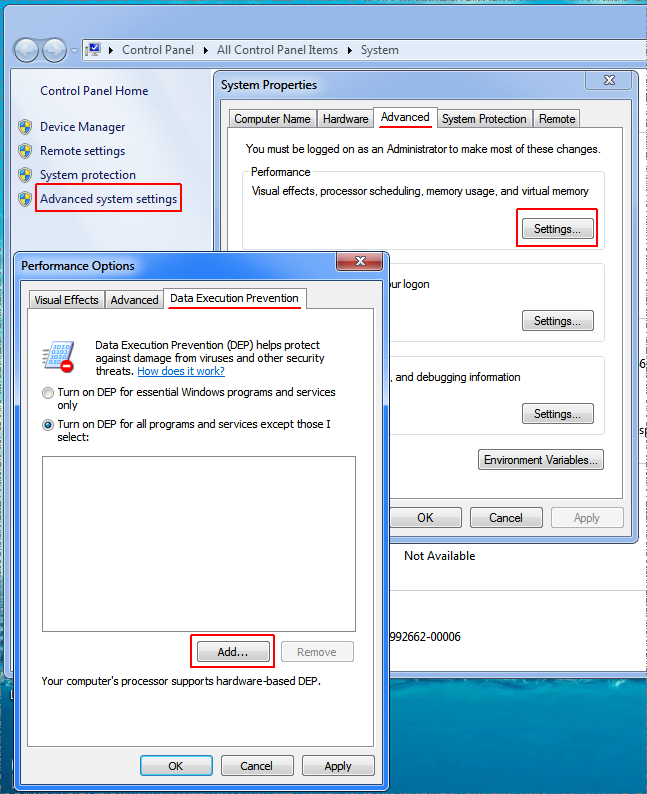
Your log shows an error with StackHash_0a9e , related to 'Data Execution Prevention' or DEP.

In the post they suggest adding the executable to DEP exemptions. You should try it, go to performance options, and add heavy.exe to exemptions.

3nlbtue.png


- - - Updated - - -
 

My Computers

System One System Two

  • Computer type
    PC/Desktop
    OS
    Windows 7 Ultimate 64-bit SP1
    CPU
    Intel Core 2 Quad Q6700 @ 2.66GHz
    Motherboard
    ECS MCP73PVT-SM
    Memory
    4.00GB Single-Channel DDR2 @ 399MHz
    Graphics Card(s)
    2047MB NVIDIA GeForce GT 710 (ASUStek Computer Inc)
    Sound Card
    Realtek High Definition Audio
    Monitor(s) Displays
    HP 21kd
    Screen Resolution
    1920x1080@60Hz
    Hard Drives
    149GB Western Digital WDC WD1600AABS-61PRA0 ATA Device (SATA )
    4000GB Seagate ST4000DM004-2U9104 ATA Device (SATA )
    931GB TOSHIBA External USB 3.0 USB Device (USB (SATA) )
    Antivirus
    None. Don't Need it.
    Browser
    Librewolf Portable
    Other Info
    It's a very old system.
  • Computer type
    PC/Desktop
According to this post:
Fault Module Name:StackHash_0a9e

Your log shows an error with StackHash_0a9e , related to 'Data Execution Prevention' or DEP.

In the post they suggest adding the executable to DEP exemptions. You should try it, go to performance options, and add heavy.exe to exemptions.

3nlbtue.png


- - - Updated - - -


That solved the configurator executable (heavy.exe) but after that either it's uncontrollable (no response after pressing Esc or Enter, as they're basically intros), then (if pressing such buttons works) the main program (HG.exe... which is called "LaunchRes" in the task manager) stucks at 5mb or used RAM (no CPU usage). Manually executing HG.exe gives the same result, while on XP machine it goes smooth both ways (by configurator and main executable). I just disabled DEP mode anyway, so any future exception won't be necessary...

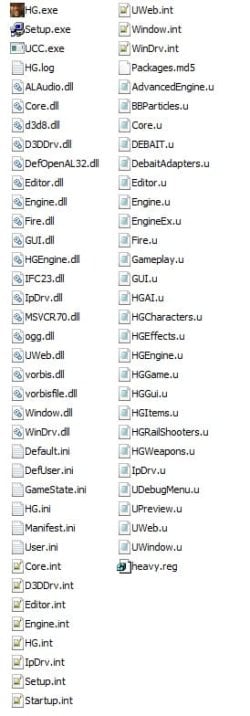
This is the System folder of the game, no use posting the previous directory as it basically contains game folders and the heavy.exe configurator.
Immagine.jpg
 

My Computer

Computer type
PC/Desktop
OS
Windows 7, 64bit pro
I just downloaded a 'demo' of "Heavy-Gunner-Vietnam", and It does not run either with my computer. I will try to make it run and let you know if I succeed.
 

My Computers

System One System Two

  • Computer type
    PC/Desktop
    OS
    Windows 7 Ultimate 64-bit SP1
    CPU
    Intel Core 2 Quad Q6700 @ 2.66GHz
    Motherboard
    ECS MCP73PVT-SM
    Memory
    4.00GB Single-Channel DDR2 @ 399MHz
    Graphics Card(s)
    2047MB NVIDIA GeForce GT 710 (ASUStek Computer Inc)
    Sound Card
    Realtek High Definition Audio
    Monitor(s) Displays
    HP 21kd
    Screen Resolution
    1920x1080@60Hz
    Hard Drives
    149GB Western Digital WDC WD1600AABS-61PRA0 ATA Device (SATA )
    4000GB Seagate ST4000DM004-2U9104 ATA Device (SATA )
    931GB TOSHIBA External USB 3.0 USB Device (USB (SATA) )
    Antivirus
    None. Don't Need it.
    Browser
    Librewolf Portable
    Other Info
    It's a very old system.
  • Computer type
    PC/Desktop
I need an emulator to run WindowsXp-compatible games (like Contract Jack or Marine Heavy Gunner, just two examples of the recent games which don't work under Windows 7).
I tried compatibility mode with Administrator rights, but to no avail. The games work perfectly on my Windowx XP real machine, but I would like to run them on my Windows 7 machine for better performance and less stress.
I tried VMWare and Oracle VM Virtual Box and they both can't recognize my graphic card correctly.
Under "System Device Management" (in both of them) it appears as yellow question mark on the left of "VGA card", which means not correctly installed. I tried any option in Virtual Box (such as SVGA, etc...) but no cigar.
Dxdiag shows only DirectDraw test button works, Direct3d is disabled because the graphic card is not correctly recognized, so basically any 3d game won't work.
My drivers on Windows 7 are updated with Driveboost and there are no fixes or patches for such games (and, I suppose, I shouldn't need them because they may be harmful or malware).
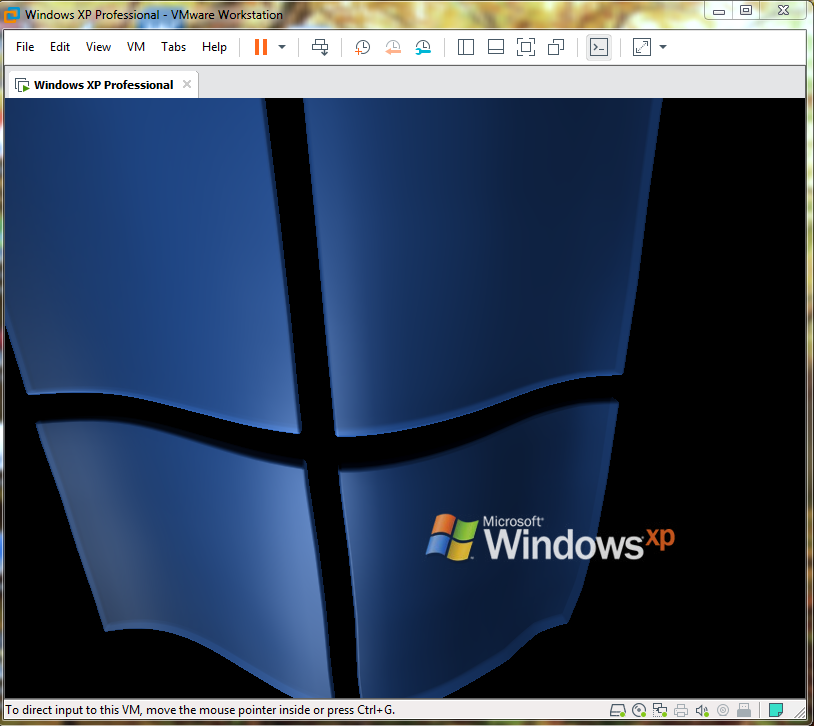
In order for XP to offer full 3D acceleration in VMWare your PC's CPU needs to have virtualization technology (Intel VT-x or AMD-V) AND you need to have VMWare tools installed in the XP virtual machine. VMWare tools should have automatically downloaded and installed (it did for me) but if it didn't you can try manually downloading and installing:

https://customerconnect.vmware.com/en/downloads/details?downloadGroup=VMTOOLS10012&productId=491

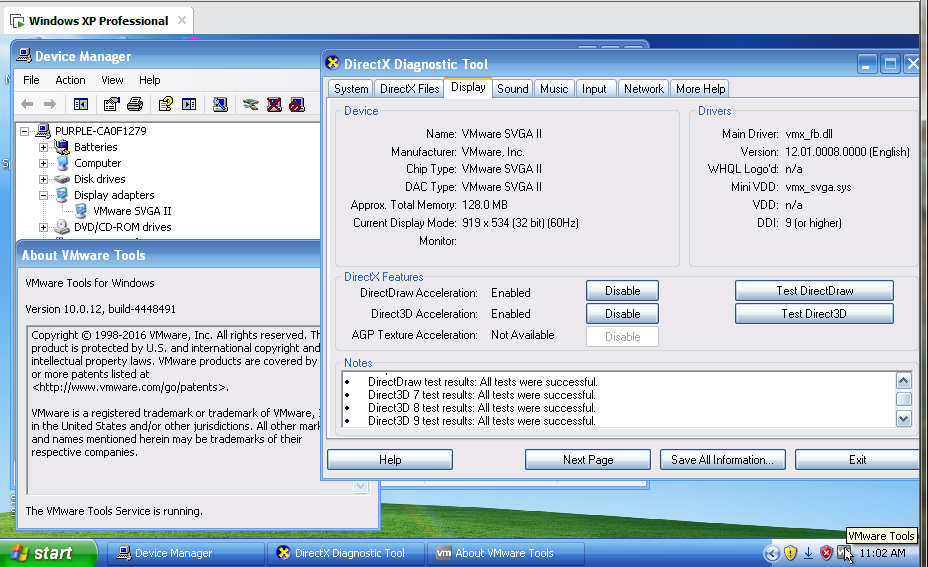
After installing you should see VMWare SVGA II in device manager in the XP virtual machine and the VMWare tools icon in the system tray.

image.png


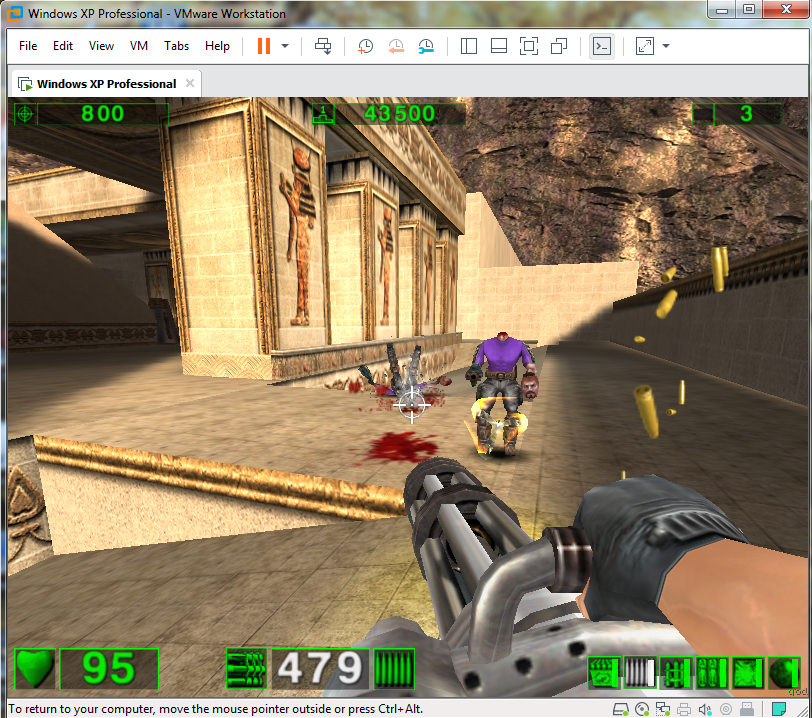
I have Serious Sam First & Second Encounter running perfectly as well as Counter Strike Source. I will try Marine Heavy Gunner later this week when I have time but XP is working with Directx/Direct3D in VMWare 15.5.7 including 3D screensavers.
 

My Computer

Computer type
PC/Desktop
OS
Windows 7 Pro x64
Thank you for the details, how can I know if my CPU meets those requirements?
Side question: isn't it possible that Windows voluntarily stops such processes for "security" reasons? I mean, this same issues happens with other softwares (not games) like Vit Registry Backup, all of which (after being launched) just remain with locked RAM usage in the Task Manager processes list (they're there, but they basically not operative or "frozen", it seems). Maybe a particular service or a missing update disabling their execution or locking it ?
 

My Computer

Computer type
PC/Desktop
OS
Windows 7, 64bit pro
Easiest way is to go into your BIOS and see if there is an option to enable/disable virtualization. Or you could just determine which CPU you have then Google if it has virtualization. I honestly don't know why certain processes are hanging, that could be a problem with your system itself. Windows 7 itself won't stop processes, it will sometimes prompt you if you want to launch an executable (UAC). There's probably some other software you have that's causing conflicts (Anti-virus, registry backups, so called PC optimizers etc.). You'll have to disable one by one to find the culprit.
 

My Computer

Computer type
PC/Desktop
OS
Windows 7 Pro x64
Easiest way is to go into your BIOS and see if there is an option to enable/disable virtualization. Or you could just determine which CPU you have then Google if it has virtualization. I honestly don't know why certain processes are hanging, that could be a problem with your system itself. Windows 7 itself won't stop processes, it will sometimes prompt you if you want to launch an executable (UAC). There's probably some other software you have that's causing conflicts (Anti-virus, registry backups, so called PC optimizers etc.). You'll have to disable one by one to find the culprit.

I don't get the prompt from Windows when such programs "freeze", only when they crash... the only optimizer I know is Wise Game Booster but it doesn't run in the background, neither is in services.

It seems my CPU has virtualization as one of its features, though... maybe it's really something I missed from the bios.... I'll let you know. Thank you!
:edit:
Nope, it has virtualization but it was already enabled in BIOS (can't post screenshots for obvious reason)
 

My Computer

Computer type
PC/Desktop
OS
Windows 7, 64bit pro
Wise Game Booster is a load of crap. Ditch it.

CPU instruction sets can be seen with the free and small program CPUz.

You can also search in your favorite search engine your CPU model and if it's Intel you can view their "Ark" webpage and see the CPU capabilities.

Gaming in a virtual machine is NOT recommend (at least today). You want bare metal. Old hardware can be had on eBay for next to nothing from companies that want to save planet Earth (dirt) and recycle E-waste.

Use the program Autoruns from Microsoft as an advanced MSConfig... The version of Autoruns you use to enable/disable items is the one that can only re-enable that item. Other subsequent versions of Autoruns may not be aware of disabled items from a different version of Autoruns. So just heed my advice otherwise you'll find yourself in the AppData folder, registry and whatnot.

Addendum:

Any "booster" is a load of crap. Learn the art and mastercraft of "boosting" your own computer for the sake of your privacy and the applicable shenanigans these programs will have on your PC. Like royally screwing the thing over. There's a program called Process Lasso. It's withen the same snake oil trade.

- - - Updated - - -

The games work perfectly on my Windowx XP real machine, but I would like to run them on my Windows 7 machine for better performance and less stress.

This statement doesn't make any sense.

Less stress? Explain? :D LOL!

I can tell you right now you'll have better functionality in a top of the line dedicated XP machine than you will Windows 7 for a game made in the before time of XP's days. A perfect example is Flight Simulator 2004 or Flight Simulator X. Yes, they run in Windows 7, but not without some hiccups. And God forbid you use Windows 10 or 11. It'll run, but you have to make it work. Native XP is where you want to run these old games or programs. I used to run XP 64.

Here's another example. I used to play BF2 with the AIX mod in Windows 7 [sup]1[/sup]. (In fact, the thing is still installed). But just trying to get BF2 to work in 7 was a bit of a trick. And my beloved Command And Conquer Generals Zero Hour has some minor issues in Windows 7 as well. Though it runs. I shun to think how the aforementioned BF2 or Zero Hour would run in 10 & 11. LOL!


[sup]1[/sup]You use a third-party program for server access since Gamespy is dust.
 

My Computer

Computer type
PC/Desktop
OS
Windows 7 Ultimate x64
Well, to begin with Wise Game Booster, it actually worked, I mean: it gets rid of some processes which may use CPU and since my PC only uses integrated graphics, it's a good thing (I guess).

Also Drivebooster helped me out with downgraded drivers, while ... yeah, sometimes it messed it all up, forcing system restore. Lesson learned: if it works, don't touch it.

Old hardware, yeah, I like it, but it's less performing as regards my experience, considering my current 7 PC has 16GB of Ram and 512mb of graphics... while my older PC has 128Mb (no Pixel Shader 2.0 which some DirectX9.0 game support or even force by default) and 512mb of ram (or something). I've tested a lot of compatible games (from GTA:SA to RTCW) and they actually run a lot faster.
The problem is of course, some hidden "gems" (which I usually discover to be very disappointing, except for Contract Jack, Blood II, etc.) aren't just compatible so they force me to (this is the stressing part):
1. load the iso on a usb drive, since sometimes the older DVD drive doesn't work.
2. move the keyboard/mouse of the older PC to the desk, moving away the newer ones
3. switch the input of the screen
4. shutting down 7
5. starting off XP
6. install the game
7. play it with lower resolution on a widescreen

While, if they were just compatible with 7 it all would be like:
1. Double click on the desktop shortcut.

But it's not a bad case, I mean: they're not so great games most often and I do not mind switching to the hardware they were supposed to work on. I'm just curious if there was a way to include them as well in the "newer" one, without spending extra (since older stuff has magically turned into "vintage"... ergo: overpriced on the second hand market).

I'll get informed about Autoruns though, seems interesting, I often used just services.msc and msconfig of course
 

My Computer

Computer type
PC/Desktop
OS
Windows 7, 64bit pro

My Computer

Computer type
PC/Desktop
OS
Windows 7 Pro x64
Old hardware, yeah, I like it, but it's less performing as regards my experience, considering my current 7 PC has 16GB of Ram and 512mb of graphics... while my older PC has 128Mb (no Pixel Shader 2.0 which some DirectX9.0 game support or even force by default) and 512mb of ram (or something).

This is a problem with your HARDWARE, not the OS.

I ran XP and then latter XP 64 with 8 (could have done 16) GB of RAM using a Q6600 Intel CPU and a GTX560TI (a pretty good GPU back in the day)

Like I said, eBay would be a go-to source. You could get a QX6850 for around 40 Euros.

- - - Updated - - -

Virtual machine haters gonna hate.


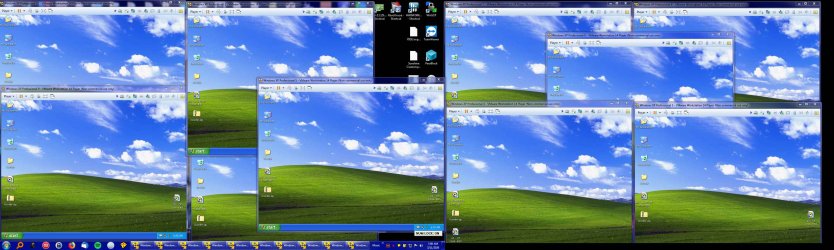
I've used VMware since circa 2007. I know what its capabilities are, and bare metal beats all. But if you're so inclined, here's ten instances of XP for a project I did about two years ago.

VMware.jpg
 

My Computer

Computer type
PC/Desktop
OS
Windows 7 Ultimate x64
This is a problem with your HARDWARE, not the OS.

I ran XP and then latter XP 64 with 8 (could have done 16) GB of RAM using a Q6600 Intel CPU and a GTX560TI (a pretty good GPU back in the day)

Like I said, eBay would be a go-to source. You could get a QX6850 for around 40 Euros.

- - - Updated - - -


I've used VMware since circa 2007. I know what its capabilities are, and bare metal beats all. But if you're so inclined, here's ten instances of XP for a project I did about two years ago.

View attachment 422220
yeah I suspected so, probably something about Win 7 conflicting with my hardware and drivers, either my hardware being faulty somehow, I can't really waste time digging for the real cause as I've already gone through too much frustration for now (and too many system restores).
As regards the mentioned QX6850 all I get on eBay is separated CPU which I cannot install since I'm not an hardware expert and I cannot buy since I would spend 40€ only on a whole PC (and that would mean spending money for a bunch of usually low-quality games which I'm just curious about, not actually so interested about).
Yeah, there should be definitely the opportunity of some open-source XP edition compatible with newer hardware, for nostalgic gamers, but all I got in the net is the discouraging view on an unsure path that makes me think I'll just waste more time and hope.

Atm, the nearest solution is just using my older XP machine. Not great but at least it does something.
 

My Computer

Computer type
PC/Desktop
OS
Windows 7, 64bit pro
That's exactly my point - ideally having a separate XP computer is recommended. That's not always possible so the next choice would be a virtual machine that supports 3D acceleration. When I migrated from XP to 7 I was fortunate that all my favorite games had mods/ports for Windows 7 or would just work without any modification.

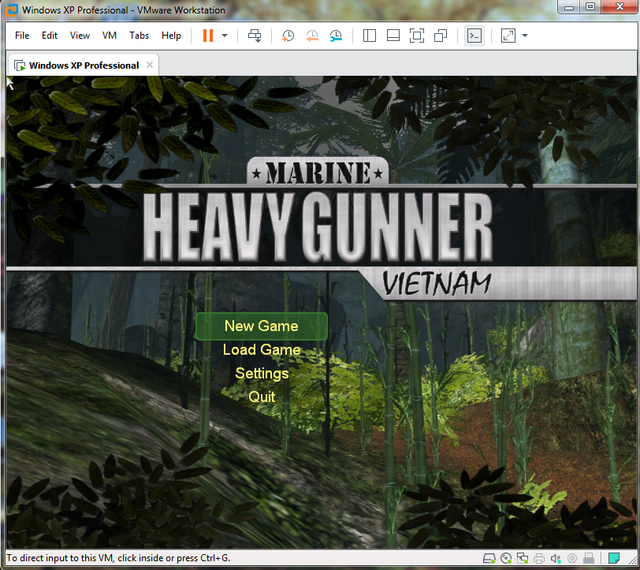
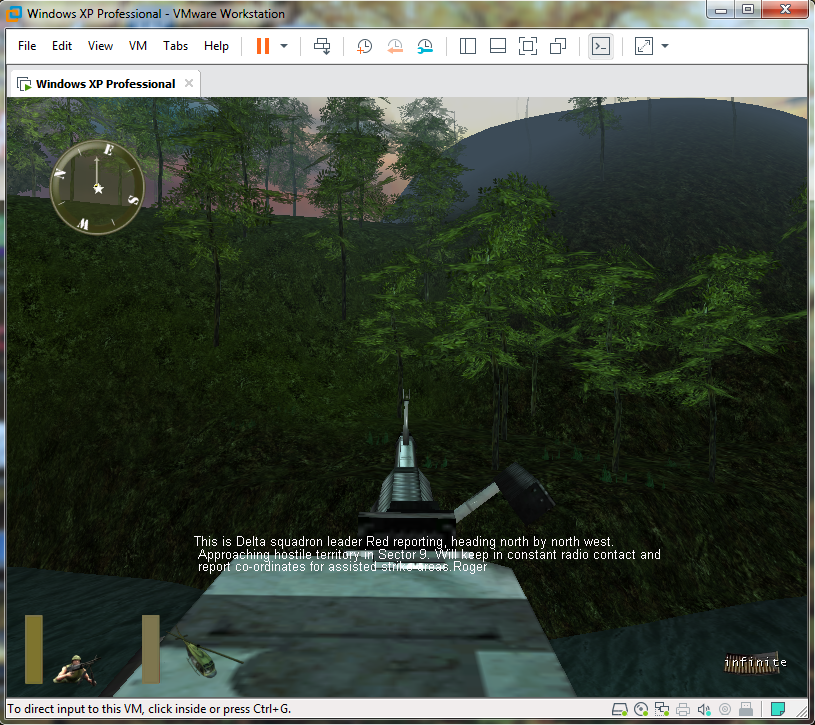
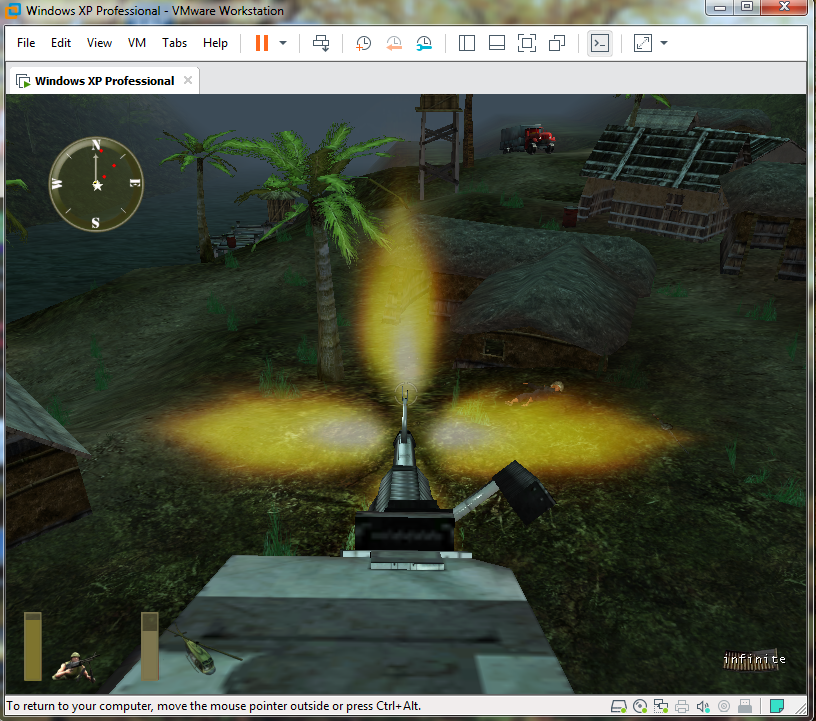
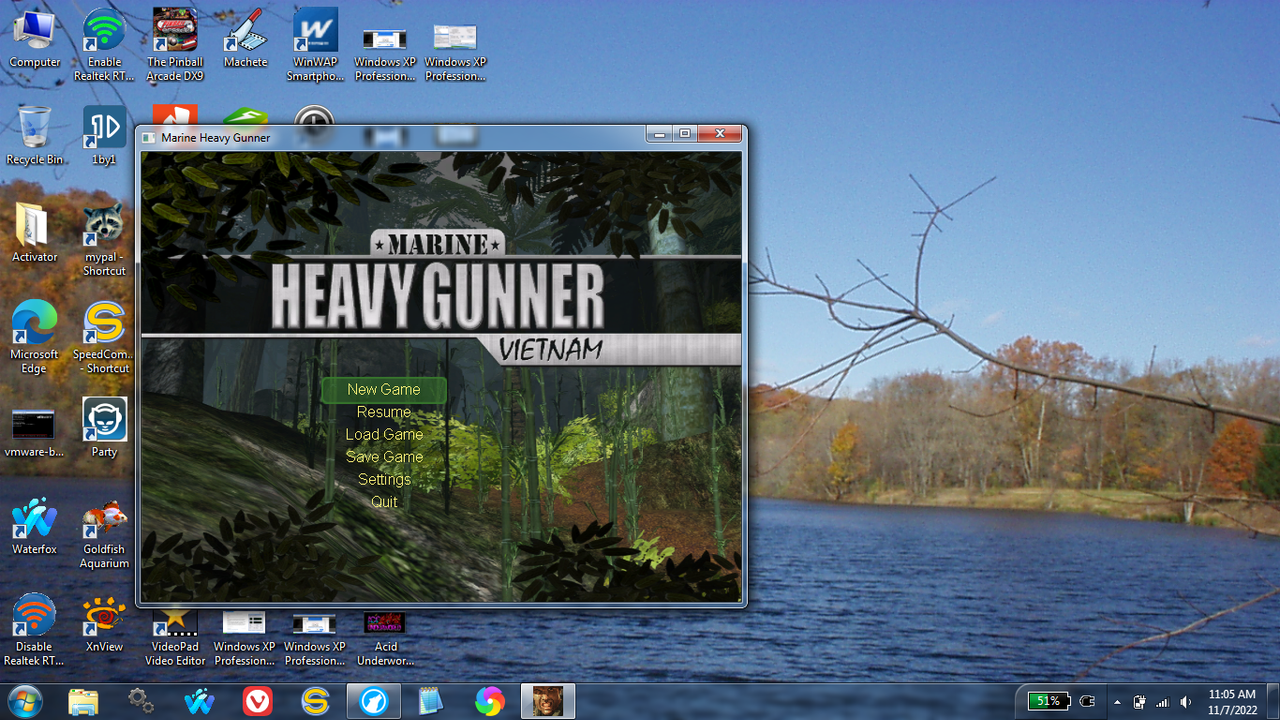
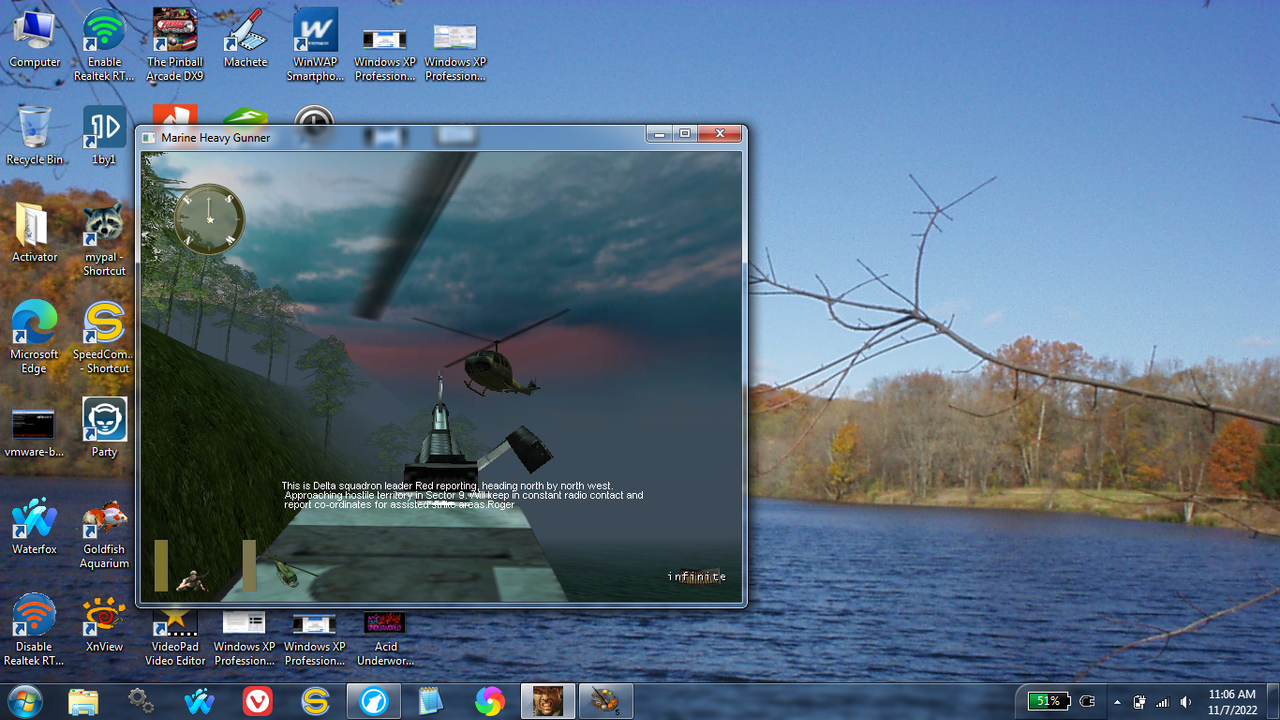
I've been very lucky so far - would my luck hold out with Marine Heavy Gunner Vietnam in Windows 7?

Yes. (Shown here in a window, also works in full-screen)

image.png


image.png


yeah I suspected so, probably something about Win 7 conflicting with my hardware and drivers, either my hardware being faulty somehow, I can't really waste time digging for the real cause as I've already gone through too much frustration for now (and too many system restores).

Yes. That's exactly what happens when you load your PC with garbage programs (Magic Driver Booster, Sooper Dooper Game Optimizer, Fantastic Registry Wizard, Ultimate PC Tweaker Faster PC Maker etc.).

PC experts don't use those things for a reason.

Usually when someone gives me a computer with the kind of problems you are having I wipe the drive and do a fresh install. That's exactly what I recommend for you after you backup all your data. Download all the drivers from the vendor's website, not some driver software. Once your install is complete image the drive, more reliable than system restore.
 

My Computer

Computer type
PC/Desktop
OS
Windows 7 Pro x64
Yeah, but " In order to stand, one must often fall first " (just heard this today on a TMNT episode by master Splinter). That's how you become an expert, I guess. Anyway, I've never installed anything that wasn't from official sources (or so it seemed by the configurators of such devices who seem official releases and not garbage-custom). "Not all garbage is waste" I may add to that quote.
Cartoonish wisdom aside, yeah a fresh re-install would be best solution but I just spent 4 hours last day backing up data (again I don't know if I can trust Macrium Backup as much as I fully trusted NTBackup) and I've gone through too much hussle recently, so I'll think I'll consider that after a long time (let's see... when the war in Ukraine will be over, lol, just betting).
Thank you all for your kind suggestions.
 

My Computer

Computer type
PC/Desktop
OS
Windows 7, 64bit pro
Back
Top