Here are some things that you can try:
- run the power troubleshooter: "%systemroot%\system32\msdt.exe -id PowerDiagnostic"
- run the shortcut to hibernation: "C:\Windows\System32\rundll32.exe powrprof.dll, SetSuspendState 0,1,0"
- There are some steps to discard posible hibernation file corruption:
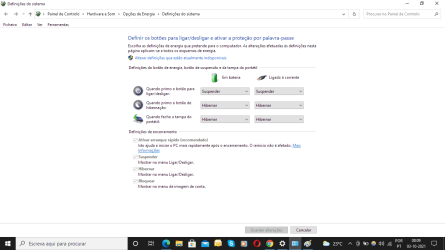
*disable 'fast startup' from power options in control panel
*then disable hibernation (command: powercfg -h off)
*then power off the computer (not restart)
*enable hidden files from folder options and delete 'hiberfil.sys' if exists on your root folder
*activate hibernation (command: powercfg -h on)
... then check if hibernation is working. You may want to enable again 'Fast startup' after your test.
- "you can use the 'powercfg -energy' command to get a report of power-use diagnostics. The result may indicate errors, warnings or other useful information and is stored here: C:\Windows\System32\energy-report.html"
- "Typing 'powercfg -requests' into a command prompt (might have to be elevated). should tell you what programming is keeping your PC awake."
- "Overriding the programming keeping windows awake. Using the command "powercfg -REQUESTSOVERRIDE" tells windows to ignore whatever is keeping it awake and go to sleep."
- Turn Off and Disable "Hybrid Sleep" and "wake timers" from your advanced settings of your current power plan, if none of those works reset your current power plan.
- Create a new user to see if the problem is for your current profile or the system itself.
- Turn f.lux off, I saw it on your tray (
f.lux prevents computer tower from entering sleep mode (f.lux forum) )
- make sure you are up to date with your windows updates.
- check your bios or uefi for power options
----------------------------------
(some) references
Hibernate not working Solved - Windows 10 Forums ,
Create a Shortcut to Put Your Windows Computer into Hibernation ,
Why does my Windows 10 Laptop fail to hibernate sometimes? - Super User ,
https://libredd.it/r/windows/comments/3hda3b/has_anyone_else_noticed_that_their_computer_no/ ,
Windows 10 laptop will not Hibernate ,