Computer having trouble starting up

isaaclopez

New member
Local time
10:51 PM
Messages
59
This is a hardware problem with the computer than a problem with Windows 7. I think that it may have bad caps but I've been proven wrong before. What happens is once the power button is pressed the fan goes at full power and nothing else happens. Also if it is something big wrong with it (Mobo, CPU) can you tell me what parts are still useable because I am thinking of buying or building a computer. This isn't my primary computer so if you need the specs I'll try my best to retrieve them

Here's a video of what happens:


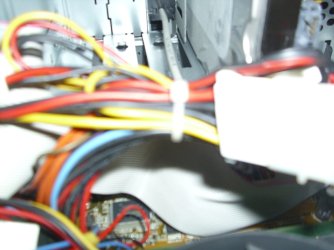
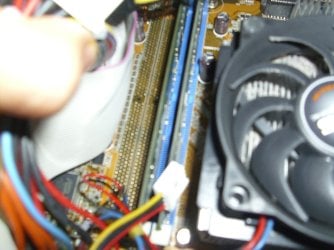
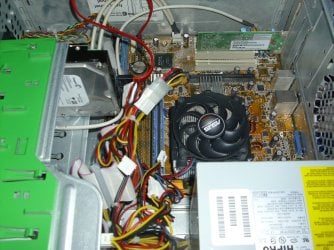
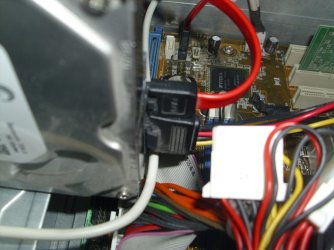
Pictures of the inside are attached

If you need more just ask:)
 

My Computer

Computer Manufacturer/Model Number
Compaq
OS
Windows 7 Ultimate 32-Bit (x86)
CPU
Intel Pentium Dual Core T3400
Motherboard
Wistron 3612
Memory
3GB DDR2
Graphics Card(s)
nVidia 9200M GE and Mobile Intel 4 Series Express Chipset
Sound Card
Conexant High Defininition SmartAudio 221
Screen Resolution
1366x768
Hard Drives
SAMSUNG HM251JI ATA 250GB
Internet Speed
160KBps
Pictures were not attached for some reason
 

Attachments

  • DSCI0006.JPG
    DSCI0006.JPG
    165.6 KB · Views: 7
  • DSCI0007.JPG
    DSCI0007.JPG
    216.9 KB · Views: 4
  • DSCI0008.JPG
    DSCI0008.JPG
    363.2 KB · Views: 5
  • DSCI0009.JPG
    DSCI0009.JPG
    103 KB · Views: 3
  • DSCI0010.JPG
    DSCI0010.JPG
    226.5 KB · Views: 3

My Computer

Computer Manufacturer/Model Number
Compaq
OS
Windows 7 Ultimate 32-Bit (x86)
CPU
Intel Pentium Dual Core T3400
Motherboard
Wistron 3612
Memory
3GB DDR2
Graphics Card(s)
nVidia 9200M GE and Mobile Intel 4 Series Express Chipset
Sound Card
Conexant High Defininition SmartAudio 221
Screen Resolution
1366x768
Hard Drives
SAMSUNG HM251JI ATA 250GB
Internet Speed
160KBps
Can you boot into the BIOS?

Check all connections to make sure that they are connected.

If you can not boot into the bios, replace the power supply unit.
 

My Computer

Computer Manufacturer/Model Number
Toshiba Satellite S875D-S7239 laptop
OS
MS Windows 7 Ultimate SP1 64-bit
CPU
AMD A10-4600M
Motherboard
AMD Pumori (Socket FT1)
Memory
6.00 GB Dual-Channel DDR3 @ 798MHz (11-11-12-28)
Graphics Card(s)
AMD Radeon HD 7660G
Sound Card
High Definition Audio Device
Monitor(s) Displays
Generic PnP Monitor (1600x900@60Hz)
Screen Resolution
1600x900@60Hz
Hard Drives
SSD 119GB Corsair CSSD-V128GB2 ATA Device
Keyboard
Standard PS/2 Keyboard
Mouse
HP Wireless Optical Mobile Mouse Model FHA-3410
Internet Speed
What the local pub, local coffee shop offers.
Other Info
Optical Drive:MATSHITA BD-CMB UJ160B ATA Device


Also have an Asus ha1002xp netbook with Win 7 Ultimate installed.
The weird thing is that it's really picky.. Sometimes it boots into the BIOS and sometimes it doesn't. When it does get past the BIOS it just freezes while loading up Windows
 

My Computer

Computer Manufacturer/Model Number
Compaq
OS
Windows 7 Ultimate 32-Bit (x86)
CPU
Intel Pentium Dual Core T3400
Motherboard
Wistron 3612
Memory
3GB DDR2
Graphics Card(s)
nVidia 9200M GE and Mobile Intel 4 Series Express Chipset
Sound Card
Conexant High Defininition SmartAudio 221
Screen Resolution
1366x768
Hard Drives
SAMSUNG HM251JI ATA 250GB
Internet Speed
160KBps
Help me out here. In your system specs it says Compaq.

could you please add the model and whether it's a laptop or desktop.
 

My Computer

Computer Manufacturer/Model Number
Toshiba Satellite S875D-S7239 laptop
OS
MS Windows 7 Ultimate SP1 64-bit
CPU
AMD A10-4600M
Motherboard
AMD Pumori (Socket FT1)
Memory
6.00 GB Dual-Channel DDR3 @ 798MHz (11-11-12-28)
Graphics Card(s)
AMD Radeon HD 7660G
Sound Card
High Definition Audio Device
Monitor(s) Displays
Generic PnP Monitor (1600x900@60Hz)
Screen Resolution
1600x900@60Hz
Hard Drives
SSD 119GB Corsair CSSD-V128GB2 ATA Device
Keyboard
Standard PS/2 Keyboard
Mouse
HP Wireless Optical Mobile Mouse Model FHA-3410
Internet Speed
What the local pub, local coffee shop offers.
Other Info
Optical Drive:MATSHITA BD-CMB UJ160B ATA Device


Also have an Asus ha1002xp netbook with Win 7 Ultimate installed.
The weird thing is that it's really picky.. Sometimes it boots into the BIOS and sometimes it doesn't. When it does get past the BIOS it just freezes while loading up Windows
This is a tricky problem because of the intermittent nature.
I would assume for the moment that as it sometimes manages to get past the BIOS screen that the hardware CPU, RAM, and Graphic chip are ok.
I would also assume for the moment that Windows not starting is a seperate problem.
Does your monitor switch on properly? it may be wise to check it using another monitor and cable? that at least should be easy for you to check.
I also suggest starting the PC with the side off so that you can check the operation of both the CPU and PSU fans.
I then think you need to check all cable connections by physically removing and replacing the cables. If you still have no joy you will then need to check the seating of all hardware in the same way.
Finally the only option left is to try replacing parts one at a time I imagine this may prove difficult due to the age of the PC and I would, if I was you consider if it is worth the effort.
 

My Computer

Computer Manufacturer/Model Number
Something I threw together
OS
Windows 7 Ultimate x64
CPU
Intel Core i7-2600K
Motherboard
Asus P8P67
Memory
16 GB G Skill F3-10666 CL9D-4GBRL
Graphics Card(s)
ATI Radeon HD 6870
Sound Card
ATI Radeon HDMI / Realtek ALC892
Monitor(s) Displays
2 x 22" standard monitors / LG32LC56v TV to watch films
Screen Resolution
1920 x1080
Hard Drives
2 x OCZ Vertex2 111.79GB
3 x Samsung103SJ
1 x Samsung103UJ
1 x WD3200BEVT
1 x Hitachi5K320-160
PSU
Thermaltake Toughpower Cable Management 750W
Case
Antec 300
Cooling
Noctua NH-U12P SE2 and 5 120mm Case fans
Keyboard
Microsoft Comfort Curve Keyboard 2000
Mouse
Hama M3110 / Logitech M305
Internet Speed
16000
Other Info
I have also used Fedora, Suse, Ubuntu Linux
And all other Windows from 95 to date except ME
Back
Top