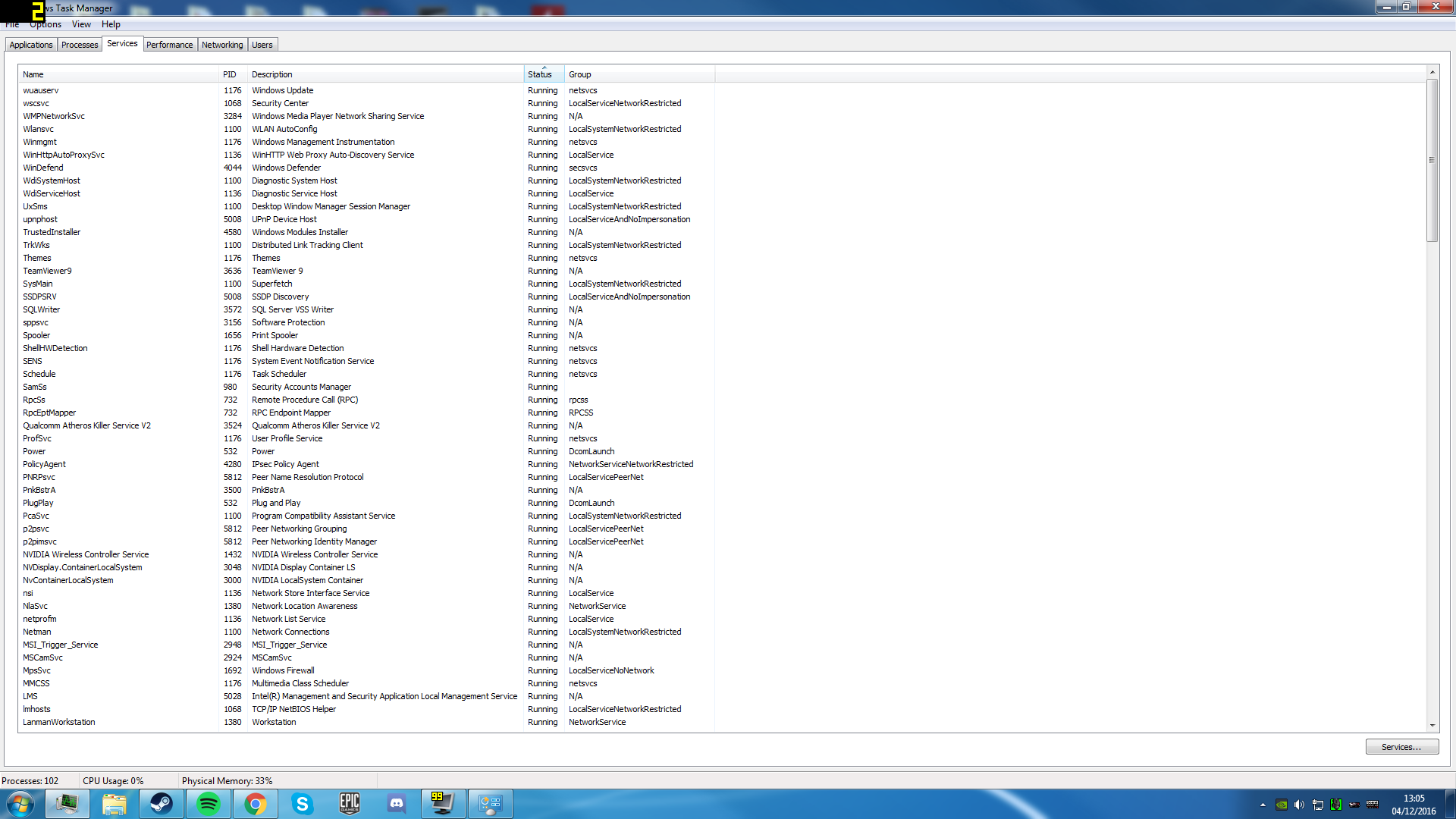
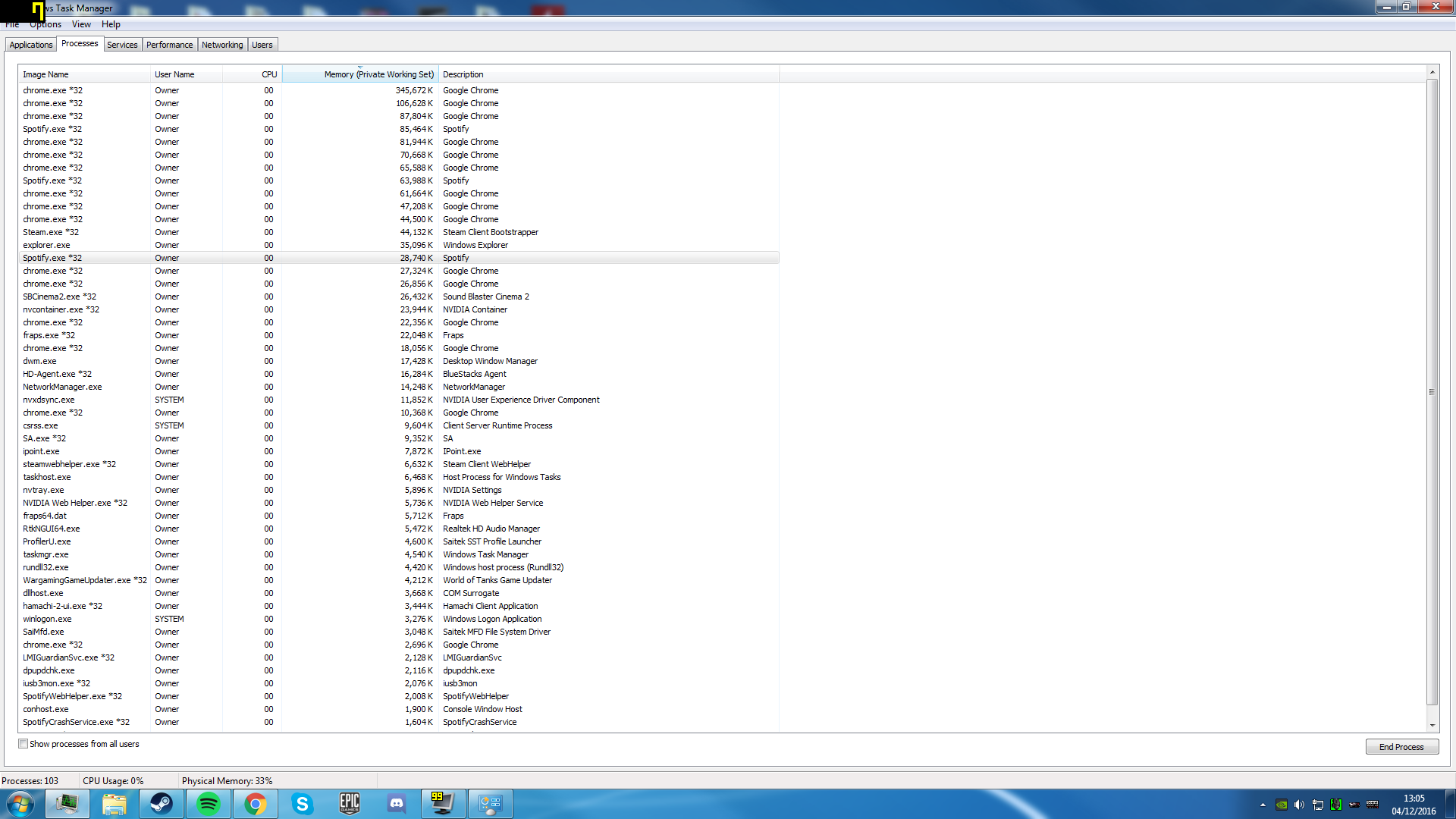
Computer Ram is being used at an unsually high amount.

gsg94490

New member
Local time
7:32 PM
Messages
1
Hey!
Ive been finding my computer has been using alot of my ram (around 3.5gb - 4 gb) when there is very little running. nothing at all making up to 4gb.
6bc2SdI.png

20xMjDJ.png

wzgmXpT.png


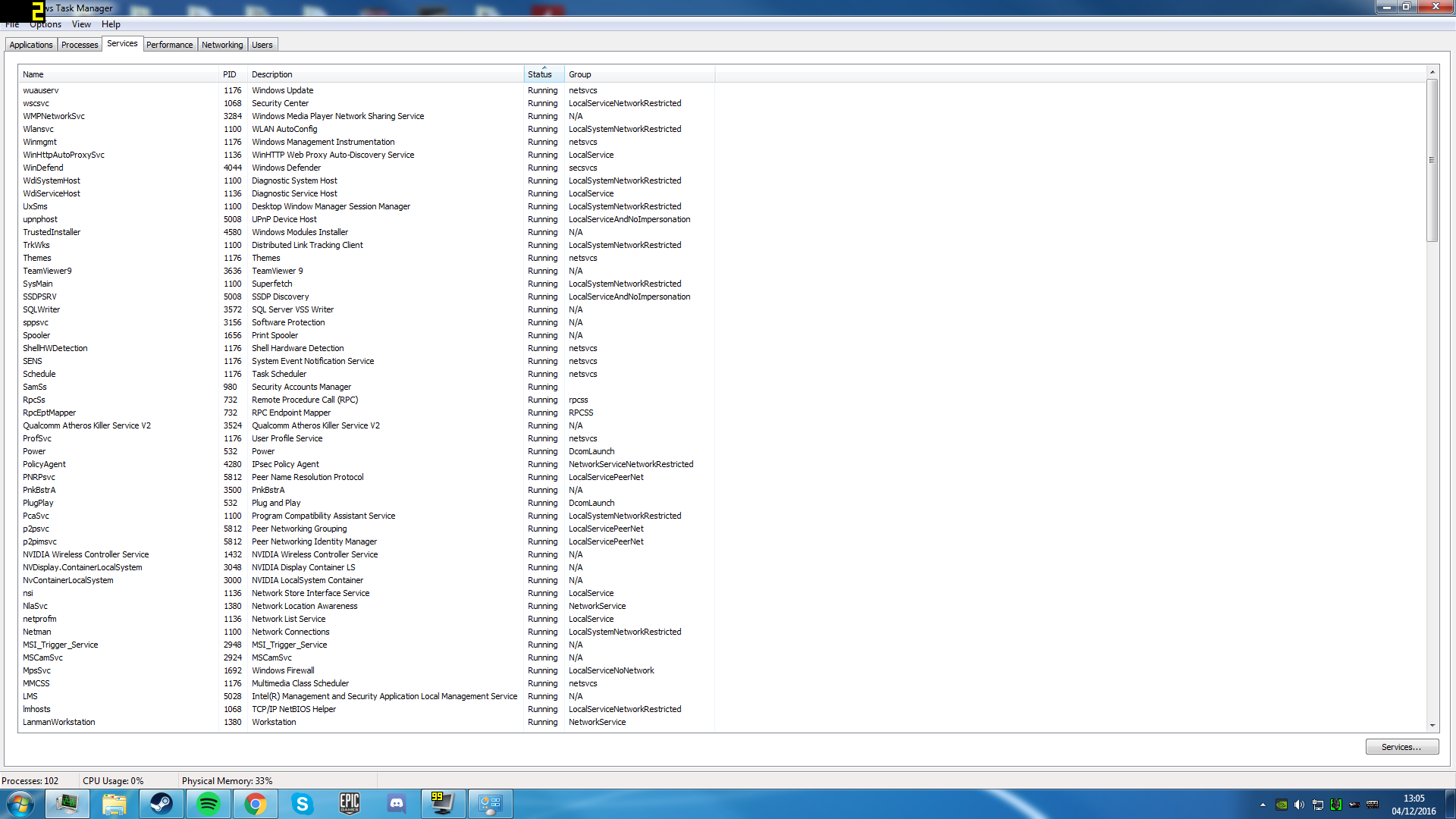
As you can see there is alot of Ram being used for the amount of processes and programs running. I have done a malware scan with kaspersky, Malwarbytes and with spyhunter. All of which cleaned my system. I am now wondering what else it could be?
I was thinking it could be a memory leak but i dont know where from.

If anyone has any ideas at all please do tell.
 

My Computer My Computer

Computer type
PC/Desktop
Computer Manufacturer/Model Number
custom
OS
windows 7 Home Premium x64
CPU
intel I7 4790
Memory
12gb
Graphics Card(s)
gtx 770
Hard Drives
1.5 tb
Antivirus
kaspersky
Browser
chrome
You have Chome.exe and spotify.exe using a lot of memory.
Use msconfig to disable unneeded startup programs and services
 

My Computers My Computers

System One System Two

  • Computer type
    PC/Desktop
    Computer Manufacturer/Model Number
    custom build
    OS
    Windows 7 HP 64
    CPU
    i5 6600K - 800MHz to 4200MHz
    Motherboard
    GA-Z170-HD3P
    Memory
    4+4G GSkill DDR4 3000
    Graphics Card(s)
    IG - Intel 530
    Monitor(s) Displays
    Samsung 226BW
    Screen Resolution
    1680x1050
    Hard Drives
    (1) -1 SM951 – 128GB M.2 AHCI PCIe SSD drive for Windows 7 and Lubuntu
    (2) -1 WD SATA 3 - 1T for Data
    (3) -1 WD SATA 3 - 1T for backup
    PSU
    Thermaltake 450W TR2 gold
    Keyboard
    Old and good Chicony mechanical keyboard
    Mouse
    Logitech mX performance - 9 buttons (had to disable some)
    Internet Speed
    500Mb/s
    Browser
    Firefox 64
    Other Info
    TinyWall firewall
  • Computer type
    Laptop
    System Manufacturer/Model Number
    Asus Q550LF
    OS
    Windows 7 Pro
    CPU
    i7-4500U 800MHz to 3.0GHz
    Motherboard
    Asus Q550LF
    Memory
    (4+4)G DDR3 1600
    Graphics Card(s)
    IG intel 4400 + NVIDIA GeForce GT 745M
    Sound Card
    Realtek
    Monitor(s) Displays
    LG Display LP156WF4-SPH1
    Screen Resolution
    1920 x 1080
    Hard Drives
    BX500 120G SSD for Windows and programs +
    1T HDD for data
    Internet Speed
    500 Mb/s
    Browser
    Firefox
    Other Info
    TinyWall firewall
If that is your full list of processes - why no svchost.exe ?

Get a copy of RAMmap and investigate:

Introduction to the new Sysinternals tool: RAMMap | Ask the Performance Team Blog

It's portable. On the "Use Counts" tab sort by "Active" and see what shows up at the top of the list.

Also check "Driver Locked" as a high figure could indicate a driver problem.

Lastly check the "File Summary" tab and sort by "Active" and see what is at the top.

Try "Empty" from the toolbar and work your way through one ny one keeping am eye on RAM usage.
 
Last edited:

My Computer My Computer

Computer type
Laptop
Computer Manufacturer/Model Number
ASUS
OS
Microsoft Windows 7 Home Premium 64-bit 7601 Multiprocessor Free Service Pack 1
CPU
AMD C-60 APU with Radeon(tm) HD Graphics
Motherboard
ASUSTeK COMPUTER INC. X501U
Memory
4.00 GB
Graphics Card(s)
AMD Radeon HD 6290 Graphics
Sound Card
(1) AMD High Definition Audio Device (2) Realtek High Defi
Screen Resolution
1366 x 768 x 32 bits (4294967296 colors) @ 60 Hz
Hard Drives
Hitachi HTS545050A7E380 SATA Disk Device
Antivirus
Comodo CIS & FW, SecureAplus App Whitelisting, Threatfire
Browser
Cyberfox 64bit, Opera 64bit, Airfox
Other Info
Spy-The-Spy, HitmanPro.Alert, Norton Connect Safe, MJRegWatcher, BitDefender TrafficLight, Voodoo Shield, Zemana AntiMalware
Post a snip of Resource Monitor showing the Memory tab
 

My Computer My Computer

Computer type
PC/Desktop
Computer Manufacturer/Model Number
Skylake Special #666
OS
Windows 10 Pro x64
CPU
Intel Core i7 6700K
Motherboard
Asus Sabertooth Z170 Mark 1
Memory
GSkill TridentZ RGB 16GB 3600 16-16-16-36
Graphics Card(s)
EVGA GTX 980 Ti SC x2
Sound Card
Realtek High Definition
Monitor(s) Displays
AOC G2460PG
Screen Resolution
1920 x 1080 144Hz
Hard Drives
Samsung 860 Pro 256GB, Seagate Barracuda 4TB x2
PSU
EVGA 1000 P2, EVGA White Custom Braided Cables
Case
Corsair Vengeance C70 Gunmetal Black
Cooling
Corsair H100i v2, Corsair ML120 x2, Thermal Grizzly Kryonaut
Keyboard
Logitech G910 Orion Spectrum
Mouse
Logitech G700s
Internet Speed
Verizon Fios Quantum Gateway 75/75
Antivirus
Windows Defender, Malwarebytes Free 3.8.3
Browser
Chrome
Other Info
Corsair SP120 x4, LG Blu-ray Drive, Durabrand HT-395 100 Watt Dolby Digital Amp, Corsair H2100 Wireless 7.1 Headset
Sorry, but I don't see anything abnormal or a cause for concern. 33% usage with 12 GB RAM and 103 processes, including 15 chrome, does not seem unreasonable.

Some things that need to be considered:

1. Only 50 out of 103 processes are shown. You need to select "Show processes from all users" to see all of them.
2. The column "Memory (Private Working Set)" does not show full memory usage for a process. You need to add the column "Memory -Working Set" to see that.
3. Adding up this column will never equal total memory usage. It was never intended that it would. There are some very substantial users of memory that are not processes. This include the Non paged pool, the resident portion of the paged pool, the file cache, and more, not all of which are shown in Task Manager. The file cache can easily reach 1 GB or more, sometimes much more. It is not shown in Task Manager except as a part of total usage.

The system memory manager always has control over process and system memory usage. The goal is always to optimize performance, not to minimize memory usage. It will always try to find some use for as much memory as possible, even if it is only of trivial value. When available memory is plentiful, as is clearly the case here, the memory manager will allow processes to use pretty much whatever memory they want with minimal restrictions. This is as it should be. Memory is meant to be used, not sit idle.

But if a large application is started this usage will be automatically trimmed back to meet the demand, drastically if necessary. I have seen this happen many times. But it will only do this when necessary.
 

My Computer My Computer

Computer type
PC/Desktop
Computer Manufacturer/Model Number
HP
OS
Windows 7 Pro 64 bit
CPU
Xeon W3520
Memory
8 GB
Graphics Card(s)
Nvidia Geforce 210
Back
Top