Computer wont start after removing alureon virus with defender offline

stevenbensusan

New member
Local time
2:25 AM
Messages
5
From reading another thread, I found out that I needed to run frst64.exe.
This seems to be a common problem but not a simple solution. I have no idea how to create the fixlist.txt file.

frst.txt log attached
I also searched for services.exe and search.txt log attached.

I need to know how to create the fixlist.txt file so I can fix this problem.

Please let me know if I'm doing this correctly or if there is something else I should be doing.

Thanks.
 

Attachments

My Computer My Computer

At a glance

windows 7 pro 64
Computer type
Laptop
Computer Manufacturer/Model Number
Vaio
OS
windows 7 pro 64
You have a Rootkit. The best advice I can give you is to wipe and do a "Clean" install.
Rootkit - Wikipedia, the free encyclopedia

Your computer has been severely compromised and I wouldn't count on it to be stable by trying to 'fix' the Trojan.
 

My Computer My Computer

At a glance

Windows 7 Ultimate 32bit SP1Intel(R) Core(TM)2 Quad CPU @ 2.40GHz, 2400 MHz4 GBATI Radeon HD 2600 Pro
Computer type
PC/Desktop
Computer Manufacturer/Model Number
Bruce ... somewhere in his 40's
OS
Windows 7 Ultimate 32bit SP1
CPU
Intel(R) Core(TM)2 Quad CPU @ 2.40GHz, 2400 MHz
Motherboard
INTEL/D975XBX2
Memory
4 GB
Graphics Card(s)
ATI Radeon HD 2600 Pro
Monitor(s) Displays
Samsung SyncMaster 914v
Screen Resolution
1280 x 1024
Hard Drives
2/500GB each ... ST3500630AS ATA Device.
One is not connected
PSU
Rocketfish 700 W
Case
G.Skill Gigabyte Chassis
Keyboard
Standard PS/2 Keyboard
Mouse
Microsoft PS/2 Mouse
Internet Speed
DSL
Antivirus
Avira Internet Security
Browser
IE 11
Other Info
ATI HDMI Audio
I would really like to get the machine up and running if possible. Is there a way you can walk me through getting it bootable?
 

My Computer My Computer

At a glance

windows 7 pro 64
Computer type
Laptop
Computer Manufacturer/Model Number
Vaio
OS
windows 7 pro 64

My Computer My Computer

At a glance

Windows 7 Ultimate 32bit SP1Intel(R) Core(TM)2 Quad CPU @ 2.40GHz, 2400 MHz4 GBATI Radeon HD 2600 Pro
Computer type
PC/Desktop
Computer Manufacturer/Model Number
Bruce ... somewhere in his 40's
OS
Windows 7 Ultimate 32bit SP1
CPU
Intel(R) Core(TM)2 Quad CPU @ 2.40GHz, 2400 MHz
Motherboard
INTEL/D975XBX2
Memory
4 GB
Graphics Card(s)
ATI Radeon HD 2600 Pro
Monitor(s) Displays
Samsung SyncMaster 914v
Screen Resolution
1280 x 1024
Hard Drives
2/500GB each ... ST3500630AS ATA Device.
One is not connected
PSU
Rocketfish 700 W
Case
G.Skill Gigabyte Chassis
Keyboard
Standard PS/2 Keyboard
Mouse
Microsoft PS/2 Mouse
Internet Speed
DSL
Antivirus
Avira Internet Security
Browser
IE 11
Other Info
ATI HDMI Audio
stevenbensusan,

I am basically retired, but, give this a try:

On the clean computer, please open: Notepad
Copy/paste all the contents of the quote box below to Notepad (do not copy the word 'Quote').
Save it on the flash drive as: fixlist.txt

start
TDL4: custom:26000022
cmd: bootrec /fixmbr
cmd: bootrec /fixboot
end

WARNING: This script is written specifically for this User, for use on only this particular computer.
Running the script on another computer may cause damage to the Operating System.

Now, in the infected computer, plug in the USB flash drive, and enter System Recovery Options as you did before.

Run FRST again, but this time press the Fix button just once, and wait.

When done, the tool makes a log on the pen drive. This time it is called: Fixlog.txt

Try to boot the computer into normal mode and post back on what happens.

Also, please post Fixlog.txt in your reply.


If the computer still does not boot into Windows, just hang in there, please.
 

My Computer My Computer

At a glance

Windows 7 Home Premium
Computer type
PC/Desktop
Computer Manufacturer/Model Number
An ol' eMachines
OS
Windows 7 Home Premium
Internet Speed
Fine for me...I'm retired!
Wow that worked!!!

See attached log.

Am I virus free? Is there anything else I need to do?

Thanks and let me know.
 

Attachments

My Computer My Computer

At a glance

windows 7 pro 64
Computer type
Laptop
Computer Manufacturer/Model Number
Vaio
OS
windows 7 pro 64
stevenbensusan,

Glad the fixlist worked.

Please run FRST once again, but, this time, download a fresh copy to the Desktop, and run it from there, so we can get the complete log. Also, please check the Addition.txt option.

:ar: When done, please provide both reports in your reply.
 

My Computer My Computer

At a glance

Windows 7 Home Premium
Computer type
PC/Desktop
Computer Manufacturer/Model Number
An ol' eMachines
OS
Windows 7 Home Premium
Internet Speed
Fine for me...I'm retired!
Also, please go to the TDSSKiller Download
Select the .exe version

Double-click on TDSSKiller.exe to run the program.
  • Doubleclick on TDSSKiller.exe to run the program.
  • At the Kaspersky TDSSKiller interface, click: Change parameters
  • Check: Detect TDLFS file system
  • Click: OK
  • Now, click Start Scan and allow the scan to run
  • If any threats are found, select: Skip (Do not select: Delete!!)
  • Click: Continue
  • Click: Reboot computer
:ar: When done, please provide the TDSSKiller.[Version]_[Date]_[Time]_log.txt found in C:\
 

My Computer My Computer

At a glance

Windows 7 Home Premium
Computer type
PC/Desktop
Computer Manufacturer/Model Number
An ol' eMachines
OS
Windows 7 Home Premium
Internet Speed
Fine for me...I'm retired!
Yep, cottonball is a trooper! Do all advice given by this superb member. :cool:
 

My Computer My Computer

At a glance

Windows 7 Ultimate 32bit SP1Intel(R) Core(TM)2 Quad CPU @ 2.40GHz, 2400 MHz4 GBATI Radeon HD 2600 Pro
Computer type
PC/Desktop
Computer Manufacturer/Model Number
Bruce ... somewhere in his 40's
OS
Windows 7 Ultimate 32bit SP1
CPU
Intel(R) Core(TM)2 Quad CPU @ 2.40GHz, 2400 MHz
Motherboard
INTEL/D975XBX2
Memory
4 GB
Graphics Card(s)
ATI Radeon HD 2600 Pro
Monitor(s) Displays
Samsung SyncMaster 914v
Screen Resolution
1280 x 1024
Hard Drives
2/500GB each ... ST3500630AS ATA Device.
One is not connected
PSU
Rocketfish 700 W
Case
G.Skill Gigabyte Chassis
Keyboard
Standard PS/2 Keyboard
Mouse
Microsoft PS/2 Mouse
Internet Speed
DSL
Antivirus
Avira Internet Security
Browser
IE 11
Other Info
ATI HDMI Audio
See Attached logs.

Let me know what I should do next.

Thanks.
 

Attachments

My Computer My Computer

At a glance

windows 7 pro 64
Computer type
Laptop
Computer Manufacturer/Model Number
Vaio
OS
windows 7 pro 64
My apology. Had to go for some testing, and it took forever! :o

Will get back with you tomorrow evening. (Wed, 13May2015)
 

My Computer My Computer

At a glance

Windows 7 Home Premium
Computer type
PC/Desktop
Computer Manufacturer/Model Number
An ol' eMachines
OS
Windows 7 Home Premium
Internet Speed
Fine for me...I'm retired!
@Jacee,

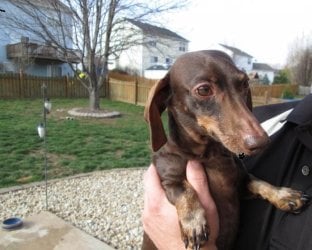
Thanks for the kind comment. Do have a little Trooper. He is awesome! :D
 

Attachments

  • Trooper.jpg
    Trooper.jpg
    57.3 KB · Views: 12

My Computer My Computer

At a glance

Windows 7 Home Premium
Computer type
PC/Desktop
Computer Manufacturer/Model Number
An ol' eMachines
OS
Windows 7 Home Premium
Internet Speed
Fine for me...I'm retired!
stevenbensusan,

Let's press on...

:info: Please run TDSSKiller once again, and this time, when presented with the TDSS File System entry in Threats Detected, select: Delete
:ar: When done, please attach the new TDSSKiller log in your reply.


:info: Next, please open Notepad (Start > All Programs > Accessories > Notepad)
Copy the contents of the code box below to Notepad.
Save it to the Desktop, and name it: fixlist.txt

Code:
start
CreateRestorePoint:
FF Plugin: @microsoft.com/GENUINE -> disabled No File
FF Plugin-x32: @microsoft.com/GENUINE -> disabled No File
EmptyTemp:
end

Now, please run FRST or FRST64, and press the Fix button, just once, and wait.

If for some reason the tool needs a restart, please let the system restart normally. After that let the tool complete its run.

When done, the tool creates a report on the Desktop called: Fixlog.txt

:ar: Please post the Fixlog.txt in your reply.


:info: Last, please use the Farbar Service Scanner
Download: Downloading Farbar Service Scanner

Let's get a view of all services and dependencies scoped by the tool...

Make sure the following options are checked:
Internet Services
Windows Firewall
System Restore
Security Center
Windows Update
Windows Defender

Press: Scan

When done, FSS creates a log, FSS.txt, on the Desktop.

:ar: Please provide the FSS.txt in your reply.

Also, please provide an update on how the computer is working.
 

My Computer My Computer

At a glance

Windows 7 Home Premium
Computer type
PC/Desktop
Computer Manufacturer/Model Number
An ol' eMachines
OS
Windows 7 Home Premium
Internet Speed
Fine for me...I'm retired!
Back
Top