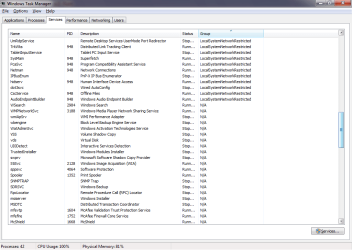
CPU 100% and Physical Memory at 84% HELP!

DavidYule

New member
Local time
9:07 AM
Messages
4
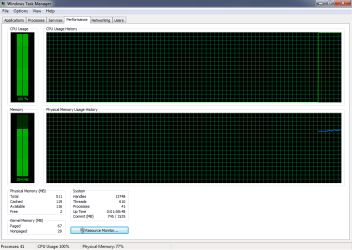
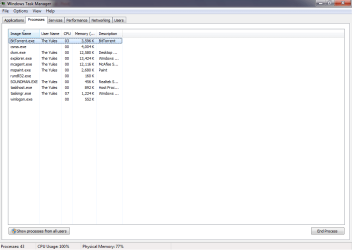
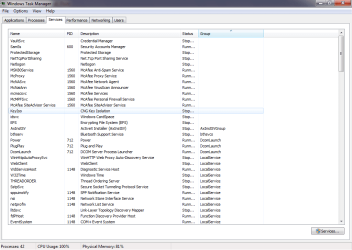
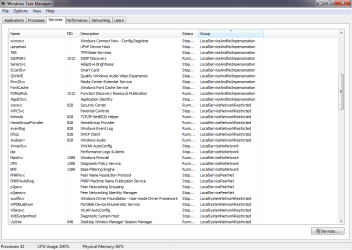
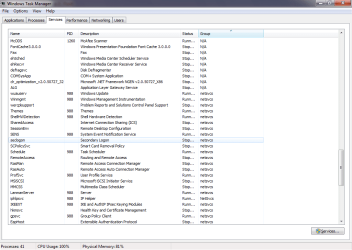
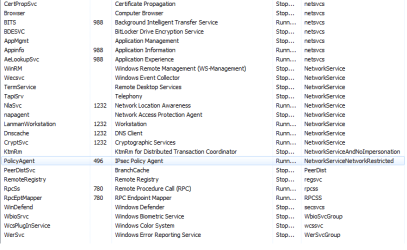
I recently upgraded the study pc to windows 7 ultimate from windows xp home edition. After installing it came to my attention that the computer is running terribly slow, realising this I opened the task command and noticed that the CPU was at 100% and Physical Memory at 84%, These levels never change much although the Physical memory goes from 80 to 95. I would really appreciate some help and have included some screen shots. Thanks
David
 

Attachments

  • CPU 100%.png
    CPU 100%.png
    15.8 KB · Views: 44
  • pROCESSES.png
    pROCESSES.png
    17.7 KB · Views: 38
  • Services.png
    Services.png
    29.9 KB · Views: 38
  • services 2.png
    services 2.png
    28.4 KB · Views: 29
  • Services 3.png
    Services 3.png
    30.1 KB · Views: 21
  • Services 4.png
    Services 4.png
    29.8 KB · Views: 16
  • Services 5.png
    Services 5.png
    15.3 KB · Views: 14

My Computer

OS
Windows 7 ulimate x64
Hello there, well, as i see, you're running Windows 7 with only 512MB of RAM and have Aero enabled? :confused: that can't be good for your RAM. of course it'll be always high. Windows 7's requierements are at least 1GB of RAM minimum, but 2GB recommended.
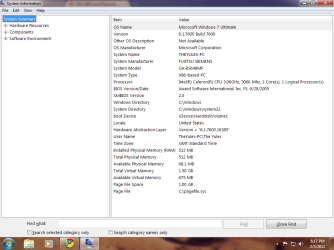
What processor do you have?
 

My Computer

Computer type
PC/Desktop
OS
Windows
I honestly have no clue ahah, how do I find out?
 

My Computer

OS
Windows 7 ulimate x64
Go to start and type on the search bar "msinfo32" without the quotes, right click it and "run as administrator".

Maximize that window, take a screenshot of it and attach it here, please :)

Or, go to start, computer, right click it and Properties, same thing.. maximize that window, take a screenshot and post it here
 

My Computer

Computer type
PC/Desktop
OS
Windows
Okay, here you go :)
 

Attachments

  • System Stuff.png
    System Stuff.png
    38.5 KB · Views: 109

My Computer

OS
Windows 7 ulimate x64
Okay, you either have a Celeron D 345/346/347 Processor, and 512MB of RAM, which i would say it's DDR-333 or DDR-400, that's way too low to run Windows 7 smoothly.

Sorry about the bad news, but you either need an upgrade of the PC parts, or you need a downgrade to Windows XP :(
 

My Computer

Computer type
PC/Desktop
OS
Windows
I mean, for 200$ you could get a Combo in Newegg that would increase your performance abruptly.

Here: Newegg.com - Computer Parts, PC Components, Laptop Computers, LED LCD TV, Digital Cameras and more!

It's a good and cheap upgrade, plus you'd have a smooth Windows 7 experience, because a Celeron D Processor + 512MB of RAM, could be anything but smooth :(

Sorry again to bring the bad news.

Or even on a real tight budget, for 160$ you could have this:

Newegg.com - Computer Parts, PC Components, Laptop Computers, LED LCD TV, Digital Cameras and more!

Although i'd go for the 200$ one.. it's a Quad Core vs a Dual Core processor.

My .02 Cents :geek:
 

My Computer

Computer type
PC/Desktop
OS
Windows
Thank you very much, you have been very informative :)
I think I shall just buy a new tower etc as the one in the study at the moment is old and has ran its course.
Again thanks very much.
 

My Computer

OS
Windows 7 ulimate x64
You're welcome, David.. if you need help building a new PC, we could be helpful.. just tell us what kinds of tasks would you be doing on the new computer, your budget and we could lead you into the right direction :)
 

My Computer

Computer type
PC/Desktop
OS
Windows
Back
Top