My Computer
- Computer Manufacturer/Model Number
- Acer Aspire 5750
- OS
- Windows 7 Home Premium 64bit
- CPU
- Intel Core i3-2310M
- Motherboard
- Acer OEM
- Memory
- 8GB
- Graphics Card(s)
- Intel HD3000
- Screen Resolution
- 1366x768
- Hard Drives
- 320GB Toshiba

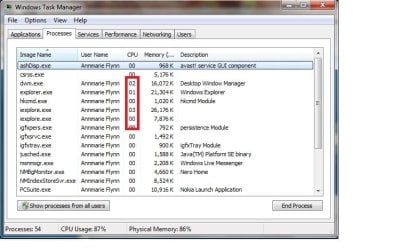
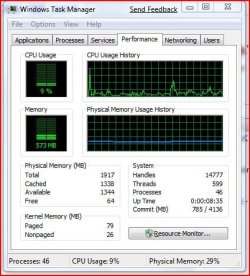
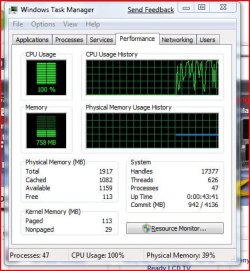
Click on the Resource Monitor button, and see what's using the CPU..


 - just wanted to confirm - as i found here for the benefit of others to see and understand it
Thanks Johngalt - that was it
What are wmpnscfg.exe and wmpnetwk.exe and Why Are They Running? :: the How-To Geek


Thanks Johngalt - that was it
What are wmpnscfg.exe and wmpnetwk.exe and Why Are They Running? :: the How-To Geek
I have this problem, but I want to still run media sharing to my 360.
Are there any known actual fixes for this problem?
I could run media sharing with my 360 fine on my Vista install, but now on Windows 7 I just get CPU maxing out all the time.
Nope, I was having the problem before I installed anything. I had it before and figured it could have been an install issue, so reinstalled W7, run Windows Update etc. only, didn't install anything else, ran WMP12, then after telling it where to find my media it started throwing a fit.
Could it be due to video files that WMP12 needs codecs for, so it gets stuck? I don't normally use WMP for watching videos, I use another player, but have to import it into there to be able to use it on the 360 should I wish to do that.
Might just be the initial startup phase, lots of indexing to do and other activities. If you have a lot of media and told it to index it then yeah thats going to hammer away on your CPU until its done.