
- Local time
- 6:23 AM
- Messages
- 339
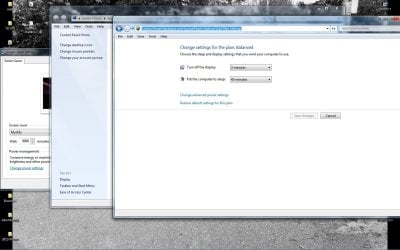
I want to automate four steps to change the time it takes to turn off the display. I do this at least twice a day. Instead of going through the four steps: personalize, screen saver, change power settings, change when the computer sleeps and then turn off display, I made a new shortcut and copied the line on top [screenshot enclosed] which made the target C:\Windows\System32\control.exe Panel\Hardware and Sound\Power Options\Edit Plan Settings. I clicked it but it didn't work. Any idea how to create the shortcut? I change this at least twice daily.
Attachments
My Computer
- Computer Manufacturer/Model Number
- HP Pavilion p6745f
- OS
- Microsoft Windows 7 Home Premium 64-bit 7601 Multiprocessor Free Service Pack 1
- CPU
- Intel(R) Core(TM) i5-2300 CPU @ 2.80GHz
- Motherboard
- PEGATRON CORPORATION 2AB6
- Memory
- 6 GB
- Graphics Card(s)
- Radeon 6750 1gb
- Sound Card
- (1) IDT High Definition Audio CODEC (2) Intel(R) Display A
- Monitor(s) Displays
- Acer x193w
- Hard Drives
- (1) WDC WD15EARS-60MVWB0 (2) Generic- Compact Flash USB Device (3) Generic- MS/MS-Pro USB Device (4) Generic- SD/MMC USB Device (5) Generic- SM/xD-Picture USB Device (6) WD My Book 1110 USB Device
- PSU
- Internal 500W (100V-240V)
- Case
- Mid-size ATX
- Cooling
- unknown
- Keyboard
- HP usb multimedia keyboard
- Mouse
- HP usb compliant mouse
- Internet Speed
- 256 kbps
- Other Info
- Ver: CHI_713.bin vCHI7.13


