Custom Start Menu Button Collection

Hit the small arrow at the bottem right and it will expand. then chuse the second option that says "Replace by editing resorces"
try it and tell if it works.
if it dint just tell i will reply after about 6-8 hours coz i have some impotrant work to to. sory for not helping this time

I tried it gave me another error and it reboot my laptop and when I sign in all I get is a black screen with just the mouse pointer

Dude dont try that app because i dont want to be the cause of your system crash down.
i dont know why it is not working for you. for me it is working smoothly with no error.

Too late lol do I just do the f11 option and erase everything I have everything in dropbox already I had to do the f11 thing a couple days ago when I deleted the camera
Ok I fixed it I'm just going to use the other ribbon lol thanks for the help
 
Last edited:

My Computer

OS
64
Too late lol do I just do the f11 option and erase everything I have everything in dropbox already I had to do the f11 thing a couple days ago when I deleted the camera
Ok I fixed it I'm just going to use the other ribbon lol thanks for the help

Rather start up in safe mode (press F8 before the Windows logo shows up, select "Safe Mode" from list of options), do a System Restore to before you tried to apply the orb, then get the latest version of the app online.

I never share programs that I use by uploading them (unless a specific version is needed), it's always safer to use the latest version available.

For the record, "Windows 7 Start Button Changer" is a really old version, Kishan changed the name to "Windows 7 Start Orb Changer", and it's currently on version 4: Windows 7 Start Orb Changer v4 by =Kishan-Bagaria on deviantART
 

My Computer

Computer type
PC/Desktop
OS
Win 10 x64 Pro x64 / Ubuntu 15.10 x64
CPU
Intel i7-4960X
Motherboard
Asus Rampage IV Black Edition
Memory
4x8GB Corsair Dominator Platinum @2400MHz 10-12-12-31
Graphics Card(s)
2x MSI GTX780Ti 3GB (SLI)
Sound Card
Onboard SupremeFX (Cirrus Logic CS4398)
Monitor(s) Displays
3x LG Cinema 27" IPS LED (27MP65)
Screen Resolution
[1920x1080]x3
Hard Drives
Crucial M500 120GB, Crucial M500 480GB, Toshiba DT01ACA200 2TB
PSU
CoolerMaster V1000
Case
Corsair Obsidian 750D
Cooling
ThermalTake Water 3.0 Extreme, 4xSP120, 3xAF120
Keyboard
Moshi Luna
Mouse
Logitech G700s / Roccat Tyon
Internet Speed
4Mb uncapped ADSL (Afrihost)
Antivirus
MS Security Essentials
Browser
Chrome... Duh. (:
Too late lol do I just do the f11 option and erase everything I have everything in dropbox already I had to do the f11 thing a couple days ago when I deleted the camera
Ok I fixed it I'm just going to use the other ribbon lol thanks for the help

Rather start up in safe mode (press F8 before the Windows logo shows up, select "Safe Mode" from list of options), do a System Restore to before you tried to apply the orb, then get the latest version of the app online.

I never share programs that I use by uploading them (unless a specific version is needed), it's always safer to use the latest version available.

For the record, "Windows 7 Start Button Changer" is a really old version, Kishan changed the name to "Windows 7 Start Orb Changer", and it's currently on version 4: Windows 7 Start Orb Changer v4 by =Kishan-Bagaria on deviantART
thanks man but i fixed it i just did a system restore and it restored to the day before but im not going to switcht the orb anymore lol
 

My Computer

OS
64
potstart2.pngrageface.png
 

My Computer

Computer Manufacturer/Model Number
Self Assembled ATI
OS
Windows 7 Ultimate 64bit
CPU
AMD Athlon II x4 3.10 GHz
Motherboard
N-Alvorix-RS880-uATX
Memory
6GB DDR3
Graphics Card(s)
ATI Radeon x1600 512MB
Sound Card
Onboard
Monitor(s) Displays
21in Acer S231HL LED
Screen Resolution
1920x1080
Hard Drives
Western Digital 80gb x2, Western Digital 160gb, Western Digital My Book Essentials 2TB
PSU
250watt
Case
Cooler Master HAF X Blue 942
Cooling
4 standard size case fans
Keyboard
Alienware Tact X
Mouse
Logitech Performance MX
Internet Speed
Unfortunately...hughesnet...
XD

I was wondering if someone could Make a Start button orb for me please. Cant find any thing like what ill describe. Would do it my self but don't have the money to purchase a graphical creation program atm. Thank you.

Looking for -

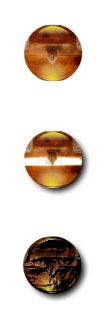
1. Idle - Closed Chest Preferably a dark wood.

2. Mouse over - Chest slightly opened - Minor gold glow

3. Click - Chest Fully opened with full on glow.


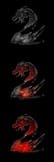
Thank you. Or if anyone knows of something similar i would appreciate it. Trying to make a Gw:2 theme atm and the little Gw:2 dragon orb button ill up load Doesn't really do it for me.
 

My Computer

Computer Manufacturer/Model Number
Self made.
OS
windows 7 Ultimate 64bit
CPU
Amd Athalon II x4 3ghz
Motherboard
gigabyte
Memory
DDR3 16GB
Graphics Card(s)
Ati 6850 HD
Monitor(s) Displays
Dynex 32" LCD
Screen Resolution
1360 / 768
Hard Drives
1TB WD Black
Cooling
Air Cooled W/LED lights
Keyboard
Generic
Mouse
Logitech
Internet Speed
32kbs
here's the dragon orb button. I did not create this. it was made by a member of deviantart.
 

Attachments

My Computer

Computer Manufacturer/Model Number
Self made.
OS
windows 7 Ultimate 64bit
CPU
Amd Athalon II x4 3ghz
Motherboard
gigabyte
Memory
DDR3 16GB
Graphics Card(s)
Ati 6850 HD
Monitor(s) Displays
Dynex 32" LCD
Screen Resolution
1360 / 768
Hard Drives
1TB WD Black
Cooling
Air Cooled W/LED lights
Keyboard
Generic
Mouse
Logitech
Internet Speed
32kbs
I did not see a baseball orb. Did i miss it, or does anyone out there have one? :cool:

Is this a request? :D

How about this one

View attachment 182032

Most excellant sg1, thank you kindly.

Has anyone seen a baseball start orb? I've been searching for a while now. Thank you kindly.

This one speedgamer01 made for you?

182032d1320303074-custom-start-menu-button-collection-baseball-orb-01.png
 

My Computer

Computer type
PC/Desktop
Computer Manufacturer/Model Number
Self Built
OS
Win 10 Pro x64
CPU
Intel I5-2500K @3.3GHz
Motherboard
Asrock P67 Extreme4
Memory
16GB G.Skill Ripjaws X (4x4GB)
Graphics Card(s)
EVGA GeForce 750 Ti SC 2GB
Sound Card
ASUS Xonar DG 5.1 Channels 24-bit 96KHz PCI Interface Sound
Monitor(s) Displays
auria eq2367
Screen Resolution
1920 x 1080
Hard Drives
250GB Samsung 850 EVO SSD
1TB WD Blue
1TB Hitachi
PSU
SeaSonic X 650W 80 Plus Gold
Case
Corsair Obsidian 750D
Cooling
Corsair H60, Three 140mm case fans
Keyboard
Logitech Wireless Keyboard K520
Mouse
Logitech Wireless Mouse M310
Internet Speed
Wave Broadband ~ 100 dn 5 up
Antivirus
Windows Defender, Malwarebytes Premium
Browser
Edge, IE11, Chrome
Other Info
Laptop specs: HP g7-1365dx /
CPU: AMD A6-3420M APU with Radeon(tm) HD Graphics /
RAM: Crucial 8Gb (2x4Gb) /
SSD: Crucial M4-CT128M4SSD2 ATA Device/ FW 000F /
GFX: AMD Radeon HD 6520G /
OS: Windows 10 Pro x64
  • Like
Reactions: Arc
I was wondering if someone could Make a Start button orb for me please. Cant find any thing like what ill describe. Would do it my self but don't have the money to purchase a graphical creation program atm. Thank you.

Looking for -

1. Idle - Closed Chest Preferably a dark wood.

2. Mouse over - Chest slightly opened - Minor gold glow

3. Click - Chest Fully opened with full on glow.


Thank you. Or if anyone knows of something similar i would appreciate it. Trying to make a Gw:2 theme atm and the little Gw:2 dragon orb button ill up load Doesn't really do it for me.

You do not need to purchase any "graphical creation program" you could use Gimp GIMP - Windows installers Here is a tutorial that you could look at http://www.sevenforums.com/tutorials/73616-how-create-custom-start-orb-image.html
Here is a nice tool that works very well to http://www.sevenforums.com/customization/70070-startorbz-genuine-creations.html for best results use a 106 pixel by 106 pixel background to start with.
Jerry
 

My Computer

Computer type
Laptop
Computer Manufacturer/Model Number
Sager NP9170
OS
Win 7 Pro x64 / Win 10 Pro
CPU
Intel(R) Core(TM) i7-3630QM CPU @ 2.40GHz
Motherboard
CLEVO P170EM
Memory
12 GB
Graphics Card(s)
(1) Intel(R) HD Graphics 4000 (2) NVIDIA GeForce GTX 675M
Sound Card
(1) Realtek High Definition Audio (2) Intel(R) Display Aud
Monitor(s) Displays
17.3
Screen Resolution
1920x1080
Hard Drives
(1) Samsung 860 EVO 500GB(OS) (1) Samsung 860 EVO 500GB(Data)
Keyboard
Backlite
Antivirus
MSE, Malwarebytes Pro
Browser
Firefox
Other Info
DESKTOP: Custom-built.
OS: Win 10 Pro x64.
CASE: Rosewill R5.
CPU: Intel I5 4670K CPU @ 3.40GHz.
CPU COOLER: Cool Master Hyper 212 EVO.
MOTHERBOARD: Asus Z87-A.
MEMORY: Kingston HyperX 2x4 GB.
GPU: Nvidia Geforce 650 TI.
PSU: Corsair TX750.
DRIVES: (1) Samsung 840 120 GB SSD (2) Western Digital blue 500 GB 7200 RPM.
ya...

well that one you listed add's effects. it doesnt actually lut you create images, just add them.

anywho i thru this together with it and ripping some images off google and editing them really quick in paint. not quiet what i wanted but it works.
 

Attachments

My Computer

Computer Manufacturer/Model Number
Self made.
OS
windows 7 Ultimate 64bit
CPU
Amd Athalon II x4 3ghz
Motherboard
gigabyte
Memory
DDR3 16GB
Graphics Card(s)
Ati 6850 HD
Monitor(s) Displays
Dynex 32" LCD
Screen Resolution
1360 / 768
Hard Drives
1TB WD Black
Cooling
Air Cooled W/LED lights
Keyboard
Generic
Mouse
Logitech
Internet Speed
32kbs
I did not see a baseball orb. Did i miss it, or does anyone out there have one? :cool:

Is this a request? :D

How about this one

View attachment 182032

Most excellant sg1, thank you kindly.

Has anyone seen a baseball start orb? I've been searching for a while now. Thank you kindly.

This one speedgamer01 made for you?


182032d1320303074-custom-start-menu-button-collection-baseball-orb-01.png

That's perfect, thank you both so much. One question before I dive in to implement this, which is a bit of ordeal for this low tekky. I hope this isn't too stupid a question- I see that all the orbs presented are in groups of 3. Why is that, and does the tutorial go into that. Thanks a bunch, Rusty.
 

My Computer

OS
W7 HOP 64
The reason there are three is the top one is normal state, the middle one is what it looks like when you hover your cursor over it, the bottom is when you click on it.

  1. Normal
  2. Hover
  3. Click
 

My Computer

Computer type
PC/Desktop
Computer Manufacturer/Model Number
Self Built
OS
Win 10 Pro x64
CPU
Intel I5-2500K @3.3GHz
Motherboard
Asrock P67 Extreme4
Memory
16GB G.Skill Ripjaws X (4x4GB)
Graphics Card(s)
EVGA GeForce 750 Ti SC 2GB
Sound Card
ASUS Xonar DG 5.1 Channels 24-bit 96KHz PCI Interface Sound
Monitor(s) Displays
auria eq2367
Screen Resolution
1920 x 1080
Hard Drives
250GB Samsung 850 EVO SSD
1TB WD Blue
1TB Hitachi
PSU
SeaSonic X 650W 80 Plus Gold
Case
Corsair Obsidian 750D
Cooling
Corsair H60, Three 140mm case fans
Keyboard
Logitech Wireless Keyboard K520
Mouse
Logitech Wireless Mouse M310
Internet Speed
Wave Broadband ~ 100 dn 5 up
Antivirus
Windows Defender, Malwarebytes Premium
Browser
Edge, IE11, Chrome
Other Info
Laptop specs: HP g7-1365dx /
CPU: AMD A6-3420M APU with Radeon(tm) HD Graphics /
RAM: Crucial 8Gb (2x4Gb) /
SSD: Crucial M4-CT128M4SSD2 ATA Device/ FW 000F /
GFX: AMD Radeon HD 6520G /
OS: Windows 10 Pro x64

My Computer

Computer type
PC/Desktop
Computer Manufacturer/Model Number
Self Built
OS
Win 10 Pro x64
CPU
Intel I5-2500K @3.3GHz
Motherboard
Asrock P67 Extreme4
Memory
16GB G.Skill Ripjaws X (4x4GB)
Graphics Card(s)
EVGA GeForce 750 Ti SC 2GB
Sound Card
ASUS Xonar DG 5.1 Channels 24-bit 96KHz PCI Interface Sound
Monitor(s) Displays
auria eq2367
Screen Resolution
1920 x 1080
Hard Drives
250GB Samsung 850 EVO SSD
1TB WD Blue
1TB Hitachi
PSU
SeaSonic X 650W 80 Plus Gold
Case
Corsair Obsidian 750D
Cooling
Corsair H60, Three 140mm case fans
Keyboard
Logitech Wireless Keyboard K520
Mouse
Logitech Wireless Mouse M310
Internet Speed
Wave Broadband ~ 100 dn 5 up
Antivirus
Windows Defender, Malwarebytes Premium
Browser
Edge, IE11, Chrome
Other Info
Laptop specs: HP g7-1365dx /
CPU: AMD A6-3420M APU with Radeon(tm) HD Graphics /
RAM: Crucial 8Gb (2x4Gb) /
SSD: Crucial M4-CT128M4SSD2 ATA Device/ FW 000F /
GFX: AMD Radeon HD 6520G /
OS: Windows 10 Pro x64

My Computer

Computer Manufacturer/Model Number
Self Built
OS
Windows Seven Home Premium 64bit SP1
CPU
Core i5-3475S
Motherboard
ASUS P8H77-M PRO
Memory
16GB DDR3
Graphics Card(s)
Onboard
Sound Card
Onboard
Monitor(s) Displays
ASUS VS229H-P
Hard Drives
Plextor
PX-256M5S 256GB

WesternDigital
WD10EZRX 1TB
PSU
Scythe SPCR2-650P
Case
Fractal Design Define Mini(FD-CA-DEF-MINI-BL)
Cooling
Cpu Fan:HPFI57-10025EP Case Fan:SP1225FDB12L Front×2 Back×1
So I went back in the thread, and couldn't find any Windows 8 Flag start orbs... er... I mean, start squares :P

Windows-8-logo-300x300.jpg


Here's the logo, if you're not familiar with it. I was thinking of having it in an array of colors, so it'd be nice to be able to recolor it easily.
 

My Computer

OS
Windows 8 Release Preview 64-bit
Here you go :P
windows 8 recolour orb.png
 

My Computer

Computer type
PC/Desktop
Computer Manufacturer/Model Number
Custom Built PC
OS
Windows 7 Ultimate 64 bit SP1
CPU
Intel(R) Core(TM) i5-2500K
Motherboard
Gigabyte Technology Co., Ltd. Z68X-UD3-B3
Memory
12GB Kingston Hyperx 1600MHz
Graphics Card(s)
Asus GTS 450
PSU
500W Coolink
Other Info
Genius G-Pen F610 (PenPad)
Back
Top