Custom Start Menu Button Collection

Is it possible someone could do nvidia images in bitmap format please.

cheers...:)
What about:
NVidia_Orbs_for_Windows_7_by_ZaLiTHkA.jpg

Link on deviantART

In all honesty, I'm not really that happy with how the third one came out. I was trying a trick I normally reserve for larger resolution images, but with a bit of tweaking it does sometimes work on lower res..... Oh well, I figured somebody out there would like it. :D

By the way, I keep uploading my work to dA because I have a profile there and like to keep everything in one place. If anybody has trouble downloading from there (not likely, but you never know...), let me know and I can attach the files here. :p
 

My Computer

Computer type
PC/Desktop
OS
Win 10 x64 Pro x64 / Ubuntu 15.10 x64
CPU
Intel i7-4960X
Motherboard
Asus Rampage IV Black Edition
Memory
4x8GB Corsair Dominator Platinum @2400MHz 10-12-12-31
Graphics Card(s)
2x MSI GTX780Ti 3GB (SLI)
Sound Card
Onboard SupremeFX (Cirrus Logic CS4398)
Monitor(s) Displays
3x LG Cinema 27" IPS LED (27MP65)
Screen Resolution
[1920x1080]x3
Hard Drives
Crucial M500 120GB, Crucial M500 480GB, Toshiba DT01ACA200 2TB
PSU
CoolerMaster V1000
Case
Corsair Obsidian 750D
Cooling
ThermalTake Water 3.0 Extreme, 4xSP120, 3xAF120
Keyboard
Moshi Luna
Mouse
Logitech G700s / Roccat Tyon
Internet Speed
4Mb uncapped ADSL (Afrihost)
Antivirus
MS Security Essentials
Browser
Chrome... Duh. (:
Is it possible someone could do nvidia images in bitmap format please.

cheers...:)
What about:


In all honesty, I'm not really that happy with how the third one came out. I was trying a trick I normally reserve for larger resolution images, but with a bit of tweaking it does sometimes work on lower res..... Oh well, I figured somebody out there would like it. :D


By the way, I keep uploading my work to dA because I have a profile there and like to keep everything in one place. If anybody has trouble downloading from there (not likely, but you never know...), let me know and I can attach the files here. :p

They look pretty good to me! I didn't add your link since I'm quoting you in this post.
 

Attachments

  • nvidia.JPG
    nvidia.JPG
    9.2 KB · Views: 7,761
  • nvidia 2.JPG
    nvidia 2.JPG
    9.2 KB · Views: 7,772
  • nvidia 3.JPG
    nvidia 3.JPG
    9.3 KB · Views: 7,784

My Computer

Computer type
PC/Desktop
Computer Manufacturer/Model Number
Self Built
OS
Win 10 Pro x64
CPU
Intel I5-2500K @3.3GHz
Motherboard
Asrock P67 Extreme4
Memory
16GB G.Skill Ripjaws X (4x4GB)
Graphics Card(s)
EVGA GeForce 750 Ti SC 2GB
Sound Card
ASUS Xonar DG 5.1 Channels 24-bit 96KHz PCI Interface Sound
Monitor(s) Displays
auria eq2367
Screen Resolution
1920 x 1080
Hard Drives
250GB Samsung 850 EVO SSD
1TB WD Blue
1TB Hitachi
PSU
SeaSonic X 650W 80 Plus Gold
Case
Corsair Obsidian 750D
Cooling
Corsair H60, Three 140mm case fans
Keyboard
Logitech Wireless Keyboard K520
Mouse
Logitech Wireless Mouse M310
Internet Speed
Wave Broadband ~ 100 dn 5 up
Antivirus
Windows Defender, Malwarebytes Premium
Browser
Edge, IE11, Chrome
Other Info
Laptop specs: HP g7-1365dx /
CPU: AMD A6-3420M APU with Radeon(tm) HD Graphics /
RAM: Crucial 8Gb (2x4Gb) /
SSD: Crucial M4-CT128M4SSD2 ATA Device/ FW 000F /
GFX: AMD Radeon HD 6520G /
OS: Windows 10 Pro x64
Is it possible someone could do nvidia images in bitmap format please.

cheers...:)
What about:
NVidia_Orbs_for_Windows_7_by_ZaLiTHkA.jpg

Link on deviantART

In all honesty, I'm not really that happy with how the third one came out. I was trying a trick I normally reserve for larger resolution images, but with a bit of tweaking it does sometimes work on lower res..... Oh well, I figured somebody out there would like it. :D

By the way, I keep uploading my work to dA because I have a profile there and like to keep everything in one place. If anybody has trouble downloading from there (not likely, but you never know...), let me know and I can attach the files here. :p

Thank you very much my friend it really is appreciated.

A scooby snack for you Sir.:)


Edit: I can confirm that they look good and cause no adverse affects.
 

My Computer

Computer Manufacturer/Model Number
Custom Build.
OS
Windows 7 Ultimate x64.
CPU
i5 760 @ 4.2Ghz. 1.18v
Motherboard
Gigabyte - H55M-USB3
Memory
4g Corsair xms3 ddr3, 1600Mhz.
Graphics Card(s)
Gigabyte GTX-560Ti soc edition
Sound Card
Asus Xonar Dx - Logitech Z5500.
Monitor(s) Displays
Acer 22" LCD Wide screen 1680-1050 -Samsung 42" Plasma....
Screen Resolution
1680/1050 -----1920/1080p.
Hard Drives
2x 2TB Seagate Go Flex,
1x 1TB Seagate,
1x 640WD Black,
x16 Gig sandisc flash drive,
1x8Gig sandisc flash drive.
PSU
XigmaTek 80plus NRP-PC702 - 700w dual 30a.
Case
Venus Gamers Midi Tower Case with LED Display
Cooling
Arctic Freezer 7 Pro Rev 2... x2 Arctic F8 case fans........
Keyboard
Logitech G15-v2 Gaming.
Mouse
Microsoft Sidewinder X8.
Internet Speed
Virgin Media - 50mb down- 8mb up.
Other Info
x2 Xbox 360 wireless controllers...

Dual layer optical disc drive...

Chrome 79million

A.V = MSE
Nice NVidia start buttons, Zalith. :) Rep added. Thanks for sharing. :D
 

My Computer

Computer Manufacturer/Model Number
D3f's Customs
OS
Win 7 Ultimate SP1 x64
CPU
Intel Pentium Dual Core E5300 OC'd @ 3GHz
Motherboard
Asus P5G41-M LE
Memory
Kingston 2x2GB DDR2-800 Dual Channel SDRAM
Graphics Card(s)
Integrated Intel GMA X4500
Sound Card
Realtek 5.1 HD Audio (ALC887)
Monitor(s) Displays
LG Flatron W1943S @ 60Hz
Screen Resolution
1360 x 768
Hard Drives
Internal - WD Caviar Blue 500GB, External - WD My Passport Essential 500GB
PSU
Headway 450w PSU
Case
Pixxo Slim Black mATX Case
Cooling
Stock Cpu Fan, 1 x Top Case Fan
Keyboard
Logitech K120
Mouse
Logitech LS1 Laser Mouse
Internet Speed
17.66Mb/s Down, 0.82Mb/s Up
Other Info
Creative SBS A300 2.1 Speaker System, LG GH22NS50 22x Internal Super-Multi DVD-RW, 2Wire 5012NV Wireless Modem Router
Thanks Zalith for the tutorial. Could you teach me how to make it glow?
 

My Computer

OS
7
They look pretty good to me! I didn't add your link since I'm quoting you in this post.
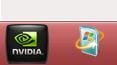
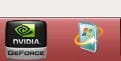
Thanks for the shots on a taskbar; I guess I could actually make the two button-style ones smaller though, doesn't look quite right that large. :rolleyes:

Thanks Zalith for the tutorial. Could you teach me how to make it glow?
If I had to try explain all the points of inner and outer glow in PhotoShop, it would take me hours..... Here's a good description of both for you: link

And thanks for all the comments... :cool: *small ego boost*

Edit: One tip I can give you that I haven't ever come across in tutorials, is how to make the inner and outer glow work by enhancing each other.... Once you've read up and know how to apply them, try this: create a slim outer glow in the main colour you want, then create an inner glow of the same size (or a fraction smaller), and set that to a slightly lighter variation of the outer colour. That gives the glow more 'depth'.
 

My Computer

Computer type
PC/Desktop
OS
Win 10 x64 Pro x64 / Ubuntu 15.10 x64
CPU
Intel i7-4960X
Motherboard
Asus Rampage IV Black Edition
Memory
4x8GB Corsair Dominator Platinum @2400MHz 10-12-12-31
Graphics Card(s)
2x MSI GTX780Ti 3GB (SLI)
Sound Card
Onboard SupremeFX (Cirrus Logic CS4398)
Monitor(s) Displays
3x LG Cinema 27" IPS LED (27MP65)
Screen Resolution
[1920x1080]x3
Hard Drives
Crucial M500 120GB, Crucial M500 480GB, Toshiba DT01ACA200 2TB
PSU
CoolerMaster V1000
Case
Corsair Obsidian 750D
Cooling
ThermalTake Water 3.0 Extreme, 4xSP120, 3xAF120
Keyboard
Moshi Luna
Mouse
Logitech G700s / Roccat Tyon
Internet Speed
4Mb uncapped ADSL (Afrihost)
Antivirus
MS Security Essentials
Browser
Chrome... Duh. (:
2 new start orb i made :) i just love Naruto!!!!
Sweet... I love the first one. Just a note; they need to be in bitmap format to use as a Start Orb though, might want to save them again as BMP and upload them in a zip or rar file. :D
 

My Computer

Computer type
PC/Desktop
OS
Win 10 x64 Pro x64 / Ubuntu 15.10 x64
CPU
Intel i7-4960X
Motherboard
Asus Rampage IV Black Edition
Memory
4x8GB Corsair Dominator Platinum @2400MHz 10-12-12-31
Graphics Card(s)
2x MSI GTX780Ti 3GB (SLI)
Sound Card
Onboard SupremeFX (Cirrus Logic CS4398)
Monitor(s) Displays
3x LG Cinema 27" IPS LED (27MP65)
Screen Resolution
[1920x1080]x3
Hard Drives
Crucial M500 120GB, Crucial M500 480GB, Toshiba DT01ACA200 2TB
PSU
CoolerMaster V1000
Case
Corsair Obsidian 750D
Cooling
ThermalTake Water 3.0 Extreme, 4xSP120, 3xAF120
Keyboard
Moshi Luna
Mouse
Logitech G700s / Roccat Tyon
Internet Speed
4Mb uncapped ADSL (Afrihost)
Antivirus
MS Security Essentials
Browser
Chrome... Duh. (:
For those of you that downloaded my NVidia start orbs; I have updated them this morning... The 2nd and 3rd logos were just too big to fit properly on the smaller Win7 taskbar, so I made them fit better. If you like them, you might want to download again. Same link applies (see quote above).
 

My Computer

Computer type
PC/Desktop
OS
Win 10 x64 Pro x64 / Ubuntu 15.10 x64
CPU
Intel i7-4960X
Motherboard
Asus Rampage IV Black Edition
Memory
4x8GB Corsair Dominator Platinum @2400MHz 10-12-12-31
Graphics Card(s)
2x MSI GTX780Ti 3GB (SLI)
Sound Card
Onboard SupremeFX (Cirrus Logic CS4398)
Monitor(s) Displays
3x LG Cinema 27" IPS LED (27MP65)
Screen Resolution
[1920x1080]x3
Hard Drives
Crucial M500 120GB, Crucial M500 480GB, Toshiba DT01ACA200 2TB
PSU
CoolerMaster V1000
Case
Corsair Obsidian 750D
Cooling
ThermalTake Water 3.0 Extreme, 4xSP120, 3xAF120
Keyboard
Moshi Luna
Mouse
Logitech G700s / Roccat Tyon
Internet Speed
4Mb uncapped ADSL (Afrihost)
Antivirus
MS Security Essentials
Browser
Chrome... Duh. (:
The first ever thing made by me. Dont know whether it looks good or not :( . Please comment on it, and suggest me how improve myself :)

Not bad for a first effort Arc ;) They are a couple of pixels too big, the hover state is jumping slightly, make sure you centre the orbs with the background then move the top and bottom orb equal distance from the centre!!

I usually press shift and press up 5 times, let go of shift then nudge up another 4 pixels with your arrow key, do the same for the bottom orb shift down 5 times let go of shift nudge down another four pixels!! also use another bmp image as a guide, then just rename the new finished orb to retain the one you used as a guide!!

Hope this helps ;)
 

My Computer

Computer type
PC/Desktop
Computer Manufacturer/Model Number
Self Build
OS
MS Windows 7 Professional 64-bit SP1
CPU
AMD FX(tm)-6100 Six-Core Processor Socket AM3+ (942)
Motherboard
ASUSTeK COMPUTER INC. SABERTOOTH 990FX (AM3r2)
Memory
8.00 GB Dual-Channel DDR3 @ 802MHz (11-11-11-36) 1.5Volts
Graphics Card(s)
NVIDIA GeForce GTX 560 Ti
Sound Card
Onboard Realtek HD
Monitor(s) Displays
shimian (1920x1080@60Hz)
Screen Resolution
1920*1080
Hard Drives
OCZ-AGIL ITY3 SATA Disk Device 120GB
PSU
Corsair TX 750
Case
Corsair
Cooling
WaterCooled
Keyboard
Microsoft Wired
Mouse
Logitech USB Optical TiltWheel Mouse
Internet Speed
Realtek PCIe GBE Family Controller 20MB*1MB
Antivirus
Avast
Browser
Firefox
Other Info
150GB Internal Hard Drive for Backing Up Important Files -
Hauppauge Nova-DT Dual DVB-T Tuner Device (+IR) -
USB PC Camera with Mic (SN9C105)
Hi Anthony !
Followed your directions minutely, and made a chrome thing. The hover state problem is now solved. I made it picture 45 pixels, and still a bit big :( .

How to put the glow effects in mouse over state ?
 

Attachments

  • Chrome.zip
    Chrome.zip
    8.5 KB · Views: 136
  • Chrome.png
    Chrome.png
    8.4 KB · Views: 4,588

My Computer

Computer type
PC/Desktop
Computer Manufacturer/Model Number
Self Assembled
OS
Microsoft Windows 10 Pro Insider Preview 64-bit
CPU
Intel(R) Core(TM) i3-4130 CPU @ 3.40GHz
Motherboard
Gigabyte Technology Co., Ltd. B85M-D3H
Memory
Corsair Vengence 4GB x2 (8.00GB Dual-Channel DDR3 @ 798MHz)
Graphics Card(s)
2047MB GeForce GTS 450 (ZOTAC International)
Sound Card
Onboard (Realtek High Definition Audio)
Monitor(s) Displays
LG Flatron E2040T
Screen Resolution
1600x900
Hard Drives
Western Digital 1 TB
Seagate 500 GB
PSU
Corsair VS550
Case
Cooler Master K380
Cooling
Cooler Master Seidon 120V Plus
Keyboard
Logitech MK260r
Mouse
Logitech MK260r
Internet Speed
PMPL Broadband
Antivirus
Windows Defender + MBAM
Browser
Firefox
Other Info
Dell Studio 15" Laptop
Hey, first time posting. I'm working on creating some of my own, and I've got everything down, except for conserving the transparency. It's infuriating. I can't get the .bmp to conserve the transparency. It always defaults to white no matter what settings I try to use. Anyone have a very detailed step-by-step to make Photoshop (CS3) save these bmp images with transparency? Mine always come out with a white background, instead of black.
 

My Computer

OS
Windows 7
Hey, first time posting. I'm working on creating some of my own, and I've got everything down, except for conserving the transparency. It's infuriating. I can't get the .bmp to conserve the transparency. It always defaults to white no matter what settings I try to use. Anyone have a very detailed step-by-step to make Photoshop (CS3) save these bmp images with transparency? Mine always come out with a white background, instead of black.

Just fill the background layer with black :shock:
On the other layers put the orbs in. BMP's aren't designed to conserve transparency.
 

My Computer

Computer type
PC/Desktop
Computer Manufacturer/Model Number
The Dominator?
OS
Windows Seven Ultimate
CPU
AMD Piledriver FX 8320 @ 3.5GHz
Motherboard
ASUS M5A97 EVO R2.0
Memory
Crucial Ballistix 8GB 1600 MHz DDR3
Graphics Card(s)
ASUS GeForce GTX 970 Strix Edition @ 1.114 GHz
Sound Card
Integrated
Monitor(s) Displays
LG 23EA63V 23" IPS 1080p Monitor
Screen Resolution
1920x1080
Hard Drives
Samsung SSD 840 EVO 120 GB
1x WD GreenPower 500GB 7200RPM
1 External HDD 1TB
PSU
Corsair CX500
Case
Zalman Z9 Plus
Cooling
CPU - Corsair Hydro H80i, Case - 3x Aerocool Shark Edition
Keyboard
Xenta Backlit Keyboard (Not very good!)
Mouse
Logitech G400
Internet Speed
Download: 7 mb/s Upload: 0.76 mb/s
Antivirus
Microsoft Security Essentials
Browser
Google Chrome
Other Info
Overclockers UK Desk Pad 89 x 45 cm
1200x730x600mm Desk
Using Virtual Audio Cable to split stereo sound into Audio Technica ATH-M50 headphones and Logitech X-530 speakers.
For those of your that are interested, I just put up my first ever tutorial (yay), decided to do one on creating custom Start Orbs for Windows 7.. Please have a look and tell me what you think?

How to Create Custom Start Orb Image

Hopefully it'll help some people out with questions they have on what to do and why. :D
 

My Computer

Computer type
PC/Desktop
OS
Win 10 x64 Pro x64 / Ubuntu 15.10 x64
CPU
Intel i7-4960X
Motherboard
Asus Rampage IV Black Edition
Memory
4x8GB Corsair Dominator Platinum @2400MHz 10-12-12-31
Graphics Card(s)
2x MSI GTX780Ti 3GB (SLI)
Sound Card
Onboard SupremeFX (Cirrus Logic CS4398)
Monitor(s) Displays
3x LG Cinema 27" IPS LED (27MP65)
Screen Resolution
[1920x1080]x3
Hard Drives
Crucial M500 120GB, Crucial M500 480GB, Toshiba DT01ACA200 2TB
PSU
CoolerMaster V1000
Case
Corsair Obsidian 750D
Cooling
ThermalTake Water 3.0 Extreme, 4xSP120, 3xAF120
Keyboard
Moshi Luna
Mouse
Logitech G700s / Roccat Tyon
Internet Speed
4Mb uncapped ADSL (Afrihost)
Antivirus
MS Security Essentials
Browser
Chrome... Duh. (:
Custom made Start Orbs and Requests

I've decided to start this thread in memory of the previous lost thread in which many lost their beloved start orbs.
This thread can be a repository of start orbs made by everyone.

Starting with a few of the first start orbs i made,

Smiley Huh, What - Hiii - I.png Smiley Huh, What - Hiii - II.png Smiley Don't ever wake me up!.png

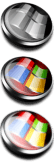
Win Logo.png Microsoft Butterfly.png King Black.png

Flag India.png Flag Ireland.png Flag America.png

Mine.png Girly Pink A.png Computer.png
 

Attachments

My Computer

Computer type
Laptop
Computer Manufacturer/Model Number
HP EliteBook 8530w Mobile Workstation
OS
Windows 7 Ultimate x64 (XP, 98SE, 95, 3.11, DOS 7.10 on VM) + Ubuntu 10.04 LTS Lucid Lynx
CPU
Intel Core 2 Duo Processor P8600 (2.40 GHz, 3 MB L2 cache)
Motherboard
Mobile Intel PM45 Express Chipset ICH9M-Enhanced
Memory
4GB 800 MHz DDR2 SDRAM
Graphics Card(s)
ATI Mobility FireGL V5700 with 256 MB
Sound Card
SoundMAX Integrated Digital HD Audio
Monitor(s) Displays
15.4-inch WXGA anti-glare (1280 x 800 resolution)
Screen Resolution
1280 x 800
Hard Drives
500GB + 1TB
Mouse
Synaptics PS/2 Port Touchpad, USB Mouse
Internet Speed
4 Mbps
Antivirus
MSE
Browser
Firefox, Chrome, IE
Other Info
Authentec AES2810 Fingerprint Reader
Wel done, Gladson pal ! Starting your new thread .... hope it will flourish :D
 

My Computer

Computer type
PC/Desktop
Computer Manufacturer/Model Number
Self Assembled
OS
Microsoft Windows 10 Pro Insider Preview 64-bit
CPU
Intel(R) Core(TM) i3-4130 CPU @ 3.40GHz
Motherboard
Gigabyte Technology Co., Ltd. B85M-D3H
Memory
Corsair Vengence 4GB x2 (8.00GB Dual-Channel DDR3 @ 798MHz)
Graphics Card(s)
2047MB GeForce GTS 450 (ZOTAC International)
Sound Card
Onboard (Realtek High Definition Audio)
Monitor(s) Displays
LG Flatron E2040T
Screen Resolution
1600x900
Hard Drives
Western Digital 1 TB
Seagate 500 GB
PSU
Corsair VS550
Case
Cooler Master K380
Cooling
Cooler Master Seidon 120V Plus
Keyboard
Logitech MK260r
Mouse
Logitech MK260r
Internet Speed
PMPL Broadband
Antivirus
Windows Defender + MBAM
Browser
Firefox
Other Info
Dell Studio 15" Laptop
As I dont save things, I got only two that I made previously :(
 

Attachments

  • Dark.png
    Dark.png
    4.4 KB · Views: 4,420
  • Wood.png
    Wood.png
    10.1 KB · Views: 4,435
  • StartORB.zip
    StartORB.zip
    15.3 KB · Views: 316

My Computer

Computer type
PC/Desktop
Computer Manufacturer/Model Number
Self Assembled
OS
Microsoft Windows 10 Pro Insider Preview 64-bit
CPU
Intel(R) Core(TM) i3-4130 CPU @ 3.40GHz
Motherboard
Gigabyte Technology Co., Ltd. B85M-D3H
Memory
Corsair Vengence 4GB x2 (8.00GB Dual-Channel DDR3 @ 798MHz)
Graphics Card(s)
2047MB GeForce GTS 450 (ZOTAC International)
Sound Card
Onboard (Realtek High Definition Audio)
Monitor(s) Displays
LG Flatron E2040T
Screen Resolution
1600x900
Hard Drives
Western Digital 1 TB
Seagate 500 GB
PSU
Corsair VS550
Case
Cooler Master K380
Cooling
Cooler Master Seidon 120V Plus
Keyboard
Logitech MK260r
Mouse
Logitech MK260r
Internet Speed
PMPL Broadband
Antivirus
Windows Defender + MBAM
Browser
Firefox
Other Info
Dell Studio 15" Laptop

My Computer

Computer Manufacturer/Model Number
tw33k
OS
Windows 7 Ultimate (x64) SP1
CPU
Intel 3770k 4.6GHz
Motherboard
ASUS Maximus V Formula
Memory
8GB (2x 4GB) Crucial Ballistix
Graphics Card(s)
Sapphire 7950 (1060/1600)
Sound Card
On Board Realtek HD Audio
Monitor(s) Displays
27" Acer B273HU (via HDMI)
Screen Resolution
2048 x 1152
Hard Drives
Crucial M4 128GB
2TB WD Black
1TB Samsung F3 SATA
1TB WD Elite External
2TB WD USB 3.0
PSU
Corsair AX750 Gold
Case
Corsair Obsidian 800DW
Cooling
Corsair H100 (2x AP-121/2x UK-3000 push/pull)
Keyboard
Microsoft Wireless 5000
Mouse
Microsoft Wireless 5000
Internet Speed
5mb/s
Other Info
Logitech z-2300 2.1 speakers
Lamptron FC-5 v2

My Computer

Computer type
PC/Desktop
Computer Manufacturer/Model Number
Self Assembled
OS
Microsoft Windows 10 Pro Insider Preview 64-bit
CPU
Intel(R) Core(TM) i3-4130 CPU @ 3.40GHz
Motherboard
Gigabyte Technology Co., Ltd. B85M-D3H
Memory
Corsair Vengence 4GB x2 (8.00GB Dual-Channel DDR3 @ 798MHz)
Graphics Card(s)
2047MB GeForce GTS 450 (ZOTAC International)
Sound Card
Onboard (Realtek High Definition Audio)
Monitor(s) Displays
LG Flatron E2040T
Screen Resolution
1600x900
Hard Drives
Western Digital 1 TB
Seagate 500 GB
PSU
Corsair VS550
Case
Cooler Master K380
Cooling
Cooler Master Seidon 120V Plus
Keyboard
Logitech MK260r
Mouse
Logitech MK260r
Internet Speed
PMPL Broadband
Antivirus
Windows Defender + MBAM
Browser
Firefox
Other Info
Dell Studio 15" Laptop
Back
Top