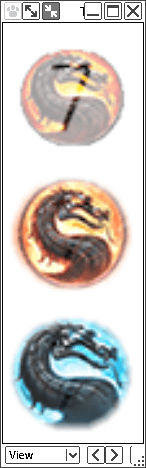
Custom Start Menu Button Collection

My Computer

Computer type
PC/Desktop
Computer Manufacturer/Model Number
Self Built
OS
Win 10 Pro x64
CPU
Intel I5-2500K @3.3GHz
Motherboard
Asrock P67 Extreme4
Memory
16GB G.Skill Ripjaws X (4x4GB)
Graphics Card(s)
EVGA GeForce 750 Ti SC 2GB
Sound Card
ASUS Xonar DG 5.1 Channels 24-bit 96KHz PCI Interface Sound
Monitor(s) Displays
auria eq2367
Screen Resolution
1920 x 1080
Hard Drives
250GB Samsung 850 EVO SSD
1TB WD Blue
1TB Hitachi
PSU
SeaSonic X 650W 80 Plus Gold
Case
Corsair Obsidian 750D
Cooling
Corsair H60, Three 140mm case fans
Keyboard
Logitech Wireless Keyboard K520
Mouse
Logitech Wireless Mouse M310
Internet Speed
Wave Broadband ~ 100 dn 5 up
Antivirus
Windows Defender, Malwarebytes Premium
Browser
Edge, IE11, Chrome
Other Info
Laptop specs: HP g7-1365dx /
CPU: AMD A6-3420M APU with Radeon(tm) HD Graphics /
RAM: Crucial 8Gb (2x4Gb) /
SSD: Crucial M4-CT128M4SSD2 ATA Device/ FW 000F /
GFX: AMD Radeon HD 6520G /
OS: Windows 10 Pro x64
But, I saw it on the internet! ;) I stand corrected, sorry :o

A Guy
 

My Computer

Computer type
PC/Desktop
OS
Windows 10 Home x64
CPU
INTEL Core i5-750 Quad-Core 3.37GHz
Motherboard
ASUS P7P55D
Memory
HyperX Fury Black Series 8GB (2 x 4GB) 1866Mhz
Graphics Card(s)
EVGA GeForce GTX 750 Superclocked 1GB 128-Bit GDDR5
Monitor(s) Displays
LG 32MA68HY 32" IPS
Screen Resolution
1920 x 1080
Hard Drives
Samsung 840 Evo 120GB, SEAGATE 500GB Barracuda® 7200.12, SATA 3 Gb/s, 7200 RPM, 16MB cache
PSU
ANTEC TruePower New TP-550, 80 PLUS, 550W
Case
ANTEC Three Hundred Illusion
Cooling
COOLER MASTER Hyper 212 Plus, 4 x 120mm 1 x 140mm Noctua's
Internet Speed
85 + Mbps
Antivirus
Avast
Browser
Vivaldi
It's probably all over the internet now. :)

Funny, that guy is claiming it that you found. That happens a lot on deviantart though...
 

My Computer

Computer type
PC/Desktop
Computer Manufacturer/Model Number
Self Built
OS
Win 10 Pro x64
CPU
Intel I5-2500K @3.3GHz
Motherboard
Asrock P67 Extreme4
Memory
16GB G.Skill Ripjaws X (4x4GB)
Graphics Card(s)
EVGA GeForce 750 Ti SC 2GB
Sound Card
ASUS Xonar DG 5.1 Channels 24-bit 96KHz PCI Interface Sound
Monitor(s) Displays
auria eq2367
Screen Resolution
1920 x 1080
Hard Drives
250GB Samsung 850 EVO SSD
1TB WD Blue
1TB Hitachi
PSU
SeaSonic X 650W 80 Plus Gold
Case
Corsair Obsidian 750D
Cooling
Corsair H60, Three 140mm case fans
Keyboard
Logitech Wireless Keyboard K520
Mouse
Logitech Wireless Mouse M310
Internet Speed
Wave Broadband ~ 100 dn 5 up
Antivirus
Windows Defender, Malwarebytes Premium
Browser
Edge, IE11, Chrome
Other Info
Laptop specs: HP g7-1365dx /
CPU: AMD A6-3420M APU with Radeon(tm) HD Graphics /
RAM: Crucial 8Gb (2x4Gb) /
SSD: Crucial M4-CT128M4SSD2 ATA Device/ FW 000F /
GFX: AMD Radeon HD 6520G /
OS: Windows 10 Pro x64
He may not be a french model either :rolleyes:

A Guy
 

My Computer

Computer type
PC/Desktop
OS
Windows 10 Home x64
CPU
INTEL Core i5-750 Quad-Core 3.37GHz
Motherboard
ASUS P7P55D
Memory
HyperX Fury Black Series 8GB (2 x 4GB) 1866Mhz
Graphics Card(s)
EVGA GeForce GTX 750 Superclocked 1GB 128-Bit GDDR5
Monitor(s) Displays
LG 32MA68HY 32" IPS
Screen Resolution
1920 x 1080
Hard Drives
Samsung 840 Evo 120GB, SEAGATE 500GB Barracuda® 7200.12, SATA 3 Gb/s, 7200 RPM, 16MB cache
PSU
ANTEC TruePower New TP-550, 80 PLUS, 550W
Case
ANTEC Three Hundred Illusion
Cooling
COOLER MASTER Hyper 212 Plus, 4 x 120mm 1 x 140mm Noctua's
Internet Speed
85 + Mbps
Antivirus
Avast
Browser
Vivaldi
No wonder the girls like him...

Sorry :focus:

A Guy
 

My Computer

Computer type
PC/Desktop
OS
Windows 10 Home x64
CPU
INTEL Core i5-750 Quad-Core 3.37GHz
Motherboard
ASUS P7P55D
Memory
HyperX Fury Black Series 8GB (2 x 4GB) 1866Mhz
Graphics Card(s)
EVGA GeForce GTX 750 Superclocked 1GB 128-Bit GDDR5
Monitor(s) Displays
LG 32MA68HY 32" IPS
Screen Resolution
1920 x 1080
Hard Drives
Samsung 840 Evo 120GB, SEAGATE 500GB Barracuda® 7200.12, SATA 3 Gb/s, 7200 RPM, 16MB cache
PSU
ANTEC TruePower New TP-550, 80 PLUS, 550W
Case
ANTEC Three Hundred Illusion
Cooling
COOLER MASTER Hyper 212 Plus, 4 x 120mm 1 x 140mm Noctua's
Internet Speed
85 + Mbps
Antivirus
Avast
Browser
Vivaldi
Hi guys new to the forum here,just recently found it when looking for some custom start buttons.
I seen a program on here that lets you make your own buttons,but now i can't seem to find it could someone provide a link to the page.
I'm going to try and make my own,but if it doesn't work out i may need someone to do it for me.
 

My Computer

Computer type
PC/Desktop
OS
Windows 7
Hi guys new to the forum here,just recently found it when looking for some custom start buttons.
I seen a program on here that lets you make your own buttons,but now i can't seem to find it could someone provide a link to the page.
I'm going to try and make my own,but if it doesn't work out i may need someone to do it for me.

Welcome to the Seven Forums

Here it is http://www.sevenforums.com/customization/70070-startorbz-genuine-creations.html it's a great program if you need any help just post in that thread.

Jerry
 

My Computer

Computer type
Laptop
Computer Manufacturer/Model Number
Sager NP9170
OS
Win 7 Pro x64 / Win 10 Pro
CPU
Intel(R) Core(TM) i7-3630QM CPU @ 2.40GHz
Motherboard
CLEVO P170EM
Memory
12 GB
Graphics Card(s)
(1) Intel(R) HD Graphics 4000 (2) NVIDIA GeForce GTX 675M
Sound Card
(1) Realtek High Definition Audio (2) Intel(R) Display Aud
Monitor(s) Displays
17.3
Screen Resolution
1920x1080
Hard Drives
(1) Samsung 860 EVO 500GB(OS) (1) Samsung 860 EVO 500GB(Data)
Keyboard
Backlite
Antivirus
MSE, Malwarebytes Pro
Browser
Firefox
Other Info
DESKTOP: Custom-built.
OS: Win 10 Pro x64.
CASE: Rosewill R5.
CPU: Intel I5 4670K CPU @ 3.40GHz.
CPU COOLER: Cool Master Hyper 212 EVO.
MOTHERBOARD: Asus Z87-A.
MEMORY: Kingston HyperX 2x4 GB.
GPU: Nvidia Geforce 650 TI.
PSU: Corsair TX750.
DRIVES: (1) Samsung 840 120 GB SSD (2) Western Digital blue 500 GB 7200 RPM.
Well i just made my first one,it's alright i guess. I just wish i could figure out how to do away with the black background and have just a round button. When you actually apply it you can still see the black background.
I can upload the pictures i used if any body else wants to give it a try.

 
Last edited:

My Computer

Computer type
PC/Desktop
OS
Windows 7
Well i just made my first one,it's alright i guess. I just wish i could figure out how to do away with the black background and have just a round button. When you actually apply it you can still see the black background.
I can upload the pictures i used if any body else wants to give it a try.


Mortal Kombat

Did you use StartOrbz?

Upload the images and I well give it a try.

Jerry
 

My Computer

Computer type
Laptop
Computer Manufacturer/Model Number
Sager NP9170
OS
Win 7 Pro x64 / Win 10 Pro
CPU
Intel(R) Core(TM) i7-3630QM CPU @ 2.40GHz
Motherboard
CLEVO P170EM
Memory
12 GB
Graphics Card(s)
(1) Intel(R) HD Graphics 4000 (2) NVIDIA GeForce GTX 675M
Sound Card
(1) Realtek High Definition Audio (2) Intel(R) Display Aud
Monitor(s) Displays
17.3
Screen Resolution
1920x1080
Hard Drives
(1) Samsung 860 EVO 500GB(OS) (1) Samsung 860 EVO 500GB(Data)
Keyboard
Backlite
Antivirus
MSE, Malwarebytes Pro
Browser
Firefox
Other Info
DESKTOP: Custom-built.
OS: Win 10 Pro x64.
CASE: Rosewill R5.
CPU: Intel I5 4670K CPU @ 3.40GHz.
CPU COOLER: Cool Master Hyper 212 EVO.
MOTHERBOARD: Asus Z87-A.
MEMORY: Kingston HyperX 2x4 GB.
GPU: Nvidia Geforce 650 TI.
PSU: Corsair TX750.
DRIVES: (1) Samsung 840 120 GB SSD (2) Western Digital blue 500 GB 7200 RPM.
Well i just made my first one,it's alright i guess. I just wish i could figure out how to do away with the black background and have just a round button. When you actually apply it you can still see the black background.
I can upload the pictures i used if any body else wants to give it a try.


Mortal Kombat

Did you use StartOrbz?

Upload the images and I well give it a try.

Jerry

From what i could tell Startorbz is a program to change the start buttons and i already have a program for that,so i didn't download it.
I used Photoshop to make my buttons,here's the images.
All i really want is the round part of each.
Default


Hover


Press
 

My Computer

Computer type
PC/Desktop
OS
Windows 7
Well i just made my first one,it's alright i guess. I just wish i could figure out how to do away with the black background and have just a round button. When you actually apply it you can still see the black background.
I can upload the pictures i used if any body else wants to give it a try.


Mortal Kombat

Did you use StartOrbz?

Upload the images and I well give it a try.

Jerry

From what i could tell Startorbz is a program to change the start buttons and i already have a program for that,so i didn't download it.
I used Photoshop to make my buttons,here's the images.
All i really want is the round part of each.
Default


Hover


Press

Here is a tutorial for Photoshop that I use. http://www.sevenforums.com/tutorials/73616-how-create-custom-start-orb-image.html

You will need to remove the background on your images and save then save a .png then make the Orb.

Jerry
 

My Computer

Computer type
Laptop
Computer Manufacturer/Model Number
Sager NP9170
OS
Win 7 Pro x64 / Win 10 Pro
CPU
Intel(R) Core(TM) i7-3630QM CPU @ 2.40GHz
Motherboard
CLEVO P170EM
Memory
12 GB
Graphics Card(s)
(1) Intel(R) HD Graphics 4000 (2) NVIDIA GeForce GTX 675M
Sound Card
(1) Realtek High Definition Audio (2) Intel(R) Display Aud
Monitor(s) Displays
17.3
Screen Resolution
1920x1080
Hard Drives
(1) Samsung 860 EVO 500GB(OS) (1) Samsung 860 EVO 500GB(Data)
Keyboard
Backlite
Antivirus
MSE, Malwarebytes Pro
Browser
Firefox
Other Info
DESKTOP: Custom-built.
OS: Win 10 Pro x64.
CASE: Rosewill R5.
CPU: Intel I5 4670K CPU @ 3.40GHz.
CPU COOLER: Cool Master Hyper 212 EVO.
MOTHERBOARD: Asus Z87-A.
MEMORY: Kingston HyperX 2x4 GB.
GPU: Nvidia Geforce 650 TI.
PSU: Corsair TX750.
DRIVES: (1) Samsung 840 120 GB SSD (2) Western Digital blue 500 GB 7200 RPM.
Here you go, the .bmp is in the zip floder at the bottom of this post.

Jerry
start Orb.png
 

Attachments

My Computer

Computer type
Laptop
Computer Manufacturer/Model Number
Sager NP9170
OS
Win 7 Pro x64 / Win 10 Pro
CPU
Intel(R) Core(TM) i7-3630QM CPU @ 2.40GHz
Motherboard
CLEVO P170EM
Memory
12 GB
Graphics Card(s)
(1) Intel(R) HD Graphics 4000 (2) NVIDIA GeForce GTX 675M
Sound Card
(1) Realtek High Definition Audio (2) Intel(R) Display Aud
Monitor(s) Displays
17.3
Screen Resolution
1920x1080
Hard Drives
(1) Samsung 860 EVO 500GB(OS) (1) Samsung 860 EVO 500GB(Data)
Keyboard
Backlite
Antivirus
MSE, Malwarebytes Pro
Browser
Firefox
Other Info
DESKTOP: Custom-built.
OS: Win 10 Pro x64.
CASE: Rosewill R5.
CPU: Intel I5 4670K CPU @ 3.40GHz.
CPU COOLER: Cool Master Hyper 212 EVO.
MOTHERBOARD: Asus Z87-A.
MEMORY: Kingston HyperX 2x4 GB.
GPU: Nvidia Geforce 650 TI.
PSU: Corsair TX750.
DRIVES: (1) Samsung 840 120 GB SSD (2) Western Digital blue 500 GB 7200 RPM.
Thanks for the help the one you made looks great!!
That's the same tutorial i used,and i'm using Photoshop CS6 which the setup looks totally different than the Photoshop's i've seen in other tutorials.
I'm just a complete noob at Photoshop never used it before,and i think the tutorials are skipping basic setup steps that somebody that has never used Photoshop before are missing.
I actually found a template that someone created which works alot better for me,but when i'm finished it looks like there is faint "7" in the background of the buttons.
Do you know if you can look at the template and see if you can fix it.
I noticed you created a link to the zip file for me to download,and it looks like it is hosted here on the website.
Is that true and do i have access to do that?
 
Last edited:

My Computer

Computer type
PC/Desktop
OS
Windows 7
Thanks for the help the one you made looks great!!
That's the same tutorial i used,and i'm using Photoshop CS6 which the setup looks totally different than the Photoshop's i've seen in other tutorials.
I'm just a complete noob at Photoshop never used it before,and i think the tutorials are skipping basic setup steps that somebody that has never used Photoshop before are missing.
I actually found a template that someone created which works alot better for me,but when i'm finished it looks like there is faint "7" in the background of the buttons.
Do you know if you can look at the template and see if you can fix it.
I noticed you created a link to the zip file for me to download,and it looks like it is hosted here on the website.
Is that true and do i have access to do that?

That tutorial I posted is pretty straightforward you should be able to use it with CS6 just some of the locations may be in different spots, not sure I use CS5.

If you want posts that template here and I will look at it.

That's zip folder is hosted by this website and is freely available to anybody to download.

Jerry
 

My Computer

Computer type
Laptop
Computer Manufacturer/Model Number
Sager NP9170
OS
Win 7 Pro x64 / Win 10 Pro
CPU
Intel(R) Core(TM) i7-3630QM CPU @ 2.40GHz
Motherboard
CLEVO P170EM
Memory
12 GB
Graphics Card(s)
(1) Intel(R) HD Graphics 4000 (2) NVIDIA GeForce GTX 675M
Sound Card
(1) Realtek High Definition Audio (2) Intel(R) Display Aud
Monitor(s) Displays
17.3
Screen Resolution
1920x1080
Hard Drives
(1) Samsung 860 EVO 500GB(OS) (1) Samsung 860 EVO 500GB(Data)
Keyboard
Backlite
Antivirus
MSE, Malwarebytes Pro
Browser
Firefox
Other Info
DESKTOP: Custom-built.
OS: Win 10 Pro x64.
CASE: Rosewill R5.
CPU: Intel I5 4670K CPU @ 3.40GHz.
CPU COOLER: Cool Master Hyper 212 EVO.
MOTHERBOARD: Asus Z87-A.
MEMORY: Kingston HyperX 2x4 GB.
GPU: Nvidia Geforce 650 TI.
PSU: Corsair TX750.
DRIVES: (1) Samsung 840 120 GB SSD (2) Western Digital blue 500 GB 7200 RPM.
Thanks for the help the one you made looks great!!
That's the same tutorial i used,and i'm using Photoshop CS6 which the setup looks totally different than the Photoshop's i've seen in other tutorials.
I'm just a complete noob at Photoshop never used it before,and i think the tutorials are skipping basic setup steps that somebody that has never used Photoshop before are missing.
I actually found a template that someone created which works alot better for me,but when i'm finished it looks like there is faint "7" in the background of the buttons.
Do you know if you can look at the template and see if you can fix it.
I noticed you created a link to the zip file for me to download,and it looks like it is hosted here on the website.
Is that true and do i have access to do that?

That tutorial I posted is pretty straightforward you should be able to use it with CS6 just some of the locations may be in different spots, not sure I use CS5.

If you want posts that template here and I will look at it.

That's zip folder is hosted by this website and is freely available to anybody to download.

Jerry

Okay how do i host a direct download link for the zip file,is that done through this website?
With the template i have all i have to do is position the images the way i want them and then just save it. Much easier for me.
 

My Computer

Computer type
PC/Desktop
OS
Windows 7

My Computer

Computer type
Laptop
Computer Manufacturer/Model Number
Sager NP9170
OS
Win 7 Pro x64 / Win 10 Pro
CPU
Intel(R) Core(TM) i7-3630QM CPU @ 2.40GHz
Motherboard
CLEVO P170EM
Memory
12 GB
Graphics Card(s)
(1) Intel(R) HD Graphics 4000 (2) NVIDIA GeForce GTX 675M
Sound Card
(1) Realtek High Definition Audio (2) Intel(R) Display Aud
Monitor(s) Displays
17.3
Screen Resolution
1920x1080
Hard Drives
(1) Samsung 860 EVO 500GB(OS) (1) Samsung 860 EVO 500GB(Data)
Keyboard
Backlite
Antivirus
MSE, Malwarebytes Pro
Browser
Firefox
Other Info
DESKTOP: Custom-built.
OS: Win 10 Pro x64.
CASE: Rosewill R5.
CPU: Intel I5 4670K CPU @ 3.40GHz.
CPU COOLER: Cool Master Hyper 212 EVO.
MOTHERBOARD: Asus Z87-A.
MEMORY: Kingston HyperX 2x4 GB.
GPU: Nvidia Geforce 650 TI.
PSU: Corsair TX750.
DRIVES: (1) Samsung 840 120 GB SSD (2) Western Digital blue 500 GB 7200 RPM.
Okay how do i host a direct download link for the zip file,is that done through this website?
With the template i have all i have to do is position the images the way i want them and then just save it. Much easier for me.

You can post zip folder here just use this tutorial http://www.sevenforums.com/tutorials/9733-screenshots-files-upload-post-seven-forums.html#post93869

Does the template you use create the Alpha channels to?

Jerry


Okay thanks.
I have included the template and the start button i made with the template.
If you can apply the start button and see if you can see the faint "7" in the background.
I have no idea if it uses the Alpha Channels.

View attachment 288841
 
Last edited:

My Computer

Computer type
PC/Desktop
OS
Windows 7
Okay thanks.
I have included the template and the start button i made with the template.
If you can apply the start button and see if you can see the faint "7" in the background.
I have no idea if it uses the Alpha Channels.

View attachment 288841

I can see the faint 7 just using a image viewer.
Test.bmp.png
I don't see how that template works very well, you should try to use that tutorial I posted and do every step slow to get it all.

Jerry
 

My Computer

Computer type
Laptop
Computer Manufacturer/Model Number
Sager NP9170
OS
Win 7 Pro x64 / Win 10 Pro
CPU
Intel(R) Core(TM) i7-3630QM CPU @ 2.40GHz
Motherboard
CLEVO P170EM
Memory
12 GB
Graphics Card(s)
(1) Intel(R) HD Graphics 4000 (2) NVIDIA GeForce GTX 675M
Sound Card
(1) Realtek High Definition Audio (2) Intel(R) Display Aud
Monitor(s) Displays
17.3
Screen Resolution
1920x1080
Hard Drives
(1) Samsung 860 EVO 500GB(OS) (1) Samsung 860 EVO 500GB(Data)
Keyboard
Backlite
Antivirus
MSE, Malwarebytes Pro
Browser
Firefox
Other Info
DESKTOP: Custom-built.
OS: Win 10 Pro x64.
CASE: Rosewill R5.
CPU: Intel I5 4670K CPU @ 3.40GHz.
CPU COOLER: Cool Master Hyper 212 EVO.
MOTHERBOARD: Asus Z87-A.
MEMORY: Kingston HyperX 2x4 GB.
GPU: Nvidia Geforce 650 TI.
PSU: Corsair TX750.
DRIVES: (1) Samsung 840 120 GB SSD (2) Western Digital blue 500 GB 7200 RPM.
Okay thanks.
I have included the template and the start button i made with the template.
If you can apply the start button and see if you can see the faint "7" in the background.
I have no idea if it uses the Alpha Channels.

View attachment 288841

I can see the faint 7 just using a image viewer.
View attachment 288842
I don't see how that template works very well, you should try to use that tutorial I posted and do every step slow to get it all.

Jerry


After looking at the template i noticed the "7" on the Alpha Layer,any way you could fix that or make me a template.
I have already tried to follow the tutorial and i can't get it to work right,probably because i'm new to photoshope and don't understand it.
 

My Computer

Computer type
PC/Desktop
OS
Windows 7
Okay thanks.
I have included the template and the start button i made with the template.
If you can apply the start button and see if you can see the faint "7" in the background.
I have no idea if it uses the Alpha Channels.

View attachment 288841

I can see the faint 7 just using a image viewer.
View attachment 288842
I don't see how that template works very well, you should try to use that tutorial I posted and do every step slow to get it all.

Jerry


After looking at the template i noticed the "7" on the Alpha Layer,any way you could fix that or make me a template.
I have already tried to follow the tutorial and i can't get it to work right,probably because i'm new to photoshope and don't understand it.

After reading the tutorial some more i think i figured it out,although i think i found one flaw in the tutorial.
In the part where you have to do the merge it says to Merge Visible,and i think it should be Merge Layers. I did it this way and it worked for me at least.
Also i noticed in the button that you made for me you where able to keep the individual buttons pretty round,what is the trick for doing that?
 

My Computer

Computer type
PC/Desktop
OS
Windows 7
Back
Top