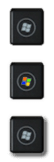
Custom Start Menu Button Collection

Arc ? You are my hope :D
Help me,please.
 

My Computer

Computer type
PC/Desktop
OS
Windows 7 Ultimate x64
CPU
Intel7 4790K
Motherboard
Gigabyte GA-Z97X UD5H
Memory
8 GB DDR3
Graphics Card(s)
GTX 980Ti G1
Sound Card
SoundBlaster X-FI XtremeGamer
Monitor(s) Displays
Samsung UE40JU6550 UHD
Screen Resolution
3840 X 2160
Hard Drives
1 SSD Intel 330
2 x Western Digital 6400 AAKS
1 x Western Digital 3200 AAKS
PSU
Corsair 750W
Case
Cooler Master HAF 922
Is that the original button ????:sarc:
Are you looking for the original Windows 7 Start Orb...? If so, you can extract one from the explorer.exe file (using Resource Hacker for example).
I don't think i can make this button, smaller.
Maybe i'm lucky to download one,already modified and smaller.
That's why i said " i have the default DPI settings, my resolution is 1920 x 1200 "
If you're using the default DPI settings in Windows, then the Start Orb image will have to be 54x162 pixels. The image inside the orb defines how 'big' your button looks when it's applied to your task bar.

If you have a look at my Start Orb tutorial here (http://www.sevenforums.com/tutorials/73616-how-create-custom-start-orb-image.html) you'll see detailed instructions as to the image size and how to set the size of the button in the end result.
 

My Computer

Computer type
PC/Desktop
OS
Win 10 x64 Pro x64 / Ubuntu 15.10 x64
CPU
Intel i7-4960X
Motherboard
Asus Rampage IV Black Edition
Memory
4x8GB Corsair Dominator Platinum @2400MHz 10-12-12-31
Graphics Card(s)
2x MSI GTX780Ti 3GB (SLI)
Sound Card
Onboard SupremeFX (Cirrus Logic CS4398)
Monitor(s) Displays
3x LG Cinema 27" IPS LED (27MP65)
Screen Resolution
[1920x1080]x3
Hard Drives
Crucial M500 120GB, Crucial M500 480GB, Toshiba DT01ACA200 2TB
PSU
CoolerMaster V1000
Case
Corsair Obsidian 750D
Cooling
ThermalTake Water 3.0 Extreme, 4xSP120, 3xAF120
Keyboard
Moshi Luna
Mouse
Logitech G700s / Roccat Tyon
Internet Speed
4Mb uncapped ADSL (Afrihost)
Antivirus
MS Security Essentials
Browser
Chrome... Duh. (:
Yes,i understand you,but i don't have Photoshop.
 

My Computer

Computer type
PC/Desktop
OS
Windows 7 Ultimate x64
CPU
Intel7 4790K
Motherboard
Gigabyte GA-Z97X UD5H
Memory
8 GB DDR3
Graphics Card(s)
GTX 980Ti G1
Sound Card
SoundBlaster X-FI XtremeGamer
Monitor(s) Displays
Samsung UE40JU6550 UHD
Screen Resolution
3840 X 2160
Hard Drives
1 SSD Intel 330
2 x Western Digital 6400 AAKS
1 x Western Digital 3200 AAKS
PSU
Corsair 750W
Case
Cooler Master HAF 922
Yes,i understand you,but i don't have Photoshop.
Oh, I see. Well, the same basic ideas can be used in MS Paint.net and Gimp.. Which are both free programs. I didn't cover the differences between the three apps because I don't have them installed, but any photo manipulation software that supports alpha channels or transparency can be used...
 

My Computer

Computer type
PC/Desktop
OS
Win 10 x64 Pro x64 / Ubuntu 15.10 x64
CPU
Intel i7-4960X
Motherboard
Asus Rampage IV Black Edition
Memory
4x8GB Corsair Dominator Platinum @2400MHz 10-12-12-31
Graphics Card(s)
2x MSI GTX780Ti 3GB (SLI)
Sound Card
Onboard SupremeFX (Cirrus Logic CS4398)
Monitor(s) Displays
3x LG Cinema 27" IPS LED (27MP65)
Screen Resolution
[1920x1080]x3
Hard Drives
Crucial M500 120GB, Crucial M500 480GB, Toshiba DT01ACA200 2TB
PSU
CoolerMaster V1000
Case
Corsair Obsidian 750D
Cooling
ThermalTake Water 3.0 Extreme, 4xSP120, 3xAF120
Keyboard
Moshi Luna
Mouse
Logitech G700s / Roccat Tyon
Internet Speed
4Mb uncapped ADSL (Afrihost)
Antivirus
MS Security Essentials
Browser
Chrome... Duh. (:
Yes,i understand you,but i don't have Photoshop.
Oh, I see. Well, the same basic ideas can be used in MS Paint.net and Gimp.. Which are both free programs. I didn't cover the differences between the three apps because I don't have them installed, but any photo manipulation software that supports alpha channels or transparency can be used...

Paint.NET doesn't offer Alpha Channels yet and of course GIMP has a steep learning curve (at least for me) :)
 

My Computer

Computer type
Laptop
Computer Manufacturer/Model Number
HP EliteBook 8530w Mobile Workstation
OS
Windows 7 Ultimate x64 (XP, 98SE, 95, 3.11, DOS 7.10 on VM) + Ubuntu 10.04 LTS Lucid Lynx
CPU
Intel Core 2 Duo Processor P8600 (2.40 GHz, 3 MB L2 cache)
Motherboard
Mobile Intel PM45 Express Chipset ICH9M-Enhanced
Memory
4GB 800 MHz DDR2 SDRAM
Graphics Card(s)
ATI Mobility FireGL V5700 with 256 MB
Sound Card
SoundMAX Integrated Digital HD Audio
Monitor(s) Displays
15.4-inch WXGA anti-glare (1280 x 800 resolution)
Screen Resolution
1280 x 800
Hard Drives
500GB + 1TB
Mouse
Synaptics PS/2 Port Touchpad, USB Mouse
Internet Speed
4 Mbps
Antivirus
MSE
Browser
Firefox, Chrome, IE
Other Info
Authentec AES2810 Fingerprint Reader

My Computer

Computer type
PC/Desktop
OS
Windows 7 Ultimate x64
CPU
Intel7 4790K
Motherboard
Gigabyte GA-Z97X UD5H
Memory
8 GB DDR3
Graphics Card(s)
GTX 980Ti G1
Sound Card
SoundBlaster X-FI XtremeGamer
Monitor(s) Displays
Samsung UE40JU6550 UHD
Screen Resolution
3840 X 2160
Hard Drives
1 SSD Intel 330
2 x Western Digital 6400 AAKS
1 x Western Digital 3200 AAKS
PSU
Corsair 750W
Case
Cooler Master HAF 922
1. First you will have to cut the image into three parts (54x54) so that you have the three states as separate images.
2. Then re size the three images to something smaller (say 48x48 or 44x44)
3. Then you have to expand the canvas for the three images so that they are again 54x54
4. After that, create a blank 54x162 image and paste these three in their respective positions
5. Then you have to create the alpha channel for that image
Save it as a 32bit bmp and you are done
 

My Computer

Computer type
Laptop
Computer Manufacturer/Model Number
HP EliteBook 8530w Mobile Workstation
OS
Windows 7 Ultimate x64 (XP, 98SE, 95, 3.11, DOS 7.10 on VM) + Ubuntu 10.04 LTS Lucid Lynx
CPU
Intel Core 2 Duo Processor P8600 (2.40 GHz, 3 MB L2 cache)
Motherboard
Mobile Intel PM45 Express Chipset ICH9M-Enhanced
Memory
4GB 800 MHz DDR2 SDRAM
Graphics Card(s)
ATI Mobility FireGL V5700 with 256 MB
Sound Card
SoundMAX Integrated Digital HD Audio
Monitor(s) Displays
15.4-inch WXGA anti-glare (1280 x 800 resolution)
Screen Resolution
1280 x 800
Hard Drives
500GB + 1TB
Mouse
Synaptics PS/2 Port Touchpad, USB Mouse
Internet Speed
4 Mbps
Antivirus
MSE
Browser
Firefox, Chrome, IE
Other Info
Authentec AES2810 Fingerprint Reader
Hi Stereo,

The Small Start Orbs

Small.png Smaller.png

The colors are a bit off. Will post a better one soon
BMP's are in the attachment
 

Attachments

My Computer

Computer type
Laptop
Computer Manufacturer/Model Number
HP EliteBook 8530w Mobile Workstation
OS
Windows 7 Ultimate x64 (XP, 98SE, 95, 3.11, DOS 7.10 on VM) + Ubuntu 10.04 LTS Lucid Lynx
CPU
Intel Core 2 Duo Processor P8600 (2.40 GHz, 3 MB L2 cache)
Motherboard
Mobile Intel PM45 Express Chipset ICH9M-Enhanced
Memory
4GB 800 MHz DDR2 SDRAM
Graphics Card(s)
ATI Mobility FireGL V5700 with 256 MB
Sound Card
SoundMAX Integrated Digital HD Audio
Monitor(s) Displays
15.4-inch WXGA anti-glare (1280 x 800 resolution)
Screen Resolution
1280 x 800
Hard Drives
500GB + 1TB
Mouse
Synaptics PS/2 Port Touchpad, USB Mouse
Internet Speed
4 Mbps
Antivirus
MSE
Browser
Firefox, Chrome, IE
Other Info
Authentec AES2810 Fingerprint Reader

My Computer

Computer type
PC/Desktop
Computer Manufacturer/Model Number
Self Assembled
OS
Microsoft Windows 10 Pro Insider Preview 64-bit
CPU
Intel(R) Core(TM) i3-4130 CPU @ 3.40GHz
Motherboard
Gigabyte Technology Co., Ltd. B85M-D3H
Memory
Corsair Vengence 4GB x2 (8.00GB Dual-Channel DDR3 @ 798MHz)
Graphics Card(s)
2047MB GeForce GTS 450 (ZOTAC International)
Sound Card
Onboard (Realtek High Definition Audio)
Monitor(s) Displays
LG Flatron E2040T
Screen Resolution
1600x900
Hard Drives
Western Digital 1 TB
Seagate 500 GB
PSU
Corsair VS550
Case
Cooler Master K380
Cooling
Cooler Master Seidon 120V Plus
Keyboard
Logitech MK260r
Mouse
Logitech MK260r
Internet Speed
PMPL Broadband
Antivirus
Windows Defender + MBAM
Browser
Firefox
Other Info
Dell Studio 15" Laptop

My Computer

Computer type
PC/Desktop
OS
Windows 7 Ultimate x64
CPU
Intel7 4790K
Motherboard
Gigabyte GA-Z97X UD5H
Memory
8 GB DDR3
Graphics Card(s)
GTX 980Ti G1
Sound Card
SoundBlaster X-FI XtremeGamer
Monitor(s) Displays
Samsung UE40JU6550 UHD
Screen Resolution
3840 X 2160
Hard Drives
1 SSD Intel 330
2 x Western Digital 6400 AAKS
1 x Western Digital 3200 AAKS
PSU
Corsair 750W
Case
Cooler Master HAF 922
Hi Stereo,

The Small Start Orbs

View attachment 89404 View attachment 89405

The colors are a bit off. Will post a better one soon
BMP's are in the attachment
They are great,but if you can make them better,than :party:

Hi Stereo,

The Small Start Orbs

View attachment 89404 View attachment 89405

The colors are a bit off. Will post a better one soon
BMP's are in the attachment
Wonderful work on buttons, my friend :thumbsup: As usual ;)
Fixed them a bit :) Still needs some work

Original Small.png Original Smaller.png

BMP's are in the attachment
 

Attachments

My Computer

Computer type
Laptop
Computer Manufacturer/Model Number
HP EliteBook 8530w Mobile Workstation
OS
Windows 7 Ultimate x64 (XP, 98SE, 95, 3.11, DOS 7.10 on VM) + Ubuntu 10.04 LTS Lucid Lynx
CPU
Intel Core 2 Duo Processor P8600 (2.40 GHz, 3 MB L2 cache)
Motherboard
Mobile Intel PM45 Express Chipset ICH9M-Enhanced
Memory
4GB 800 MHz DDR2 SDRAM
Graphics Card(s)
ATI Mobility FireGL V5700 with 256 MB
Sound Card
SoundMAX Integrated Digital HD Audio
Monitor(s) Displays
15.4-inch WXGA anti-glare (1280 x 800 resolution)
Screen Resolution
1280 x 800
Hard Drives
500GB + 1TB
Mouse
Synaptics PS/2 Port Touchpad, USB Mouse
Internet Speed
4 Mbps
Antivirus
MSE
Browser
Firefox, Chrome, IE
Other Info
Authentec AES2810 Fingerprint Reader
:thumbsup::thumbsup::thumbsup:
Hi Stereo,

The Small Start Orbs

View attachment 89404 View attachment 89405

The colors are a bit off. Will post a better one soon
BMP's are in the attachment
They are great,but if you can make them better,than :party:

Hi Stereo,

The Small Start Orbs

View attachment 89404 View attachment 89405

The colors are a bit off. Will post a better one soon
BMP's are in the attachment
Wonderful work on buttons, my friend :thumbsup: As usual ;)
Fixed them a bit :) Still needs some work

View attachment 89411 View attachment 89412

BMP's are in the attachment
 

My Computer

Computer type
PC/Desktop
OS
Windows 7 Ultimate x64
CPU
Intel7 4790K
Motherboard
Gigabyte GA-Z97X UD5H
Memory
8 GB DDR3
Graphics Card(s)
GTX 980Ti G1
Sound Card
SoundBlaster X-FI XtremeGamer
Monitor(s) Displays
Samsung UE40JU6550 UHD
Screen Resolution
3840 X 2160
Hard Drives
1 SSD Intel 330
2 x Western Digital 6400 AAKS
1 x Western Digital 3200 AAKS
PSU
Corsair 750W
Case
Cooler Master HAF 922

My Computer

Computer type
PC/Desktop
OS
Win 10 x64 Pro x64 / Ubuntu 15.10 x64
CPU
Intel i7-4960X
Motherboard
Asus Rampage IV Black Edition
Memory
4x8GB Corsair Dominator Platinum @2400MHz 10-12-12-31
Graphics Card(s)
2x MSI GTX780Ti 3GB (SLI)
Sound Card
Onboard SupremeFX (Cirrus Logic CS4398)
Monitor(s) Displays
3x LG Cinema 27" IPS LED (27MP65)
Screen Resolution
[1920x1080]x3
Hard Drives
Crucial M500 120GB, Crucial M500 480GB, Toshiba DT01ACA200 2TB
PSU
CoolerMaster V1000
Case
Corsair Obsidian 750D
Cooling
ThermalTake Water 3.0 Extreme, 4xSP120, 3xAF120
Keyboard
Moshi Luna
Mouse
Logitech G700s / Roccat Tyon
Internet Speed
4Mb uncapped ADSL (Afrihost)
Antivirus
MS Security Essentials
Browser
Chrome... Duh. (:
Now i use Paint.Like here : Imageshack - paintx.png
How do i resize them,like in this link ? Imageshack - 30674488.png
Well, good to see Gladson helped out, I thought you were trying to find out how to do it yourself (otherwise I would've made them for you yesterday).

Just for the record; there is a big difference between 'Paint' and 'Paint.net'. Here is the application I was talking about: Paint.NET - Free Software for Digital Photo Editing

I was actually waiting for him to do it himself, but I started doing it when he PM'ed me that he could'nt do it :)
 

My Computer

Computer type
Laptop
Computer Manufacturer/Model Number
HP EliteBook 8530w Mobile Workstation
OS
Windows 7 Ultimate x64 (XP, 98SE, 95, 3.11, DOS 7.10 on VM) + Ubuntu 10.04 LTS Lucid Lynx
CPU
Intel Core 2 Duo Processor P8600 (2.40 GHz, 3 MB L2 cache)
Motherboard
Mobile Intel PM45 Express Chipset ICH9M-Enhanced
Memory
4GB 800 MHz DDR2 SDRAM
Graphics Card(s)
ATI Mobility FireGL V5700 with 256 MB
Sound Card
SoundMAX Integrated Digital HD Audio
Monitor(s) Displays
15.4-inch WXGA anti-glare (1280 x 800 resolution)
Screen Resolution
1280 x 800
Hard Drives
500GB + 1TB
Mouse
Synaptics PS/2 Port Touchpad, USB Mouse
Internet Speed
4 Mbps
Antivirus
MSE
Browser
Firefox, Chrome, IE
Other Info
Authentec AES2810 Fingerprint Reader
Now i use Paint.Like here : Imageshack - paintx.png
How do i resize them,like in this link ? Imageshack - 30674488.png
Well, good to see Gladson helped out, I thought you were trying to find out how to do it yourself (otherwise I would've made them for you yesterday).

Just for the record; there is a big difference between 'Paint' and 'Paint.net'. Here is the application I was talking about: Paint.NET - Free Software for Digital Photo Editing

I was actually waiting for him to do it himself, but I started doing it when he PM'ed me that he could'nt do it :)
Lol. You have to love forums...
picture.php
 

My Computer

Computer type
PC/Desktop
OS
Win 10 x64 Pro x64 / Ubuntu 15.10 x64
CPU
Intel i7-4960X
Motherboard
Asus Rampage IV Black Edition
Memory
4x8GB Corsair Dominator Platinum @2400MHz 10-12-12-31
Graphics Card(s)
2x MSI GTX780Ti 3GB (SLI)
Sound Card
Onboard SupremeFX (Cirrus Logic CS4398)
Monitor(s) Displays
3x LG Cinema 27" IPS LED (27MP65)
Screen Resolution
[1920x1080]x3
Hard Drives
Crucial M500 120GB, Crucial M500 480GB, Toshiba DT01ACA200 2TB
PSU
CoolerMaster V1000
Case
Corsair Obsidian 750D
Cooling
ThermalTake Water 3.0 Extreme, 4xSP120, 3xAF120
Keyboard
Moshi Luna
Mouse
Logitech G700s / Roccat Tyon
Internet Speed
4Mb uncapped ADSL (Afrihost)
Antivirus
MS Security Essentials
Browser
Chrome... Duh. (:
Hey just a question.

Becuase I have multiple user accounts on my PC, how do I make the Orb only be showing my user account, and not on the others?
 

My Computer

OS
Windows 7
CPU
Q6600 Core 2 Quad
Memory
2GB Gaming RAM
Graphics Card(s)
nVidia GeForce 8500GT
Monitor(s) Displays
Dell
Hard Drives
200GB
250GB
Keyboard
Microsoft Digital Media Pro
Mouse
Genius Laser
Internet Speed
Broadband
I don't think there is one simple answer for that Nate.

What you can do is apply the orb manually, Method 2 in this tutorial. Keep the old explorer as a different name, but run the edited one from within your account. On any other user accounts, you can just use the old backup explorer with the default orb.

Hope this helps, and if it doesn't make any sense, please ask for someone else's advice :D
 

My Computer

Computer type
PC/Desktop
Computer Manufacturer/Model Number
The Dominator?
OS
Windows Seven Ultimate
CPU
AMD Piledriver FX 8320 @ 3.5GHz
Motherboard
ASUS M5A97 EVO R2.0
Memory
Crucial Ballistix 8GB 1600 MHz DDR3
Graphics Card(s)
ASUS GeForce GTX 970 Strix Edition @ 1.114 GHz
Sound Card
Integrated
Monitor(s) Displays
LG 23EA63V 23" IPS 1080p Monitor
Screen Resolution
1920x1080
Hard Drives
Samsung SSD 840 EVO 120 GB
1x WD GreenPower 500GB 7200RPM
1 External HDD 1TB
PSU
Corsair CX500
Case
Zalman Z9 Plus
Cooling
CPU - Corsair Hydro H80i, Case - 3x Aerocool Shark Edition
Keyboard
Xenta Backlit Keyboard (Not very good!)
Mouse
Logitech G400
Internet Speed
Download: 7 mb/s Upload: 0.76 mb/s
Antivirus
Microsoft Security Essentials
Browser
Google Chrome
Other Info
Overclockers UK Desk Pad 89 x 45 cm
1200x730x600mm Desk
Using Virtual Audio Cable to split stereo sound into Audio Technica ATH-M50 headphones and Logitech X-530 speakers.
Hey just a question.

Becuase I have multiple user accounts on my PC, how do I make the Orb only be showing my user account, and not on the others?
I can't say I've ever tried to set it up like this, but perhaps you can do that by making a copy of 'explorer.exe' in the Windows folder (make it 'explorer2.exe'), and then set the windows shell for one user to use 'explorer2.exe' instead.

Theoretically that should work, but I can't say for sure... You'll only know once you try it.
 

My Computer

Computer type
PC/Desktop
OS
Win 10 x64 Pro x64 / Ubuntu 15.10 x64
CPU
Intel i7-4960X
Motherboard
Asus Rampage IV Black Edition
Memory
4x8GB Corsair Dominator Platinum @2400MHz 10-12-12-31
Graphics Card(s)
2x MSI GTX780Ti 3GB (SLI)
Sound Card
Onboard SupremeFX (Cirrus Logic CS4398)
Monitor(s) Displays
3x LG Cinema 27" IPS LED (27MP65)
Screen Resolution
[1920x1080]x3
Hard Drives
Crucial M500 120GB, Crucial M500 480GB, Toshiba DT01ACA200 2TB
PSU
CoolerMaster V1000
Case
Corsair Obsidian 750D
Cooling
ThermalTake Water 3.0 Extreme, 4xSP120, 3xAF120
Keyboard
Moshi Luna
Mouse
Logitech G700s / Roccat Tyon
Internet Speed
4Mb uncapped ADSL (Afrihost)
Antivirus
MS Security Essentials
Browser
Chrome... Duh. (:
  • Like
Reactions: Dom
Hey just a question.

Becuase I have multiple user accounts on my PC, how do I make the Orb only be showing my user account, and not on the others?
I can't say I've ever tried to set it up like this, but perhaps you can do that by making a copy of 'explorer.exe' in the Windows folder (make it 'explorer2.exe'), and then set the windows shell for one user to use 'explorer2.exe' instead.

Theoretically that should work, but I can't say for sure... You'll only know once you try it.

I have done this many times. It works perfectly. I was going to suggest this.

Great Work! :)
 

My Computer

Computer type
PC/Desktop
Computer Manufacturer/Model Number
Dell OP7010
OS
Windows 7 Enterprise (x64); Windows Server 2008 R2 (x64)
Memory
16GB
Monitor(s) Displays
4 Dell 24" LCD
Screen Resolution
1280x1024
Keyboard
Dell
Mouse
Dell Optical
Internet Speed
40meg
Some more of my Start Orbs

Chicklet.png Frozen Windows.png Key Enter.png Windows Key.png

BMP's are in the attachments
 

Attachments

My Computer

Computer type
Laptop
Computer Manufacturer/Model Number
HP EliteBook 8530w Mobile Workstation
OS
Windows 7 Ultimate x64 (XP, 98SE, 95, 3.11, DOS 7.10 on VM) + Ubuntu 10.04 LTS Lucid Lynx
CPU
Intel Core 2 Duo Processor P8600 (2.40 GHz, 3 MB L2 cache)
Motherboard
Mobile Intel PM45 Express Chipset ICH9M-Enhanced
Memory
4GB 800 MHz DDR2 SDRAM
Graphics Card(s)
ATI Mobility FireGL V5700 with 256 MB
Sound Card
SoundMAX Integrated Digital HD Audio
Monitor(s) Displays
15.4-inch WXGA anti-glare (1280 x 800 resolution)
Screen Resolution
1280 x 800
Hard Drives
500GB + 1TB
Mouse
Synaptics PS/2 Port Touchpad, USB Mouse
Internet Speed
4 Mbps
Antivirus
MSE
Browser
Firefox, Chrome, IE
Other Info
Authentec AES2810 Fingerprint Reader
Back
Top