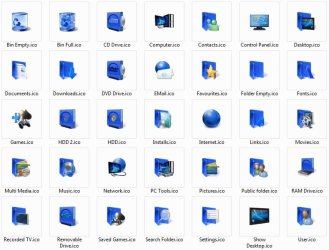
Custom Themes, Icons and Start Buttons.

Status
Not open for further replies.
thanks, looks really good, but i still have the diagonal stripes on taskbar :/
 

My Computer My Computer

At a glance

Windows 7 Ultimate x64AMD Athlon II X3 435 @ 2.9GHz 1.15v4 x 1GB DDR2Sapphire Radeon HD4670 512MB GDDR4
Computer Manufacturer/Model Number
Me, Myself and I
OS
Windows 7 Ultimate x64
CPU
AMD Athlon II X3 435 @ 2.9GHz 1.15v
Motherboard
Gigabyte GA-M56S-3S
Memory
4 x 1GB DDR2
Graphics Card(s)
Sapphire Radeon HD4670 512MB GDDR4
Sound Card
SB Live! 24-bit
Monitor(s) Displays
Samsung S22A350H LED FullHD
Screen Resolution
1920 x 1080
Hard Drives
Samsung F3 500GB & Samsung T166 320GB
PSU
Fortron 400W
Case
HEC Compucase 6A21
Keyboard
Logitech UltraX
Mouse
Logitech MX310
Internet Speed
15997 / 950 kbps
reboot (or just kill explorer.exe and restart it) to reset the taskbar
 

My Computer My Computer

At a glance

7600 x86Core 2 Duo e7200, 2.53 ghz2x DDR2 PC5300 1gb, 667 mhzGeForce 9500gt, 512mb
OS
7600 x86
CPU
Core 2 Duo e7200, 2.53 ghz
Motherboard
Micro-Star MS-7529
Memory
2x DDR2 PC5300 1gb, 667 mhz
Graphics Card(s)
GeForce 9500gt, 512mb
Monitor(s) Displays
22" LG Flatron w2234s
Screen Resolution
1680x1050
Hard Drives
Excelstor SATA-II 250gb 7200rpm, 8mb cache
PSU
CoolerMaster M520
Internet Speed
30/20 mbits
It worked at first...

Then I redownloaded the theme to save to my network, reapplied (I tried a black theme in between), and had to restart explorer.exe to fix taskbar (still had the lines).

Now my explorer is totally screwed up. I can't view any explorer windows (Opening my computer or C: is just a blank window, I can't see anything). I can't close the windows, the X does nothing, it's just frozen. I'm up $#!+ creek without a paddle, I can use taskmgr to apply the original aero theme, but it doesnt actually change back to the original aero, all that happens is another blank explorer window opens up (The personalization window I'm guessing) and that's it, stuck again.

I even did RUN: sysdm.cpl (Since I can't view control panel or right-click my computer to see properties) and changed it to disable aero and themes so it's set to classic, and I STILL can't see any explorer windows. Now instead of it being blank it just mirrors whatever image it saw last. After restarting explorer.exe I now have the classic theme and can see windows again..

So I went back to the Personalization, reapplied the clearaero theme again, and it worked! But as soon as I closed the Personalization window, explorer is back to blank!!!

I at least got the original aero theme working again, and explorer is back..

I tried deleting the files and started back at step 1, still have the same problem. It's perfect after applying, until I close the Personalization(+Any explorer windows open).

My Vlited RC1x64 pc worked fine, maybe it doesn't like switching back and forth much..?

On my Build 7000x64, if I'm using ANY aero theme, I can't see any windows that run through explorer.exe. I have to go to classic (Open sysdm.cpl and set to performance) then restart explorer.exe to see any explorer window's contents.

 
Last edited:

My Computer My Computer

At a glance

7 x64 + XP Pro x86Undervolted T9900 3.06 GHz Core2Duo4GB DDR3 1066MHzNVIDIA 9800M GTS 1GB DDR3 1066 MHz
Computer Manufacturer/Model Number
Gateway P7801
OS
7 x64 + XP Pro x86
CPU
Undervolted T9900 3.06 GHz Core2Duo
Memory
4GB DDR3 1066MHz
Graphics Card(s)
NVIDIA 9800M GTS 1GB DDR3 1066 MHz
Monitor(s) Displays
17" WUXGA
Screen Resolution
1920x1200
Hard Drives
32GB Patriot V2 SSD w/ Hyperfast
PSU
9-cell Lithium Ion
Keyboard
Logitech Classic
Mouse
Logitech MX310
Internet Speed
slow AT&T
Other Info
Nlited XP x86 (540MB C:) locked with EWF
Nobody has any ideas?

I can't see any explorer windows anymore...

I have to use windows classic now...
 

My Computer My Computer

At a glance

7 x64 + XP Pro x86Undervolted T9900 3.06 GHz Core2Duo4GB DDR3 1066MHzNVIDIA 9800M GTS 1GB DDR3 1066 MHz
Computer Manufacturer/Model Number
Gateway P7801
OS
7 x64 + XP Pro x86
CPU
Undervolted T9900 3.06 GHz Core2Duo
Memory
4GB DDR3 1066MHz
Graphics Card(s)
NVIDIA 9800M GTS 1GB DDR3 1066 MHz
Monitor(s) Displays
17" WUXGA
Screen Resolution
1920x1200
Hard Drives
32GB Patriot V2 SSD w/ Hyperfast
PSU
9-cell Lithium Ion
Keyboard
Logitech Classic
Mouse
Logitech MX310
Internet Speed
slow AT&T
Other Info
Nlited XP x86 (540MB C:) locked with EWF

My Computer My Computer

At a glance

Windows 7 RTMIntel Core 2 Duo 2x2Ghz4gbgeforce 9300m gs
Computer Manufacturer/Model Number
Acer
OS
Windows 7 RTM
CPU
Intel Core 2 Duo 2x2Ghz
Memory
4gb
Graphics Card(s)
geforce 9300m gs
Screen Resolution
1366x768
Hard Drives
1TB Seagate
Internet Speed
50MB
Other Info
Acer Aspire
In vista you could still have the old windows style start popup, easier access to all the programs.♦
 

My Computer My Computer

At a glance

windows 7
OS
windows 7

My Computer My Computer

At a glance

Windows 7 Ultimate Vista Ultimate x64Core 2 Duo E8500 3.16Ghz @ 3.8Ghz2x2Gigs Patriot PC2-6400 LLInno3D GeForce GTX260 216 SP
Computer Manufacturer/Model Number
Home Brew
OS
Windows 7 Ultimate Vista Ultimate x64
CPU
Core 2 Duo E8500 3.16Ghz @ 3.8Ghz
Motherboard
eVGA 750i FTW
Memory
2x2Gigs Patriot PC2-6400 LL
Graphics Card(s)
Inno3D GeForce GTX260 216 SP
Monitor(s) Displays
ASUS VW222U 22" 2ms Response time
Screen Resolution
1680x1050
Hard Drives
SATA 150GB
SATA II 250GB
USB IDE 750GB Ext.
PSU
HYTEC 600W & Thermaltake 650W Toughpower Power Exp
Case
Thermaltake Armor LCS (Liquid Cooling System)
Cooling
Liquid Cooling System
Keyboard
Logitech G15 Gaming Keyboard
Mouse
Logitech G9 Gaming Mouse
Very nice. Thanks!
 

My Computer My Computer

At a glance

Windows 7 Home Premium x64Intel Core i5-2410M Quad Core CPU @ 2.30 GHz8 GB Shared Channel DDR3 MemoryIntel HD Graphics 3000, AMD Radeon HD 6470M
Computer Manufacturer/Model Number
Dell Inspiron 14R N4110
OS
Windows 7 Home Premium x64
CPU
Intel Core i5-2410M Quad Core CPU @ 2.30 GHz
Memory
8 GB Shared Channel DDR3 Memory
Graphics Card(s)
Intel HD Graphics 3000, AMD Radeon HD 6470M
Sound Card
Intel Display Audio, Realtek High Definition Audio
Monitor(s) Displays
14" HD 720p LED Display
Screen Resolution
1366x768
Hard Drives
500 GB 5400 RPM SATA Hard Drive
Mouse
Microsoft USB IntelliMouse Explorer 3.0
Testing the waters here. First time using Skydrive. It's kinda nice. Very nice in fact. I uploaded a Theme I call scorched. Still working on it, just figured for now I'd also try and learn the skydrive. Let me know if this works.

I also threw up my collection of wallpapers in a .zip file if anyone wants to download. 71 that I've collected over the course of a year or two from who knows where. Some video game stuff, some Scenic, funny, something for everyone.


ScorchedW7.themepack - Windows Live


UnleashedW7.themepack - Windows Live
 
Last edited:

My Computer My Computer

At a glance

Windows 7 RC - 7100 64bitAMD Athlon(tm) 64 x2 4800+ 2.50Ghz Dual Core4 gig Kingston DDR2XFX Nvidia GeForce GTS 250
OS
Windows 7 RC - 7100 64bit
CPU
AMD Athlon(tm) 64 x2 4800+ 2.50Ghz Dual Core
Motherboard
Hewlett Packard
Memory
4 gig Kingston DDR2
Graphics Card(s)
XFX Nvidia GeForce GTS 250
Sound Card
na
Monitor(s) Displays
22" Samsung LCD Syncmaster
Screen Resolution
1680x1050
Hard Drives
300gig Western Digital
PSU
BFG Tech 550watt
Case
Crap stock Dell
Cooling
Side panel open on case, and a box fan blowing in.
Keyboard
G15
Mouse
G9
Internet Speed
Bike Messenger
Yep that woks fine.
 

My Computer My Computer

At a glance

Windows 7 Ultimate Vista Ultimate x64Core 2 Duo E8500 3.16Ghz @ 3.8Ghz2x2Gigs Patriot PC2-6400 LLInno3D GeForce GTX260 216 SP
Computer Manufacturer/Model Number
Home Brew
OS
Windows 7 Ultimate Vista Ultimate x64
CPU
Core 2 Duo E8500 3.16Ghz @ 3.8Ghz
Motherboard
eVGA 750i FTW
Memory
2x2Gigs Patriot PC2-6400 LL
Graphics Card(s)
Inno3D GeForce GTX260 216 SP
Monitor(s) Displays
ASUS VW222U 22" 2ms Response time
Screen Resolution
1680x1050
Hard Drives
SATA 150GB
SATA II 250GB
USB IDE 750GB Ext.
PSU
HYTEC 600W & Thermaltake 650W Toughpower Power Exp
Case
Thermaltake Armor LCS (Liquid Cooling System)
Cooling
Liquid Cooling System
Keyboard
Logitech G15 Gaming Keyboard
Mouse
Logitech G9 Gaming Mouse
Thanks grim.

Gonna test it with a big .zip file of wallpapers here in a minute. but so far so good.
 

My Computer My Computer

At a glance

Windows 7 RC - 7100 64bitAMD Athlon(tm) 64 x2 4800+ 2.50Ghz Dual Core4 gig Kingston DDR2XFX Nvidia GeForce GTS 250
OS
Windows 7 RC - 7100 64bit
CPU
AMD Athlon(tm) 64 x2 4800+ 2.50Ghz Dual Core
Motherboard
Hewlett Packard
Memory
4 gig Kingston DDR2
Graphics Card(s)
XFX Nvidia GeForce GTS 250
Sound Card
na
Monitor(s) Displays
22" Samsung LCD Syncmaster
Screen Resolution
1680x1050
Hard Drives
300gig Western Digital
PSU
BFG Tech 550watt
Case
Crap stock Dell
Cooling
Side panel open on case, and a box fan blowing in.
Keyboard
G15
Mouse
G9
Internet Speed
Bike Messenger
Mr Grim,

I love your blue ones - the real blue ones you made ( hint)

The regular Vista ones look green to me too.

Thanks mate.

Here you go.

14959d1245429574-custom-theme-thread-2009-06-20_020915.jpg


Icon Master Set.zip - Windows Live
 

My Computer My Computer

At a glance

Windows 7 Ultimate Vista Ultimate x64Core 2 Duo E8500 3.16Ghz @ 3.8Ghz2x2Gigs Patriot PC2-6400 LLInno3D GeForce GTX260 216 SP
Computer Manufacturer/Model Number
Home Brew
OS
Windows 7 Ultimate Vista Ultimate x64
CPU
Core 2 Duo E8500 3.16Ghz @ 3.8Ghz
Motherboard
eVGA 750i FTW
Memory
2x2Gigs Patriot PC2-6400 LL
Graphics Card(s)
Inno3D GeForce GTX260 216 SP
Monitor(s) Displays
ASUS VW222U 22" 2ms Response time
Screen Resolution
1680x1050
Hard Drives
SATA 150GB
SATA II 250GB
USB IDE 750GB Ext.
PSU
HYTEC 600W & Thermaltake 650W Toughpower Power Exp
Case
Thermaltake Armor LCS (Liquid Cooling System)
Cooling
Liquid Cooling System
Keyboard
Logitech G15 Gaming Keyboard
Mouse
Logitech G9 Gaming Mouse

My Computers My Computers

  • At a glance

    7 X64i5 84002x8gb 3200mhz
    Computer type
    PC/Desktop
    OS
    7 X64
    CPU
    i5 8400
    Motherboard
    gigabyte b365m ds3h
    Memory
    2x8gb 3200mhz
    Hard Drives
    various
    PSU
    pure power 11 400w cm
    Case
    Coolermaster
    Cooling
    cryorig m9i
  • At a glance

    7x64g54008gb ddr4 2400
    Computer type
    PC/Desktop
    OS
    7x64
    CPU
    g5400
    Motherboard
    ga b365m ds3h
    Memory
    8gb ddr4 2400
    PSU
    xfx pro 450w

My Computer My Computer

At a glance

Windows 7 x64 UltimateQ9450 2.66Ghz Quad Core4Gb DDR2 800PowerColor ATI Radeon 4870 512Mb
Computer Manufacturer/Model Number
Me
OS
Windows 7 x64 Ultimate
CPU
Q9450 2.66Ghz Quad Core
Motherboard
Asus P5Q Pro
Memory
4Gb DDR2 800
Graphics Card(s)
PowerColor ATI Radeon 4870 512Mb
Sound Card
Built In Mobo HD Sound with Logitech Speakers
Monitor(s) Displays
Acer H233H 23'' 1080p
Screen Resolution
1080p
Hard Drives
Western Digital VelociRaptor 300gb
Western Digital Caviar 320gb
SAMSUNG SpinPoint T Series 500gb*2 in External Enclosure
Seagate Barracuda 7200.7 160gb
Buffalo Drive-station 1tb idk what actual drive is in it
PSU
CORSAIR CMPSU-750TX 750W
Case
HAF Mid Tower
Keyboard
Logitech G510 Gaming Keyboard
Mouse
Logitech G9x
Internet Speed
7Mb
sorry idk how to make thumbnails for it like you guys


I just used the Snipping Tool with the whole theme page open and snipped each theme. Then saved it and uploaded it to an imagehosting website and pasted the link here.

I believe this is what the others used as well.
 

My Computer My Computer

At a glance

Windows 7 RC - 7100 64bitAMD Athlon(tm) 64 x2 4800+ 2.50Ghz Dual Core4 gig Kingston DDR2XFX Nvidia GeForce GTS 250
OS
Windows 7 RC - 7100 64bit
CPU
AMD Athlon(tm) 64 x2 4800+ 2.50Ghz Dual Core
Motherboard
Hewlett Packard
Memory
4 gig Kingston DDR2
Graphics Card(s)
XFX Nvidia GeForce GTS 250
Sound Card
na
Monitor(s) Displays
22" Samsung LCD Syncmaster
Screen Resolution
1680x1050
Hard Drives
300gig Western Digital
PSU
BFG Tech 550watt
Case
Crap stock Dell
Cooling
Side panel open on case, and a box fan blowing in.
Keyboard
G15
Mouse
G9
Internet Speed
Bike Messenger
I just used the Snipping Tool with the whole theme page open and snipped each theme. Then saved it and uploaded it to an imagehosting website and pasted the link here.

I believe this is what the others used as well.

You can also just click the paperclip next to the white smiley face, and upload the image saved. When it has finished uploading, just click the paperclip again and your attachment will be in the dropdown menu. Click it, and vioula! ;)
 

My Computer My Computer

At a glance

Windows 7 RTM 64bit, Windows 8 Pro 64bitIntel i5-2500K @ 3.3Ghz16GB G.Skill RaptorX 1600MHz DDR3N570GTX Twin Frozr III Power Edition
Computer type
PC/Desktop
Computer Manufacturer/Model Number
Self built.
OS
Windows 7 RTM 64bit, Windows 8 Pro 64bit
CPU
Intel i5-2500K @ 3.3Ghz
Motherboard
Asus Maximus IV GENE-Z/GEN3
Memory
16GB G.Skill RaptorX 1600MHz DDR3
Graphics Card(s)
N570GTX Twin Frozr III Power Edition
Sound Card
SupremeFX X-Fi 2
Monitor(s) Displays
BenQ XL2420T 120Hz 24 inch gaming monitor, Acer V233H 23 inc
Screen Resolution
1920x1080
Hard Drives
320GB Seagate Barracuda
WD 1TB Black Caviar
2TB WD Green Caviar
Samsung SSD 840 PRO Series
PSU
CoolerMaster Silent Pro Gold 1200WATT 80 Plus Gold
Case
CoolerMaster HAF X RC-942
Cooling
CoolerMaster V6GT Multi-Platform CPU Cooler
Keyboard
Logitech G510 Gaming Keyboard
Mouse
Logitech G700 Gaming Mouse
Antivirus
Norton Internet Security
Browser
Firefox 21
Other Info
Logitech Extreme 3D Pro Gaming Joystick, Logitech G930 Wireless Gaming Headset
Testing what Bull said.

1223846748598.jpg
 

My Computer My Computer

At a glance

Windows 7 RC - 7100 64bitAMD Athlon(tm) 64 x2 4800+ 2.50Ghz Dual Core4 gig Kingston DDR2XFX Nvidia GeForce GTS 250
OS
Windows 7 RC - 7100 64bit
CPU
AMD Athlon(tm) 64 x2 4800+ 2.50Ghz Dual Core
Motherboard
Hewlett Packard
Memory
4 gig Kingston DDR2
Graphics Card(s)
XFX Nvidia GeForce GTS 250
Sound Card
na
Monitor(s) Displays
22" Samsung LCD Syncmaster
Screen Resolution
1680x1050
Hard Drives
300gig Western Digital
PSU
BFG Tech 550watt
Case
Crap stock Dell
Cooling
Side panel open on case, and a box fan blowing in.
Keyboard
G15
Mouse
G9
Internet Speed
Bike Messenger

Hey Grimm. I recently downloaded that MicroAngelo program and I played with it like twice. First one was to change my firefox icon to your nice icon set.

For something of this scale. Is there a walkthrough somewhere for a replacement of this magnitude? I assume I don't have to go thru and do it find them and do it individually?
 

My Computer My Computer

At a glance

Windows 7 RC - 7100 64bitAMD Athlon(tm) 64 x2 4800+ 2.50Ghz Dual Core4 gig Kingston DDR2XFX Nvidia GeForce GTS 250
OS
Windows 7 RC - 7100 64bit
CPU
AMD Athlon(tm) 64 x2 4800+ 2.50Ghz Dual Core
Motherboard
Hewlett Packard
Memory
4 gig Kingston DDR2
Graphics Card(s)
XFX Nvidia GeForce GTS 250
Sound Card
na
Monitor(s) Displays
22" Samsung LCD Syncmaster
Screen Resolution
1680x1050
Hard Drives
300gig Western Digital
PSU
BFG Tech 550watt
Case
Crap stock Dell
Cooling
Side panel open on case, and a box fan blowing in.
Keyboard
G15
Mouse
G9
Internet Speed
Bike Messenger
You can use IconPackager and create a new theme then just use that program to apply it or you can do what I did and copy and paste the imageres.dll and shell32.dll from System32 and SysWOW64 into folders on your desktop and then use Restorator to open them and then replace the relevant icons with your custom ones and then save.

Once you have done that you then need to be able to replace the originals, it's a good idea to keep a backup of the originals as well in case something goes wrong.

For me the easiest way to replace the files was to boot into my other OS and that would insure that they were not in use while I was replacing them, you will then need to take ownership of the dll's before they can be replaced, the easiest way to do this is with a context menu shortcut and then you can simply right click on the file or dll and select Take Ownership from the context menu.

Once you have done that and all the dll's are replaced you will then need to clear the icon cache, that is located in a hidden folder in your user account of the operating system you are trying to modify, go to your folder option and show hidden folders and then open your user name and find the AppData folder and then go into local and at the bottom of that lsit you should find the IconCache and then delete it.

Now you should be able to boot back into the OS you modified and all the changes should be applied.
 

My Computer My Computer

At a glance

Windows 7 Ultimate Vista Ultimate x64Core 2 Duo E8500 3.16Ghz @ 3.8Ghz2x2Gigs Patriot PC2-6400 LLInno3D GeForce GTX260 216 SP
Computer Manufacturer/Model Number
Home Brew
OS
Windows 7 Ultimate Vista Ultimate x64
CPU
Core 2 Duo E8500 3.16Ghz @ 3.8Ghz
Motherboard
eVGA 750i FTW
Memory
2x2Gigs Patriot PC2-6400 LL
Graphics Card(s)
Inno3D GeForce GTX260 216 SP
Monitor(s) Displays
ASUS VW222U 22" 2ms Response time
Screen Resolution
1680x1050
Hard Drives
SATA 150GB
SATA II 250GB
USB IDE 750GB Ext.
PSU
HYTEC 600W & Thermaltake 650W Toughpower Power Exp
Case
Thermaltake Armor LCS (Liquid Cooling System)
Cooling
Liquid Cooling System
Keyboard
Logitech G15 Gaming Keyboard
Mouse
Logitech G9 Gaming Mouse
Capture.PNG

Capture2.PNG

there we go u can dl if u like a posts posts above this
 

My Computer My Computer

At a glance

Windows 7 x64 UltimateQ9450 2.66Ghz Quad Core4Gb DDR2 800PowerColor ATI Radeon 4870 512Mb
Computer Manufacturer/Model Number
Me
OS
Windows 7 x64 Ultimate
CPU
Q9450 2.66Ghz Quad Core
Motherboard
Asus P5Q Pro
Memory
4Gb DDR2 800
Graphics Card(s)
PowerColor ATI Radeon 4870 512Mb
Sound Card
Built In Mobo HD Sound with Logitech Speakers
Monitor(s) Displays
Acer H233H 23'' 1080p
Screen Resolution
1080p
Hard Drives
Western Digital VelociRaptor 300gb
Western Digital Caviar 320gb
SAMSUNG SpinPoint T Series 500gb*2 in External Enclosure
Seagate Barracuda 7200.7 160gb
Buffalo Drive-station 1tb idk what actual drive is in it
PSU
CORSAIR CMPSU-750TX 750W
Case
HAF Mid Tower
Keyboard
Logitech G510 Gaming Keyboard
Mouse
Logitech G9x
Internet Speed
7Mb
Status
Not open for further replies.
Back
Top