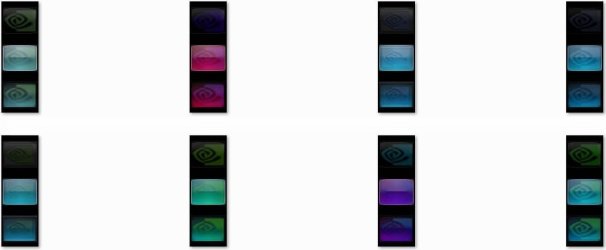
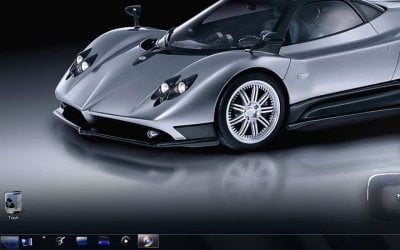
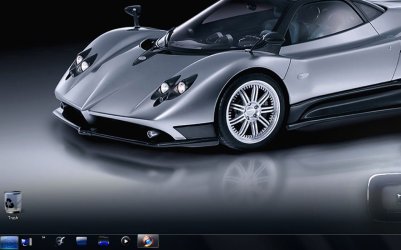
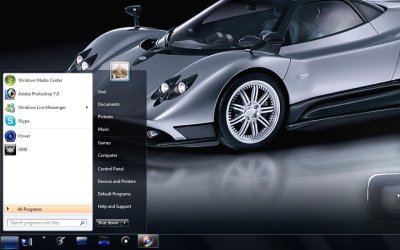
Custom Themes, Icons and Start Buttons.

Status
Not open for further replies.
I applied the blue icon pack and love it! But any idea why some of my network icons didn't change when I'm browsing to my server? For example, my server has a share called "data" which is still the normal icon, but folders above it and under it are the new blue ones from the icon pack. Any ideas?

example.jpg


servershare.jpg
 

My Computer

Computer Manufacturer/Model Number
Custom PC
OS
Windows 7 Ultimate x64
CPU
Core i5 2500K @ 4.6Ghz
Motherboard
ASRock P67 Extreme4 Gen3
Memory
G.SKILL 16GB DDR3
Graphics Card(s)
eVGA GeForce 465GTX
Sound Card
Creative X-Fi Fatality
Monitor(s) Displays
Dual Acer 22" Widescreens
Screen Resolution
3360 X 1050
Hard Drives
1 x Corsair 120GB SSD
2 x 320GB Seagate 7200rpm
RAID 0
PSU
Thermaltake 850 TruPower
Case
Corsair 600T
Cooling
Corsair Hydro Series H70
Mouse
Logitech MX518 Gaming mouse
Internet Speed
Road Runner Turbo 30Mbs
I applied the blue icon pack and love it! But any idea why some of my network icons didn't change when I'm browsing to my server? For example, my server has a share called "data" which is still the normal icon, but folders above it and under it are the new blue ones from the icon pack. Any ideas?

example.jpg


servershare.jpg

Sorry mate I didn't make the icon for that one, I think there were a couple that I didn't replace as I wasn't even sure where they were being used, I will make sure I change that one in the next pack.
 

My Computer

Computer Manufacturer/Model Number
Home Brew
OS
Windows 7 Ultimate Vista Ultimate x64
CPU
Core 2 Duo E8500 3.16Ghz @ 3.8Ghz
Motherboard
eVGA 750i FTW
Memory
2x2Gigs Patriot PC2-6400 LL
Graphics Card(s)
Inno3D GeForce GTX260 216 SP
Monitor(s) Displays
ASUS VW222U 22" 2ms Response time
Screen Resolution
1680x1050
Hard Drives
SATA 150GB
SATA II 250GB
USB IDE 750GB Ext.
PSU
HYTEC 600W & Thermaltake 650W Toughpower Power Exp
Case
Thermaltake Armor LCS (Liquid Cooling System)
Cooling
Liquid Cooling System
Keyboard
Logitech G15 Gaming Keyboard
Mouse
Logitech G9 Gaming Mouse
No problem sir, thanks for the icon pack.....Excellent work!
 

My Computer

Computer Manufacturer/Model Number
Custom PC
OS
Windows 7 Ultimate x64
CPU
Core i5 2500K @ 4.6Ghz
Motherboard
ASRock P67 Extreme4 Gen3
Memory
G.SKILL 16GB DDR3
Graphics Card(s)
eVGA GeForce 465GTX
Sound Card
Creative X-Fi Fatality
Monitor(s) Displays
Dual Acer 22" Widescreens
Screen Resolution
3360 X 1050
Hard Drives
1 x Corsair 120GB SSD
2 x 320GB Seagate 7200rpm
RAID 0
PSU
Thermaltake 850 TruPower
Case
Corsair 600T
Cooling
Corsair Hydro Series H70
Mouse
Logitech MX518 Gaming mouse
Internet Speed
Road Runner Turbo 30Mbs

My Computer

Computer Manufacturer/Model Number
Xpredator
OS
windows 7 Ultimate
CPU
i7 3770k 3.50 GHz
Motherboard
Asus Maximus V formula
Memory
G.Skills 8GB DDR 3 1866 MHz
Graphics Card(s)
Nvidia Asus GTX 680
Sound Card
Sounblaster 3D
Monitor(s) Displays
Achieva ShiMian IPSMS
Screen Resolution
2560x1440p
Hard Drives
120 GB SSD Gforce / 3 tb seagate 7200 rpm
PSU
Seasonic 760W ATX 80+ Gold
Case
Xpredator Black Edition
Cooling
Corsair h100
Keyboard
Cybrog v7
Mouse
Cyborg R.A.T 9
Internet Speed
20 mbite
works just fine thanks
 

My Computer

Computer Manufacturer/Model Number
My own First Build
OS
Dule Boot Windows XP (x32) Windows 7 Ultimate (x64)
CPU
Intel Core 2 Quad Q9400 @ 2.66 GHz / OC @ 3.20 GHz
Motherboard
ASUS P5K-E Wifi-AP Edition
Memory
8 GB
Graphics Card(s)
x2 SAPPHIRE RADEON HD 6870
Monitor(s) Displays
X4 Samsung 2333SW 23inch Wide Full HD LCD
Screen Resolution
1920 x 1080 x4
Hard Drives
2X WD 1TB SATAIII 64M 6GB 2X WD 1TB SATAII 32MB 3GB 2X WD 500 GB SATAII 32MB 3GB 1X SG 250 GB SATAII
PSU
Silverstone ST1000-Plus 1000W Strider Plus
Case
ANTEC SKELETON
Cooling
CPU EK-Supreme HF Acetal, EK-MOSFET ASUS, EK-ASUS NB/SB
You mean a '.7z' file?, it's a 7-zip file.. It's another form of a zip file and can be opened with either 7-Zip or WinRar. 7-Zip enables greater compression and it's free! :D (it can half the size of stuff compared to WinRar).

Sorry, I should have mentioned about the file changes in the first post. (I'll update the post now.)

OK that makes sense. I tried to use extract now and it couldnt extract it so i thought it was corrupt or something. I installed both the blue and black packs on build 7229 and they worked flawlessly! I defaulted to blue cause it matches more of my theme then the black did but i love them both. Just one question, everything is changed to glossy blue except my libraries icon in my task bar. The library icon elsewhere is the glossy blue theme but it isnt in my taskbar. Anyway i can change that?

-stang
 

My Computer

Computer Manufacturer/Model Number
Dell XPS M1530
OS
Windows 7 Build 7229 x86
CPU
Intel Core 2 Duo T7250 (2.0GHz/800Mhz FSB 2M L2 Cache)
Memory
4.00 GB DDR2, 667MHz 2 Dimm
Graphics Card(s)
128MB NVIDIA GeForce 8400M G
Sound Card
SigmaTel High Definition Audio
Monitor(s) Displays
15.4 inch Wide Screen WSXGA+ TrueLife; 31.5'" HDTV
Screen Resolution
1680 X 1050
Hard Drives
200G 7200RPM SATA Hard Drive Free Fall Sensor
Keyboard
Logitech Cordless Desktop MX5500 Revolution Bluetooth
Mouse
Logitech Cordless Desktop MX5500 Revolution Bluetooth
Internet Speed
100 mbps
Just one question, everything is changed to glossy blue except my libraries icon in my task bar. The library icon elsewhere is the glossy blue theme but it isnt in my taskbar. Anyway i can change that?

-stang

It's actually a shortcut to explorer.exe, The icon packs don't update Explorer because it didn't seem worthwhile patching Explorer.exe for one single icon.
Mr GRiM kindly included an icon inside 'c:\windows\system32\imageres.dll' so people didn't end up left with one yellow icon sat on there taskbar. It'll need a new shortcut to explorer creating, the icon changing and then pinning back to the taskbar manually though.


To fix it here's a step-by-step of what you need to do:

1, Unpin the current yellow one from your taskbar by its right-click menu,

2, Create a new shortcut to c:\windows\Explorer.exe,

3, Right-click the new shortcut and go 'Properties',

4, Click on the 'Change Icon' button and point the window to 'c:\windows\system32\imageres.dll',

5, Find the new icon in the window list (5 rows in form the end) and select it and hit OK on both windows,

6, Right-click the new Explorer shortcut again (it should now be blue) and click 'pin to taskbar'.
 

My Computer

Computer Manufacturer/Model Number
Self Built
OS
XP Pro SP3 x86/Vista SP2 x64/Win7 x64 Triple-boot
CPU
AMD64 X2 AM2 5000+
Motherboard
Asus MSN-X Plus
Memory
Corsair TWX 2Gb (2x1Gb) DDR2 800Mhz
Graphics Card(s)
PCI-X 2.0 Inno3D (NVidia) 9500GT 1Gb DDR2
Sound Card
Onboard Realtec ALC662-GR
Monitor(s) Displays
Relisys 17' CRT (model unknown)
Screen Resolution
1024x768
Hard Drives
750Gb Samsung 7200-3Gb/s 32Mb Cache SATA
PSU
500W
Cooling
Standard AMD CPU Fan, One side, front and rear case fan.
Keyboard
Microsoft Multimedia Keyboard
Mouse
Samsung Optical
Internet Speed
10M

My Computer

Computer Manufacturer/Model Number
Home Brew
OS
Windows 7 Ultimate Vista Ultimate x64
CPU
Core 2 Duo E8500 3.16Ghz @ 3.8Ghz
Motherboard
eVGA 750i FTW
Memory
2x2Gigs Patriot PC2-6400 LL
Graphics Card(s)
Inno3D GeForce GTX260 216 SP
Monitor(s) Displays
ASUS VW222U 22" 2ms Response time
Screen Resolution
1680x1050
Hard Drives
SATA 150GB
SATA II 250GB
USB IDE 750GB Ext.
PSU
HYTEC 600W & Thermaltake 650W Toughpower Power Exp
Case
Thermaltake Armor LCS (Liquid Cooling System)
Cooling
Liquid Cooling System
Keyboard
Logitech G15 Gaming Keyboard
Mouse
Logitech G9 Gaming Mouse

My Computer

Computer Manufacturer/Model Number
Xpredator
OS
windows 7 Ultimate
CPU
i7 3770k 3.50 GHz
Motherboard
Asus Maximus V formula
Memory
G.Skills 8GB DDR 3 1866 MHz
Graphics Card(s)
Nvidia Asus GTX 680
Sound Card
Sounblaster 3D
Monitor(s) Displays
Achieva ShiMian IPSMS
Screen Resolution
2560x1440p
Hard Drives
120 GB SSD Gforce / 3 tb seagate 7200 rpm
PSU
Seasonic 760W ATX 80+ Gold
Case
Xpredator Black Edition
Cooling
Corsair h100
Keyboard
Cybrog v7
Mouse
Cyborg R.A.T 9
Internet Speed
20 mbite

My Computer

Computer Manufacturer/Model Number
Home Brew
OS
Windows 7 Ultimate Vista Ultimate x64
CPU
Core 2 Duo E8500 3.16Ghz @ 3.8Ghz
Motherboard
eVGA 750i FTW
Memory
2x2Gigs Patriot PC2-6400 LL
Graphics Card(s)
Inno3D GeForce GTX260 216 SP
Monitor(s) Displays
ASUS VW222U 22" 2ms Response time
Screen Resolution
1680x1050
Hard Drives
SATA 150GB
SATA II 250GB
USB IDE 750GB Ext.
PSU
HYTEC 600W & Thermaltake 650W Toughpower Power Exp
Case
Thermaltake Armor LCS (Liquid Cooling System)
Cooling
Liquid Cooling System
Keyboard
Logitech G15 Gaming Keyboard
Mouse
Logitech G9 Gaming Mouse
Those are nice, Grim....
 

My Computers

System One System Two

  • Computer type
    PC/Desktop
    Computer Manufacturer/Model Number
    The Beast Model A (homebrew)
    OS
    Windows 11 21H2 Current build
    CPU
    AMD Ryzen 9 3950X
    Motherboard
    MSI MEG X570 GODLIKE
    Memory
    4 * 32 GB - Corsair Vengeance 3600 MHz
    Graphics Card(s)
    EVGA GeForce RTX 3080 Ti XC3 ULTRA GAMING (12G-P5-3955-KR)
    Sound Card
    Realtek® ALC1220 Codec
    Monitor(s) Displays
    2x Eve Spectrum ES07D03 4K Gaming Monitor (Matte) | Eve Spec
    Screen Resolution
    3x 3840 x 2160
    Hard Drives
    3x Samsung 980 Pro NVMe PCIe 4 M.2 2 TB SSD (MZ-V8P2T0B/AM) } 3x Sabrent Rocket NVMe 4.0 1 TB SSD
    PSU
    PC Power & Cooling’s Silencer Series 1050 Watt, 80 Plus Plat
    Case
    Fractal Design Define 7 XL Dark ATX Full Tower Case
    Cooling
    SteelSeries Apex Pro Wired Gaming Keyboard
    Keyboard
    SteelSeries Apex Pro
    Mouse
    Logitech MX Master 3S | MX Master 3 for business
    Internet Speed
    AT&T LightSpeed Gigabit Duplex Ftth
    Antivirus
    Windows Defender + MB 3
    Browser
    Nightly (default) + Firefox (stable),Chrome, Edge
  • Computer type
    PC/Desktop
    System Manufacturer/Model Number
    Dell Latitude E5470
    OS
    ChromeOS Flex Dev Channel (current)
    CPU
    Intel(R) Core(TM) i5-6300U CPU @ 2.40GHz, 2501 Mhz, 2 Core(s), 4 Logical Processor(s)
    Motherboard
    Dell
    Memory
    16 GB
    Graphics Card(s)
    Intel(R) HD Graphics 520
    Sound Card
    Intel(R) HD Graphics 520 + RealTek Audio
    Monitor(s) Displays
    Dell laptop display 15"
    Screen Resolution
    1920 * 1080
    Hard Drives
    Toshiba 128GB M.2 22300 drive
    INTEL Cherryville 520 Series SSDSC2CW180A 180 GB SATA III SSD
    PSU
    Dell
    Case
    Dell
    Cooling
    Dell
    Keyboard
    Dell
    Mouse
    Logitech MX Master 3S (shared w. Sys 1) | Dell TouchPad
    Internet Speed
    AT&T LightSpeed Gigabit Duplex Ftth
Those are nice, Grim....

Thanks John, I'm using the second one from above but you need to apply them to see the true colour, as you can see they become brighter.

2009-08-10_161858.jpg2009-08-10_161909.jpg2009-08-10_161918.jpg

I'm pretty happy with this one I reckon.
 

My Computer

Computer Manufacturer/Model Number
Home Brew
OS
Windows 7 Ultimate Vista Ultimate x64
CPU
Core 2 Duo E8500 3.16Ghz @ 3.8Ghz
Motherboard
eVGA 750i FTW
Memory
2x2Gigs Patriot PC2-6400 LL
Graphics Card(s)
Inno3D GeForce GTX260 216 SP
Monitor(s) Displays
ASUS VW222U 22" 2ms Response time
Screen Resolution
1680x1050
Hard Drives
SATA 150GB
SATA II 250GB
USB IDE 750GB Ext.
PSU
HYTEC 600W & Thermaltake 650W Toughpower Power Exp
Case
Thermaltake Armor LCS (Liquid Cooling System)
Cooling
Liquid Cooling System
Keyboard
Logitech G15 Gaming Keyboard
Mouse
Logitech G9 Gaming Mouse

My Computer

Computer Manufacturer/Model Number
Compal JFT02 (Custom Build Laptop)
OS
Windows 7 Home Premium x64 - Mac OS X 10.6.4 x64
CPU
Intel Core 2 Duo T9300 2.5 GHz
Motherboard
JFT02
Memory
4GB Kingston DDR2-800
Graphics Card(s)
NVIDIA Geforce 8600M GT (512MB Model)
Sound Card
Realtek HD Audio
Monitor(s) Displays
WUXGA Standard Laptop Display
Screen Resolution
1680*1050
Hard Drives
Toshiba 320GB 5400RPM Laptop HD
PSU
Standard Laptop Power Supply
Case
Standard Laptop Case
Cooling
Standard Laptop Cooling
Keyboard
Standard Laptop 105 Key-Keyboard
Mouse
Synaptics Touchpad
Internet Speed
Verizion Online DSL 3360/864 kbs (dl/up)

My Computer

Computer Manufacturer/Model Number
Home Brew
OS
Windows 7 Ultimate Vista Ultimate x64
CPU
Core 2 Duo E8500 3.16Ghz @ 3.8Ghz
Motherboard
eVGA 750i FTW
Memory
2x2Gigs Patriot PC2-6400 LL
Graphics Card(s)
Inno3D GeForce GTX260 216 SP
Monitor(s) Displays
ASUS VW222U 22" 2ms Response time
Screen Resolution
1680x1050
Hard Drives
SATA 150GB
SATA II 250GB
USB IDE 750GB Ext.
PSU
HYTEC 600W & Thermaltake 650W Toughpower Power Exp
Case
Thermaltake Armor LCS (Liquid Cooling System)
Cooling
Liquid Cooling System
Keyboard
Logitech G15 Gaming Keyboard
Mouse
Logitech G9 Gaming Mouse
LOL, yeah it's the first 3 letters of my surname Goddard. ;)
ahh...I see...I was thinking it was funny you named your user account God"
 

My Computer

Computer Manufacturer/Model Number
Compal JFT02 (Custom Build Laptop)
OS
Windows 7 Home Premium x64 - Mac OS X 10.6.4 x64
CPU
Intel Core 2 Duo T9300 2.5 GHz
Motherboard
JFT02
Memory
4GB Kingston DDR2-800
Graphics Card(s)
NVIDIA Geforce 8600M GT (512MB Model)
Sound Card
Realtek HD Audio
Monitor(s) Displays
WUXGA Standard Laptop Display
Screen Resolution
1680*1050
Hard Drives
Toshiba 320GB 5400RPM Laptop HD
PSU
Standard Laptop Power Supply
Case
Standard Laptop Case
Cooling
Standard Laptop Cooling
Keyboard
Standard Laptop 105 Key-Keyboard
Mouse
Synaptics Touchpad
Internet Speed
Verizion Online DSL 3360/864 kbs (dl/up)

My Computer

Computer Manufacturer/Model Number
Handy manny
OS
Windows 7 (x64)
CPU
i7 870
Motherboard
Evga P55 FTW
Memory
G.Skill Trident (F3-17066CL9D-4GBTDS 2x2GB) - 2133MHz
Graphics Card(s)
Evga GTX 460 EE 1GB
Sound Card
On Board
Monitor(s) Displays
Samsung P2350
Screen Resolution
1920x1080
Hard Drives
1 x 64GB G-Skill Falcon SSD
1 x 60GB Corsair Force Series SSD
1 x 1TB WD Caviar Black
2 x 640GB WD Caviar Black
1 x 1TB Samsung Spinpoint F3
PSU
Corsair 620w
Case
Corsair 800D
Cooling
Corsair H50
Keyboard
Logitech MX5500 Revolution
Mouse
Logitech MX5500 Revolution
Internet Speed
http://www.speedtest.net/result/939062765.png
Other Info
http://www.sevenforums.com/overclocking-case-mods/104136-show-us-your-rig-2-a-4.html#post937213
Thanks for the clear and helpful instructions lol +1. I have just actually done a system restore because I had no sound after using the the installer for the glossy blue icons. Was it the installer or some other reason that would have screwed with my sound? I might try to use the installer again and see if the sound isnt affected but i'm guessing the 7600 build and 7229 build have different sound directories that the installer touched? Lemme know what you think. Thanks again.

-stang
 

My Computer

Computer Manufacturer/Model Number
Dell XPS M1530
OS
Windows 7 Build 7229 x86
CPU
Intel Core 2 Duo T7250 (2.0GHz/800Mhz FSB 2M L2 Cache)
Memory
4.00 GB DDR2, 667MHz 2 Dimm
Graphics Card(s)
128MB NVIDIA GeForce 8400M G
Sound Card
SigmaTel High Definition Audio
Monitor(s) Displays
15.4 inch Wide Screen WSXGA+ TrueLife; 31.5'" HDTV
Screen Resolution
1680 X 1050
Hard Drives
200G 7200RPM SATA Hard Drive Free Fall Sensor
Keyboard
Logitech Cordless Desktop MX5500 Revolution Bluetooth
Mouse
Logitech Cordless Desktop MX5500 Revolution Bluetooth
Internet Speed
100 mbps
Thanks for the clear and helpful instructions lol +1. I have just actually done a system restore because I had no sound after using the the installer for the glossy blue icons. Was it the installer or some other reason that would have screwed with my sound? I might try to use the installer again and see if the sound isnt affected but i'm guessing the 7600 build and 7229 build have different sound directories that the installer touched? Lemme know what you think. Thanks again.

-stang

It shouldn't effect sound in any way what-so-ever :confused:

The only thing the installer does is replace the dll's with dll's that have had the icons contained within them edited.

Having said that, the problem with using dll's from a different Windows build is that some of the API's (Application Programming Interface) inside them could be different.

API's is how the system communicates with each dll, a bit like a command-line if you will, so if the API is different or not there the system can't talk to the dll for that specific task. One of the dll's could very likely contain a sound API. :(
 

My Computer

Computer Manufacturer/Model Number
Self Built
OS
XP Pro SP3 x86/Vista SP2 x64/Win7 x64 Triple-boot
CPU
AMD64 X2 AM2 5000+
Motherboard
Asus MSN-X Plus
Memory
Corsair TWX 2Gb (2x1Gb) DDR2 800Mhz
Graphics Card(s)
PCI-X 2.0 Inno3D (NVidia) 9500GT 1Gb DDR2
Sound Card
Onboard Realtec ALC662-GR
Monitor(s) Displays
Relisys 17' CRT (model unknown)
Screen Resolution
1024x768
Hard Drives
750Gb Samsung 7200-3Gb/s 32Mb Cache SATA
PSU
500W
Cooling
Standard AMD CPU Fan, One side, front and rear case fan.
Keyboard
Microsoft Multimedia Keyboard
Mouse
Samsung Optical
Internet Speed
10M
Thanks for the clear and helpful instructions lol +1. I have just actually done a system restore because I had no sound after using the the installer for the glossy blue icons. Was it the installer or some other reason that would have screwed with my sound? I might try to use the installer again and see if the sound isnt affected but i'm guessing the 7600 build and 7229 build have different sound directories that the installer touched? Lemme know what you think. Thanks again.

-stang

If you want you can upload the dll's for you build and I will make some custom icons for your build and that should make sure you don't have any API issues or problems with your sound.

If you have a skydrive that would be best as they are too big to upload to the forum.
 

My Computer

Computer Manufacturer/Model Number
Home Brew
OS
Windows 7 Ultimate Vista Ultimate x64
CPU
Core 2 Duo E8500 3.16Ghz @ 3.8Ghz
Motherboard
eVGA 750i FTW
Memory
2x2Gigs Patriot PC2-6400 LL
Graphics Card(s)
Inno3D GeForce GTX260 216 SP
Monitor(s) Displays
ASUS VW222U 22" 2ms Response time
Screen Resolution
1680x1050
Hard Drives
SATA 150GB
SATA II 250GB
USB IDE 750GB Ext.
PSU
HYTEC 600W & Thermaltake 650W Toughpower Power Exp
Case
Thermaltake Armor LCS (Liquid Cooling System)
Cooling
Liquid Cooling System
Keyboard
Logitech G15 Gaming Keyboard
Mouse
Logitech G9 Gaming Mouse
Status
Not open for further replies.
Back
Top