Custom Themes, Icons and Start Buttons.

Status
Not open for further replies.

.....I don't want a BLACK orb. I want a transparent/Glass orb.

I wasn't even going to comment on this! But I found the perfect solution for you. Go and buy a nice transparent marble and stick it on your monitor! :huh:

(Manners you can't buy though!)
LOL
we had the same idea :D

@ Cam - only PNG image formats supports transparency as far as i know.. but the start orbs only support BMP image formats so... try to lower your expectations :)
 

My Computer

OS
Windows 7 Home Premium SP1 64-bit
CPU
Intel™ Core™ i7 920 2.66 ghz
Motherboard
Asus P6T Deluxe V2
Memory
OCZ 6gb (triple 2gb) ddr3-1333 (Gold Edition)
Graphics Card(s)
Nvidia 9800 GT 1GB - x2 SLI
Sound Card
On board
Monitor(s) Displays
19" LCD Wide Screen / Built-in TV Tuner
Screen Resolution
1440x900
Hard Drives
250 GB Maxtor
+
1 TB Seagate
PSU
Corsair GX 800 (800watts)
Case
Thermaltake Level 10 GT
Cooling
Antec Kuhler 920
Mouse
CM Storm Sentinel Advanced
Internet Speed
1MBps

My Computer

OS
Dual Boot 7600 RTM x64
Motherboard
Asus P5B
Memory
6GB
Graphics Card(s)
NVIDIA GeForce 9600GT
Monitor(s) Displays
Benq 24" x 2
Screen Resolution
1600 x 1024
Hard Drives
Seagate 160 GB Sata
Western Digital 1.5 TB Sata
Seagate 400 GB External
Case
Antec

My Computer

Computer type
PC/Desktop
Computer Manufacturer/Model Number
Self built.
OS
Windows 7 RTM 64bit, Windows 8 Pro 64bit
CPU
Intel i5-2500K @ 3.3Ghz
Motherboard
Asus Maximus IV GENE-Z/GEN3
Memory
16GB G.Skill RaptorX 1600MHz DDR3
Graphics Card(s)
N570GTX Twin Frozr III Power Edition
Sound Card
SupremeFX X-Fi 2
Monitor(s) Displays
BenQ XL2420T 120Hz 24 inch gaming monitor, Acer V233H 23 inc
Screen Resolution
1920x1080
Hard Drives
320GB Seagate Barracuda
WD 1TB Black Caviar
2TB WD Green Caviar
Samsung SSD 840 PRO Series
PSU
CoolerMaster Silent Pro Gold 1200WATT 80 Plus Gold
Case
CoolerMaster HAF X RC-942
Cooling
CoolerMaster V6GT Multi-Platform CPU Cooler
Keyboard
Logitech G510 Gaming Keyboard
Mouse
Logitech G700 Gaming Mouse
Antivirus
Norton Internet Security
Browser
Firefox 21
Other Info
Logitech Extreme 3D Pro Gaming Joystick, Logitech G930 Wireless Gaming Headset
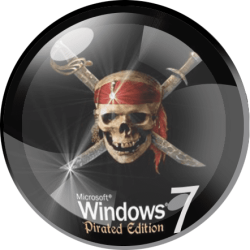
Two proposals for start button. Please make them. Thanks in advance


View attachment 30446 View attachment 30447
View attachment 30444
View attachment 30445
Here you go mate, enjoy

cheers

xxrazor:D
The first one i made, with help from thebull (Help with converting) :cool:
You can get the original here, along with the sevenforums theme :eek: http://www.sevenforums.com/customization/23935-official-sevenforums-theme.html

30446-custom-themes-icons-start-buttons-cool-bitmap_6801.png
 
Two proposals for start button. Please make them. Thanks in advance


View attachment 30446 View attachment 30447
View attachment 30444
View attachment 30445
Here you go mate, enjoy

cheers

xxrazor:D

I actually really like the way the pirate looks... Is there a way to add a differnt logo in there? or actually a link that has custom start buttons to look at? Or even a link to see if I can attempt to put my student photoshop to use and see if I can accomplish making something :D
 

My Computer

Computer Manufacturer/Model Number
Built by me
OS
Windows 7
CPU
AMD Athlon(tm) 64 X2 Dual Core Processor 5000+ (x64) Socket
Motherboard
ASUS M2N68-AM SE2 GeForce 7025 Socket AM2+ MB
Memory
2 - Crucial 2048MB PC5400 DDR2 667Mhz
Graphics Card(s)
NVIDIA GeForce 6200A 512MB
Sound Card
Realtek HD Device (onboard)
Monitor(s) Displays
Acer 19" Flat Screen LCD 1440x900 32bit 74Hz model : X193Wb
Hard Drives
WD Caviar 320GB SATA-3G HD 7200/8MB/SATA-3G
160GB walmart throw away ??
PSU
450w PSU
Case
Power Up Black Mid T ATX Case w/450w PSU
Cooling
Thermaltake A4022 TR2-R1 CPU Fan Sockt AM2/939/754
Correct, once the patch is install, you are right to go,

Tell me about the theme you trying to install.

cheers
xxrazor

It all depends really because I am\was trying to get a few different themes to choose from so I can see whcih one i liek the best.. specially if I can find something with a killer background and cool icons... so I was jsut giving myself a variety to see what I like... becasue some pictures look cool but it isn't exactly the same and what not.. as I said I could rar up all that I have and u can take a look at them... Or I ca just start over and find some themes that will ahve everythign in them, as in the total changing of the windos, icons start button background etc.. I didn't everythign else you said to do.. restore point, reboot, install patch, reboot and now I am waitin hehe.. so I will delete all the themes I have and start fresh with themes so I can follow a step by step with you and get it right and be able to do it myself later ... :D

Ok, once you start with theme, let me know which one it is, also, please start new post as a How to ?, that way every one will know, i do not want to hijack this thread.

Cheers
xxrazor;)


Ok your going to have to bare withme for a tad.. I am currently goign to reinstall windows 7 since I caught a weird virus..:\ But I am hoping this one I got froma friend has the themes and support so I will see how it comes out.. It looks pretty promising :D So I am going to finsih burning it onto my disk and then installign it.. So I will get back to you on what theme I am going to load because I have foudn a really nice one that actually will work really well with your pirate start button.. I appriciate all your help...Its just this virus is eating me up :D So I will be back in a few hours... Thank you
 

My Computer

Computer Manufacturer/Model Number
Built by me
OS
Windows 7
CPU
AMD Athlon(tm) 64 X2 Dual Core Processor 5000+ (x64) Socket
Motherboard
ASUS M2N68-AM SE2 GeForce 7025 Socket AM2+ MB
Memory
2 - Crucial 2048MB PC5400 DDR2 667Mhz
Graphics Card(s)
NVIDIA GeForce 6200A 512MB
Sound Card
Realtek HD Device (onboard)
Monitor(s) Displays
Acer 19" Flat Screen LCD 1440x900 32bit 74Hz model : X193Wb
Hard Drives
WD Caviar 320GB SATA-3G HD 7200/8MB/SATA-3G
160GB walmart throw away ??
PSU
450w PSU
Case
Power Up Black Mid T ATX Case w/450w PSU
Cooling
Thermaltake A4022 TR2-R1 CPU Fan Sockt AM2/939/754
Two proposals for start button. Please make them. Thanks in advance


View attachment 30446 View attachment 30447
View attachment 30444
View attachment 30445
Here you go mate, enjoy

cheers

xxrazor:D

I actually really like the way the pirate looks... Is there a way to add a differnt logo in there? or actually a link that has custom start buttons to look at? Or even a link to see if I can attempt to put my student photoshop to use and see if I can accomplish making something :D

Try this:
 

Attachments

  • Pirate.png
    Pirate.png
    147.7 KB · Views: 56

My Computer

OS
Windows 7 EXTREME
Two proposals for start button. Please make them. Thanks in advance


View attachment 30446 View attachment 30447
View attachment 30444
View attachment 30445
Here you go mate, enjoy

cheers

xxrazor:D

I actually really like the way the pirate looks... Is there a way to add a differnt logo in there? or actually a link that has custom start buttons to look at? Or even a link to see if I can attempt to put my student photoshop to use and see if I can accomplish making something :D

Yes you can, with this particular one it has a layer, which entails a glass orb, under that you can replace the image, now if you wish to learn how you can go (Here) or (Here).

Pm me if you need a hand

It all depends really because I am\was trying to get a few different themes to choose from so I can see whcih one i liek the best.. specially if I can find something with a killer background and cool icons... so I was jsut giving myself a variety to see what I like... becasue some pictures look cool but it isn't exactly the same and what not.. as I said I could rar up all that I have and u can take a look at them... Or I ca just start over and find some themes that will ahve everythign in them, as in the total changing of the windos, icons start button background etc.. I didn't everythign else you said to do.. restore point, reboot, install patch, reboot and now I am waitin hehe.. so I will delete all the themes I have and start fresh with themes so I can follow a step by step with you and get it right and be able to do it myself later ... :D

Ok, once you start with theme, let me know which one it is, also, please start new post as a How to ?, that way every one will know, i do not want to hijack this thread.

Cheers
xxrazor;)


Ok your going to have to bare withme for a tad.. I am currently goign to reinstall windows 7 since I caught a weird virus..:\ But I am hoping this one I got froma friend has the themes and support so I will see how it comes out.. It looks pretty promising :D So I am going to finsih burning it onto my disk and then installign it.. So I will get back to you on what theme I am going to load because I have foudn a really nice one that actually will work really well with your pirate start button.. I appriciate all your help...Its just this virus is eating me up :D So I will be back in a few hours... Thank you

I new you had a virus, those .dll we spoke of earlier did not make sense, once you have reload W7, reload patch i gave you.

stay in touch,

cheers
xxrazor:)
 

My Computer

OS
Dual Boot 7600 RTM x64
Motherboard
Asus P5B
Memory
6GB
Graphics Card(s)
NVIDIA GeForce 9600GT
Monitor(s) Displays
Benq 24" x 2
Screen Resolution
1600 x 1024
Hard Drives
Seagate 160 GB Sata
Western Digital 1.5 TB Sata
Seagate 400 GB External
Case
Antec
Just because you guys love them so much and I have had so much positive feedback, I decided to make another one in Green :rolleyes:

Full_Glass_Green_by_MrGRiM01.jpg
 

My Computer

Computer Manufacturer/Model Number
Home Brew
OS
Windows 7 Ultimate Vista Ultimate x64
CPU
Core 2 Duo E8500 3.16Ghz @ 3.8Ghz
Motherboard
eVGA 750i FTW
Memory
2x2Gigs Patriot PC2-6400 LL
Graphics Card(s)
Inno3D GeForce GTX260 216 SP
Monitor(s) Displays
ASUS VW222U 22" 2ms Response time
Screen Resolution
1680x1050
Hard Drives
SATA 150GB
SATA II 250GB
USB IDE 750GB Ext.
PSU
HYTEC 600W & Thermaltake 650W Toughpower Power Exp
Case
Thermaltake Armor LCS (Liquid Cooling System)
Cooling
Liquid Cooling System
Keyboard
Logitech G15 Gaming Keyboard
Mouse
Logitech G9 Gaming Mouse
Can you add icons to change and those in Libraries. I really like your icons, and now I'm with Blue Glass. Thanks for the good work. :)
 

Attachments

  • Без име.jpg
    Без име.jpg
    350.3 KB · Views: 120

My Computer

OS
Windows 7 EXTREME
Can you add icons to change and those in Libraries. I really like your icons, and now I'm with Blue Glass. Thanks for the good work. :)


Thank you, I'm glad you like them and they look very good with the theme you have, as for the Library Icons, I could change those as well but do you have something in mind that you would prefer, is it the whole icon you dislike or just the image above the piece of glass, in other words, do want me to preserve the glass base and just put a better image on it that ties into the overall theme?
 

My Computer

Computer Manufacturer/Model Number
Home Brew
OS
Windows 7 Ultimate Vista Ultimate x64
CPU
Core 2 Duo E8500 3.16Ghz @ 3.8Ghz
Motherboard
eVGA 750i FTW
Memory
2x2Gigs Patriot PC2-6400 LL
Graphics Card(s)
Inno3D GeForce GTX260 216 SP
Monitor(s) Displays
ASUS VW222U 22" 2ms Response time
Screen Resolution
1680x1050
Hard Drives
SATA 150GB
SATA II 250GB
USB IDE 750GB Ext.
PSU
HYTEC 600W & Thermaltake 650W Toughpower Power Exp
Case
Thermaltake Armor LCS (Liquid Cooling System)
Cooling
Liquid Cooling System
Keyboard
Logitech G15 Gaming Keyboard
Mouse
Logitech G9 Gaming Mouse
Base icon is super Libraries. If possible other icons of My Video, My Dokument, My Picture, My Musick. For them becomes a question.
Sorry, but my English is not very good. :)
Thank you.
 

My Computer

OS
Windows 7 EXTREME
Just because you guys love them so much and I have had so much positive feedback, I decided to make another one in Green :rolleyes:

Full_Glass_Green_by_MrGRiM01.jpg

Mr grimm you are fantastically superb

FyrmnJ jn Philly
 

My Computer

Computer Manufacturer/Model Number
White Box
OS
Dual Booting Windows Vista32 bit And Windows 7 Home premium (x64) (build 7600)
CPU
ntel(R) Core(TM)2 Quad CPU Q6700 @ 2.66GHz (4 CPUs),
Motherboard
Board: ASUSTeK Computer INC. P5B-Premium Rev 1.xx Bus Clock:
Memory
3072MB RAM Available OS Memory: 2816MB RAM
Graphics Card(s)
MSI RX1600Pro (MS-V040);VisionTek RADEON X1300 PCI SFF
Sound Card
SoundMAX Integrated Digital HD Audio
Monitor(s) Displays
Envision SP2107W [Monitor] (22.0"vis, s/n B7976JA007061, Jun
Screen Resolution
1680x1050
Hard Drives
PLEXTOR DVDR PX-712A ATA Device [CD-ROM drive]
3.5" format removeable media [Floppy drive]

INTEL SSDSA2MH080G1GC [Hard drive] (80.03 GB) -- drive 2, s/n CVEM926000FK080DGN, rev 045C8820, SMART Status: Healthy
IOMEGA ZIP 100 SCSI Disk Device -- d
PSU
Have 2 PSU's Installed
Case
Coolmaster
Keyboard
Microsoft Internet Keyboard Pro Hot Keys
Mouse
Logitec MX500
Internet Speed
DSL
Other Info
Rollback Rx system repair software by Horizon Data Systems
Texas Instruments 1394 OHCI Compliant Host Controller
Acronis True Image Backup Archive Explorer
HID-compliant device
Microsoft PS/2 Mouse
General Purpose USB Hub
Microsoft Internet Keyboard Pro Composite Device
USB Mass Storage Device
USB Root Hub (7x)
B:\
Just because you guys love them so much and I have had so much positive feedback, I decided to make another one in Green :rolleyes:

Full_Glass_Green_by_MrGRiM01.jpg


where do i download these :p
 

My Computer

OS
Windows 7 Home Premium SP1 64-bit
CPU
Intel™ Core™ i7 920 2.66 ghz
Motherboard
Asus P6T Deluxe V2
Memory
OCZ 6gb (triple 2gb) ddr3-1333 (Gold Edition)
Graphics Card(s)
Nvidia 9800 GT 1GB - x2 SLI
Sound Card
On board
Monitor(s) Displays
19" LCD Wide Screen / Built-in TV Tuner
Screen Resolution
1440x900
Hard Drives
250 GB Maxtor
+
1 TB Seagate
PSU
Corsair GX 800 (800watts)
Case
Thermaltake Level 10 GT
Cooling
Antec Kuhler 920
Mouse
CM Storm Sentinel Advanced
Internet Speed
1MBps
Last edited by a moderator:
Just because you guys love them so much and I have had so much positive feedback, I decided to make another one in Green :rolleyes:

Full_Glass_Green_by_MrGRiM01.jpg


where do i download these :p


Installers:

Build 7600 X64, Build 7600 X86: http://virtualcustoms.net/viewtopic.php?f=9&t=12

Set (separate icons, needs to be applied manually): http://virtualcustoms.net/viewtopic.php?f=9&t=25


Hope this helps ;)

wow thanks for the quick reply :)

just a few more queries though...

* How do i apply these manually ? so i could keep some of my folder icons :p

* If i use the installer.. would it replace my "already changed" icons ? or leave it at that ?
 
Last edited by a moderator:

My Computer

OS
Windows 7 Home Premium SP1 64-bit
CPU
Intel™ Core™ i7 920 2.66 ghz
Motherboard
Asus P6T Deluxe V2
Memory
OCZ 6gb (triple 2gb) ddr3-1333 (Gold Edition)
Graphics Card(s)
Nvidia 9800 GT 1GB - x2 SLI
Sound Card
On board
Monitor(s) Displays
19" LCD Wide Screen / Built-in TV Tuner
Screen Resolution
1440x900
Hard Drives
250 GB Maxtor
+
1 TB Seagate
PSU
Corsair GX 800 (800watts)
Case
Thermaltake Level 10 GT
Cooling
Antec Kuhler 920
Mouse
CM Storm Sentinel Advanced
Internet Speed
1MBps
where do i download these :p


Installers:

Build 7600 X64, Build 7600 X86: http://virtualcustoms.net/viewtopic.php?f=9&t=12

Set (separate icons, needs to be applied manually): http://virtualcustoms.net/viewtopic.php?f=9&t=25


Hope this helps ;)

wow thanks for the quick reply :)

just a few more queries though...

* How do i apply these manually ? so i could keep some of my folder icons :p

* If i use the installer.. would it replace my "already changed" icons ? or leave it at that ?

* You can manually change them (Right click, properties, then it should be there some place) or use an app like TuneUp Utilities 2009, Winbubble etc.

* Yes they will, but you can replace them again with the icons you want to be shown.

:huh:
 
Last edited by a moderator:
Installers:

Build 7600 X64, Build 7600 X86: http://virtualcustoms.net/viewtopic.php?f=9&t=12

Set (separate icons, needs to be applied manually): http://virtualcustoms.net/viewtopic.php?f=9&t=25


Hope this helps ;)

wow thanks for the quick reply :)

just a few more queries though...

* How do i apply these manually ? so i could keep some of my folder icons :p

* If i use the installer.. would it replace my "already changed" icons ? or leave it at that ?

* You can manually change them (Right click, properties, then it should be there some place) or use an app like TuneUp Utilities 2009, Winbubble etc.

* Yes they will, but you can replace them again with the icons you want to be shown.

:huh:

could i ask how to specifically change only the "folders" icons without using any app/software? :)
 
Last edited by a moderator:

My Computer

OS
Windows 7 Home Premium SP1 64-bit
CPU
Intel™ Core™ i7 920 2.66 ghz
Motherboard
Asus P6T Deluxe V2
Memory
OCZ 6gb (triple 2gb) ddr3-1333 (Gold Edition)
Graphics Card(s)
Nvidia 9800 GT 1GB - x2 SLI
Sound Card
On board
Monitor(s) Displays
19" LCD Wide Screen / Built-in TV Tuner
Screen Resolution
1440x900
Hard Drives
250 GB Maxtor
+
1 TB Seagate
PSU
Corsair GX 800 (800watts)
Case
Thermaltake Level 10 GT
Cooling
Antec Kuhler 920
Mouse
CM Storm Sentinel Advanced
Internet Speed
1MBps
Status
Not open for further replies.
Back
Top