Custom Themes, Icons and Start Buttons.

Status
Not open for further replies.
I have seen that you guys are very helpful on here. I am hoping someone with some skills can lend me a hand.

I have this image i would like to turn into an orb.

I would like the image to incorporate a little more black/orange as i am running a gateway p-7805u and would like it to match.

ANY help is greatly appreciated!

I have attached what i have been able to do so far.


:thumbsup: Thank You!

I made a start on it for you, now maybe Bull can take over for you.

DB.png
 

Attachments

My Computer My Computer

At a glance

Windows 7 Ultimate Vista Ultimate x64Core 2 Duo E8500 3.16Ghz @ 3.8Ghz2x2Gigs Patriot PC2-6400 LLInno3D GeForce GTX260 216 SP
Computer Manufacturer/Model Number
Home Brew
OS
Windows 7 Ultimate Vista Ultimate x64
CPU
Core 2 Duo E8500 3.16Ghz @ 3.8Ghz
Motherboard
eVGA 750i FTW
Memory
2x2Gigs Patriot PC2-6400 LL
Graphics Card(s)
Inno3D GeForce GTX260 216 SP
Monitor(s) Displays
ASUS VW222U 22" 2ms Response time
Screen Resolution
1680x1050
Hard Drives
SATA 150GB
SATA II 250GB
USB IDE 750GB Ext.
PSU
HYTEC 600W & Thermaltake 650W Toughpower Power Exp
Case
Thermaltake Armor LCS (Liquid Cooling System)
Cooling
Liquid Cooling System
Keyboard
Logitech G15 Gaming Keyboard
Mouse
Logitech G9 Gaming Mouse
Grim and Generator, with the retail version of Windows 7 out, are you two going to make download links for the Glossy Blue, Black Glass, and Ultimate folders that work on the retail version of Windows 7?

If you do, could you possibly add in icons of zip folders in the Glossy Blue icon pack?
 

My Computer My Computer

At a glance

Windows 7 Home Premium x64Intel Core i5-2410M Quad Core CPU @ 2.30 GHz8 GB Shared Channel DDR3 MemoryIntel HD Graphics 3000, AMD Radeon HD 6470M
Computer Manufacturer/Model Number
Dell Inspiron 14R N4110
OS
Windows 7 Home Premium x64
CPU
Intel Core i5-2410M Quad Core CPU @ 2.30 GHz
Memory
8 GB Shared Channel DDR3 Memory
Graphics Card(s)
Intel HD Graphics 3000, AMD Radeon HD 6470M
Sound Card
Intel Display Audio, Realtek High Definition Audio
Monitor(s) Displays
14" HD 720p LED Display
Screen Resolution
1366x768
Hard Drives
500 GB 5400 RPM SATA Hard Drive
Mouse
Microsoft USB IntelliMouse Explorer 3.0
Thanks Grim!

That looks awesome.. Can't wait to have it in the top left corner..;)
 

My Computer My Computer

At a glance

Seven
OS
Seven

My Computer My Computer

At a glance

Windows 7 Home Premium SP1 64-bitIntel™ Core™ i7 920 2.66 ghzOCZ 6gb (triple 2gb) ddr3-1333 (Gold Edition)Nvidia 9800 GT 1GB - x2 SLI
OS
Windows 7 Home Premium SP1 64-bit
CPU
Intel™ Core™ i7 920 2.66 ghz
Motherboard
Asus P6T Deluxe V2
Memory
OCZ 6gb (triple 2gb) ddr3-1333 (Gold Edition)
Graphics Card(s)
Nvidia 9800 GT 1GB - x2 SLI
Sound Card
On board
Monitor(s) Displays
19" LCD Wide Screen / Built-in TV Tuner
Screen Resolution
1440x900
Hard Drives
250 GB Maxtor
+
1 TB Seagate
PSU
Corsair GX 800 (800watts)
Case
Thermaltake Level 10 GT
Cooling
Antec Kuhler 920
Mouse
CM Storm Sentinel Advanced
Internet Speed
1MBps
hi guys,

im new to this forum and i hope your can help me.. the orbs you are doing are looking great.

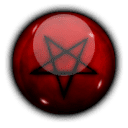
i have 2 pics that were looking nice as win start orb, will someone create them for me pls?! with black backround if possible..

greetings
 

Attachments

  • MTG_White.png
    MTG_White.png
    6.6 KB · Views: 1,619
  • Diablo_Pentagram_Orb_Icon_by_yaji.png
    Diablo_Pentagram_Orb_Icon_by_yaji.png
    4.8 KB · Views: 1,719

My Computer My Computer

At a glance

Windows 7
OS
Windows 7
I tried to install the Grimm Icons, but i dont see them when i try to change the icon of a folder... Any clues? I backed up everything also. Doesnt seem like anything has changed, also i am running the latest build, the student Pro edition.
 

My Computer My Computer

At a glance

XP Pro
OS
XP Pro
make me a start button?

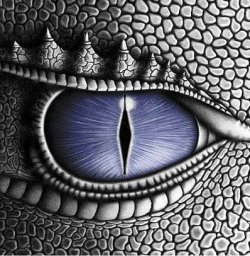
i would like to have a start button that is a dragons eye

open when not hovering over it

when hovered over it id like it to close its eye lids slightly

when clicked id like it to close completly

i would like it to be in darker colors (grey, black, silver, and possibly dark red)

if its possible maybe make me a clock gadget to go with it as well :)

in any case just make it look as cool as you can, from what ive seen in this forum you guys are pretty good at that.
 

Attachments

  • eragon01.jpg
    eragon01.jpg
    44.9 KB · Views: 19
Last edited:

My Computer My Computer

At a glance

Windows 7 Ultimate x64 RTM 7600Amd Quad Core 2.4ghz8 gigs512 video memory Nvidia 9600gs
Computer Manufacturer/Model Number
Hp M9500y
OS
Windows 7 Ultimate x64 RTM 7600
CPU
Amd Quad Core 2.4ghz
Memory
8 gigs
Graphics Card(s)
512 video memory Nvidia 9600gs
Monitor(s) Displays
Hp w1907
Hard Drives
750 gig Sata drive
Gold 7 0rb :D

224f21ca85bc7eb789ba2780ca4c6e3e4g.jpg

cant see yours :(
 

My Computer My Computer

At a glance

Windows 7
OS
Windows 7
Hello Ace,

It's fixed now. ;)
 

My Computer My Computer

At a glance

64-bit Windows 11 Pro for WorkstationsIntel i7-8700K OC'd to 5 GHz64 GB (4x16GB) G.SKILL TridentZ RGB DDR4 3600...ASUS ROG-STRIX-GTX1080TI-O11G-GAMING
Computer type
PC/Desktop
Computer Manufacturer/Model Number
Self built custom
OS
64-bit Windows 11 Pro for Workstations
CPU
Intel i7-8700K OC'd to 5 GHz
Motherboard
ASUS ROG Maximus XI Formula Z390
Memory
64 GB (4x16GB) G.SKILL TridentZ RGB DDR4 3600 MHz
Graphics Card(s)
ASUS ROG-STRIX-GTX1080TI-O11G-GAMING
Sound Card
Integrated
Monitor(s) Displays
2 x Samsung Odyssey G7 27"
Screen Resolution
2560x1440
Hard Drives
1TB Samsung 990 PRO M.2,
4TB Samsung 990 PRO PRO M.2,
TerraMaster F8 SSD Plus NAS
PSU
Seasonic Prime Titanium 850W
Case
Thermaltake Core P3
Cooling
Corsair Hydro H115i
Keyboard
Logitech wireless K800
Mouse
Logitech MX Master 4
Internet Speed
2 Gb/s Download and 100 Mb/s Upload
Antivirus
Malwarebyte Anti-Malware Premium
Browser
Google Chrome
Other Info
Logitech Z625 speaker system,
Logitech BRIO 4K Pro webcam,
HP Color LaserJet Pro MFP M477fdn,
APC SMART-UPS RT 1000 XL - SURT1000XLI,
Galaxy S23 Plus phone
I have seen that you guys are very helpful on here. I am hoping someone with some skills can lend me a hand.

I have this image i would like to turn into an orb.

I would like the image to incorporate a little more black/orange as i am running a gateway p-7805u and would like it to match.

ANY help is greatly appreciated!

I have attached what i have been able to do so far.


:thumbsup: Thank You!

I made a start on it for you, now maybe Bull can take over for you.

View attachment 32537

Here you go, W7 ready

DB 4 Bitmap_6801.png

View attachment DB Orb.zip

cheers
xxrazor:D
 

My Computer My Computer

At a glance

Dual Boot 7600 RTM x646GBNVIDIA GeForce 9600GT
OS
Dual Boot 7600 RTM x64
Motherboard
Asus P5B
Memory
6GB
Graphics Card(s)
NVIDIA GeForce 9600GT
Monitor(s) Displays
Benq 24" x 2
Screen Resolution
1600 x 1024
Hard Drives
Seagate 160 GB Sata
Western Digital 1.5 TB Sata
Seagate 400 GB External
Case
Antec
Hey guys, this look like alot of fun, how do you make these custom themes and such? i wouldn't mind having a shot at doing one of my own.
 

My Computer My Computer

At a glance

W7 RTM Ultimate x64Intel Q8400 @ 2.66GHZ4GB DDR2-800Gainward GTS 450 GLH 1GB Edition
Computer Manufacturer/Model Number
Custom Build
OS
W7 RTM Ultimate x64
CPU
Intel Q8400 @ 2.66GHZ
Motherboard
Gigabyte GA-EG45M-UD2H
Memory
4GB DDR2-800
Graphics Card(s)
Gainward GTS 450 GLH 1GB Edition
Sound Card
Integrated 8 Channel
Monitor(s) Displays
AOC 23.6 Inch Widescreen LCD
Screen Resolution
1920x1080
Hard Drives
Seagate 500GB Internal
Western Digital 1TB Internal

Hitachi 1TB External
PSU
Apevia Java Power 500W
Case
Cooler Master HAF 922 Black
Cooling
Stock Intel CPU Fan
Keyboard
HP SK-2960 Multimedia Keyboard
Mouse
Logitech M350 Wireless Gaming Mouse
Internet Speed
1.5MB
Hi i have collected a themes worth of MAC OS icons and was wondering if someone could help in making a custom theme based on the mac OS. I also have a partial them done which turn all the windows to a mac style
 

My Computer My Computer

At a glance

windows 7 professional X64T93004 gigGforce8400
Computer Manufacturer/Model Number
XPSm1303
OS
windows 7 professional X64
CPU
T9300
Motherboard
Intel
Memory
4 gig
Graphics Card(s)
Gforce8400
Monitor(s) Displays
13" LED
Hard Drives
250 gig Seagate 7200
xxrazor... id like the top theme if its not to much trouble I have 7600 x64

You will find it here mate,
:: ThaImpact VS - 7 Version :: by ~DjabyTown on deviantART

and here is the Download


Safeguard:
If you follow the process going forward correctly you will not use system restore or the backup, But PLEASE BACKUP NOW and Update System Restore
BETTER TO SAFE THAN SORRY, it would help if you had a copy of your operating system on a disc, because if you need to use system restore or your backup, you can only access it from your disc.

How to Take ownership
On each file within your system before replace with new ones you will need to take ownership, Right click\Properties\Security Tab\Advanced Button\Owner Tab\Edit Button\high-lite administrators\ apply, you have just taken owner ship, now high-lite user name and apply, just in case.

How To Load Theme
1) load this first,
http://uxstyle.com/builds/UxStyle_Core_jul13_bits.zip, with this you do not need to worry about the folder name Uxtheme which contains, themeservice.dll, themeui.dll and uxtheme.dll.

2)copy the following files into c:\Windows\System32, ExplorerFrame.dll and Shell32.dll You must take ownership of exciting file before you can do this.

3)copy the following file into c:\Windows, Explorer.exe You must take ownership of exciting file before you can do this.

4)copy the following folder and files into c:\Windows\Resource\Theme,Thaimpact folder and thaimpact.theme file.

5) Reboot

6)If you can not see Thaimpact in personalise , go into c:\Windows\Resource\Theme and double click thaimpact.theme, then it will start working.

hope this helps

xxrazor


Enjoy
xxrazor:D

I have taken ownership of all 3 files but in order for me to copy them I need explorer open which then will not allow me to do a replacement....any suggestions.
 

My Computer My Computer

At a glance

Windows 7 Ultimate x863.0 GHz2 GBATI Radeon x700
Computer Manufacturer/Model Number
ASUS
OS
Windows 7 Ultimate x86
CPU
3.0 GHz
Motherboard
ASUS P5GD1
Memory
2 GB
Graphics Card(s)
ATI Radeon x700
Monitor(s) Displays
Viewsonic 19"
Screen Resolution
1280 * 1024
Hard Drives
2 WD 200GB
Case
Tsunami Dream
Keyboard
Microsoft Natural
xxrazor... id like the top theme if its not to much trouble I have 7600 x64

You will find it here mate,
:: ThaImpact VS - 7 Version :: by ~DjabyTown on deviantART

and here is the Download


Safeguard:
If you follow the process going forward correctly you will not use system restore or the backup, But PLEASE BACKUP NOW and Update System Restore
BETTER TO SAFE THAN SORRY, it would help if you had a copy of your operating system on a disc, because if you need to use system restore or your backup, you can only access it from your disc.

How to Take ownership
On each file within your system before replace with new ones you will need to take ownership, Right click\Properties\Security Tab\Advanced Button\Owner Tab\Edit Button\high-lite administrators\ apply, you have just taken owner ship, now high-lite user name and apply, just in case.

How To Load Theme
1) load this first,
http://uxstyle.com/builds/UxStyle_Core_jul13_bits.zip, with this you do not need to worry about the folder name Uxtheme which contains, themeservice.dll, themeui.dll and uxtheme.dll.

2)copy the following files into c:\Windows\System32, ExplorerFrame.dll and Shell32.dll You must take ownership of exciting file before you can do this.

3)copy the following file into c:\Windows, Explorer.exe You must take ownership of exciting file before you can do this.

4)copy the following folder and files into c:\Windows\Resource\Theme,Thaimpact folder and thaimpact.theme file.

5) Reboot

6)If you can not see Thaimpact in personalise , go into c:\Windows\Resource\Theme and double click thaimpact.theme, then it will start working.

hope this helps

xxrazor


Enjoy
xxrazor:D

I have taken ownership of all 3 files but in order for me to copy them I need explorer open which then will not allow me to do a replacement....any suggestions.

If you have taken ownership of all the files including explorer.exe, rename name your orginal files ExplorerFrame.dll.org and Shell32.dll.org then paste the new files into same folder, now do the same with explore.exe, it should look like this.

imagejdx.jpg


Complete the steps above and you should be right to go.

cheers
xxrazor
 

My Computer My Computer

At a glance

Dual Boot 7600 RTM x646GBNVIDIA GeForce 9600GT
OS
Dual Boot 7600 RTM x64
Motherboard
Asus P5B
Memory
6GB
Graphics Card(s)
NVIDIA GeForce 9600GT
Monitor(s) Displays
Benq 24" x 2
Screen Resolution
1600 x 1024
Hard Drives
Seagate 160 GB Sata
Western Digital 1.5 TB Sata
Seagate 400 GB External
Case
Antec
Hello, I am new here. I didn't read whole thread, I just want to ask how to change that stupid light blue menu bar color to another ? It is so iritating me. I tried windowsblinds and winstep xtreme but id didn't help.
 

My Computer My Computer

At a glance

windows 7 home premium 64bit sp1
OS
windows 7 home premium 64bit sp1
Hello, I am new here. I didn't read whole thread, I just want to ask how to change that stupid light blue menu bar color to another ? It is so iritating me. I tried windowsblinds and winstep xtreme but id didn't help.

You will need to edit the image for it in the Areo.msstyle theme file.
 

My Computer My Computer

At a glance

Windows 7 Ultimate Vista Ultimate x64Core 2 Duo E8500 3.16Ghz @ 3.8Ghz2x2Gigs Patriot PC2-6400 LLInno3D GeForce GTX260 216 SP
Computer Manufacturer/Model Number
Home Brew
OS
Windows 7 Ultimate Vista Ultimate x64
CPU
Core 2 Duo E8500 3.16Ghz @ 3.8Ghz
Motherboard
eVGA 750i FTW
Memory
2x2Gigs Patriot PC2-6400 LL
Graphics Card(s)
Inno3D GeForce GTX260 216 SP
Monitor(s) Displays
ASUS VW222U 22" 2ms Response time
Screen Resolution
1680x1050
Hard Drives
SATA 150GB
SATA II 250GB
USB IDE 750GB Ext.
PSU
HYTEC 600W & Thermaltake 650W Toughpower Power Exp
Case
Thermaltake Armor LCS (Liquid Cooling System)
Cooling
Liquid Cooling System
Keyboard
Logitech G15 Gaming Keyboard
Mouse
Logitech G9 Gaming Mouse

Hello, I am new here. I didn't read whole thread, I just want to ask how to change that stupid light blue menu bar color to another ? It is so iritating me. I tried windowsblinds and winstep xtreme but id didn't help.

You will need to edit the image for it in the Areo.msstyle theme file.

Please explain me how can I do that.
 

My Computer My Computer

At a glance

windows 7 home premium 64bit sp1
OS
windows 7 home premium 64bit sp1
You will find it here mate,
:: ThaImpact VS - 7 Version :: by ~DjabyTown on deviantART

and here is the Download


Safeguard:
If you follow the process going forward correctly you will not use system restore or the backup, But PLEASE BACKUP NOW and Update System Restore
BETTER TO SAFE THAN SORRY, it would help if you had a copy of your operating system on a disc, because if you need to use system restore or your backup, you can only access it from your disc.

How to Take ownership
On each file within your system before replace with new ones you will need to take ownership, Right click\Properties\Security Tab\Advanced Button\Owner Tab\Edit Button\high-lite administrators\ apply, you have just taken owner ship, now high-lite user name and apply, just in case.

How To Load Theme
1) load this first,
http://uxstyle.com/builds/UxStyle_Core_jul13_bits.zip, with this you do not need to worry about the folder name Uxtheme which contains, themeservice.dll, themeui.dll and uxtheme.dll.

2)copy the following files into c:\Windows\System32, ExplorerFrame.dll and Shell32.dll You must take ownership of exciting file before you can do this.

3)copy the following file into c:\Windows, Explorer.exe You must take ownership of exciting file before you can do this.

4)copy the following folder and files into c:\Windows\Resource\Theme,Thaimpact folder and thaimpact.theme file.

5) Reboot

6)If you can not see Thaimpact in personalise , go into c:\Windows\Resource\Theme and double click thaimpact.theme, then it will start working.

hope this helps

xxrazor


Enjoy
xxrazor:D

I have taken ownership of all 3 files but in order for me to copy them I need explorer open which then will not allow me to do a replacement....any suggestions.

If you have taken ownership of all the files including explorer.exe, rename name your orginal files ExplorerFrame.dll.org and Shell32.dll.org then paste the new files into same folder, now do the same with explore.exe, it should look like this.

imagejdx.jpg


Complete the steps above and you should be right to go.

cheers
xxrazor

thanks, works great...
 

My Computer My Computer

At a glance

Windows 7 Ultimate x863.0 GHz2 GBATI Radeon x700
Computer Manufacturer/Model Number
ASUS
OS
Windows 7 Ultimate x86
CPU
3.0 GHz
Motherboard
ASUS P5GD1
Memory
2 GB
Graphics Card(s)
ATI Radeon x700
Monitor(s) Displays
Viewsonic 19"
Screen Resolution
1280 * 1024
Hard Drives
2 WD 200GB
Case
Tsunami Dream
Keyboard
Microsoft Natural
Hello, I am new here. I didn't read whole thread, I just want to ask how to change that stupid light blue menu bar color to another ? It is so iritating me. I tried windowsblinds and winstep xtreme but id didn't help.

You will need to edit the image for it in the Areo.msstyle theme file.

In Restorator 2007 trial I've changed 830.png from aero.msstyle, replaced, but after reboot aero refuses to run, it is just classic mode.
 

My Computer My Computer

At a glance

windows 7 home premium 64bit sp1
OS
windows 7 home premium 64bit sp1
Status
Not open for further replies.
Back
Top