
Data Recovery on Old Hard Drive

Matthew86

New member
Local time
3:46 PM
Messages
1
Hello,

I have been having great difficulty trying to figure out how to recover all of my data on my hard drive that just stopped working three nights ago. I was foolish to not back anything up. I have attached a picture of what my desktop looks like with two windows open. One being Disk Management and the other being Minitool Partition Wizard. They both show the hard drive that I am trying to recover. That hard drive will not show up on "My Computer" but I can see it in those two windows. What can I do to recover this data? I have tried a couple tools, but they could not see it, and the Minitool Partition Wizard was still at 0% after 18 hours of scanning. Thank you.
 

Attachments
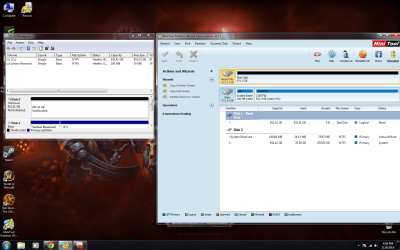
  • Desktop.png
    Desktop.png
    235.2 KB · Views: 12

My Computer My Computer

Computer type
PC/Desktop
OS
Windows 7 Ultimate 64-bit
Hi Mat the w,

Welcome to Seven Forums.

I presume it is an internal drive on your desktop.

Please run the manufacturer's diagnostic/repair utility. ( Since you did not tell us the make/model number of the drive, I can only give this general statement.) Check whether it is able to repair your disk.
 

My Computer My Computer

OS
Windows 7 Home Premium 32 bit
After following jumanji's suggestion, if you are talking about what disk management lists as Disk 0, it shows unallocated, which is not a good sign. Try right clicking the drive from the bottom portion of the disk management window, select change drive letter ot path, next screen select add and add a drive letter to it and it will show up in explorer. If diring this process disk management wants to create a partition and format the drive, don't do it. It will make your data extremely hard to recover, if not impossible. Two other possible solutions to recover the data.
http://www.sevenforums.com/tutorials/93347-copy-paste-windows-recovery-console.html
http://www.sevenforums.com/tutorials/287439-emergency-kit-save-your-files-dead-os.html - you can use any version of Linux you like the same way, Mate is just a little easier to use than other distros.
 

My Computers My Computers

System One System Two

  • Computer type
    PC/Desktop
    Computer Manufacturer/Model Number
    ALWAYS UNDER CONSTRUCTION
    OS
    Windows 11 Pro
    CPU
    Ryzen 9 5900X
    Motherboard
    Asus X570 Crosshair Viii Hero
    Memory
    32GB G Skill DDR4-3600
    Graphics Card(s)
    EVGA RTX 3080 FTW 3 Ultra
    Sound Card
    On Board/Sennheiser PC37X Headset
    Monitor(s) Displays
    3 X Asus 27"
    Screen Resolution
    2560x1440
    Hard Drives
    2 X 1 TB NVME drives
    PSU
    EVGA 850
    Case
    Phanteks Eclipse P400A
    Cooling
    EVGA 280 AIO
    Keyboard
    Logitech G510s/ Logitech G13
    Mouse
    Logitech G502
    Internet Speed
    24/1
    Antivirus
    ESET/MBAM Pro/SAS Pro
    Browser
    Chrome/ Firefox/ Edge
  • Computer type
    Laptop
    System Manufacturer/Model Number
    Dell 16 Plus
    OS
    Windows 11 Pro
    CPU
    Intel Ultra 9 288V
    Memory
    32 GB LPDDR5X 8533
    Monitor(s) Displays
    16" Mini-LED HDR600 Touch 90 Hz
    Screen Resolution
    2560X1600
    Hard Drives
    1 TB NVME
Best data recovery tool I've used is RecoverMyFiles. Downloading and installing it (for evaluation) is free -- which will let you see what it finds. But, you have to purchase a license to do the actual file recovery.
 

My Computer My Computer

Computer type
PC/Desktop
Computer Manufacturer/Model Number
Custom
OS
Win7 Pro 32-bit, Win8 Pro 32-bit
CPU
AMD Phenom II X6 1090T
Motherboard
Gigabyte
Memory
4GB ddr3 1300
Graphics Card(s)
AMD HD 4290 onboard
Sound Card
Builtin Realtek HD Audio
Monitor(s) Displays
Samsung 24" widescreen, LG 23" widescreen
Screen Resolution
1920x1200/1920x1080
Hard Drives
Kingston 256GB SSD
Keyboard
Logitech Illuminated Keyboard
Mouse
Logitech M705 wireless mouse
Antivirus
Norton Av 2013
Browser
IE v10
Back
Top