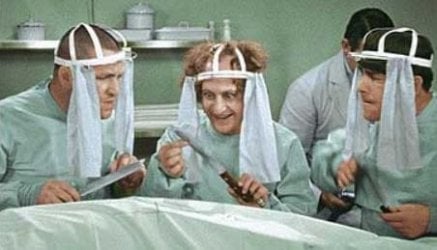
December 9th 2014 Windows Updates

My Computer

Computer type
PC/Desktop
Computer Manufacturer/Model Number
custom built
OS
Windows 7 ultimate 64-bit
CPU
Intel I7 2600K 3.4ghz
Motherboard
Asus Evo P8P67
Memory
Corsair 16gb ddr3 1600mhz
Graphics Card(s)
Nvidia Geforce gt 430
Sound Card
Sound Blaster Titanium x-fi pci express
Monitor(s) Displays
Dell E198WFP
Hard Drives
1 western digital 2TB drive.
PSU
Antec 1200 watt
Case
Inwin Dragon Rider
Cooling
6 case supplied cooling fans
Keyboard
logitech mk700
Mouse
logitech m705
Internet Speed
25-50mbps download; 10mbps upload(i think)
Antivirus
avg free 2014
Browser
mozilla firefox
Other Info
Also have a pretty bad speaker setup which is a klipsch promedia 5.1 surround speaker setup with huge subwoofer and lg blu ray player/writer. Also a hp officejet pro 8600 plus wireless all in one and a logitech s7500 webcam.
To; pbcopter, Urthboundmisfit, Lady Fitzgerald, ThisIsMadness91, matts6887, and the usual cast of members. I want to thank all of you for your input and kind words.
Oh! And Brink for the monthly EPIC threads concerning Patch Tuesdays!

I installed 8923 along with the rest of updates that Microsoft deemed necessary for my system, and all went well, don't forget I also had 3057 installed too.
As usual when there is an IE (10) update I ask my dear wife if she would let me know if there were any problems while she was surfing, and surprisingly she mentioned that IE actually seemed smoother. :shock: There is an old saying about letting sleeping dogs lie.... :p

As I mentioned in my earlier post I have a discrepancy in what WU history and WU installed updates show, I might have to make a trip to Dr. NoelDP's office to figure it out.

This will be of interest to pbcopter, and ThisIsMadness91. I do show KB3004394 in WU history, but, when I search for it in history I get the evil "No Items Match Your Search" :shock:

But, 4394 does show in installed WU and when I search for it it does come up. :shock: :confused: Looks like a trip to the SURT Shed. :zip:

Ring, ring; Hello, I'd like to make an appointment with Dr. Noel, what! Not until February? Oh, okay....I'll take it.


btw: If anyone wants to create a meme like I did, just search for meme generator (this is a google search).
Anyone that wants to save mine is welcome, I used a generator and saved what you see in post #14 on my HDD.

Special thanks go out to Urthboundmisfit, and matts6887 for liking it so much.
 

My Computer

Computer type
PC/Desktop
Computer Manufacturer/Model Number
Gateway DX4831-01e (Mid-Tower Desktop)
OS
Originally Win 7 Hm Prem x64 Ver 6.1.7600 Build 7601-SP1 | Upgraded to Windows 10 December 14, 2019
CPU
Intel i3 530 2.93GHz, 2933MHz 2 Cores 4 Logical Processors
Motherboard
Gateway H57M01 133 megahertz
Memory
6GB of 1,333MHz DDR3 SDRAM
Graphics Card(s)
32MB Intel Graphics Media Accelerator HD IGChip
Sound Card
Realtek High Definition Audio
Monitor(s) Displays
Gateway HX2000 20inch TFT active matrix TN
Screen Resolution
1600 x 900 x 59 hertz
Hard Drives
WDC WD10EADS-00M2B0 [HDD] (1000.20 GB) -- drive 0,
HL-DT-ST DVDRAM GH41N [CD-ROM dr]
Four card readers, and Four USB 2.0
PSU
300watts.
Case
Mid-Tower Desktop
Cooling
Stock from Gateway
Keyboard
Natural Ergonomic Keyboard 4000, see Other Info
Mouse
Orig. Gateway wore out now using Insignia USB wired optical
Internet Speed
Vz FIOS 10ms png 57.64Mbps down 65.53Mbps up Speedtest.org
Antivirus
Zamana Anti-logger with Anti-malware, MSE, Windows Firewall,
Browser
IE11.0.9600.19399-Upd ver11.0.135, Firefox 68.0.1 x64
Other Info
System Specs by Belarc.

BIOS: American Megatrends Inc. P01-A0 11/17/2009

Replaced the MS 'Natural' Standard PS/2 Enhanced 101-102 Keyboard with a new Natural Ergonomic Keyboard 4000 on August 1st 2014.

Canon Pixma MG3222 Printer.

Updated to IE11 on 12102015 | Fios Quantum Router g1100

Additional AV: SpywareBlaster, manual Mbam, SAS
You're quite welcome mate, I love a good snark (verb) :p keep up the great work here @7 Forums!

BTW, lol @ "Dr NoelDP"
biggrin.gif
... so true!
 

My Computer

Computer type
Laptop
Computer Manufacturer/Model Number
MSI PE60 6QE
OS
Win 10 Pro x64, Win 7 Pro x64
CPU
Intel Core i7-6700HQ Skylake
Motherboard
MSI MS-16J5
Memory
16gb Crucial DDR4
Graphics Card(s)
NVIDIA GeForce GTX 960M 2 GB
Screen Resolution
1920 x 1080
Hard Drives
Samsung 850 EVO 250 GB M.2 SSD (MZ-N5E250BW)
HGST 1TB @7200 RPM HTS721010A9E630
Case
Plastic
Keyboard
Got one...
Mouse
Yep, one of those too.
Internet Speed
FIOS 75/75
Antivirus
Defender
Browser
Chrome/FFox/Ex-PLODE-r/(L)Edge
Other Info
Defender, Custom Hosts, uBlock, regular backups w/ Macrium (Free)
I never had an issue with KB3004394 does anyone know why this is?
 

My Computer

Computer type
PC/Desktop
Computer Manufacturer/Model Number
Dell All in one Inspiron 2020
OS
W10 32 bit, XUbuntu 18.xx 64 bit
CPU
Intel(R) Celeron(R) CPU G1620T @ 2.40GHz, 2400 Mhz
Motherboard
Dell
Memory
4GB
Graphics Card(s)
Intel HD graphics
Sound Card
High Definition Audio Device
Monitor(s) Displays
20 inch Screen
Screen Resolution
W7=1280 x 720 & Linux Mint Xfce=1360 x 768
Hard Drives
500 GB hard drive
Keyboard
Usb
Mouse
Usb
Internet Speed
High-Speed
Antivirus
MSE
Browser
Main Browser Firefox
Other Info
I have done a clean install of Windows 7 using Dell re-installation disk (Dell sent me one). I also use Free Macrium reflect backup and restore.
I never had an issue with KB3004394 does anyone know why this is?

I didn't have any issues, but with what I've read about this update I uninstalled it.
I'll wait for a new fixed update for this.

After uninstalling the update in Win 7 it is NOT re-offered, it has been pulled by MS.

After uninstalling the update in Win 8.1 it IS re-offered, it has NOT been pulled by MS.
 

My Computer

Computer type
PC/Desktop
Computer Manufacturer/Model Number
home built
OS
Multi-Boot W7_Pro_x64 W8.1_Pro_x64 W10_Pro_x64 +Linux_VMs +Chromium_VM
CPU
AMD Athlon II x4 620
Motherboard
Gigabyte GA-MA785G-UD3H
Memory
6GB GSkill DDR2 800
Graphics Card(s)
AMD 4670 GPU + AMD 4200 IGP
Sound Card
on board Realtek ALC889A
Monitor(s) Displays
RCA 40" LCD TV, Insignia 32" LCD TV, HP 15" LCD monitor
Screen Resolution
1680 x 1050
Hard Drives
OCZ Vertex 3 120GB,
Samsung F3 1TB (3),
Several others - WD, Seagate, Hitachi, ...
PSU
Corsair 500 W
Case
Rosewill mid tower
Cooling
CM 90mm rifle
Keyboard
Gyration wireless, Logitech wireless, Dell USB wired
Mouse
Gyration wireless, Logitech wireless, V7 USB wired
Internet Speed
Spectrum - 100Mbps D / 10Mbps U
Antivirus
Avast, MBAM3, EMET, WinPatrol
Browser
Pale Moon, Firefox, IE
Other Info
2 multi-boot PC's
Mainly HTPC/Office/Gen purpose (no gaming).
Trendnet USB KVM.
LG DVD burner/Blue Ray Player.
Tray system for removable SATA backup drives.

Not currently OCd, under-volted.
I use Hybrid sleep, rarely re-boot or shutdown.

Hauppauge HD-PVR, Avermedia PCIe TV Tuner, Hauppauge PCI TV Tuner.
I never had an issue with KB3004394 does anyone know why this is?

I didn't have any issues, but with what I've read about this update I uninstalled it.
I'll wait for a new fixed update for this.

After uninstalling the update in Win 7 it is NOT re-offered, it has been pulled by MS.

After uninstalling the update in Win 8.1 it IS re-offered, it has NOT been pulled by MS.
On one older PC it "appears" not to have had adverse effects yet. On my current PC (see my specs) it created havoc. There is very little chance that there was something fundamentally wrong with my system as I ran all standard checks - you know CPU, RAM, SSD/HDD...
It has now disappeared from my "ready to download and install list". I believe MS have removed it. Also issued a mandatory KB3024777 to systems with KB3004394 installed.
 

My Computer

Computer type
PC/Desktop
Computer Manufacturer/Model Number
Own build
OS
Windows 7x64 Home Premium SP1
CPU
Intel i7 2600k
Motherboard
ASUS P8Z68 Deluxe
Memory
G.Skill Ripjaws (DDR3-1600) 2x4GB
Graphics Card(s)
Nvidia GeForce GTS 450; Intel HD Graphics 3000(GT2+)
Monitor(s) Displays
Dell Ultrasharp IPS panel U2311H, Samsung SyncMaster P2350
Screen Resolution
1920x1080
Hard Drives
Samsung 850 Pro SSD 256GB, Samsung SSD 840 120GB, Seagates 1TB Barracuda ST31000528AS x2
PSU
Seasonic M12II 520W
Case
Lian Li Lancool PC-K60
Cooling
Case: 1x120mm, 3x140mm CPU: Hyper 212+
Keyboard
Logitech MK520 (wireless)
Mouse
Logitech MK520
Internet Speed
6-7 Mbps
Antivirus
Norton Security Premium, Malwarebytes on 2 (MSE on 3rd PC)
Browser
FireFox
Other Info
Audio: Logitech Z523 2.1

My Computer

Computer type
PC/Desktop
Computer Manufacturer/Model Number
Custom built, several laptops HP/ASUS
OS
Linux CENTOS 7 / various Windows OS'es and servers
CPU
Intel i7 Intel i5
Memory
8GB, 16GB
Graphics Card(s)
On Motherboard
Sound Card
Realtek HD audio
Monitor(s) Displays
Apple Cinema display, Samsung LCD
Screen Resolution
1920 X 1080
Hard Drives
4 X 1TB SATA
Mouse
Toshiba wireless laser
Internet Speed
> 20MB up
Last edited:

My Computer

Computer type
Laptop
Computer Manufacturer/Model Number
MSI PE60 6QE
OS
Win 10 Pro x64, Win 7 Pro x64
CPU
Intel Core i7-6700HQ Skylake
Motherboard
MSI MS-16J5
Memory
16gb Crucial DDR4
Graphics Card(s)
NVIDIA GeForce GTX 960M 2 GB
Screen Resolution
1920 x 1080
Hard Drives
Samsung 850 EVO 250 GB M.2 SSD (MZ-N5E250BW)
HGST 1TB @7200 RPM HTS721010A9E630
Case
Plastic
Keyboard
Got one...
Mouse
Yep, one of those too.
Internet Speed
FIOS 75/75
Antivirus
Defender
Browser
Chrome/FFox/Ex-PLODE-r/(L)Edge
Other Info
Defender, Custom Hosts, uBlock, regular backups w/ Macrium (Free)
robinb9, are you keeping up?

Has anyone received this yet? I have. A thought just occurred; I believe if you've already uninstalled 4394, you won't receive it.

WU.JPG

Update information The KB 3004394 update that was dated December 10, 2014 can cause additional problems on computers that are running Windows 7 Service Pack 1 (SP1) and Windows Server 2008 R2 SP1. This includes the inability to install future updates. This new update is available to remove KB 3004394 from your computer.

For more information about the KB 3004394 update, see the following Microsoft Knowledge Base article:

3004394 December 2014 update for Windows Root Certificate Program in Windows

Source: http://support.microsoft.com/kb/3024777
Its been greyed out so I imagine I don't have a choice whether I want to install or not. Wish me luck!

Paging Dr. Noel, paging Dr. Noel...........dr noel.JPG


You're quite welcome mate, I love a good snark (verb) :p keep up the great work here @7 Forums!

BTW, lol @ "Dr NoelDP"
biggrin.gif
... so true!

Hi there

You might enjoy THIS one too !!!.

The Hunting of the Snark by Lewis Carroll : The Poetry Foundation

Cheers
jimbo

snark.jpg
 

My Computer

Computer type
PC/Desktop
Computer Manufacturer/Model Number
Gateway DX4831-01e (Mid-Tower Desktop)
OS
Originally Win 7 Hm Prem x64 Ver 6.1.7600 Build 7601-SP1 | Upgraded to Windows 10 December 14, 2019
CPU
Intel i3 530 2.93GHz, 2933MHz 2 Cores 4 Logical Processors
Motherboard
Gateway H57M01 133 megahertz
Memory
6GB of 1,333MHz DDR3 SDRAM
Graphics Card(s)
32MB Intel Graphics Media Accelerator HD IGChip
Sound Card
Realtek High Definition Audio
Monitor(s) Displays
Gateway HX2000 20inch TFT active matrix TN
Screen Resolution
1600 x 900 x 59 hertz
Hard Drives
WDC WD10EADS-00M2B0 [HDD] (1000.20 GB) -- drive 0,
HL-DT-ST DVDRAM GH41N [CD-ROM dr]
Four card readers, and Four USB 2.0
PSU
300watts.
Case
Mid-Tower Desktop
Cooling
Stock from Gateway
Keyboard
Natural Ergonomic Keyboard 4000, see Other Info
Mouse
Orig. Gateway wore out now using Insignia USB wired optical
Internet Speed
Vz FIOS 10ms png 57.64Mbps down 65.53Mbps up Speedtest.org
Antivirus
Zamana Anti-logger with Anti-malware, MSE, Windows Firewall,
Browser
IE11.0.9600.19399-Upd ver11.0.135, Firefox 68.0.1 x64
Other Info
System Specs by Belarc.

BIOS: American Megatrends Inc. P01-A0 11/17/2009

Replaced the MS 'Natural' Standard PS/2 Enhanced 101-102 Keyboard with a new Natural Ergonomic Keyboard 4000 on August 1st 2014.

Canon Pixma MG3222 Printer.

Updated to IE11 on 12102015 | Fios Quantum Router g1100

Additional AV: SpywareBlaster, manual Mbam, SAS
I uninstalled 3004394 and 3024777 isn't showing up.
 

My Computer

Computer type
PC/Desktop
Computer Manufacturer/Model Number
Packard Bell ipower G5800
OS
Windows 7 Home Premium 64bit (Service Pack 1)
CPU
Intel Core i7
Memory
6.00 GB
Graphics Card(s)
NVIDIA GeForce GTX 550 Ti
Antivirus
Avira Free Antivirus
Browser
Firefox

My Computer

Computer type
Laptop
Computer Manufacturer/Model Number
MSI PE60 6QE
OS
Win 10 Pro x64, Win 7 Pro x64
CPU
Intel Core i7-6700HQ Skylake
Motherboard
MSI MS-16J5
Memory
16gb Crucial DDR4
Graphics Card(s)
NVIDIA GeForce GTX 960M 2 GB
Screen Resolution
1920 x 1080
Hard Drives
Samsung 850 EVO 250 GB M.2 SSD (MZ-N5E250BW)
HGST 1TB @7200 RPM HTS721010A9E630
Case
Plastic
Keyboard
Got one...
Mouse
Yep, one of those too.
Internet Speed
FIOS 75/75
Antivirus
Defender
Browser
Chrome/FFox/Ex-PLODE-r/(L)Edge
Other Info
Defender, Custom Hosts, uBlock, regular backups w/ Macrium (Free)
I uninstalled 3004394 and 3024777 isn't showing up.

I have uninstalled it on all my computers and hid it on all my clients computers so it could not install.
I have not seen this 30244777 show up at all even on the ones that i hid it.
This new Kb is to uninstall 3004394, it is not to replace it. They have not fixed it yet.
But you would think since I hid it, it is sttill there so i would think i would see the other one but so far I have not as of 12:41pm EST
robin
 

My Computer

Computer type
PC/Desktop
Computer Manufacturer/Model Number
Dell Computers
OS
Windows 7 Pro 32/64 bit and Windows 10 Pro 32 Bit/64bit
Memory
4gigs
Graphics Card(s)
AMD Radeon HD and Nvidia
Monitor(s) Displays
Samsung 24". INC 19". Dell 22 ". Dell 17" & 19"
I did not have any problems with KB3004394 so I did not uninstall it.
Update KB3024777 came through this morning & it installed successfully & required a restart & so far no problems.
 

My Computer

Computer type
PC/Desktop
Computer Manufacturer/Model Number
Self built using existing case
OS
Windows 7 Home Premium 64 bit sp1
CPU
Intel i5 3570 3.4Ghz Ivy Bridge SKT 1155 quad core
Motherboard
Gigabyte Z77-HD3 SKT 1155 2xSata 3, 4x USB 3.0
Memory
G-Skill Rip Jaws 16Gb (8x2) DDR3 -1600 PC3 12800 CL 10 red
Graphics Card(s)
Gigabyte NVIDIA GT610 1Gb DDR3 810/1200 PCI-E 2.0 Silent
Sound Card
NVIDIA High Definition & Realtech High Definition Audio
Monitor(s) Displays
2 x Philips 226V4L 16:9 aspect ratio
Screen Resolution
1920 x 1080 HD
Hard Drives
Samsung 840 Pro 256gb SSD, SATA 3.
Hitachi Touro Portable 1tb, USB 3.0 HDD used for image b/ups.
PSU
Corsair VS450
Case
Codeng
Cooling
PSU fan & CPU fan
Keyboard
Logitech
Mouse
Logitech Wireless trackball M570
Internet Speed
Wireless 3G. 3mg down & 550kb up.
Antivirus
Bitdefender Internet Security 2020
Browser
Opera (Current Version) & Firefox
Other Info
MS Office 2013 Pro. Davis weather station software. MGE Nova 600 avr UPS.
A Primer on Windows Updates.

I uninstalled 3004394 and 3024777 isn't showing up.

I have uninstalled it on all my computers and hid it on all my clients computers so it could not install.
I have not seen this 30244777 show up at all even on the ones that i hid it.
This new Kb is to uninstall 3004394, it is not to replace it. They have not fixed it yet.
But you would think since I hid it, it is sttill there so i would think i would see the other one but so far I have not as of 12:41pm EST
robin
Robin,

I have also experienced the angst of wondering if I was to receive an Update. Some reasons why you wouldn't are; You have a different version of operating system (OS), if you see others receive more Updates than you the main reason for this is the Windows Office suite, but could apply to other Windows programs that you may or may not have installed.

In the case of hidden updates you need to understand how Windows Update Service works. It's not what you have hidden or downloaded, it's what you have installed.

I am going to show this quote from a 2008 White Paper to pique your interest, but I hid the rest of it for the sake of brevity to Brink's Thread. Click on Show Detail to see more:
How Updating Works

During the updating process, the Windows Update client operates in the background to download and install updates. (The Windows Update client is the Windows Update component running on your PC.) It does this automatically, according to your settings, and in a “silent” manner that doesn’t disrupt your computer usage. This section describes how Windows Update behaves during the update process
I tried looking for a more recent paper on this subject because there is one area that is sorely outdated; Security Protections in Windows Update that explains the usage of Secure Socket Layer (SSL) protocols to send and receive information. Since the POODLE blowup I'm sure the update service is now using the TLS protocols. See Related Links for more on POODLE and TLS.


Checking for updates


The Windows Update client on your PC checks the Windows Update server at Microsoft for the availability of new updates at random intervals, every 17 to 22 hours. The randomization ensures that the Windows Update server is not overloaded with requests for updates all at the same time. The client is very efficient in checking for new updates and searches only for updates that have been added since the last time updates were searched, allowing it to find updates quickly and efficiently.
When checking for updates, the Windows Update client evaluates whether the update is appropriate for your computer using guidelines defined by the publisher of the update, for example, Microsoft Office.
If the computer is not online at the time you specified to check for updates, then the Windows Update client begins checking every five hours until it successfully finds updates. If more than 30 days have gone by without successfully finding updates, the client will notify you. If you should receive such a notification, you should connect your computer to the Internet, go to the Windows Update Web site, and check for updates.

Downloading updates


Once the Windows Update client determines which updates apply to your computer, it will begin downloading the updates, if you have selected the option to automatically download updates. It does this in the background without interrupting your normal use of the computer.
To ensure that your other downloads aren’t affected or slowed down because updates are downloading, Windows Update uses the Background Intelligent Transfer Service (BITS) technology which downloads updates using idle bandwidth. This technology ensures that Windows Update downloads only when no other active download is in progress on the computer. This allows you to smoothly carry on day-to-day activities even while updates are being downloaded in the background.
Windows Update also supports pausing and restarting downloads. You do not have to worry if you need to shut down your computer, or if you have lost your Internet connection while an update is downloading. Once the connection is reestablished, the download will continue where it left off.

Installing Updates


When downloading is complete, depending on your Windows Update settings, the Windows Update client either installs the updates automatically, or else it notifies you of the download without performing the installation. You do not need to be logged in to your computer for Windows Update to automatically install updates.
When the option to automatically install updates is configured, the Windows Update client tries to install updates as they become available. For example, if updates are available when you begin shutting down your computer, it gives you the option to install the updates before shutting down the computer. Otherwise, it installs them during the time you have specified for updates to be automatically installed. The default time for updates to be automatically installed is 3:00 AM daily.

When you install Microsoft software

When you install or reinstall a program, you must reinstall updates that came out after the installation CD or installer was created. For some programs there may be multiple updates available and some updates may require a previously released update to be installed.
If your computer is not turned on during the scheduled time for installing updates, the Windows Update client will try to wake up the PC (if the PC was asleep), or wait for the PC to be turned on again. As soon as the PC is running again, it will install the updates.

Rebooting your computer


When the option to automatically install updates is configured, the Windows Update client, in most cases, automatically restarts the PC for you after installing the updates. This is necessary because your PC may be insecure, or not fully updated, until a restart is completed. To reduce the number of computer restarts required, the client attempts to install as many updates as possible together. If you are using the computer, you may be given the option to postpone the restart.
Most updates can be installed automatically without any user intervention. Some updates, however, such as service packs require the user to provide explicit consent. These are not automatically installed. When you install updates manually, be sure to restart your PC if prompted to do so. Otherwise, the PC may not be updated until a restart is performed.

Reporting


The Windows Update client reports back to Microsoft regarding which updates have installed successfully and which, if any, failed to install. This helps the Windows Update team verify the quality of the updates provided by Windows Update. No personally identifiable information (PII) is sent to Microsoft or stored by Microsoft with the report. For more information, read the Windows Update privacy statement online at http://update.microsoft.com/windowsupdate/v6/vistaprivacy.aspx?ln=en-us.
The Windows Update client keeps a log of all the different actions it performed on a particular computer at %windir%\windowsupdate.log. On Windows Vista, this log is available from the Windows Update control panel.

When the Windows Update Client is Updated


From time to time, Microsoft needs to update and enhance the Windows Update service, and that includes updating the Windows Update client software on your PC. If Windows Update is configured to check for updates, it installs a newer version of the Windows Update client automatically, so that it can continue to check for updates. If Windows Update is completely turned off, the client is not updated. If the client doesn’t update automatically then it may not be able to notify you about new updates. For this reason, Windows Update always updates the client automatically before checking for other updates. Given how important it is to maintain the quality of the update service, Windows Update always updates itself when it is turned on, regardless of whether you've chosen the option to have updates automatically installed or to be notified that they are available so that you can manually install them. If you have automatic updating turned off completely, the next time you manually check for updates, you will be prompted to update the Windows Update client before installing any updates.

Security Protections in Windows Update


Windows update implements many security checks and restrictions to ensure that the security of your computer is not compromised. The most critical checks validate the authenticity and quality of the software and updates that are installed on a machine. Some of the ways in which Windows Update maintains the integrity of the updates that get installed are as follows:

  1. Windows Update uses the Secure Socket Layer (SSL) protocol to send and receive information. SSL is used to encrypt the information being transferred, prevents hackers from tampering with information being transferred, and verifies that the Windows Update agent is transferring data from an authorized Microsoft server.
  2. Each update is individually signed using the Secure Hashing Algorithm (SHA-1). This technology allows Windows Update to confirm that the update has been downloaded correctly and hasn’t been changed by anyone. The update signature is also compared to information in the update metadata that was previously downloaded.
  3. Windows Update also checks for the certificate associated with each update. This certificate provides a means for Windows Update to validate the source of each update. Currently Windows Update will only install updates that have certificates issued by Microsoft or other providers that are trusted by Microsoft.
Windows Update has many more internal security checks and controls. For example, Windows Update ensures that any action that can make your machine less secure (like turning off Windows Update) can only be performed by an authorized administrator.

To help keep your PC more secure and reliable, it's a good idea to install new updates as soon as they're available. The easiest way to install updates is to use the Windows Update service and make sure automatic updating is turned on. Now that you know how important—and easy—it is, be sure to check your Windows Update settings today.

If you would like to have a copy of the .docx file for Windows Updates Explained I can only find this link that is a direct download. :( I did scan it on Virus Total and it came up 0/56.

Related Link for more on POODLE and TLS

Many of the nation’s top banks, investment firms and credit providers are vulnerable to a newly-discovered twist on a known security flaw that exposes Web site traffic to eavesdropping. The discovery has prompted renewed warnings from the U.S. Department of Homeland Security advising vulnerable Web site owners to address the flaw as quickly as possible........

........Until vulnerable sites patch the issue, there isn’t a lot that regular users can do to protect themselves from this bug, aside from exercising some restraint when faced with the desire to log in to banking and other sensitive sites over untrusted networks, such as public Wi-Fi hotspots.

Source: ‘Poodle’ Bug Returns, Bites Big Bank Sites
 

My Computer

Computer type
PC/Desktop
Computer Manufacturer/Model Number
Gateway DX4831-01e (Mid-Tower Desktop)
OS
Originally Win 7 Hm Prem x64 Ver 6.1.7600 Build 7601-SP1 | Upgraded to Windows 10 December 14, 2019
CPU
Intel i3 530 2.93GHz, 2933MHz 2 Cores 4 Logical Processors
Motherboard
Gateway H57M01 133 megahertz
Memory
6GB of 1,333MHz DDR3 SDRAM
Graphics Card(s)
32MB Intel Graphics Media Accelerator HD IGChip
Sound Card
Realtek High Definition Audio
Monitor(s) Displays
Gateway HX2000 20inch TFT active matrix TN
Screen Resolution
1600 x 900 x 59 hertz
Hard Drives
WDC WD10EADS-00M2B0 [HDD] (1000.20 GB) -- drive 0,
HL-DT-ST DVDRAM GH41N [CD-ROM dr]
Four card readers, and Four USB 2.0
PSU
300watts.
Case
Mid-Tower Desktop
Cooling
Stock from Gateway
Keyboard
Natural Ergonomic Keyboard 4000, see Other Info
Mouse
Orig. Gateway wore out now using Insignia USB wired optical
Internet Speed
Vz FIOS 10ms png 57.64Mbps down 65.53Mbps up Speedtest.org
Antivirus
Zamana Anti-logger with Anti-malware, MSE, Windows Firewall,
Browser
IE11.0.9600.19399-Upd ver11.0.135, Firefox 68.0.1 x64
Other Info
System Specs by Belarc.

BIOS: American Megatrends Inc. P01-A0 11/17/2009

Replaced the MS 'Natural' Standard PS/2 Enhanced 101-102 Keyboard with a new Natural Ergonomic Keyboard 4000 on August 1st 2014.

Canon Pixma MG3222 Printer.

Updated to IE11 on 12102015 | Fios Quantum Router g1100

Additional AV: SpywareBlaster, manual Mbam, SAS
If you do a Check for Updates on any Windows machine, even if the 394 update is ready to be installed, it will be flushed, and not installed - and MS not longer offer it anyhow so it won't appear (I doubt very much that the new version they release will be under the same KB number, as it would confuse things with the 24777 update out there already).
There is no point in hiding it.
 

My Computer

Computer type
Laptop
Computer Manufacturer/Model Number
Asus K52F or Lenovo B51-80
OS
Win 7 x64 Home Premium (and x86 VirtualBox VM)/Win10
CPU
i3 370M/i7 6500U
Motherboard
Asus/Lenovo
Memory
8GB - finally :)/8GB
Graphics Card(s)
it's an i3, dude!/dual Intel&nVidia
Sound Card
onboard
Monitor(s) Displays
15.6" built-in
Screen Resolution
1366x768/1920x1080
Hard Drives
750GB Seagate internal
Sundry external drives attached to other computers on the local network
1TB SSD on the Lenovo
PSU
n/a
Internet Speed
as much as I can get - usually on a dongle/phone, so <1MB/s
Antivirus
MSE/Defender
Browser
IE11/12/Edge/Chrome/FF(if I must)
Back
Top