Default Laptop Lags Even With SSD?

Drewphish01

Banned
Local time
10:21 PM
Messages
28
Laptop is


Asus u45jc-a1. Laptop specs are i3-370 processor and 4gb ram. Had 250gb hard drive but i went and got a 250gb Samsung Pro SSD hard drive b/c i was told i would not have any lagging at all when playing 20+ tables with HEM and TN on.


Well whenever i get close to that... my laptop lags and freezes a lot on pokerstars. Basically to the point where its moving so slow and lags a lot and im sitting out at my tables. Does anyone know why my laptop lags this much even with the ssd? I had thought with the ssd, i would not have any problems at all. I doubt its b/c its only an i3 processor?


Thing is back in the usa, my desktop was an i5 processor with 4gb ram. I used Holdem Manager and Tableninja and rarely did i ever get any lag and playing 20+ tables. This was when i didn't have an SSD and the desktop while playing on stars back a few years ago... is faster than my laptop now with a samsung pro ssd.


Anyone know what i can do? I defrag my laptop every week. Maybe its the amount of processes that startup on my laptop?


Im very confused why this is happening b/c i thought ssd would solve any lagging or slowness while multabling on with HEM and TN.
 

My Computer My Computer

Computer type
PC/Desktop
OS
Windows 7 64 bit home premium
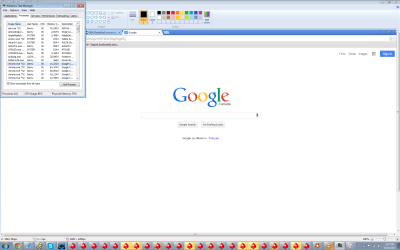
I did the task manager checking to see how much memory is used when playing lot of tables and when its lagging


Cpu usage is 50 percent.. 70 percent physical memory.. 2.65gb used and 103 processes


is what i see when pressing task manager when playing many tables


what should i do now then?


someone tell me that my laptop is slow b/c i3 for a laptop is much slower than an i3 for a desktop computer? Someone said my desktop which is an i5 is a quadcore and this one i3... isn't that fast. He said i have to get a new laptop. Is that correct? I know you cant really buy an i5 or i7 processor and put that in a laptop right? I was told thats very hard compared to desktop? Someone said buy new laptop fast one, then take my samsung ssd and put it on the new laptop. But thing is i really like this laptop b/c its very small size and like it.


Anything i can do with the processes? I have about 80 that start up at the minimum even when im doing nothing on it when browsing online...
 

My Computer My Computer

Computer type
PC/Desktop
OS
Windows 7 64 bit home premium
Did you check for SSD firmware updates and check its trim? SSD Alignment - Windows 7 Forums
SSD Tweaks and Optimizations in Windows 7

How was the OS applied, by image or a perfect clean install?

Compare the install you have now with the perfect install compiled in Clean Reinstall - Factory OEM Windows 7. If it varies much I'd stick with the tools and methods which work best for Win7.

Otherwise you can go through the Troubleshooting Steps for Windows 7 testing the hardware first, establishing a Clean Boot, checking logs for repeat errors to resolve, utilizing System resources to find solutions and Generate a System Health Report, check System Files and everything else.
 
Hi. I had my friend install the ssd by just taking out my hard drive and putting the ssd in. Then i just reinstalled windows 7 with my asus installation cd.... I assume thats perfect clean install?
 

My Computer My Computer

Computer type
PC/Desktop
OS
Windows 7 64 bit home premium
Did it reinstall all of the Asus factory bloatware? These are some of the worst written programs which interfere with Win7's native perfect performance.

If it only installed Win7 there would be no Asus programs in Programs list.

If not I'd consider getting the vastly superior Clean Reinstall - Factory OEM Windows 7

But first you can help rule out the hardware being at fault by doing the hardware tests for RAM and any SSD diagnostics, making sure the drive has the latest firmware.

Also running with a Linux boot disk can tell you if the problem is hardware or related to your OS: Peppermint3 - Create Live CD/DVD/USB To Use For Emergency Backup - Windows 7 Forums
 
Did you read Clean Reinstall - Factory OEM Windows 7 as it answers your question about whether you got a Clean Reinstall or not?

The Asus Reinstallation disk may have been a clean copy of Win7 with only a logo and self-activation included, however the Drivers and Utilties disk contains nothing but unneeded bloatware - unless there's a particular program there that you like and depend upon.

I never get drivers or utilities from a disk because it is dated almost soon as it's pressed. Instead following the tutorial immediately after OS install and getting online, enable Automatically deliver drivers via Windows Update (Step 3), then Check for Updates to install all Important and Optional Windows Updates. After requested reboots, go right back to Check for more Updates until there are no more.

Only after all Updates are installed would I import any drivers from the Asus Support Downloads webpage for your model PC, not the disk. You might need the wireless or LAN driver from there up front to get online to do all of this.

If you've installed a bunch of Asus bloatware I'd see if there's a System Restore point to right after the Win7 install to restore it to and then do as given above and in the tutorial.
 
This is how my task manager looks when im playing lot of tables and when the lagging starts...
 

Attachments

  • task3.png
    task3.png
    63.5 KB · Views: 5

My Computer My Computer

Computer type
PC/Desktop
OS
Windows 7 64 bit home premium
If i do the perfect install, would that mean i have to delete everything on my laptop?
 

My Computer My Computer

Computer type
PC/Desktop
OS
Windows 7 64 bit home premium
Just saying, ive been playing poker for a couple of years now and i have NEVER ever been able to manage playing more than 2 tables at once...27 tables is unreal, maybe thats whats causing the problem..
 

My Computer My Computer

Computer type
Laptop
Computer Manufacturer/Model Number
Packard Bell
OS
Windows 7 Home Premium 64Bit
CPU
AMD A6-3420M 1.5GHZ OC - 2.0GHZ
Memory
4GB DDR3 1600MHZ
Graphics Card(s)
AMD RADEON 6520G+AMD RADEON HD7470M 1GB DDR3
Screen Resolution
1366x768
Hard Drives
500GB SATA
Internet Speed
18Mb Unlimited
Antivirus
AVAST!
Browser
MOZILLA FIREFOX
If i do the perfect install, would that mean i have to delete everything on my laptop?

Did you read Clean Reinstall - Factory OEM Windows 7 as it explains you'll be starting from scratch on a clean slate and how to remember everything to backup, then how to get and keep a perfect install.

You can regain some performance from the factory bloatware following Clean Up Factory Bloatware. I'd try the step to establish a Clean Boot first as it will give you an idea how much unnecessary crap is running on Win7's back.
 
Back
Top