
[FONT="]My disabled brother has not used his W7 64Pro PC for some time, as “It isn’t working properly” He now has Dementia as well so I have taken his PC to see if I can find the problem, if there is one.[/FONT]
[FONT="]However he has forgotten his password so that’s the first problem to overcome.[/FONT]
[FONT="]I checked on YouTube for solutions of which there are many, but most seem to say to turn off the PC resulting in a ‘repair’ then, see the report in notepad, click at the bottom of the list, then ‘open’ where you have access to your C drive and can start the process to change the password. I am sure I am not explaining this correctly but am sure you know what I mean![/FONT]
[FONT="]All today I have been trying to do this, but I do not see the ‘report’ in NotePad, it’s a greyed out scrolled report with no options, so that ends up at the same place with entering the password and not having a reset disk either.[/FONT]
[FONT="]I have his original installation disk and set the BIOS to start with SATA CD instead of hard drive but it seems that his PC does not want to boot from the CD, although it says to press any key to boot from the CD and then reverts back to the HDD asking for the password. I dug out an old CD USB unit and connected that to a front USB port and set it as Boot Drive, it did its normal buzzing but again arrived at the normal desktop asking for a password. It looks like the PC sees the CD but does not boot from it.[/FONT]
[FONT="]I have checked the connections inside the PC to make sure both the two CD/DVD drives were connected and they are, there is power as the draws open and close, but none of the two installed, or my USB drive, seem to want to function although seen in the BIOS. I have used his repair disk 2014 (and my W7 repair disk 2015 before upgrading to W10) and his original installation disk. Nothing seems to register other than the start-up on the HDD.[/FONT]
[FONT="]Now, I am sure in my now fuddled brain I remember something about removing the HDD and putting it in another PC and doing the job that way. But for the life of me I cannot find it again. Is this possible and is there any guidance on how to do it?[/FONT]
[FONT="]It’s a good PC in excellent condition as he was a perfectionist in most everything he did. Now he asks what the Christmas cards I bought for him are for. This is a really terrible disease, seeing someone highly intelligent go to not knowing what day it is and just gazing out the window for hours on end.I am at my whits end in more ways than one.
[/FONT]
[FONT="]ANY help appreciated.[/FONT]
[FONT="]However he has forgotten his password so that’s the first problem to overcome.[/FONT]
[FONT="]I checked on YouTube for solutions of which there are many, but most seem to say to turn off the PC resulting in a ‘repair’ then, see the report in notepad, click at the bottom of the list, then ‘open’ where you have access to your C drive and can start the process to change the password. I am sure I am not explaining this correctly but am sure you know what I mean![/FONT]
[FONT="]All today I have been trying to do this, but I do not see the ‘report’ in NotePad, it’s a greyed out scrolled report with no options, so that ends up at the same place with entering the password and not having a reset disk either.[/FONT]
[FONT="]I have his original installation disk and set the BIOS to start with SATA CD instead of hard drive but it seems that his PC does not want to boot from the CD, although it says to press any key to boot from the CD and then reverts back to the HDD asking for the password. I dug out an old CD USB unit and connected that to a front USB port and set it as Boot Drive, it did its normal buzzing but again arrived at the normal desktop asking for a password. It looks like the PC sees the CD but does not boot from it.[/FONT]
[FONT="]I have checked the connections inside the PC to make sure both the two CD/DVD drives were connected and they are, there is power as the draws open and close, but none of the two installed, or my USB drive, seem to want to function although seen in the BIOS. I have used his repair disk 2014 (and my W7 repair disk 2015 before upgrading to W10) and his original installation disk. Nothing seems to register other than the start-up on the HDD.[/FONT]
[FONT="]Now, I am sure in my now fuddled brain I remember something about removing the HDD and putting it in another PC and doing the job that way. But for the life of me I cannot find it again. Is this possible and is there any guidance on how to do it?[/FONT]
[FONT="]It’s a good PC in excellent condition as he was a perfectionist in most everything he did. Now he asks what the Christmas cards I bought for him are for. This is a really terrible disease, seeing someone highly intelligent go to not knowing what day it is and just gazing out the window for hours on end.I am at my whits end in more ways than one.
[/FONT]
[FONT="]ANY help appreciated.[/FONT]
Last edited:
My Computer
At a glance
Windows 7 Professional 64biti5-2500K 3.30Hz 6MB Cache16GB DDR3ASUSGeforce GTX1050Ti 4GB
- Computer type
- PC/Desktop
- Computer Manufacturer/Model Number
- Home Build
- OS
- Windows 7 Professional 64bit
- CPU
- i5-2500K 3.30Hz 6MB Cache
- Motherboard
- ASUS P8P67 Pro B3 Revision
- Memory
- 16GB DDR3
- Graphics Card(s)
- ASUSGeforce GTX1050Ti 4GB
- Sound Card
- On-Board
- Monitor(s) Displays
- LG23MP65HQ-P
- Hard Drives
- WD Caviar Green 500gb
Maxtor 300gb
WD External USB 120gb
WD My Passport USB 2TB
LUX3 External USB 1TB
- PSU
- Corsair 800W
- Case
- Antec
- Cooling
- Arctic 13 Cooler
- Antivirus
- Bitdefender Total Security 2017
- Browser
- FireFox


 .
.
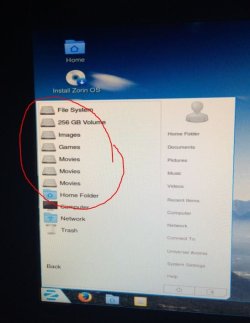

 I have no idea how this happened, but hope this can be found and reinstalled somehow.
 Clicked 'Ease of Access' and found the command prompt, more progress! I then typed:
 I included all the <<<< & >>>> as well
  what an idiot!! Made me chuckle after all the frustration of the last few days.
