
Desktop background

ccross

New member
Local time
8:49 AM
Messages
8
Location
Dahlonega, Ga
Evening all, new to the forums and I'm already loving them as I will be coming here quite a bit. Anyways, my question pertains to my desktop background that maybe one can solve. Whenever I do the right click and "set as desktop background" the picture I choose has a poorer image quality and stretches the picture quite a bit. I tried everything in my knowledge on how to keep it it's original size, but regardless it does the zoom effect not matter what settings I use. Any suggestions?
 

My Computer

Computer Manufacturer/Model Number
Asus K50
OS
Windows 7
CPU
Pentium T4400 2.20 GHZ
Motherboard
?
Memory
3072MB
Graphics Card(s)
?
Sound Card
?
Monitor(s) Displays
?
Screen Resolution
1366 x 768 32b 60Hz
Hard Drives
?
PSU
?
Case
?
Cooling
?
Keyboard
?
Mouse
?
Internet Speed
?
Other Info
It's a ****in basic laptop just used for school. Not me gaming computer.
Hello Ccross, and welcome to Seven Forums.

What size is the orignal image? Sometimes it may just be a thumbnail of the image instead of the full size image that is displayed, and you will need to click on it to see the full size image.

For the best results, you should use a image that is as close to your screen resolution as possible. The closer the better the results.

Hope this helps,
Shawn
 

My Computer

Computer type
PC/Desktop
Computer Manufacturer/Model Number
Self built custom
OS
64-bit Windows 11 Pro for Workstations
CPU
Intel i7-8700K OC'd to 5 GHz
Motherboard
ASUS ROG Maximus XI Formula Z390
Memory
64 GB (4x16GB) G.SKILL TridentZ RGB DDR4 3600 MHz
Graphics Card(s)
ASUS ROG-STRIX-GTX1080TI-O11G-GAMING
Sound Card
Integrated
Monitor(s) Displays
2 x Samsung Odyssey G7 27"
Screen Resolution
2560x1440
Hard Drives
1TB Samsung 990 PRO M.2,
4TB Samsung 990 PRO PRO M.2,
TerraMaster F8 SSD Plus NAS
PSU
Seasonic Prime Titanium 850W
Case
Thermaltake Core P3
Cooling
Corsair Hydro H115i
Keyboard
Logitech wireless K800
Mouse
Logitech MX Master 4
Internet Speed
2 Gb/s Download and 100 Mb/s Upload
Antivirus
Malwarebyte Anti-Malware Premium
Browser
Google Chrome
Other Info
Logitech Z625 speaker system,
Logitech BRIO 4K Pro webcam,
HP Color LaserJet Pro MFP M477fdn,
APC SMART-UPS RT 1000 XL - SURT1000XLI,
Galaxy S23 Plus phone
Evening all, new to the forums and I'm already loving them as I will be coming here quite a bit. Anyways, my question pertains to my desktop background that maybe one can solve. Whenever I do the right click and "set as desktop background" the picture I choose has a poorer image quality and stretches the picture quite a bit. I tried everything in my knowledge on how to keep it it's original size, but regardless it does the zoom effect not matter what settings I use. Any suggestions?

ccross,
Here's a neat site to go to and when you find a wall you like it will show the size of the wall.
Desktop Wallpapers - wallbase.net
or deviant is another favorable site.
Hope you enjoy them.
 

My Computer

Computer Manufacturer/Model Number
HP M9077c
OS
Windows 7 Home Premium 64bit
CPU
Intel(R)Core(TM)2 quad [email protected] 2.39GHz
Motherboard
ASUSeK
Memory
6GB DDR2 6400
Graphics Card(s)
GeForce 8500/512MB
Sound Card
Realtek High Def Audio
Monitor(s) Displays
HP w2408 LCD 24" widescreen
Screen Resolution
1920x1200
Cooling
6 pack of Bud
Keyboard
MS wireless Inteli
Mouse
MS wireless Inteli
Example
exam1.jpg


I want it to stay the above size, but it does this:

exam2.jpg
 

My Computer

Computer Manufacturer/Model Number
Asus K50
OS
Windows 7
CPU
Pentium T4400 2.20 GHZ
Motherboard
?
Memory
3072MB
Graphics Card(s)
?
Sound Card
?
Monitor(s) Displays
?
Screen Resolution
1366 x 768 32b 60Hz
Hard Drives
?
PSU
?
Case
?
Cooling
?
Keyboard
?
Mouse
?
Internet Speed
?
Other Info
It's a ****in basic laptop just used for school. Not me gaming computer.
Could you upload the image in ZIP file, or post a link to it, for us to test with?
 

My Computer

Computer type
PC/Desktop
Computer Manufacturer/Model Number
Self built custom
OS
64-bit Windows 11 Pro for Workstations
CPU
Intel i7-8700K OC'd to 5 GHz
Motherboard
ASUS ROG Maximus XI Formula Z390
Memory
64 GB (4x16GB) G.SKILL TridentZ RGB DDR4 3600 MHz
Graphics Card(s)
ASUS ROG-STRIX-GTX1080TI-O11G-GAMING
Sound Card
Integrated
Monitor(s) Displays
2 x Samsung Odyssey G7 27"
Screen Resolution
2560x1440
Hard Drives
1TB Samsung 990 PRO M.2,
4TB Samsung 990 PRO PRO M.2,
TerraMaster F8 SSD Plus NAS
PSU
Seasonic Prime Titanium 850W
Case
Thermaltake Core P3
Cooling
Corsair Hydro H115i
Keyboard
Logitech wireless K800
Mouse
Logitech MX Master 4
Internet Speed
2 Gb/s Download and 100 Mb/s Upload
Antivirus
Malwarebyte Anti-Malware Premium
Browser
Google Chrome
Other Info
Logitech Z625 speaker system,
Logitech BRIO 4K Pro webcam,
HP Color LaserJet Pro MFP M477fdn,
APC SMART-UPS RT 1000 XL - SURT1000XLI,
Galaxy S23 Plus phone
For your viewing pleasure. It's just an example picture, for I couldn't find the one(s) I wanted to use. Oh well.
 

Attachments

  • wr2.png
    wr2.png
    233.5 KB · Views: 4

My Computer

Computer Manufacturer/Model Number
Asus K50
OS
Windows 7
CPU
Pentium T4400 2.20 GHZ
Motherboard
?
Memory
3072MB
Graphics Card(s)
?
Sound Card
?
Monitor(s) Displays
?
Screen Resolution
1366 x 768 32b 60Hz
Hard Drives
?
PSU
?
Case
?
Cooling
?
Keyboard
?
Mouse
?
Internet Speed
?
Other Info
It's a ****in basic laptop just used for school. Not me gaming computer.
CCross,

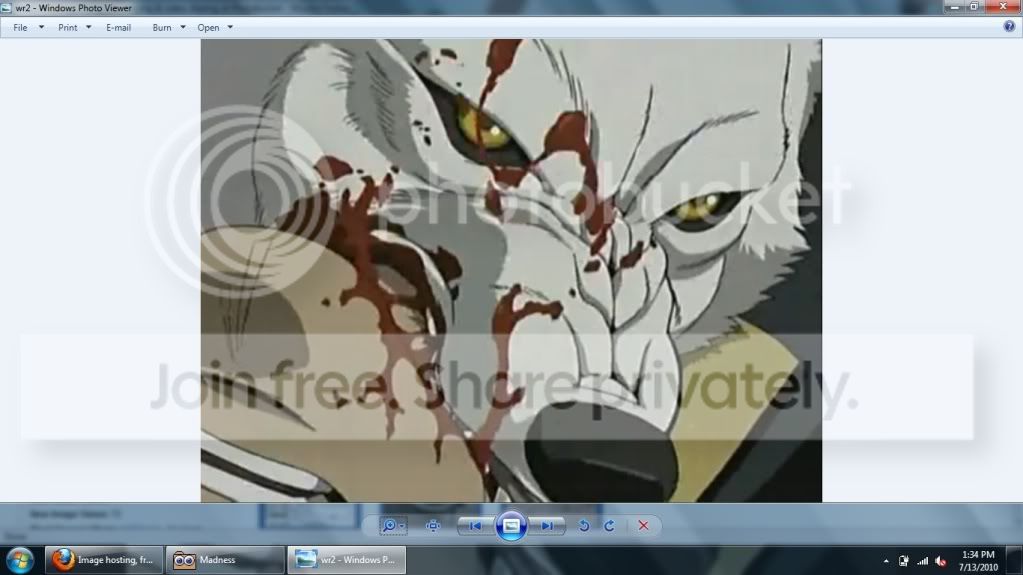
It's the 1023x763 image size that is trying to work with your 1366x768 resolution. After testing with the same resolution, using Center is about as close as you may be able to get to the original without much stretching or distortion. Do they have the image available in a size closer to your resolution or bigger? :(
 

My Computer

Computer type
PC/Desktop
Computer Manufacturer/Model Number
Self built custom
OS
64-bit Windows 11 Pro for Workstations
CPU
Intel i7-8700K OC'd to 5 GHz
Motherboard
ASUS ROG Maximus XI Formula Z390
Memory
64 GB (4x16GB) G.SKILL TridentZ RGB DDR4 3600 MHz
Graphics Card(s)
ASUS ROG-STRIX-GTX1080TI-O11G-GAMING
Sound Card
Integrated
Monitor(s) Displays
2 x Samsung Odyssey G7 27"
Screen Resolution
2560x1440
Hard Drives
1TB Samsung 990 PRO M.2,
4TB Samsung 990 PRO PRO M.2,
TerraMaster F8 SSD Plus NAS
PSU
Seasonic Prime Titanium 850W
Case
Thermaltake Core P3
Cooling
Corsair Hydro H115i
Keyboard
Logitech wireless K800
Mouse
Logitech MX Master 4
Internet Speed
2 Gb/s Download and 100 Mb/s Upload
Antivirus
Malwarebyte Anti-Malware Premium
Browser
Google Chrome
Other Info
Logitech Z625 speaker system,
Logitech BRIO 4K Pro webcam,
HP Color LaserJet Pro MFP M477fdn,
APC SMART-UPS RT 1000 XL - SURT1000XLI,
Galaxy S23 Plus phone
I usually use ms paint to re-size the image. Regardless of what size I set it, it still does the stretch. I never had this problem with vista and pre.
 

My Computer

Computer Manufacturer/Model Number
Asus K50
OS
Windows 7
CPU
Pentium T4400 2.20 GHZ
Motherboard
?
Memory
3072MB
Graphics Card(s)
?
Sound Card
?
Monitor(s) Displays
?
Screen Resolution
1366 x 768 32b 60Hz
Hard Drives
?
PSU
?
Case
?
Cooling
?
Keyboard
?
Mouse
?
Internet Speed
?
Other Info
It's a ****in basic laptop just used for school. Not me gaming computer.
Yeah, it's going to do that when it's trying to place a 1023x763 image on a 1366x768 desktop. :(
 

My Computer

Computer type
PC/Desktop
Computer Manufacturer/Model Number
Self built custom
OS
64-bit Windows 11 Pro for Workstations
CPU
Intel i7-8700K OC'd to 5 GHz
Motherboard
ASUS ROG Maximus XI Formula Z390
Memory
64 GB (4x16GB) G.SKILL TridentZ RGB DDR4 3600 MHz
Graphics Card(s)
ASUS ROG-STRIX-GTX1080TI-O11G-GAMING
Sound Card
Integrated
Monitor(s) Displays
2 x Samsung Odyssey G7 27"
Screen Resolution
2560x1440
Hard Drives
1TB Samsung 990 PRO M.2,
4TB Samsung 990 PRO PRO M.2,
TerraMaster F8 SSD Plus NAS
PSU
Seasonic Prime Titanium 850W
Case
Thermaltake Core P3
Cooling
Corsair Hydro H115i
Keyboard
Logitech wireless K800
Mouse
Logitech MX Master 4
Internet Speed
2 Gb/s Download and 100 Mb/s Upload
Antivirus
Malwarebyte Anti-Malware Premium
Browser
Google Chrome
Other Info
Logitech Z625 speaker system,
Logitech BRIO 4K Pro webcam,
HP Color LaserJet Pro MFP M477fdn,
APC SMART-UPS RT 1000 XL - SURT1000XLI,
Galaxy S23 Plus phone
I usually use ms paint to re-size the image. Regardless of what size I set it, it still does the stretch. I never had this problem with vista and pre.


Just trying to help but if you center your picture can you go back and change resolution to what you want.
I mean center the picture, leave and go into another area of your computer or even shut it down, come back later and set to the correct resolution of your desire.
Maybe even try a different picture.
Keep Brink posted but keep trying different pictures and set ups.
Don't give up! Where there is a will there is a way.
 

My Computer

Computer Manufacturer/Model Number
HP M9077c
OS
Windows 7 Home Premium 64bit
CPU
Intel(R)Core(TM)2 quad [email protected] 2.39GHz
Motherboard
ASUSeK
Memory
6GB DDR2 6400
Graphics Card(s)
GeForce 8500/512MB
Sound Card
Realtek High Def Audio
Monitor(s) Displays
HP w2408 LCD 24" widescreen
Screen Resolution
1920x1200
Cooling
6 pack of Bud
Keyboard
MS wireless Inteli
Mouse
MS wireless Inteli
Well see I have somewhat of an odd story about that. Initially upon resizing w/ paint and setting as a background image, it stayed how I wanted it to and all was good and I saved it. About a week later I accidently hit two buttons or did something to that extent when my laptop was falling out of my lap and the screen blanked out for a second or two then the background went back to being enlarged like that again. I found it odd and never figured out what has happened.
 

My Computer

Computer Manufacturer/Model Number
Asus K50
OS
Windows 7
CPU
Pentium T4400 2.20 GHZ
Motherboard
?
Memory
3072MB
Graphics Card(s)
?
Sound Card
?
Monitor(s) Displays
?
Screen Resolution
1366 x 768 32b 60Hz
Hard Drives
?
PSU
?
Case
?
Cooling
?
Keyboard
?
Mouse
?
Internet Speed
?
Other Info
It's a ****in basic laptop just used for school. Not me gaming computer.
Well see I have somewhat of an odd story about that. Initially upon resizing w/ paint and setting as a background image, it stayed how I wanted it to and all was good and I saved it. About a week later I accidently hit two buttons or did something to that extent when my laptop was falling out of my lap and the screen blanked out for a second or two then the background went back to being enlarged like that again. I found it odd and never figured out what has happened.


Here's a list of control keys to look thru to see it you hit one of these as your laptop was falling.
http://www.sevenforums.com/tutorials/4052-shortcut-keys-windows-7-a.html
See .....we don't quit and neither will you.
 

My Computer

Computer Manufacturer/Model Number
HP M9077c
OS
Windows 7 Home Premium 64bit
CPU
Intel(R)Core(TM)2 quad [email protected] 2.39GHz
Motherboard
ASUSeK
Memory
6GB DDR2 6400
Graphics Card(s)
GeForce 8500/512MB
Sound Card
Realtek High Def Audio
Monitor(s) Displays
HP w2408 LCD 24" widescreen
Screen Resolution
1920x1200
Cooling
6 pack of Bud
Keyboard
MS wireless Inteli
Mouse
MS wireless Inteli
Back
Top