
Desktop icons text shadow disappears at bootup

intelguy77

New member
Local time
6:40 AM
Messages
12
Need help! Desktop icons text shadow disappears at startup

I created my own custom theme on Win7 that just has a solid dark blue colored background. When I boot up, the icons on the desktop don't have their text shadow, and looks like this:
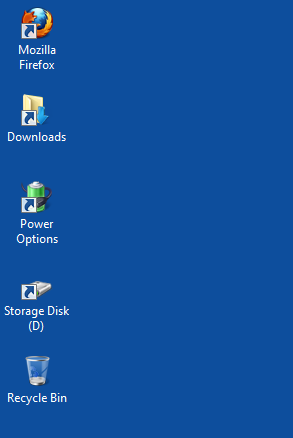
uvW3e4x.png


g6pohRX.png


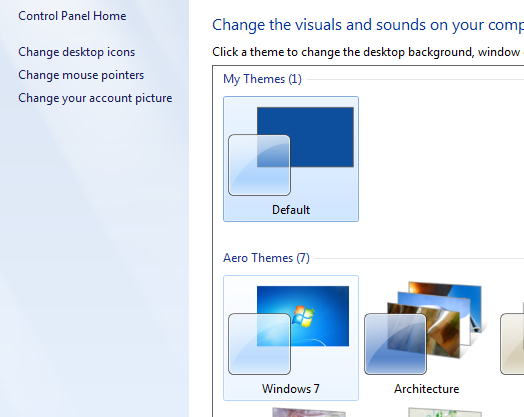
If I right-click my desktop, go into Personalize, switch to Win7 default theme, then back to my theme, the text shadow for the icons comes back.
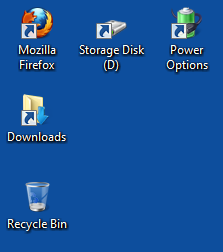
Cjh1opR.png


I want the text shadow showing at all times. How do I fix this issue?
 
Last edited:

My Computer My Computer

OS
Windows XP 32bit
System properties, advanced, performance, visual settings, check drop shadows box........maybe??
 

My Computer My Computer

Computer Manufacturer/Model Number
HB
OS
W7x64 Ult.
CPU
i7 975
Motherboard
P6T7 SC
Memory
12GB Corsair Dom
Graphics Card(s)
Evga GTX285
Sound Card
OB
Monitor(s) Displays
HP LP2475
Screen Resolution
1920x1200
Hard Drives
Velociraptors Raid0 BU
Crucial M4 OS
WD RE4 Data
PSU
PC Power & Cooling 950
Case
Chieftec Bravo
Cooling
Air 6 GentleTyphoon
Keyboard
Logitech Illuminated
Mouse
Logitech MX518
Try placing your background file on the dektop, right click, set as desktop background.... Forget the personalize command...It seems like I have been down your path a ways back, just can't really remember what I did to solve it........? I know I did because my wifes computer has a custom background with drop shadows.
 

My Computer My Computer

Computer Manufacturer/Model Number
HB
OS
W7x64 Ult.
CPU
i7 975
Motherboard
P6T7 SC
Memory
12GB Corsair Dom
Graphics Card(s)
Evga GTX285
Sound Card
OB
Monitor(s) Displays
HP LP2475
Screen Resolution
1920x1200
Hard Drives
Velociraptors Raid0 BU
Crucial M4 OS
WD RE4 Data
PSU
PC Power & Cooling 950
Case
Chieftec Bravo
Cooling
Air 6 GentleTyphoon
Keyboard
Logitech Illuminated
Mouse
Logitech MX518
Solution!

I know this is an old thread, but I came across it while searching for a solution, so someone else may also come across it via search engine. No help here, but I found it on my own. Should you have the same problem in Windows 7, here's the solution:
Right-click My Computer - Properties - Advanced System Settings - Advanced - Settings - In the Visual Effects tab
Check: Use drop shadows for icon labels on the desktop
:geek:
 

My Computer My Computer

Computer type
PC/Desktop
Computer Manufacturer/Model Number
Dell
OS
Windows 7 Ultimate x64
Browser
Google Chrome
actual workaround if you have the issue as op describes

apparently windows handles desktop icon text shadows differently if you set the background to a solid color like blue. i set my background to grey using the personalize option. rebooting will then disable the shadows despite having the option enabled like ropecraf explained, switching themes brings them back.
my workaround was to make a png of that grey and to set that as a background instead. you can use gimp to create that png.
 

My Computer My Computer

Computer type
PC/Desktop
OS
Windows 7 Home Premium 64bit
Back
Top