Solved Desktop won't boot, gets stuck in BIOS

caligrown

New member
Member
Local time
8:12 AM
Messages
54
I just came back from a 10 day vacation, and when I tried turning on my desktop for the first time upon returning, it gets stuck on the BIOS screen for about a minute, then the screen goes black. I can't use any of the BIOS functions. The HDD activity light blinks a couple times right before it hits the BIOS, then stops completely. I was having no problems whatsoever before leaving for my trip.

I do have two kittens at my house who are all over everything, and according to my friend who was looking after them, they did turn on my PC a few times while climbing over it. I did make most of the cables inaccessible, and aside from turning it on and walking on my keyboard, I doubt that they were able to do anything really harmful.

What I've tried so far:
-Un-plugged everything from computer, tried to boot with just monitor and kb/m connected
-Cleared the CMOS on the mobo
-Re-Seated the RAM
-Cleaned out the case thoroughly, made sure everything was properly connected

Neither Delete, or any of the function keys work in the BIOS screen. I'm thinking that this may be a hardware problem, either the motherboard has pooped out, or something else. I really don't know....

Check my system specs for the hardware details.

Any suggestions?
 

My Computer My Computer

Computer type
PC/Desktop
Computer Manufacturer/Model Number
Custom Build
OS
Windows 7 HP 64 bit
CPU
i5 3570K
Motherboard
Gigabyte GA-Z77X-D3H
Memory
Kingston HyperX 16GB DDR3 1866
Graphics Card(s)
Gigabyte GTX 970
Screen Resolution
1080p
Hard Drives
Crucial m4 128GB SSD
2TB Seagate Barracuda HDD
PSU
Corsair HX 650
Case
Corsair 600t
Cooling
CM Hyper 212+
Antivirus
MSE, MBAM, SAS
Browser
Chrome
You should have removed and stored the power cable while you were gone and covered the keyboard.

Just use the image that I just know you created to reimage/reinstall windows.

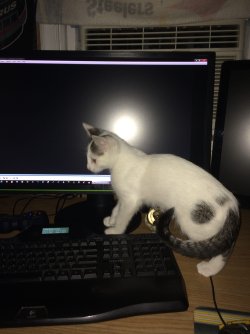
LOL my Berp likes to sit right in front of my monitor and tries to swat at the arrow....Bad Berp :shock:
 

Attachments

  • IMG_0403.JPG
    IMG_0403.JPG
    409.2 KB · Views: 2

My Computer My Computer

Computer type
PC/Desktop
Computer Manufacturer/Model Number
Skylake Special #666
OS
Windows 10 Pro x64
CPU
Intel Core i7 6700K
Motherboard
Asus Sabertooth Z170 Mark 1
Memory
GSkill TridentZ RGB 16GB 3600 16-16-16-36
Graphics Card(s)
EVGA GTX 980 Ti SC x2
Sound Card
Realtek High Definition
Monitor(s) Displays
AOC G2460PG
Screen Resolution
1920 x 1080 144Hz
Hard Drives
Samsung 860 Pro 256GB, Seagate Barracuda 4TB x2
PSU
EVGA 1000 P2, EVGA White Custom Braided Cables
Case
Corsair Vengeance C70 Gunmetal Black
Cooling
Corsair H100i v2, Corsair ML120 x2, Thermal Grizzly Kryonaut
Keyboard
Logitech G910 Orion Spectrum
Mouse
Logitech G700s
Internet Speed
Verizon Fios Quantum Gateway 75/75
Antivirus
Windows Defender, Malwarebytes Free 3.8.3
Browser
Chrome
Other Info
Corsair SP120 x4, LG Blu-ray Drive, Durabrand HT-395 100 Watt Dolby Digital Amp, Corsair H2100 Wireless 7.1 Headset
:rolleyes:

Yeah definitely should have...

The problem though is the BIOS is completely unresponsive, I cant even open up the boot menu to boot from repair disc or my ext. hard drive with the system image on it.

Which is why I'm thinking this might be hardware related.
 
Last edited:

My Computer My Computer

Computer type
PC/Desktop
Computer Manufacturer/Model Number
Custom Build
OS
Windows 7 HP 64 bit
CPU
i5 3570K
Motherboard
Gigabyte GA-Z77X-D3H
Memory
Kingston HyperX 16GB DDR3 1866
Graphics Card(s)
Gigabyte GTX 970
Screen Resolution
1080p
Hard Drives
Crucial m4 128GB SSD
2TB Seagate Barracuda HDD
PSU
Corsair HX 650
Case
Corsair 600t
Cooling
CM Hyper 212+
Antivirus
MSE, MBAM, SAS
Browser
Chrome
Went and bought a new CMOS battery just in case, popped it in, and sure enough! Booted right up :p

Baba and Ganoush are off the hook! For now...

c1ff10b5-22e3-42eb-9f67-b3ebc7b54c53_zpsnbqjkbe6.jpg
 

My Computer My Computer

Computer type
PC/Desktop
Computer Manufacturer/Model Number
Custom Build
OS
Windows 7 HP 64 bit
CPU
i5 3570K
Motherboard
Gigabyte GA-Z77X-D3H
Memory
Kingston HyperX 16GB DDR3 1866
Graphics Card(s)
Gigabyte GTX 970
Screen Resolution
1080p
Hard Drives
Crucial m4 128GB SSD
2TB Seagate Barracuda HDD
PSU
Corsair HX 650
Case
Corsair 600t
Cooling
CM Hyper 212+
Antivirus
MSE, MBAM, SAS
Browser
Chrome
With those two cats I thought it was your Mouse that was dead !
 

My Computer My Computer

Computer type
PC/Desktop
Computer Manufacturer/Model Number
Owner Builder
OS
Windows 7 Ultimate x64 SP1 OEM
CPU
Intel i7 3930K
Motherboard
Asus X79 Deluxe
Memory
Kingston Genesis KHX2133C11D3K4/32G
Graphics Card(s)
Asus RTX 2070 Ti Turbo fan series
Sound Card
Creative Sound Blaster ZXR
Monitor(s) Displays
Samsung U32J39 UHD
Screen Resolution
3840 x 2160
Hard Drives
Samsung 860 Pro 256 GB
OCZ Vertex 4 512GB
Western Digital Black 4TB
PSU
Corsair AX850
Case
Gigabyte
Cooling
Push - Pull 120 mm Noctua PWM, Scythe Big Shuriken 2 Rev. B
Keyboard
Logitech K800 Backlit
Mouse
Logitech MX2 Master
Internet Speed
NBN 25 Mbps
Antivirus
Kaspersky Internet Security
Browser
Mozilla FireFox
Other Info
TP-Link Archer VR600v
Sennheiser TR220 WiFi Head Phones.
Awesome, now you can take a cat nap.

Nice cats
 

Attachments

  • IMG_0576.JPG
    IMG_0576.JPG
    616.6 KB · Views: 0

My Computer My Computer

Computer type
PC/Desktop
Computer Manufacturer/Model Number
Skylake Special #666
OS
Windows 10 Pro x64
CPU
Intel Core i7 6700K
Motherboard
Asus Sabertooth Z170 Mark 1
Memory
GSkill TridentZ RGB 16GB 3600 16-16-16-36
Graphics Card(s)
EVGA GTX 980 Ti SC x2
Sound Card
Realtek High Definition
Monitor(s) Displays
AOC G2460PG
Screen Resolution
1920 x 1080 144Hz
Hard Drives
Samsung 860 Pro 256GB, Seagate Barracuda 4TB x2
PSU
EVGA 1000 P2, EVGA White Custom Braided Cables
Case
Corsair Vengeance C70 Gunmetal Black
Cooling
Corsair H100i v2, Corsair ML120 x2, Thermal Grizzly Kryonaut
Keyboard
Logitech G910 Orion Spectrum
Mouse
Logitech G700s
Internet Speed
Verizon Fios Quantum Gateway 75/75
Antivirus
Windows Defender, Malwarebytes Free 3.8.3
Browser
Chrome
Other Info
Corsair SP120 x4, LG Blu-ray Drive, Durabrand HT-395 100 Watt Dolby Digital Amp, Corsair H2100 Wireless 7.1 Headset
Back
Top