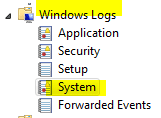
I've got a problem on my month old custom build where the device manager screen continually fully expands then contracts to just the computer name. It may happen 2 or 3 times in succession then again in 15 or 20 seconds; no kind of pattern, but it won't stop. The only thing I can find out through my research is that it may (probably) be a driver trying to install itself. There are no errors or question marks in device mgr. and all devices 'say' they are working correctly. I have updated several drivers and they all completed successfully. My latency is good according to DPC Latency checker so I don't think it is a bad driver. I'm not sure exactly when the problem started but I know something is wrong and I don't have a clue of where to look or how to figure this out.
My Computer
- Computer type
- PC/Desktop
- Computer Manufacturer/Model Number
- custom build
- OS
- windows 7 pro 64 bit SP 1
- CPU
- intel i7-4770K 3.50 GHz
- Motherboard
- Asus Z87 Delux
- Memory
- 32.0 GB Patriot Ltd . Ed. DDR3 1866MHz
- Graphics Card(s)
- GeForce GTX 660
- Sound Card
- integrated Realtek
- Monitor(s) Displays
- 3 - Dell 20"
- Screen Resolution
- 1600 X 1200
- Hard Drives
- 1- Samsung 840 PRO Series 512 GB SSD, 1- Intel 510 series 120 GB SSD, 2- Seagate Hybrid SSD 250G,
- PSU
- Corsair HX750 Watt
- Case
- Corsair Obsidian 550D
- Cooling
- 8 120mm case fans, Corsair H-90 Liquid CPU coller
- Keyboard
- Std. Microsoft
- Mouse
- Logitech
- Internet Speed
- 33 Mb/s download, 4.75 Mb/s upload
- Antivirus
- MalwareBytes
- Browser
- Chrome, Ie-10