
Solved DipAwayMode - ProgID atkexCom.axdata did not respond

JohnDohe

Banned
Local time
3:02 PM
Messages
60
System:
Win7 Pro, ASUS B35M-E motherboard, 16GB ram, one 256GB SSD and one 1-TB HDD.

I just finished doing a clean install of Win7 Pro.

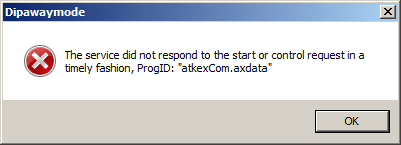
After loading a few drivers, I started getting this window popping up a few min's
after a boot; see attached.

DipAwayMode - ProgID atkexCom.axdata did not respond

Is this serious?

Anyone have any idea what this is and how to handle it?

Do I need it?

Thanks!
 

Attachments
  • DipAwayMode - ProgID atkexCom.axdata did not respond.PNG
    DipAwayMode - ProgID atkexCom.axdata did not respond.PNG
    3.8 KB · Views: 20

My Computer My Computer

At a glance

Windows 7 Pro 64 bit
Computer type
PC/Desktop
Computer Manufacturer/Model Number
Acer
OS
Windows 7 Pro 64 bit
It seems DipAwayMode is something to do with the ASUS AISuit that is part of your motherboard software, and is to do with EPU power saving. Perhaps, if you were to take the Software off awaymode and select standard mode - the messages resolve themselves?
 

My Computer My Computer

At a glance

Windows 7 x64, Vista x64, 8.1 smartphoneIntel E8400 65W 64-bitDDR2 2 x 2GB, 1GB x 2XFX Radeon HD5750
Computer type
PC/Desktop
OS
Windows 7 x64, Vista x64, 8.1 smartphone
CPU
Intel E8400 65W 64-bit
Motherboard
Gigabyte EP45-UD3LR
Memory
DDR2 2 x 2GB, 1GB x 2
Graphics Card(s)
XFX Radeon HD5750
Sound Card
AMD High Definition Audio; Realtek High Definition Audio
Monitor(s) Displays
iiyama prolite X2377HDS
Screen Resolution
1920 x 1080
Hard Drives
500GB 7200 rpm Seagate ST3500413AS 16MB, 500GB 5400 rpm Toshiba MQ02ABF050H 32MB, 200GB 7200 rpm Seagate ST3200820AS 8MB, 2TB 7200 rpm Western Digital WD20EZRX 64MB
PSU
Enermax Liberty Modular
Case
Antec P193 Midi Tower
Keyboard
Mionix ZIBAL 60
Mouse
Razer USB 2.0 Diamondback Mouse or Huion Graphics Tablet
Browser
Internet Explorer, Lunascape, Firefox, Opera, Avast Safezone
After looking at a bunch of posts it seems AI Suite 3 is a royal mess.

I decided to take it off, but, Windows can't uninstall and the built-in
uninstall option under the Start menu ASUS folder doesn't work too.

I just started ending services, processes, and went into the register
and deleted anything to do with AI Suite, AISuite, and the specific
DipAwayMode that got me started on this.

Rebooted and things seem to be ok.

Thanks!
 

My Computer My Computer

At a glance

Windows 7 Pro 64 bit
Computer type
PC/Desktop
Computer Manufacturer/Model Number
Acer
OS
Windows 7 Pro 64 bit
Back
Top