

Pulse
New member
- Local time
- 8:46 PM
- Messages
- 4
Hi.
If possible, I'd like some help understanding why Seven behaves in the following way.
Scenario:
Seven Ultimate x64
Third party firewall installed. (Same behaviour with various products)
Network type = Public.
Client for MS networks = Disabled (Adapter)
File and printer sharing for MS networks = Disabled (Adapter)
Netbios over TCPIP = Disabled (Adapter)
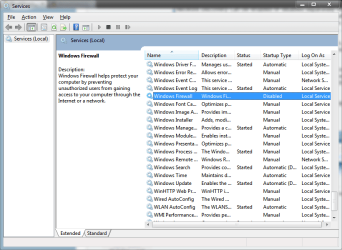
Disable internal Seven firewall (Public and Private)
Disabling the internal firewall causes file and printer sharing as well as network discovery to be enabled in the Advanced sharing property page. Disabling these settings re-enables the internal firewall.
This behaviour seems counter intuitive to me but perhaps I'm missing something? Also, according to the Seven Resource Kit:
I have tried several different methods to disable these services, as well as the firewall, including the standard check boxes in the interface, various netsh commands and group policy, the result remains the same.
I'm not overly concerned about someone being able to gain access to resources on my PC via this Public network, as it's completely locked down, both in the Seven interface and in the third party firewall, where communication id completely blocked for NetBIOS, SMB, Discovery and WSD. I just don't like having these options enabled.
The bottom line, how can sharing and discovery be disabled together with the firewall?
Thanks
If possible, I'd like some help understanding why Seven behaves in the following way.
Scenario:
Seven Ultimate x64
Third party firewall installed. (Same behaviour with various products)
Network type = Public.
Client for MS networks = Disabled (Adapter)
File and printer sharing for MS networks = Disabled (Adapter)
Netbios over TCPIP = Disabled (Adapter)
Disable internal Seven firewall (Public and Private)
Disabling the internal firewall causes file and printer sharing as well as network discovery to be enabled in the Advanced sharing property page. Disabling these settings re-enables the internal firewall.
This behaviour seems counter intuitive to me but perhaps I'm missing something? Also, according to the Seven Resource Kit:
Network Discovery can be enabled or disabled separately for different network location types. For example, Network Discovery is enabled by default on networks with the private location type, but it is disabled on networks with the public or domain location types
I have tried several different methods to disable these services, as well as the firewall, including the standard check boxes in the interface, various netsh commands and group policy, the result remains the same.
I'm not overly concerned about someone being able to gain access to resources on my PC via this Public network, as it's completely locked down, both in the Seven interface and in the third party firewall, where communication id completely blocked for NetBIOS, SMB, Discovery and WSD. I just don't like having these options enabled.
The bottom line, how can sharing and discovery be disabled together with the firewall?
Thanks
My Computer
- OS
- Seven x86/x64 - XP Pro - OpenSuSE 11.2

 )
)

