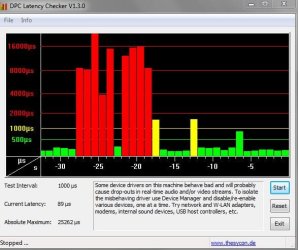
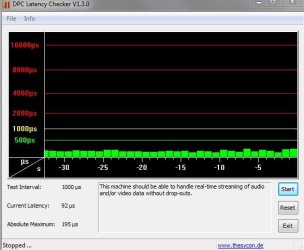
Other things I did to stabalize it all
removed the video-driver, restarted with VGA mode (for there is no more video-driver: ) and still the sound was bad. Feeling stupid, but almost feels like I have to install a fresh Windows all together : (
Devnullius
I had left my old computer's sound-problem for what it was.
Last week I updated to Windows 7 Enterprise x86 SP1. The sound problem remained. Then I did a repair-upgrade, which did not change much.
Totally fet-up with it, I went to a recycle-firm and took an old PCI Soundblaster card (costed me €0,50). This greatly reduced all my problems!
BUT the problem still wasn't completely gone. Once in a while I still had interruptions, but nothing like mentioned before. The new interruptions were all caused by CPU spikes when playing (browser) video (chrome).
So I went on by uninstalling Flash Player. Only thing I could find for this, was the official tool. It only seems to remove a DirectX pluging - which I don't use.
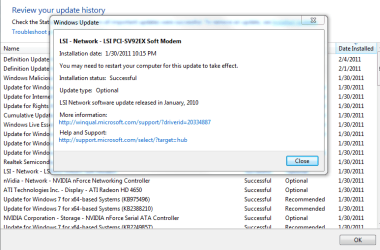
I also updated my video-card drivers to the latest found on the NVidia website. Many versions had come by, so this might solve CPU-overload problems. Doesn't look like it, but shouldn't hurt either.
Then I started Firefox, and the CPU was just a bit less stressed (stress == more than 90% on my 3,0GHz HyperThreading, 2GB). than my Chrome is. So sound for videos was even better than with Chrome. So I re-enabled (in Device Manager) my onboard sound card. It had a bit more disturbances than the old Soundblaster, but was way much better than previously.
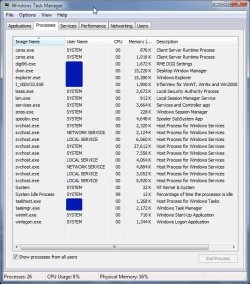
Finally, I got the CPU constantly at less <90% CPU for playback of web-videos. Both soundcards now give a stable sound. With the Soundblaster more volume and warmth - 50 cents well spent : > MAIN trick to stay under the 90% stress-free CPU usage, is BY CLOSING task manager - which I always have opened. It consumes 5 to 10% CPU too! Also, running Process Lasso in the background does not help - it reduces Firefox priority to below-normal.
Main conclusion (for now, that is) is that my problems are caused by a too high of a CPU load.
Main questions I am left with are:
1. why did it take me so long to solve this? ; PP
and
2. Shouldn't be a HP DX2200 with 2GB RAM be fast enough to play web-videos??? What processor should I have as a minimum, in general, to fluently do web-videos? Any practical feedback would be greatly appreciated...
Peace!
Devvie
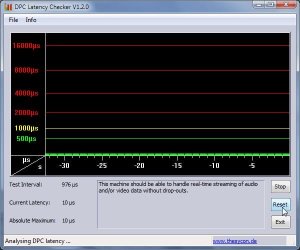
ALSO: of GREAT interest when troubleshooting this problem yourself, check:
http://www.sevenforums.com/sound-audio/48379-dpc-latency-causing-audio-stuttering-crackling.html
More system info: Avast 5 installed, but shields disabled. Enabling does not cause more problems. Network connection: mostly wireless, USB. Power options: min/max processor state is set at fixed 100% ++ wireless adapter at Max Performance ++ system cooling was active, now put to passive (I only changed this after fixing my problems, but it could solve yours). Active means:: always on, passive = cooling when needed.