Solved Does DOCK's (such as Rocket Dock,Object Dock etc) makes computer slow?

Yes,man...I did

I just gave you explicit steps on how to find and remove it. Did you see them? ;)

Yes man.I saw all of the steps.I am ready to go for it but as i said.I am hesitant , as if it will cause any Windows error or not.Cuz i read somewhere that it is risky to delete "hoolaap" that's why i just wanna be sure before deleting it.What do you say.Is it totally safe to delete "hoolapp"?/
 

My Computer My Computer

Computer type
PC/Desktop
Computer Manufacturer/Model Number
Asus
OS
Windows 7 Home Premium 64 bit
CPU
i7
Motherboard
Gigabyte H97-D3H
Memory
16 GB
Graphics Card(s)
Nvidia GFORCE GTX 960 2 GB
Screen Resolution
1280*720
Cooling
CORSAIR Liquid Fan + One Built in FAN
Antivirus
Avast Free Anti Virus 2015
Browser
Google Chrome
I would not have given you the steps if it was at all risky.

Why did you install an app used to install Android apps anyway? When was this done?

If one of the methods I already gave you doesn't work then try System Restore
to a point before you installed the app.
 
I would not have given you the steps if it was at all risky.

Why did you install an app used to install Android apps anyway? When was this done?

If one of the methods I already gave you doesn't work then try System Restore
to a point before you installed the app.

The thing is , i didn't install it.It somehow got installed with a software that i might have installed at sometime.I just remember seeing it once on my system start up ..And i didn't payed much attention to it.Well,then now i shall do what is said in those steps..And,then i will tell you the result...

:)
 

My Computer My Computer

Computer type
PC/Desktop
Computer Manufacturer/Model Number
Asus
OS
Windows 7 Home Premium 64 bit
CPU
i7
Motherboard
Gigabyte H97-D3H
Memory
16 GB
Graphics Card(s)
Nvidia GFORCE GTX 960 2 GB
Screen Resolution
1280*720
Cooling
CORSAIR Liquid Fan + One Built in FAN
Antivirus
Avast Free Anti Virus 2015
Browser
Google Chrome
Thank you @gregrocker , @whs, @Sir @George,@stealth2920,@sevendo,@newblueboy,@madcratebuilder,@Barman58. I finally deleted hoolapp and appreciate help from seven forums..I will keep asking more queries in future...
 

My Computer My Computer

Computer type
PC/Desktop
Computer Manufacturer/Model Number
Asus
OS
Windows 7 Home Premium 64 bit
CPU
i7
Motherboard
Gigabyte H97-D3H
Memory
16 GB
Graphics Card(s)
Nvidia GFORCE GTX 960 2 GB
Screen Resolution
1280*720
Cooling
CORSAIR Liquid Fan + One Built in FAN
Antivirus
Avast Free Anti Virus 2015
Browser
Google Chrome
Indeed i plan to...

Now run another full updated scan of Malwarebytes
and SUPERAntiSpyware - Downloads

Yes i plan to do a full system Scan with my Avast Anti Virus Pro.It takes a lot of time to scan so i generally do it when i have a lot of time to spare.
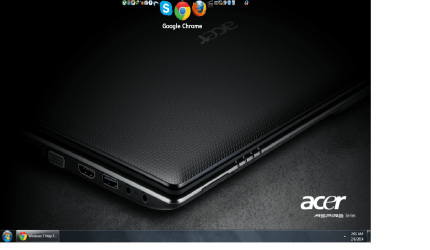
By the way, Mr.gregrocker,i have now installed Object Dock & it is working smoothly like a butter.I have deselected the programs that i do not wish to load at start up via msconfig command line . There is no more hoolapp in my system start up..And i am loving my desktop with the smallest size of Icon Shortcuts (By Using Object Dock) on the Top of the Screen & a task bar on the bottom leaving plenty of space for a wallpaper..I will share a picture of my current desktop with you when i get home,as i am in office rite now...

Thanx :)
 

My Computer My Computer

Computer type
PC/Desktop
Computer Manufacturer/Model Number
Asus
OS
Windows 7 Home Premium 64 bit
CPU
i7
Motherboard
Gigabyte H97-D3H
Memory
16 GB
Graphics Card(s)
Nvidia GFORCE GTX 960 2 GB
Screen Resolution
1280*720
Cooling
CORSAIR Liquid Fan + One Built in FAN
Antivirus
Avast Free Anti Virus 2015
Browser
Google Chrome
Use the two malware scans I gave besides the Avast boot time scan which is deepest of all scans. The others check for different types of malware. SAS roots out spyware lodged in registry even after its uninstalled.

More tips for going over your install closely and keeping it running perfectly are in Troubleshooting Steps for Windows 7
 
Use the two malware scans I gave besides the Avast boot time scan which is deepest of all scans. The others check for different types of malware. SAS roots out spyware lodged in registry even after its uninstalled.

More tips for going over your install closely and keeping it running perfectly are in Troubleshooting Steps for Windows 7

Alrite ,,,Thanx man..Here is what my desktop looks like...
 

Attachments

  • My Desktop.png
    My Desktop.png
    313.3 KB · Views: 4

My Computer My Computer

Computer type
PC/Desktop
Computer Manufacturer/Model Number
Asus
OS
Windows 7 Home Premium 64 bit
CPU
i7
Motherboard
Gigabyte H97-D3H
Memory
16 GB
Graphics Card(s)
Nvidia GFORCE GTX 960 2 GB
Screen Resolution
1280*720
Cooling
CORSAIR Liquid Fan + One Built in FAN
Antivirus
Avast Free Anti Virus 2015
Browser
Google Chrome
Back
Top