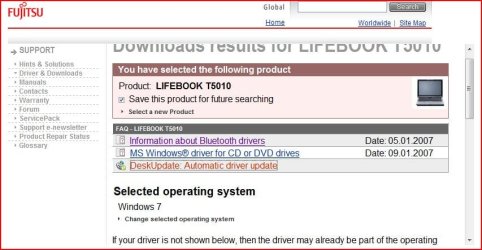
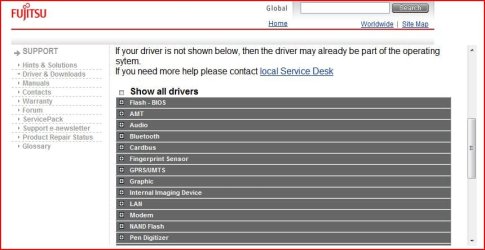
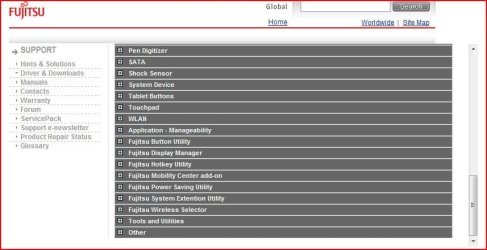
Now you need to get rid of those yellow triangular marks in the Device manager, so let’s start trying to get the drivers installed for them, at the moment, don’t worry whether
they are Windows 7 drivers or Vista drivers It doesn’t matter.
Did you download the drivers from the site earlier, and if you did what ones did you download and where did you put them.?
In the Device manager are there still yellow marks as before.?
they are Windows 7 drivers or Vista drivers It doesn’t matter.
Did you download the drivers from the site earlier, and if you did what ones did you download and where did you put them.?
In the Device manager are there still yellow marks as before.?
My Computer
- Computer Manufacturer/Model Number
- Self Build 64bit
- OS
- Vista Ult64, Win7600
- CPU
- Intel Core 2 Quad Q6600 @ 2400 MHz 64bit OS
- Motherboard
- Asus P5E3 Deluxe WiFi @p 64 bit OS
- Memory
- 4096 MB DDR3-SDRAM
- Graphics Card(s)
- ATI Radeon HD 3870 Series x2 Crossfired
- Sound Card
- Realtek on board
- Monitor(s) Displays
- Samsung SyncMaster - 23 inches
- Screen Resolution
- 1680x1050 pixels at 60 Hz in True Colors
- Hard Drives
- Hitachi (250 GB)/Samsung 750 GB. /Barracuda 160 GB.
My Book 1 TB external..
- PSU
- Cooler Master 1000w
- Case
- Cooler Master Cosmos 1000.
- Cooling
- Fans and fresh air,
- Keyboard
- Wireless
- Mouse
- Wireless
- Internet Speed
- Never fast enough
- Other Info
- I use a Magnum.