Downgrading Win8 to Win7 on an acer laptop

Ignocia

New member
Local time
3:19 PM
Messages
6
A family member of mine recently bought this Acer laptop recommended by me, i personaly prefer Win7 far over Win8 so i suggested that family member to buy Win7 home premium together with the PC as we couldn't choose to change the OS as we bought it.

Now we've got the new pc and the win7 disc. When i try to install win7 on the laptop it gives me an error:

"windows setup experienced an unexpected error. to install windows restart the installation"

I've tried to google the issue with no luck, so i am hoping to get some help on this forum.

Cheers Ignocia.
 

My Computer My Computer

At a glance

Win7 Home Premium 64bitIntel i7 3610m16 GB ramGeforce GT 690m
Computer type
Laptop
Computer Manufacturer/Model Number
acer aspire
OS
Win7 Home Premium 64bit
CPU
Intel i7 3610m
Motherboard
Laptop
Memory
16 GB ram
Graphics Card(s)
Geforce GT 690m
Hard Drives
260GB corsair SSD
2TB HDD
Antivirus
None
Browser
Chrome
1) Downgrade to Windows 7.
Downgrade Windows 8 to Windows 7
Warning you must have the uEFI/BIOS firmware setting in Step Three set.


2) If Using a USB Pendrive on a PC with a uEFI BIOS.
USB Pendrive need to be formated to FAT32 as in
UEFI Bootable USB Flash Drive - Create in Windows
Take note of Step 11 for Windows 7.
Also you will need to use a USB 2.0 port, as there are no USB 3.0 drivers in Windows 7.
 

My Computer My Computer

At a glance

ME/XP/Vista/Win7
OS
ME/XP/Vista/Win7
1) Downgrade to Windows 7.
Downgrade Windows 8 to Windows 7
Warning you must have the uEFI/BIOS firmware setting in Step Three set.


2) If Using a USB Pendrive on a PC with a uEFI BIOS.
USB Pendrive need to be formated to FAT32 as in
UEFI Bootable USB Flash Drive - Create in Windows
Take note of Step 11 for Windows 7.
Also you will need to use a USB 2.0 port, as there are no USB 3.0 drivers in Windows 7.

Tried it, still confused.

1st: I can't seem to find the option to disable "secure boot control"
2nd: when i open the boot menu theres only 1 option: "windows boot manager"

So yeah i still need help on this one
 

My Computer My Computer

At a glance

Win7 Home Premium 64bitIntel i7 3610m16 GB ramGeforce GT 690m
Computer type
Laptop
Computer Manufacturer/Model Number
acer aspire
OS
Win7 Home Premium 64bit
CPU
Intel i7 3610m
Motherboard
Laptop
Memory
16 GB ram
Graphics Card(s)
Geforce GT 690m
Hard Drives
260GB corsair SSD
2TB HDD
Antivirus
None
Browser
Chrome
1st: I can't seem to find the option to disable "secure boot control"

Enabling the boot device menu

Acer said:
On most Acer systems, you can use the F12 key on boot to select the drive or network from which loading the operating system. In case the F12 option does not work, you may need to enable this function.

SOLUTION

Enabling the F12 function:

1.Power on the system. As soon as the first logo screen appears, immediately press the F2 key, or the DEL key if you have a desktop, to enter the BIOS.
2.Press the right arrow key to select Main.
3.Use the arrow keys to navigate to F12 Boot Menu, and press ENTER.
4.Select Enabled, and press ENTER.
5.Press the F10 key to save changes and restart the system.


How to Enable or Disable Secure Boot

Acer said:
This article only applies to: Windows 8 Desktops

Bootable media from previous versions of Windows may not be recognized in Windows 8. You can change the Secure Boot setting and it should recognize the bootable device.

Use the following steps to change Secure Boot:

1.Completely shut down your computer.
2.Power on the system. As soon as the first logo screen appears, immediately press Delete to enter the BIOS.
3.Use the right arrow key to select Authentication.
4.With Secure Boot highlighted, press Enter and then the down arrow to select Disabled.
5.Use the right arrow key to select Boot Options.
6.With Launch CSM highlighted, press Enter and use the down arrow to select Always.
7.Press Enter.
8.Press the F10 key to save changes and restart the system


2nd: when i open the boot menu theres only 1 option: "windows boot manager"

Windows Boot Manager will always be the first boot device in BIOS settings for Windows 7/8 installed in UEFI mode.
 

My Computer My Computer

At a glance

ME/XP/Vista/Win7
OS
ME/XP/Vista/Win7
Okay so i figured out the first problem.

Now my problem is:

1st: i can't seem to find the "Launch CSM"
2nd: Theres still only 1 option in the boot menu (after pressing f12 when booting the pc)
3rd: Quote: "This article only applies to: Windows 8 Desktops" Desktops?
 

My Computer My Computer

At a glance

Win7 Home Premium 64bitIntel i7 3610m16 GB ramGeforce GT 690m
Computer type
Laptop
Computer Manufacturer/Model Number
acer aspire
OS
Win7 Home Premium 64bit
CPU
Intel i7 3610m
Motherboard
Laptop
Memory
16 GB ram
Graphics Card(s)
Geforce GT 690m
Hard Drives
260GB corsair SSD
2TB HDD
Antivirus
None
Browser
Chrome
1st: i can't seem to find the "Launch CSM"
2nd: Theres still only 1 option in the boot menu (after pressing f12 when booting the pc)

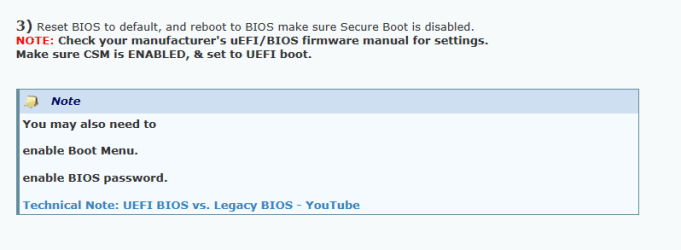
You must have CSM ENABLED.

1 acer.PNG

3rd: Quote: "This article only applies to: Windows 8 Desktops" Desktops?

All I could find on the ACER web site.
 

My Computer My Computer

At a glance

ME/XP/Vista/Win7
OS
ME/XP/Vista/Win7
I was not able to find CSM anywhere.

Though.. any suggestions on what i could do? i semi-promised to have the PC ready till saturday with win7 and stuff
 

My Computer My Computer

At a glance

Win7 Home Premium 64bitIntel i7 3610m16 GB ramGeforce GT 690m
Computer type
Laptop
Computer Manufacturer/Model Number
acer aspire
OS
Win7 Home Premium 64bit
CPU
Intel i7 3610m
Motherboard
Laptop
Memory
16 GB ram
Graphics Card(s)
Geforce GT 690m
Hard Drives
260GB corsair SSD
2TB HDD
Antivirus
None
Browser
Chrome

My Computer My Computer

At a glance

ME/XP/Vista/Win7
OS
ME/XP/Vista/Win7
Yes. Its set to UEFI
 

My Computer My Computer

At a glance

Win7 Home Premium 64bitIntel i7 3610m16 GB ramGeforce GT 690m
Computer type
Laptop
Computer Manufacturer/Model Number
acer aspire
OS
Win7 Home Premium 64bit
CPU
Intel i7 3610m
Motherboard
Laptop
Memory
16 GB ram
Graphics Card(s)
Geforce GT 690m
Hard Drives
260GB corsair SSD
2TB HDD
Antivirus
None
Browser
Chrome
Well i don't have those options in my BIOS. I'll see if i can post a picture of my BIOS menu
 

My Computer My Computer

At a glance

Win7 Home Premium 64bitIntel i7 3610m16 GB ramGeforce GT 690m
Computer type
Laptop
Computer Manufacturer/Model Number
acer aspire
OS
Win7 Home Premium 64bit
CPU
Intel i7 3610m
Motherboard
Laptop
Memory
16 GB ram
Graphics Card(s)
Geforce GT 690m
Hard Drives
260GB corsair SSD
2TB HDD
Antivirus
None
Browser
Chrome
Back
Top