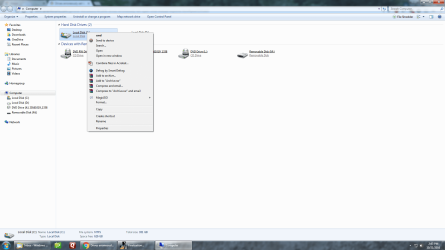
When I try to open any drive in "Computer", I receive the following error, therefore I am unable to open a drive by simply clicking on it. When I right click on a drive the first option in the the context menu is cmd instead of the normal open command, however the open command is included farther down the menu and I can use it to open the drives. All other folders/sub folders open as normal simply by clicking on them. My problem is only on Drives. Subsequently this has also rendered my DVD-R Drive useless as my software is not able to initiate the DVD-R Rom Drive during the burn process. I am uncertain what has happened to cause this problem and system restore has not been able to correct it. Can any explain how to restore normal drive command operations for me or give me some helpful insight to correct this problem?
Attachments

My Computer
At a glance
Windows 7 Professional 64 bitAMD Phenom II X4 840 3.20GHz16.0 GBNVIDIA GeForce GT 440
- Computer type
- PC/Desktop
- Computer Manufacturer/Model Number
- Custom build
- OS
- Windows 7 Professional 64 bit
- CPU
- AMD Phenom II X4 840 3.20GHz
- Motherboard
- MSI
- Memory
- 16.0 GB
- Graphics Card(s)
- NVIDIA GeForce GT 440
- Hard Drives
- WDC WD1003FBYZ-010FB0 ATA Device
- Antivirus
- Microsoft Security Essentials
- Browser
- Google Chrome