
bendouglas
New member
- Local time
- 7:47 PM
- Messages
- 2
Hi there
I've spent the last hour trawling the web searching for an answer on setting up individual colour profiles for a dual monitor set up and can't seem to find anything. I've found out how to assign colour settings in Windows 7 but it seems I can only have one active at a time.
I'm running a 24" Hyundai W240D monitor as my primary screen but for work (digital art) I use a Wacom Cintiq 12WX LCD tablet display. As you can imagine, colour matching is an important part of digital art as much as it is for photography - the problem is, I can't get the colours right...
I spent ages messing with the colour settings of each monitor to get them to match but had to keep resorting back to using my Datacolor Spyder3 Pro to correct my mistakes. The problem in doing this is that the Spyder will create a colour profile for each monitor, but it cannot assign each monitor it's own profile. I can't afford shelling out for a Spyder3Elite (which supports dual monitor settings) so I'm looking for a way of setting each monitor up with it's own colour profile. I've read a few way of doing it in XP but they don't seem relevant to 7.
Any help would be great!
Thanks
I've spent the last hour trawling the web searching for an answer on setting up individual colour profiles for a dual monitor set up and can't seem to find anything. I've found out how to assign colour settings in Windows 7 but it seems I can only have one active at a time.
I'm running a 24" Hyundai W240D monitor as my primary screen but for work (digital art) I use a Wacom Cintiq 12WX LCD tablet display. As you can imagine, colour matching is an important part of digital art as much as it is for photography - the problem is, I can't get the colours right...
I spent ages messing with the colour settings of each monitor to get them to match but had to keep resorting back to using my Datacolor Spyder3 Pro to correct my mistakes. The problem in doing this is that the Spyder will create a colour profile for each monitor, but it cannot assign each monitor it's own profile. I can't afford shelling out for a Spyder3Elite (which supports dual monitor settings) so I'm looking for a way of setting each monitor up with it's own colour profile. I've read a few way of doing it in XP but they don't seem relevant to 7.
Any help would be great!
Thanks
My Computer
At a glance
Windows 7 Home Premium 64bitIntel i7 920 2.66ghz @ 3.3ghzG-Skill DDR2 1600mhzOCZ nVidia GTX 280 OC2 1024mb
- OS
- Windows 7 Home Premium 64bit
- CPU
- Intel i7 920 2.66ghz @ 3.3ghz
- Motherboard
- Asus P6T Deluxe
- Memory
- G-Skill DDR2 1600mhz
- Graphics Card(s)
- OCZ nVidia GTX 280 OC2 1024mb
- Sound Card
- Razer Barracuda AC-1 Digital
- Monitor(s) Displays
- Hyundai IT W240D 24", Wacom Cintiq 12WX 12" tablet display
- Hard Drives
- 2 x Seagate 500GB, 32mb Cache, 7200 rpm
1 x Western Digital 320GB, 16mb Cache, 7200 rpm Scratch Disk
- PSU
- Hyper Type M 880W
- Case
- Coolermaster Cosmos
- Cooling
- Tuniq Tower 120 with 120mm fan, 3x120mm quiet case fans

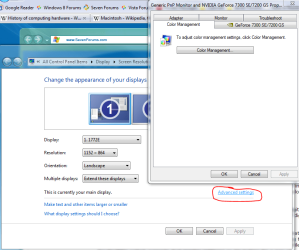
 Yeah i've tried going into there but it seems you can only apply one profile to both monitors at once. For instance in the drop down menu I will select my Hyundai, then assign the colour profile in both the profile window on the main screen, then also in the first entry on the Advanced screen. Then when i do a similar thing for my Cintiq (setting my cintiq profile on the advanced tab) it sets it on the advanced tab for the Hyundai too.


