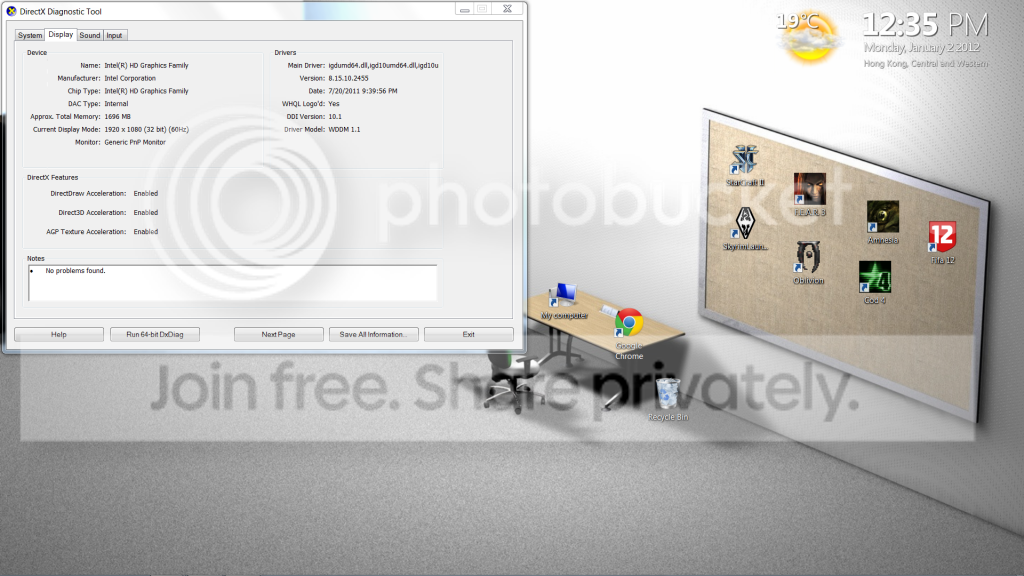
dxdiag showing the wrong graphics card

mynameisjason

New member
Local time
9:14 PM
Messages
18
Hi all!

happy new year!

I bought this computer and it has Nvidia GeForce GT540m graphics card (i thinks its optimus)

but on dxdiag>display it says intel HD graphics family.. wtf?

I don't know what is with it but do I not have Nvidia?

help-2.png


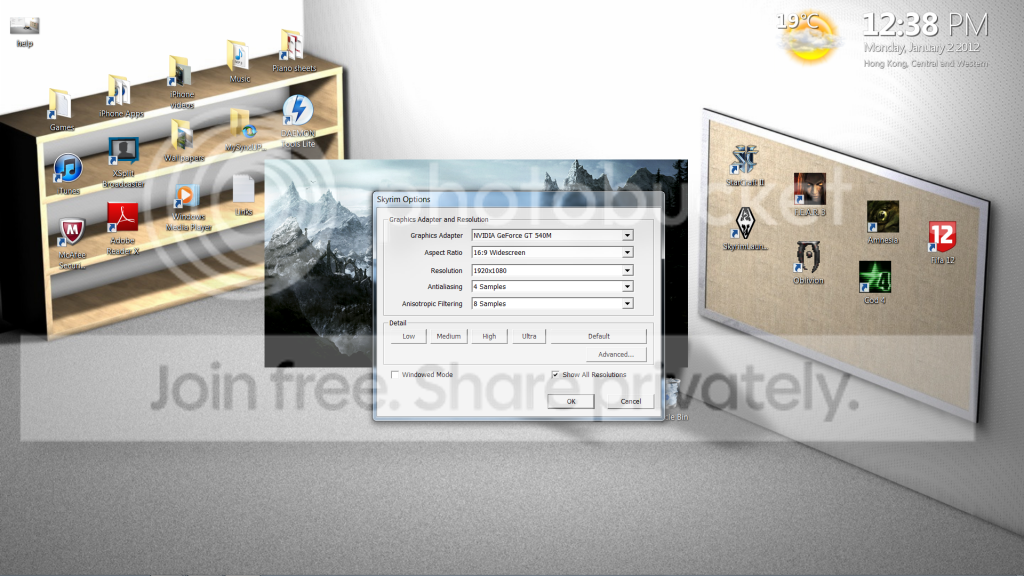
PS: on some games such a skyrim and oblivion it detected my computer and said i have Nvidia gefore gt540m but I wonder why it doesn't show up on dxdiag as 540 but as intel HD o.o
help-3.png


any help will be really appreciated !

thanks
 

My Computer My Computer

OS
windows 7 home premium 64bit
hmm, Hi again. could you fill up your complete system specs from user cp?. not sure this will work. but you could try: remove the graphics driver, then reinstall it. steps: remove graphics driver -> reboot computer -> install latest version of graphics driver -> reboot computer again.
and check :confused: :(
 

My Computer My Computer

Computer type
PC/Desktop
Computer Manufacturer/Model Number
Self assembled
OS
Windows 10 Home 64Bit
CPU
Intel Core i5 10400 @ 2.90GHz
Motherboard
Intel Corporation DG41WV (PROCESSOR)
Memory
8.00GB Single-Channel Unknown @ 1329MHz (16-20-20-38)
Sound Card
Realtek High Definition Audio
Monitor(s) Displays
DELL E170S
Screen Resolution
1280x1024 pixels
Hard Drives
931GB TOSHIBA DT01ACA100 (SATA)
238GB TEAM TM8PS7256G (SATA SSD)
Case
Nothing Fancy
Cooling
Fans
Keyboard
A4 Tech Co LTD
Mouse
A4 Tech Co Ltd/Logitech
Internet Speed
25 Mbps
i have no idea how to remove the graphics driver lol
 

My Computer My Computer

OS
windows 7 home premium 64bit
start button>control panel>programs>programs & features>uninstall a program.
see if its listed there.
 

My Computer My Computer

Computer type
PC/Desktop
Computer Manufacturer/Model Number
Self assembled
OS
Windows 10 Home 64Bit
CPU
Intel Core i5 10400 @ 2.90GHz
Motherboard
Intel Corporation DG41WV (PROCESSOR)
Memory
8.00GB Single-Channel Unknown @ 1329MHz (16-20-20-38)
Sound Card
Realtek High Definition Audio
Monitor(s) Displays
DELL E170S
Screen Resolution
1280x1024 pixels
Hard Drives
931GB TOSHIBA DT01ACA100 (SATA)
238GB TEAM TM8PS7256G (SATA SSD)
Case
Nothing Fancy
Cooling
Fans
Keyboard
A4 Tech Co LTD
Mouse
A4 Tech Co Ltd/Logitech
Internet Speed
25 Mbps
Yes it is there but I don't rly wanna do it lol :P

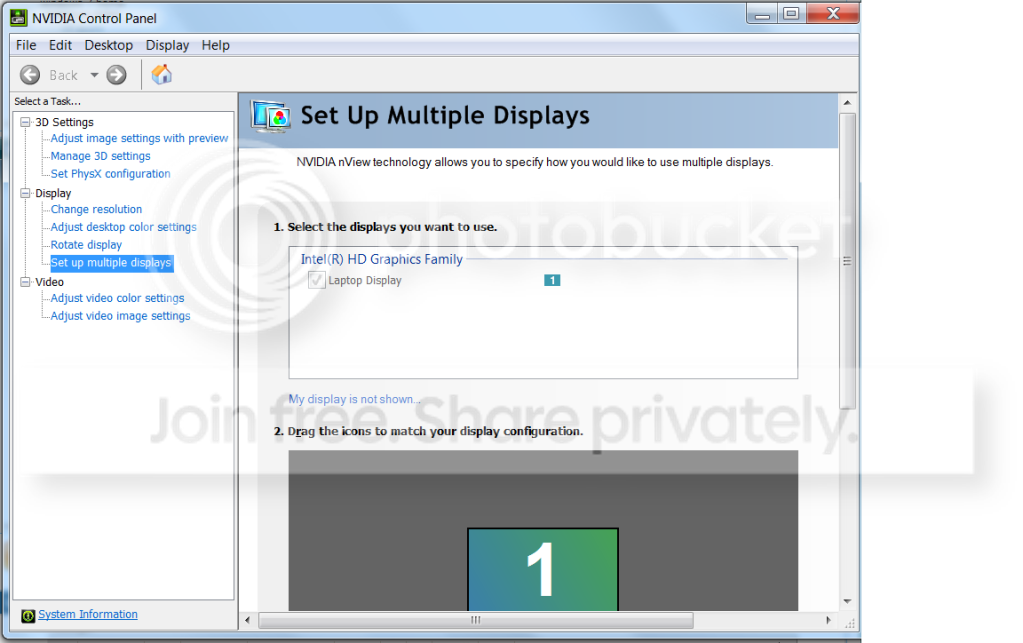
anyways I found something that might prove to be useful

I found it in the nvidia control panel:

help-4.png
 

My Computer My Computer

OS
windows 7 home premium 64bit
lol okay xD. i would still suggest you to try it. though its a minor problem.
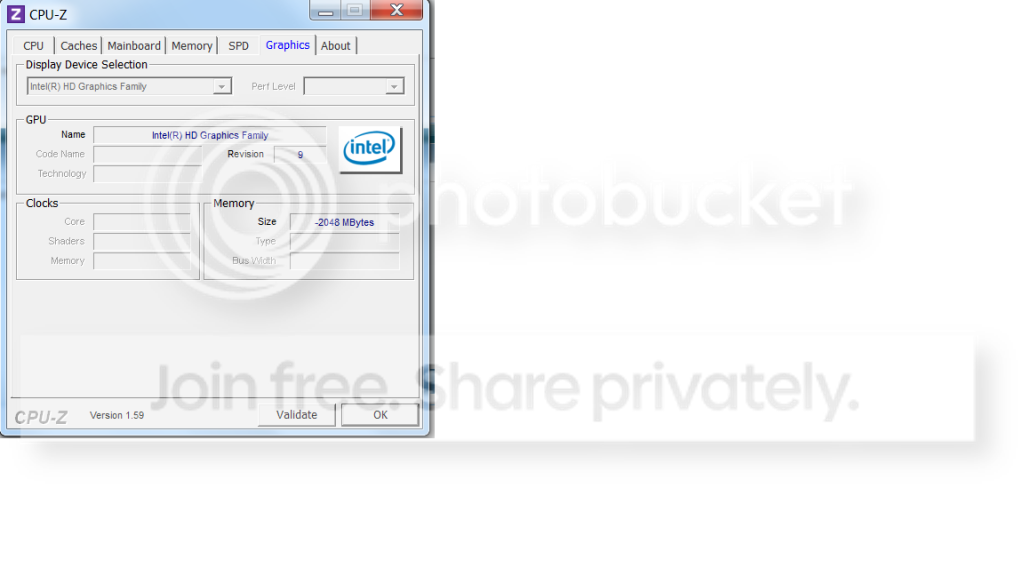
you could also download those two prgrams i posted about in the other thread and see if they show the correct grphc cards.
 

My Computer My Computer

Computer type
PC/Desktop
Computer Manufacturer/Model Number
Self assembled
OS
Windows 10 Home 64Bit
CPU
Intel Core i5 10400 @ 2.90GHz
Motherboard
Intel Corporation DG41WV (PROCESSOR)
Memory
8.00GB Single-Channel Unknown @ 1329MHz (16-20-20-38)
Sound Card
Realtek High Definition Audio
Monitor(s) Displays
DELL E170S
Screen Resolution
1280x1024 pixels
Hard Drives
931GB TOSHIBA DT01ACA100 (SATA)
238GB TEAM TM8PS7256G (SATA SSD)
Case
Nothing Fancy
Cooling
Fans
Keyboard
A4 Tech Co LTD
Mouse
A4 Tech Co Ltd/Logitech
Internet Speed
25 Mbps
kk! but what is the cleaning thing for? o.o
 

My Computer My Computer

OS
windows 7 home premium 64bit
kk! but what is the cleaning thing for? o.o
you don't have to necessarily use it for cleaning :)
but it gives you options to check your system specs
 

My Computer My Computer

Computer type
PC/Desktop
Computer Manufacturer/Model Number
Self assembled
OS
Windows 10 Home 64Bit
CPU
Intel Core i5 10400 @ 2.90GHz
Motherboard
Intel Corporation DG41WV (PROCESSOR)
Memory
8.00GB Single-Channel Unknown @ 1329MHz (16-20-20-38)
Sound Card
Realtek High Definition Audio
Monitor(s) Displays
DELL E170S
Screen Resolution
1280x1024 pixels
Hard Drives
931GB TOSHIBA DT01ACA100 (SATA)
238GB TEAM TM8PS7256G (SATA SSD)
Case
Nothing Fancy
Cooling
Fans
Keyboard
A4 Tech Co LTD
Mouse
A4 Tech Co Ltd/Logitech
Internet Speed
25 Mbps

My Computer My Computer

Computer type
PC/Desktop
Computer Manufacturer/Model Number
Self assembled
OS
Windows 10 Home 64Bit
CPU
Intel Core i5 10400 @ 2.90GHz
Motherboard
Intel Corporation DG41WV (PROCESSOR)
Memory
8.00GB Single-Channel Unknown @ 1329MHz (16-20-20-38)
Sound Card
Realtek High Definition Audio
Monitor(s) Displays
DELL E170S
Screen Resolution
1280x1024 pixels
Hard Drives
931GB TOSHIBA DT01ACA100 (SATA)
238GB TEAM TM8PS7256G (SATA SSD)
Case
Nothing Fancy
Cooling
Fans
Keyboard
A4 Tech Co LTD
Mouse
A4 Tech Co Ltd/Logitech
Internet Speed
25 Mbps
do u have a laptop or PC?
 

My Computer My Computer

Computer Manufacturer/Model Number
Custom
OS
Windows 7 Ultimate 64 bit
CPU
E7500
Motherboard
Intel DG41RG
Memory
3GB
Graphics Card(s)
Nvidia GeForce GTX 550 Ti
Sound Card
Onboard
Monitor(s) Displays
Acer v193HQ
Screen Resolution
1366x768
Hard Drives
250GB SATA
PSU
CoolerMaster 450W Bronze
Keyboard
A4Tech
Mouse
A4Tech
Internet Speed
1Mbps Dl and 512Kbps Ul
You seem to have a notebook with both onboard Intel graphics and a mobile nVidia graphics adapter.

Optimus Technology

I have no personal experience with it. I suppose that there must be some way to force the use of the nVidia adapter when it isn't used automatically, but I don't know what it is.
 

My Computer My Computer

Computer Manufacturer/Model Number
homegrown
OS
Windows 7 Pro X64 SP1
CPU
Intel Core I7-3930k
Motherboard
Asus P9X79 Pro
Memory
16 GB Gskill DDR3-2133
Graphics Card(s)
eVGA GTX680
Sound Card
Creative X-Fi Titanium
Monitor(s) Displays
As PA246Q
Screen Resolution
1920 X 1200
Hard Drives
Corsair Force GT, 120 GB
WDC 1.5TB Caviar Black
PSU
PCP&C Silencer 750 Crossfire
Case
Silverstone FT02
Cooling
Noctua NH-D14
Keyboard
cheap Logitech USB
Mouse
Microsoft Intellimouse Explorer (old optical) USB
Internet Speed
6Mb cable
Other Info
Pioneer BDR-205
Samsung SH-203B
Monsoon 5.1 speakers
I have exactly the same problem. My notebook has 2 graphic cards:
- Intel HD Graphics 3000 (onboard) and
- nVidia GeForce GT 640M (discrete)
but dxdiag displays the onboard Intel instead of the nVidia.

------------------
System Information
------------------
Time of this report: 7/19/2012, 00:33:34
Machine name: TOURIST
Operating System: Windows 7 Home Premium 64-bit (6.1, Build 7601) Service Pack 1 (7601.win7sp1_gdr.120503-2030)
Language: Greek (Regional Setting: Greek)
System Manufacturer: CLEVO CO.
System Model: W250ENQ / W270ENQ
BIOS: BIOS Date: 05/09/12 13:54:08 Ver: 04.06.05
Processor: Intel(R) Core(TM) i5-2450M CPU @ 2.50GHz (4 CPUs), ~2.5GHz
Memory: 6144MB RAM
Available OS Memory: 6034MB RAM
Page File: 3735MB used, 8331MB available
Windows Dir: C:\Windows
DirectX Version: DirectX 11
DX Setup Parameters: Not found
User DPI Setting: 120 DPI (125 percent)
System DPI Setting: 96 DPI (100 percent)
DWM DPI Scaling: Disabled
DxDiag Version: 6.01.7601.17514 32bit Unicode

------------
DxDiag Notes
------------
Display Tab 1: No problems found.
Sound Tab 1: No problems found.
Input Tab: No problems found.

--------------------
DirectX Debug Levels
--------------------
Direct3D: 0/4 (retail)
DirectDraw: 0/4 (retail)
DirectInput: 0/5 (retail)
DirectMusic: 0/5 (retail)
DirectPlay: 0/9 (retail)
DirectSound: 0/5 (retail)
DirectShow: 0/6 (retail)

---------------
Display Devices
---------------
Card name: Intel(R) HD Graphics 3000
Manufacturer: Intel Corporation
Chip type: Intel(R) HD Graphics Family
DAC type: Internal
Device Key: Enum\PCI\VEN_8086&DEV_0126&SUBSYS_27011558&REV_09
Display Memory: 4043 MB
Dedicated Memory: 1995 MB
Shared Memory: 2047 MB
Current Mode: 1600 x 900 (32 bit) (60Hz)
Monitor Name: Generic PnP Monitor
Monitor Model: unknown
Monitor Id: CMO1719
Native Mode: 1600 x 900(p) (60.008Hz)
Output Type: Internal
Driver Name: igdumd64.dll,igd10umd64.dll,igd10umd64.dll,igdumd32,igd10umd32,igd10umd32
Driver File Version: 8.15.0010.2712 (English)
Driver Version: 8.15.10.2712
DDI Version: 11
Driver Model: WDDM 1.1
Driver Attributes: Final Retail
Driver Date/Size: 3/26/2012 14:09:58, 8087040 bytes
WHQL Logo'd: Yes
WHQL Date Stamp: n/a
Device Identifier: n/a
Vendor ID: n/a
Device ID: n/a
SubSys ID: n/a
Revision ID: n/a
Driver Strong Name: oem6.inf:IntelGfx.NTamd64.6.0:iSNBM0:8.15.10.2712:pci\ven_8086&dev_0126
Rank Of Driver: 00E62001
Video Accel: ModeMPEG2_A ModeMPEG2_C ModeVC1_C ModeWMV9_C

I already tried to change that by using the instructions I found on this page:
How to Make the Onboard Graphics Card Secondary | eHow.com
but my BIOS does not have the needed options.
Does anyone know an alternative way to fix that problem?

 

My Computer My Computer

OS
windows 7 home 64bit
Back
Top