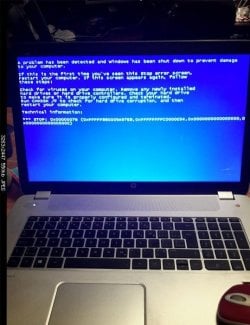
Embarrassing mistake going from bad to worse 0x0000007b +missing OS ++

ThreePeak

New member
Local time
8:06 AM
Messages
5
I'm the last person to screw around with stuff without either a) an idea what the hell I'm doing..or b) a backup/backup plan. I had an HP envy 17 j034ca laptop running windows 7 as primary, but dual booted with a win 10.

I had not been happy with the performance lately, and despite executing a ridiculous amount of best practices, scans, tweaks you name it....I wasn't getting the results. I'm comfortable with most of the inner workings of the win OS's and can fix 99.9% of issues I've encountered...one way or another.

My clever self found sysinternals suite, and while browsing through its data/options, I found what I believed to be many unnecessary or non crucial tasks that could stand to be toggled off. Again, Im not a newb, so nothing I triggered gave me the impression it could cause problems. But I was dabbling in scheduled tasks, startup etc. To note, a bunch of windows updates had just finished as well and awaited reboot.. Did it work fine? HELL NO :sarc: And here I am.

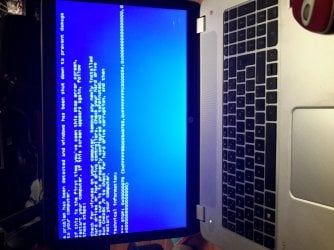
Started off as a constant BSOD when trying to start win 7 after that initial reboot. I believe it's always been the same error of 0x0000007b. Supposedly related to inaccessible boot device/controller. Every time, it proceeds with boot (set to verbose/detailed so lists the processes/drivers loading as they do) gets to the point where it stops listing paths and does its usual black windows loading screen with green progress bar. It only manages to get to that screen for avsplit vsecond before triggering the BSOD. Attempting all manner of startup repair, RE commands ( including check disk and bootrec and bcdedit variety), system restore etc has NO effect. Using the f8 boot option mode from windows OS select ( is safe mode, last good etc) ALL end the same way.....bsod 0x0000007b.

At this point, the existing OS were still found annd listed by RE , but during an initial system recovery attempt, it froze out, and I've spent the last 5 days trying to recover from the never ending death cycle known as missing operating system! With all files still intact when mounted, but NOTHING resolving the issue...and I mean NOTHING! Even down to manually rebuilding the BCD from fresh win 7 ISO.. Long story short, I gave up before "accidentally" smashing the laptop. I went nuclear baby! Active kill disk to wipe it ALL to scrap, reinstalled win 7 cleanly. Apart from pain in the ass of getting functionality and drivers and win 7 updates all over again, newvinstall booted and worked fine.

And then....I decided to try and recover my files from the drives prior to wiping. I was going to just mount the backup image (its a tib format made/running Acronis True image 2014) and copy paste all but maybe the OS files. I did have a lot of things I really liked about that install that I would never remember if starting from scratch...so I decided to run the restore option for the drive ho!ding the files via True image thinking whatever boot loader issue had occurred was resolved... MISTAKE!!! I'm back to square one with win 7 booting back to 0x0000007b!!!!

So trolls, don't bother, not listening. Anybody else with any ideas ? I'm all ears. If it WAS indeed something I triggered with sysinternals, I feel like I could figure out what it was....but I m not aware if I can run it or access it outside the booted win environment. And YES! I have run oodles of anti virus/malware/rootkit etc scans, I HAVE run startupbrepair and chkdsk /f ( and /r if I remember) multiple times, I have tried to rebuild boot, system restore etc etc etc.. So no need to copy and paste that go to chunk of text lol I don't need to loose any more hair from this, help!!
 

Attachments
  • 20151014_220133.jpg
    20151014_220133.jpg
    508.2 KB · Views: 2
Last edited by a moderator:

My Computer My Computer

At a glance

Windows 7 Ultimate x64/Windows 10 Professiona...i512gb ramNvidia
Computer type
PC/Desktop
Computer Manufacturer/Model Number
Hp Envy 17 + Dell Inspiron
OS
Windows 7 Ultimate x64/Windows 10 Professional x64
CPU
i5
Memory
12gb ram
Graphics Card(s)
Nvidia
ThreePeak, did you ever try booting in Safe Mode?
 

My Computer My Computer

At a glance

Microsoft Windows 7 Ultimate 64-bit 7601 Mult...AMD FX(tm)-6100 Six-Core Processor4.00 GBAMD Radeon HD 6450
Computer type
PC/Desktop
Computer Manufacturer/Model Number
custom build
OS
Microsoft Windows 7 Ultimate 64-bit 7601 Multiprocessor Free Service Pack 1
CPU
AMD FX(tm)-6100 Six-Core Processor
Motherboard
ASUSTeK Computer INC. M5A78L-M LX PLUS
Memory
4.00 GB
Graphics Card(s)
AMD Radeon HD 6450
Sound Card
(1) AMD High Definition Audio Device (2) Realtek High Defi
Monitor(s) Displays
Toshiba 47ZV650U 47" LCD 240Hz
Screen Resolution
1920 x 1080 x 32 bits (4294967296 colors) @ 60 Hz
Hard Drives
(1) HDT722516DLA380 ATA Device (2) Hitachi HDS721025CLA382 ATA Device (3) ST4000VN000-1H4168 ATA Device (4) Generic STORAGE DEVICE USB Device (5) Generic STORAGE DEVICE USB Device (6) Generic STORAGE DEVICE USB Device (7) Generic STORAGE
PSU
Corsair CX430M
Case
WMI (Waste Management Incorporated)
Cooling
Yes, it's very cool.
Keyboard
Bluetooth KB & Mousepad
Internet Speed
Fios 15/5 and it sucks when Verizon is throttling it down
Antivirus
Avast, MSE and Malwarebytes
Browser
Firefox v.41.0.2 and IE 11
Other Info
2 years old and so far this rig still kicks butt
Sorry, couldn't help it.:)
 

Attachments

  • laptop.jpg
    laptop.jpg
    53.2 KB · Views: 46

My Computer My Computer

At a glance

Windows `10 Professional 64bitIntel i5 [email protected]Corsair Vengeance DDR3 1600 16GNVIDIA GeForce GT520 1GHz
Computer type
PC/Desktop
Computer Manufacturer/Model Number
Home Built
OS
Windows `10 Professional 64bit
CPU
Intel i5 [email protected]
Motherboard
MSI P67A-GD55 (MS7681)
Memory
Corsair Vengeance DDR3 1600 16G
Graphics Card(s)
NVIDIA GeForce GT520 1GHz
Sound Card
Realtek High Definition Audio
Monitor(s) Displays
Haans G 241
Screen Resolution
1600X1024
Hard Drives
Crucial MX100 256GB SSD
PSU
OCZ ModXStream Modular High Performance 500 Watt
Case
Rosewill Challenger-U3
Cooling
Just Fans
Keyboard
Kensington K64338B
Mouse
Microsoft wheel mouse 1.1A
Internet Speed
240.0 Mbps
Antivirus
ESET Internet Security
Browser
Firefox
Other Info
SuperAntiSpyware-Pro
Malwarebytes (Premium)
Kerish Doctor

My Computer My Computer

At a glance

Microsoft Windows 7 Ultimate 64-bit 7601 Mult...AMD FX(tm)-6100 Six-Core Processor4.00 GBAMD Radeon HD 6450
Computer type
PC/Desktop
Computer Manufacturer/Model Number
custom build
OS
Microsoft Windows 7 Ultimate 64-bit 7601 Multiprocessor Free Service Pack 1
CPU
AMD FX(tm)-6100 Six-Core Processor
Motherboard
ASUSTeK Computer INC. M5A78L-M LX PLUS
Memory
4.00 GB
Graphics Card(s)
AMD Radeon HD 6450
Sound Card
(1) AMD High Definition Audio Device (2) Realtek High Defi
Monitor(s) Displays
Toshiba 47ZV650U 47" LCD 240Hz
Screen Resolution
1920 x 1080 x 32 bits (4294967296 colors) @ 60 Hz
Hard Drives
(1) HDT722516DLA380 ATA Device (2) Hitachi HDS721025CLA382 ATA Device (3) ST4000VN000-1H4168 ATA Device (4) Generic STORAGE DEVICE USB Device (5) Generic STORAGE DEVICE USB Device (6) Generic STORAGE DEVICE USB Device (7) Generic STORAGE
PSU
Corsair CX430M
Case
WMI (Waste Management Incorporated)
Cooling
Yes, it's very cool.
Keyboard
Bluetooth KB & Mousepad
Internet Speed
Fios 15/5 and it sucks when Verizon is throttling it down
Antivirus
Avast, MSE and Malwarebytes
Browser
Firefox v.41.0.2 and IE 11
Other Info
2 years old and so far this rig still kicks butt
Repair install cannot be done as you need to be able to get into windows to Initiate it. Safe mode and all other "f8 boot options" all result in the blue screen error less than a second after transition from verbose boot log (listing what drivers/modules are being loaded) to the black screen with windows logo and windows is loading screen
 

My Computer My Computer

At a glance

Windows 7 Ultimate x64/Windows 10 Professiona...i512gb ramNvidia
Computer type
PC/Desktop
Computer Manufacturer/Model Number
Hp Envy 17 + Dell Inspiron
OS
Windows 7 Ultimate x64/Windows 10 Professional x64
CPU
i5
Memory
12gb ram
Graphics Card(s)
Nvidia
Last edited by a moderator:

My Computer My Computer

At a glance

Microsoft Windows 7 Ultimate 64-bit 7601 Mult...AMD FX(tm)-6100 Six-Core Processor4.00 GBAMD Radeon HD 6450
Computer type
PC/Desktop
Computer Manufacturer/Model Number
custom build
OS
Microsoft Windows 7 Ultimate 64-bit 7601 Multiprocessor Free Service Pack 1
CPU
AMD FX(tm)-6100 Six-Core Processor
Motherboard
ASUSTeK Computer INC. M5A78L-M LX PLUS
Memory
4.00 GB
Graphics Card(s)
AMD Radeon HD 6450
Sound Card
(1) AMD High Definition Audio Device (2) Realtek High Defi
Monitor(s) Displays
Toshiba 47ZV650U 47" LCD 240Hz
Screen Resolution
1920 x 1080 x 32 bits (4294967296 colors) @ 60 Hz
Hard Drives
(1) HDT722516DLA380 ATA Device (2) Hitachi HDS721025CLA382 ATA Device (3) ST4000VN000-1H4168 ATA Device (4) Generic STORAGE DEVICE USB Device (5) Generic STORAGE DEVICE USB Device (6) Generic STORAGE DEVICE USB Device (7) Generic STORAGE
PSU
Corsair CX430M
Case
WMI (Waste Management Incorporated)
Cooling
Yes, it's very cool.
Keyboard
Bluetooth KB & Mousepad
Internet Speed
Fios 15/5 and it sucks when Verizon is throttling it down
Antivirus
Avast, MSE and Malwarebytes
Browser
Firefox v.41.0.2 and IE 11
Other Info
2 years old and so far this rig still kicks butt
Sorry could you clarify? Option #2 on what tutorial? The link you posted about repair install? There is no issue accessing the windows RE, command prompt or other RE features...with the exception that startup repair doesn't solve the issue no matter how many times its run and system restore claims there is no restore points
 

My Computer My Computer

At a glance

Windows 7 Ultimate x64/Windows 10 Professiona...i512gb ramNvidia
Computer type
PC/Desktop
Computer Manufacturer/Model Number
Hp Envy 17 + Dell Inspiron
OS
Windows 7 Ultimate x64/Windows 10 Professional x64
CPU
i5
Memory
12gb ram
Graphics Card(s)
Nvidia
Oh, and I've also tried running it from the uefi startup AND the CSM (compatibility support module, aka MBR boot for uefi systems).
 

My Computer My Computer

At a glance

Windows 7 Ultimate x64/Windows 10 Professiona...i512gb ramNvidia
Computer type
PC/Desktop
Computer Manufacturer/Model Number
Hp Envy 17 + Dell Inspiron
OS
Windows 7 Ultimate x64/Windows 10 Professional x64
CPU
i5
Memory
12gb ram
Graphics Card(s)
Nvidia
ThreePeak, what on earth is RE? Did you open the attached .pdf in the post #6?
You need to go into your bios and set the first boot device to be DVD drive, insert your windows DVD in the drive and reboot to have the computer to boot from the dvd and the select to repair your existing windows installation. Please read in it's entirety when someone is trying to help you at no expense to you.
 

My Computer My Computer

At a glance

Microsoft Windows 7 Ultimate 64-bit 7601 Mult...AMD FX(tm)-6100 Six-Core Processor4.00 GBAMD Radeon HD 6450
Computer type
PC/Desktop
Computer Manufacturer/Model Number
custom build
OS
Microsoft Windows 7 Ultimate 64-bit 7601 Multiprocessor Free Service Pack 1
CPU
AMD FX(tm)-6100 Six-Core Processor
Motherboard
ASUSTeK Computer INC. M5A78L-M LX PLUS
Memory
4.00 GB
Graphics Card(s)
AMD Radeon HD 6450
Sound Card
(1) AMD High Definition Audio Device (2) Realtek High Defi
Monitor(s) Displays
Toshiba 47ZV650U 47" LCD 240Hz
Screen Resolution
1920 x 1080 x 32 bits (4294967296 colors) @ 60 Hz
Hard Drives
(1) HDT722516DLA380 ATA Device (2) Hitachi HDS721025CLA382 ATA Device (3) ST4000VN000-1H4168 ATA Device (4) Generic STORAGE DEVICE USB Device (5) Generic STORAGE DEVICE USB Device (6) Generic STORAGE DEVICE USB Device (7) Generic STORAGE
PSU
Corsair CX430M
Case
WMI (Waste Management Incorporated)
Cooling
Yes, it's very cool.
Keyboard
Bluetooth KB & Mousepad
Internet Speed
Fios 15/5 and it sucks when Verizon is throttling it down
Antivirus
Avast, MSE and Malwarebytes
Browser
Firefox v.41.0.2 and IE 11
Other Info
2 years old and so far this rig still kicks butt

My Computer My Computer

At a glance

Windows 10 Pro. 64/ version 1709 Windows 7 Pr...Intel i7-6800K @ 4.3Corsair Platinum 16 gig @2400EVGA GTX 1070 OC
Computer type
PC/Desktop
Computer Manufacturer/Model Number
Home made Desktop
OS
Windows 10 Pro. 64/ version 1709 Windows 7 Pro/64
CPU
Intel i7-6800K @ 4.3
Motherboard
ASUS X-99 Deluxe II
Memory
Corsair Platinum 16 gig @2400
Graphics Card(s)
EVGA GTX 1070 OC
Monitor(s) Displays
Asus 27" LED LCD/VE278Q
Screen Resolution
1920-1080 or 1280-720 HDMI
Hard Drives
INTEL SSD 730-240 Gb Sata 3.0/
PSU
EVGA Platium 1200W
Case
Phanteks Luxe Tempered Glass 8 fans/ one radiator
Cooling
XSPC/ Water Cooled CPU
Keyboard
Das 4 Professional
Mouse
Logitech M705/MX Anywhere 2-S
Internet Speed
100 mbits
Antivirus
Microsoft Security Essentials/ Malwarebytes Premium 3.0/ SAS
Browser
I.E. 11 default/Firefox/ ISP Time Warner Cable/Spectrum
Other Info
LG BluRay Burner/
Sound system-KLipsch-THX/
Icy Dock ssd Hot Swap bays.
Good evening LaybackBear. I have posted that to this thread twice today. You can lead a horse,,,,,,,,,
 

My Computer My Computer

At a glance

Microsoft Windows 7 Ultimate 64-bit 7601 Mult...AMD FX(tm)-6100 Six-Core Processor4.00 GBAMD Radeon HD 6450
Computer type
PC/Desktop
Computer Manufacturer/Model Number
custom build
OS
Microsoft Windows 7 Ultimate 64-bit 7601 Multiprocessor Free Service Pack 1
CPU
AMD FX(tm)-6100 Six-Core Processor
Motherboard
ASUSTeK Computer INC. M5A78L-M LX PLUS
Memory
4.00 GB
Graphics Card(s)
AMD Radeon HD 6450
Sound Card
(1) AMD High Definition Audio Device (2) Realtek High Defi
Monitor(s) Displays
Toshiba 47ZV650U 47" LCD 240Hz
Screen Resolution
1920 x 1080 x 32 bits (4294967296 colors) @ 60 Hz
Hard Drives
(1) HDT722516DLA380 ATA Device (2) Hitachi HDS721025CLA382 ATA Device (3) ST4000VN000-1H4168 ATA Device (4) Generic STORAGE DEVICE USB Device (5) Generic STORAGE DEVICE USB Device (6) Generic STORAGE DEVICE USB Device (7) Generic STORAGE
PSU
Corsair CX430M
Case
WMI (Waste Management Incorporated)
Cooling
Yes, it's very cool.
Keyboard
Bluetooth KB & Mousepad
Internet Speed
Fios 15/5 and it sucks when Verizon is throttling it down
Antivirus
Avast, MSE and Malwarebytes
Browser
Firefox v.41.0.2 and IE 11
Other Info
2 years old and so far this rig still kicks butt
I notice what you did in your post. As far as I can tell you pointed the OP in the right direction.

Just thought it might of been missed so I made it bigger and highlight it and no PDF needed.
 

My Computer My Computer

At a glance

Windows 10 Pro. 64/ version 1709 Windows 7 Pr...Intel i7-6800K @ 4.3Corsair Platinum 16 gig @2400EVGA GTX 1070 OC
Computer type
PC/Desktop
Computer Manufacturer/Model Number
Home made Desktop
OS
Windows 10 Pro. 64/ version 1709 Windows 7 Pro/64
CPU
Intel i7-6800K @ 4.3
Motherboard
ASUS X-99 Deluxe II
Memory
Corsair Platinum 16 gig @2400
Graphics Card(s)
EVGA GTX 1070 OC
Monitor(s) Displays
Asus 27" LED LCD/VE278Q
Screen Resolution
1920-1080 or 1280-720 HDMI
Hard Drives
INTEL SSD 730-240 Gb Sata 3.0/
PSU
EVGA Platium 1200W
Case
Phanteks Luxe Tempered Glass 8 fans/ one radiator
Cooling
XSPC/ Water Cooled CPU
Keyboard
Das 4 Professional
Mouse
Logitech M705/MX Anywhere 2-S
Internet Speed
100 mbits
Antivirus
Microsoft Security Essentials/ Malwarebytes Premium 3.0/ SAS
Browser
I.E. 11 default/Firefox/ ISP Time Warner Cable/Spectrum
Other Info
LG BluRay Burner/
Sound system-KLipsch-THX/
Icy Dock ssd Hot Swap bays.
ThreePeak, what on earth is RE? Did you open the attached .pdf in the post #6?
You need to go into your bios and set the first boot device to be DVD drive, insert your windows DVD in the drive and reboot to have the computer to boot from the dvd and the select to repair your existing windows installation. Please read in it's entirety when someone is trying to help you at no expense to you.

RE= Recovery Environment. The OP has stated numerous times he has no trouble getting to these options, they just don't solve the problem.
 

My Computer My Computer

At a glance

Win 10 Pro x64, Win 7 Pro x64Intel Core i7-6700HQ Skylake16gb Crucial DDR4NVIDIA GeForce GTX 960M 2 GB
Computer type
Laptop
Computer Manufacturer/Model Number
MSI PE60 6QE
OS
Win 10 Pro x64, Win 7 Pro x64
CPU
Intel Core i7-6700HQ Skylake
Motherboard
MSI MS-16J5
Memory
16gb Crucial DDR4
Graphics Card(s)
NVIDIA GeForce GTX 960M 2 GB
Screen Resolution
1920 x 1080
Hard Drives
Samsung 850 EVO 250 GB M.2 SSD (MZ-N5E250BW)
HGST 1TB @7200 RPM HTS721010A9E630
Case
Plastic
Keyboard
Got one...
Mouse
Yep, one of those too.
Internet Speed
FIOS 75/75
Antivirus
Defender
Browser
Chrome/FFox/Ex-PLODE-r/(L)Edge
Other Info
Defender, Custom Hosts, uBlock, regular backups w/ Macrium (Free)
Booting up to the windows DVD is going to totally over ride/ by-bass those options/hurdles. Please try it or I quit!

Boot to DVD is not the same as RE
 

My Computer My Computer

At a glance

Microsoft Windows 7 Ultimate 64-bit 7601 Mult...AMD FX(tm)-6100 Six-Core Processor4.00 GBAMD Radeon HD 6450
Computer type
PC/Desktop
Computer Manufacturer/Model Number
custom build
OS
Microsoft Windows 7 Ultimate 64-bit 7601 Multiprocessor Free Service Pack 1
CPU
AMD FX(tm)-6100 Six-Core Processor
Motherboard
ASUSTeK Computer INC. M5A78L-M LX PLUS
Memory
4.00 GB
Graphics Card(s)
AMD Radeon HD 6450
Sound Card
(1) AMD High Definition Audio Device (2) Realtek High Defi
Monitor(s) Displays
Toshiba 47ZV650U 47" LCD 240Hz
Screen Resolution
1920 x 1080 x 32 bits (4294967296 colors) @ 60 Hz
Hard Drives
(1) HDT722516DLA380 ATA Device (2) Hitachi HDS721025CLA382 ATA Device (3) ST4000VN000-1H4168 ATA Device (4) Generic STORAGE DEVICE USB Device (5) Generic STORAGE DEVICE USB Device (6) Generic STORAGE DEVICE USB Device (7) Generic STORAGE
PSU
Corsair CX430M
Case
WMI (Waste Management Incorporated)
Cooling
Yes, it's very cool.
Keyboard
Bluetooth KB & Mousepad
Internet Speed
Fios 15/5 and it sucks when Verizon is throttling it down
Antivirus
Avast, MSE and Malwarebytes
Browser
Firefox v.41.0.2 and IE 11
Other Info
2 years old and so far this rig still kicks butt
Setting the record straight/clarification

Ok... I truly appreciate each and every message or attempt anybody puts forth trying to help solve the issue. That is the case whether the content is the answer, beneficial OR totally useless/not applicable. So don't take any feedback as an insult or being ungrateful. To clarify the intent of the original post: Only a single poster clued in. RE=Recovery environment...which is accessed by booting from the windows dvd (yes, with the boot order changed in the bios to set dvd drive as first boot device). I'm trying to tow the line between too much info and over simplifying. What I can say (and if you re-read the original post, should be able to discern) is that every solution that has been proposed by any poster to this thread thus far has already been attempted multiple times prior to posting. I avoid wasting people's time with a thread that could have been answered easily with a little googling and effort. The issue can be summed as thus: Every windows RE/windows dvd boot "repair" options available has been attempted without solving the issue. Whether that be an automated one click style fix like startup repair, system restore etc... Or an applied attempt involving various command line operations/fixes. I also spent a good chunk of time in the DISKPART and BOOTREC sections (for specific actions as guided by tutorials). Thanks again for the patience guys. I assure you I read the links and resources you have suggested and attempted the steps.
 

My Computer My Computer

At a glance

Windows 7 Ultimate x64/Windows 10 Professiona...i512gb ramNvidia
Computer type
PC/Desktop
Computer Manufacturer/Model Number
Hp Envy 17 + Dell Inspiron
OS
Windows 7 Ultimate x64/Windows 10 Professional x64
CPU
i5
Memory
12gb ram
Graphics Card(s)
Nvidia
Back
Top