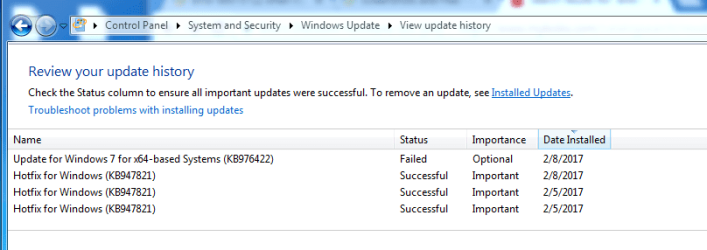
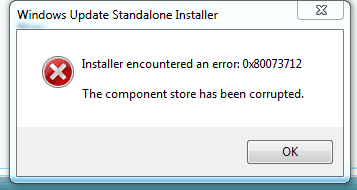
I get error 80073712 when trying to apply the SP1 update to Win 7. This has been a problem for a long time but since it did not impact what I was trying to do on my computer, I never chased it down to get a fix. Now it is a problem as I cannot install some new software until I update to SP1. I’ve searched the ‘net and ran SUR tool, SFC/Scannow and other hotfixes.
I have only one file (I think) that remains corrupted. My CheckSUR report lists one manifest file that shows ‘unavailable repair file’. I have attached the CheckSUR log and the persist log that shows how bad it was before applying the fixes.
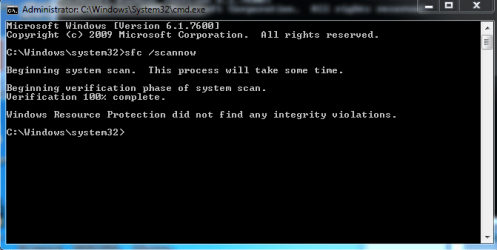
SFC/Scannow returns Windows Resource Protection did not find any integrity violations.
My system is Win 7 Home Premium, 64 bit.
Can you help me fix or replace this one file?
I have only one file (I think) that remains corrupted. My CheckSUR report lists one manifest file that shows ‘unavailable repair file’. I have attached the CheckSUR log and the persist log that shows how bad it was before applying the fixes.
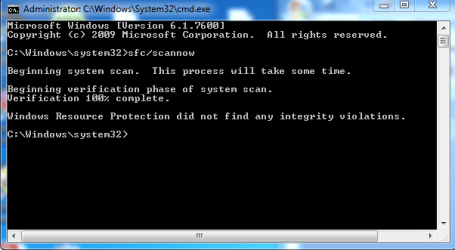
SFC/Scannow returns Windows Resource Protection did not find any integrity violations.
My system is Win 7 Home Premium, 64 bit.
Can you help me fix or replace this one file?
Attachments
My Computer
- Computer type
- PC/Desktop
- Computer Manufacturer/Model Number
- Asus
- OS
- Microsoft Windows 7 Home Premium 64-bit 7600 Multiprocessor Free
- CPU
- Intel(R) Core(TM) i5 CPU 650 @ 3.20GHz
- Motherboard
- ASUSTeK Computer INC. CG5275
- Memory
- 8 GB
- Graphics Card(s)
- Intel(R) HD Graphics
- Sound Card
- (1) Realtek High Definition Audio (2) Intel(R) Display Aud
- Screen Resolution
- 1920 x 1080 x 32 bits (4294967296 colors) @ 60 Hz
- Hard Drives
- ST31000528AS ATA Device, 931.51 GB
Iomega E xternal HD USB Device, 1.36 TB
- Antivirus
- Web Root
- Browser
- IE 8, Chrome