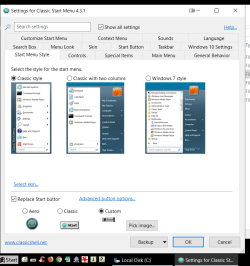
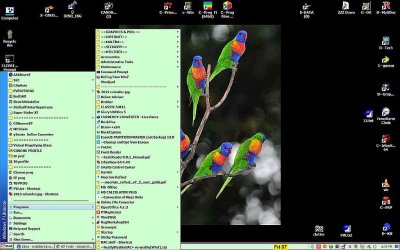
I've had this happen before when I customized the system's Start Menu.
To solve, I used the reset permissions context menu option. But this time it's different.
Different system. Everything else is working perfectly except this snafu.
Every program link including Administrative Tools links popup a security warning.
But only that folder's contents are doing this. This is the same thing that happened before.
For instance, I can copy & paste the Admin Tools folder into Start Menu folder and I can run everything
without the security warning. Same goes for any link in the Programs folder.
So I attempted to reset permissions as before (using the w/ pause reg file) but it doesn't even bring up the cmd prompt window, never mind 'pause'.
I've even took possession of the folder and still the same problem.
So if I can't solve what's happening there, I'm forced to deal with the permissions manually.
Well I did that but it seems I've truly made a mess of settings for that folder.
Nothing I do seems to remedy the problem. Again, all else on this system is AOK.
What I've done is a well known tweak to get the XP 'Programs' flyout.
I've done this on at least 5 systems and only once before I had this happen. This makes twice,
but I've run out of answers and am needing some help.
Thanks in advance.
P.S. Clean install of 7 Pro 32bit w/ NO AV or AM programs (Yet) to get in the way.
To solve, I used the reset permissions context menu option. But this time it's different.
Different system. Everything else is working perfectly except this snafu.
Every program link including Administrative Tools links popup a security warning.
But only that folder's contents are doing this. This is the same thing that happened before.
For instance, I can copy & paste the Admin Tools folder into Start Menu folder and I can run everything
without the security warning. Same goes for any link in the Programs folder.
So I attempted to reset permissions as before (using the w/ pause reg file) but it doesn't even bring up the cmd prompt window, never mind 'pause'.
I've even took possession of the folder and still the same problem.
So if I can't solve what's happening there, I'm forced to deal with the permissions manually.
Well I did that but it seems I've truly made a mess of settings for that folder.
Nothing I do seems to remedy the problem. Again, all else on this system is AOK.
What I've done is a well known tweak to get the XP 'Programs' flyout.
I've done this on at least 5 systems and only once before I had this happen. This makes twice,
but I've run out of answers and am needing some help.
Thanks in advance.
P.S. Clean install of 7 Pro 32bit w/ NO AV or AM programs (Yet) to get in the way.
My Computer
At a glance
Win 7 Pro 32bit - XP & W2K3 Server - Linuxi716 GBRadeon HD 7800 Series
- Computer type
- PC/Desktop
- Computer Manufacturer/Model Number
- ASUS - Home Built
- OS
- Win 7 Pro 32bit - XP & W2K3 Server - Linux
- CPU
- i7
- Motherboard
- Intel
- Memory
- 16 GB
- Graphics Card(s)
- Radeon HD 7800 Series
- Sound Card
- Asus Xonar
- Monitor(s) Displays
- Asus
- Hard Drives
- SSD - Samsung EVO 1 TB + WD 2 TB x 4
- PSU
- EVGA G3 1000
- Case
- Thermaltake Level 10 GT
- Cooling
- Lots
- Keyboard
- Logitech
- Mouse
- MX Master 3
- Internet Speed
- 1GB
- Antivirus
- Never
- Browser
- Pale Moon & Ungoogled Chromium, Brave etc.
- Other Info
- I thank you for this impressive forum