- Local time
- 5:57 AM
- Messages
- 50,634
Most all of my installs shake out with IE8 zoom at 125% and Larger Text size, with the native or maximum screen res. I think this is fairly standard for widescreens.


Greg, in AOL, none of that works. They have their own ways.Zoom, not Text Size.
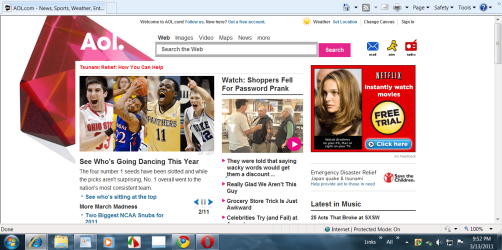
This apparently the AOL on IE. Here is how mine looks (set at 100%) - I usually use 125% though.Hi again WHS
When using my old XP laptop, and opening my AOL mailbox, it took up about a fifth of the screen and you could see more than double the amount of e-mails compared to using the Windows 7 laptop.
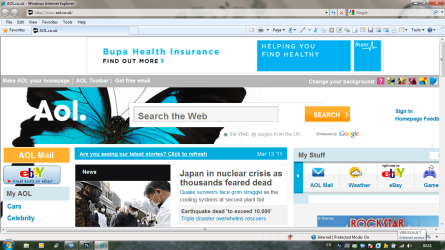
What do you think about the Internet Explorer screenshot I posted at #15, particularly the size of the ads compared to the text size?
Sorry

Most all of my installs shake out with IE8 zoom at 125% and Larger Text size, with the native or maximum screen res. I think this is fairly standard for widescreens.
That is normal. I just displayed your UK AOL on my 22" screen and at 125% I did not see a lot more.Most all of my installs shake out with IE8 zoom at 125% and Larger Text size, with the native or maximum screen res. I think this is fairly standard for widescreens.
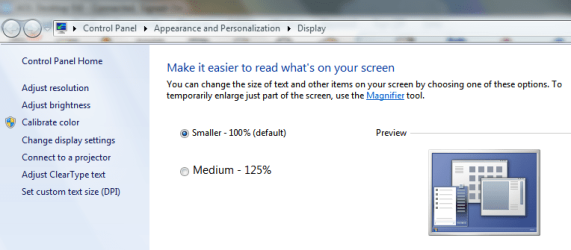
Now that is interesting. I just tried those settings below and can only view about 1/5th of the webpage ..........


Has the OP tried: Start - Search - type "enlarge" and click on Make text and other items larger or smaller. ?
Mine defaulted at 125%. Can be reduced to 100%
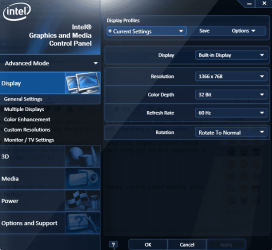
Hmm. Are you using a lower Screen Res? The native (highest) resolution tends to make things quite small, requiring a higher zoom.
I dont' know if we've asked you yet if you've updated your Display Driver? Check optional Windows Updates, or the Support Downloads webpage for the computer or display adapter model.
This is definitely a screen resolution thing. On a laptop, you typically need to set it to the highest available resolution.

I am sure it is a resolution thing too, but I the settings have always been as high as they will go. I mailed AOL and they said the same as you, so I don't know how I can fix this